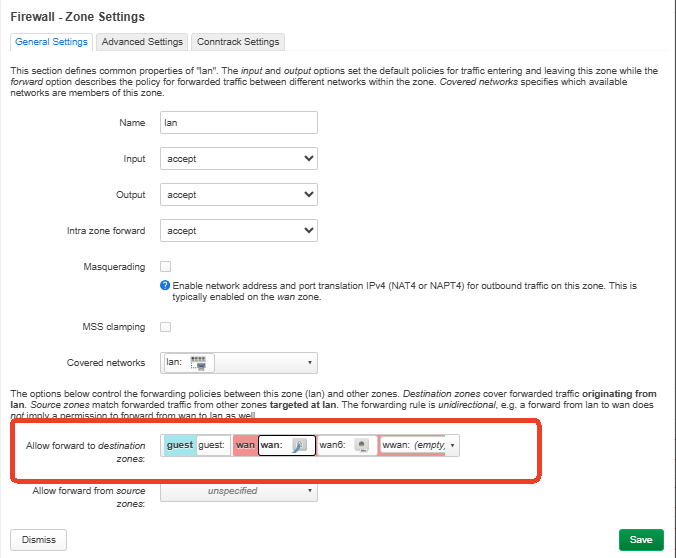
This guide explains how to assign a physical LAN port to the Guest or IoT network through LuCI. After the configuration, a wired device connected to that port will obtain an IP address from the selected Guest or IoT network.
This guide uses LAN 4 and the IoT network as examples.
Applicable Models and Configuration Methods
This guide uses Flint 2 (GL-MT6000) and Flint 3 (GL-BE9300) as example models.
The steps are based on firmware v4.9.
Flint 2 uses DSA, so a physical lanX port can be moved directly from br-lan to br-guest or br-iot.
Flint 3 uses swconfig, so a port VLAN should be created under Network → Switch, and the generated eth1.<VID> device must then be added to the target bridge.
After the configuration, the selected LAN port will no longer belong to the main LAN and will instead use the Guest or IoT network.
Do not configure the router through the LAN port that you are about to reassign.
Flint 2 (GL-MT6000) — DSA
-
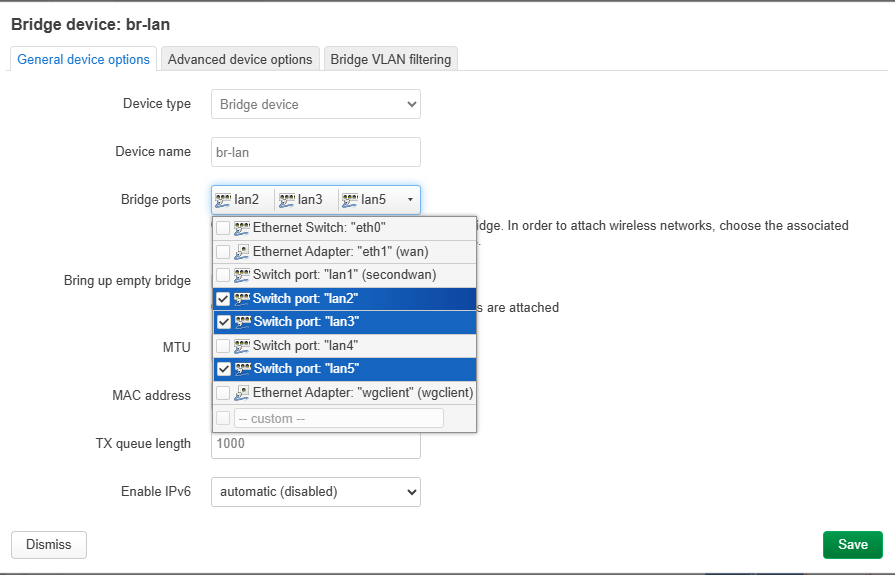
Remove LAN 4 from the Main LAN
In LuCI, go toNetwork → Interfaces → Devices. Find br-lan and click Configure. In Bridge ports, deselectlan4.
-
Add LAN 4 to the IoT Network
Return toNetwork → Interfaces → Devices. Findbr-iotand click Configure. In Bridge ports, selectlan4.
LAN 4 will now use the IoT network.
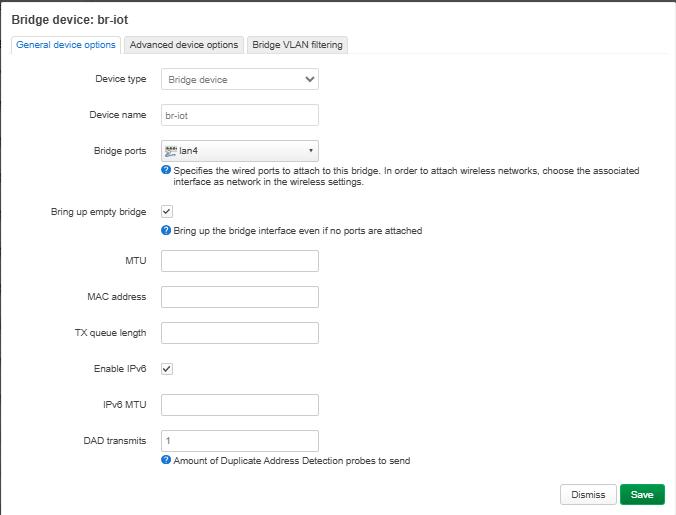
To use the Guest network, add lan4 to br-guest instead of br-iot.

Flint 3 (GL-BE9300) — swconfig
- Remove LAN 4 from the Main LAN VLAN
Check the Port Mapping
The chassis port labels and the ports displayed on the LuCIswitch1page are reversed.
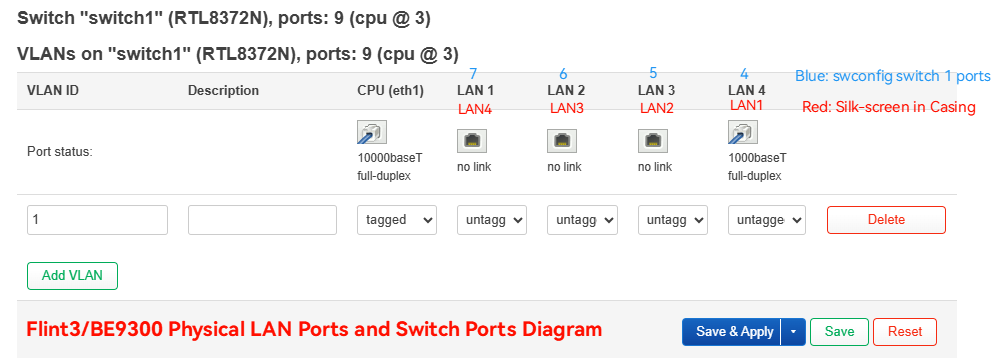
- Chassis LAN 1 corresponds to LuCI LAN 4.
- Chassis LAN 2 corresponds to LuCI LAN 3.
- Chassis LAN 3 corresponds to LuCI LAN 2.
- Chassis LAN 4 corresponds to LuCI LAN 1.
This example modifies chassis LAN 4, so LuCI LAN 1 must be configured.
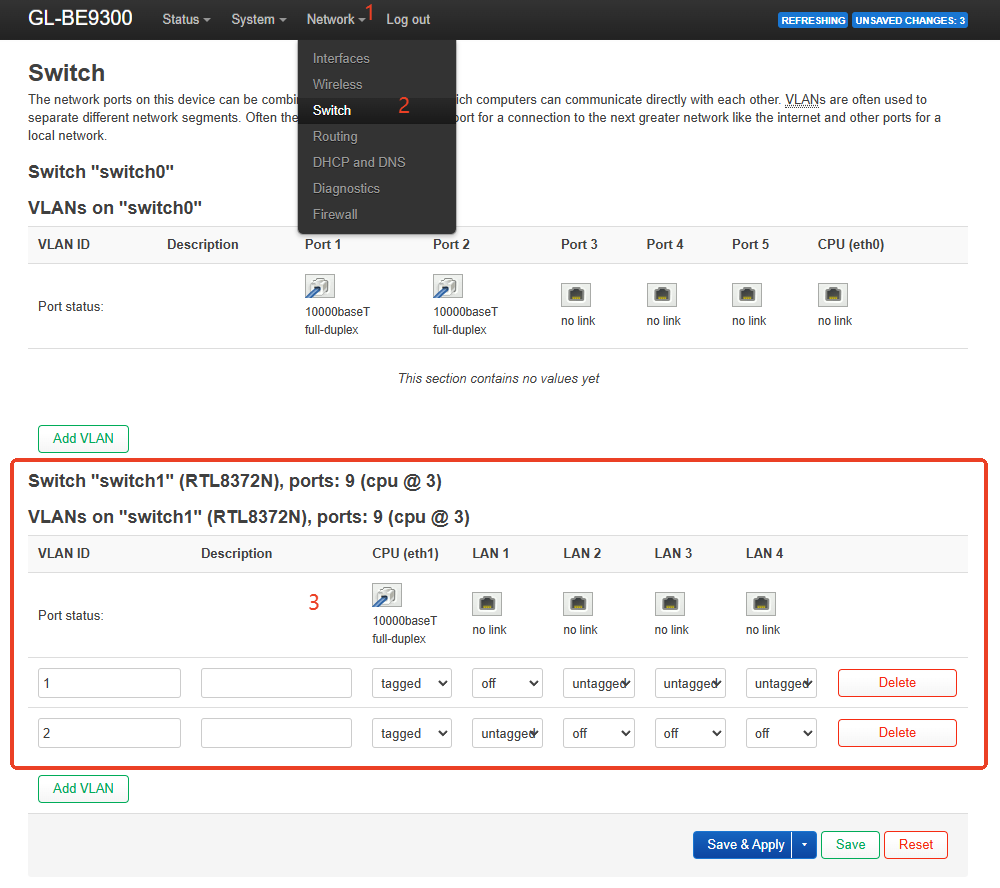
- Add the VLAN Device to the IoT Network
Go toNetwork → Interfaces → Devices. Findbr-iotand click Configure. In Bridge ports, addeth1.2.
Click Save, and then click Save & Apply.
Chassis LAN 4 will now use the IoT network.
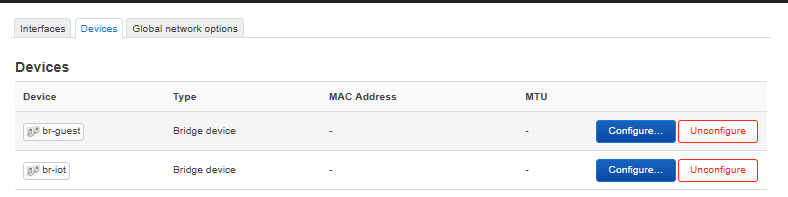
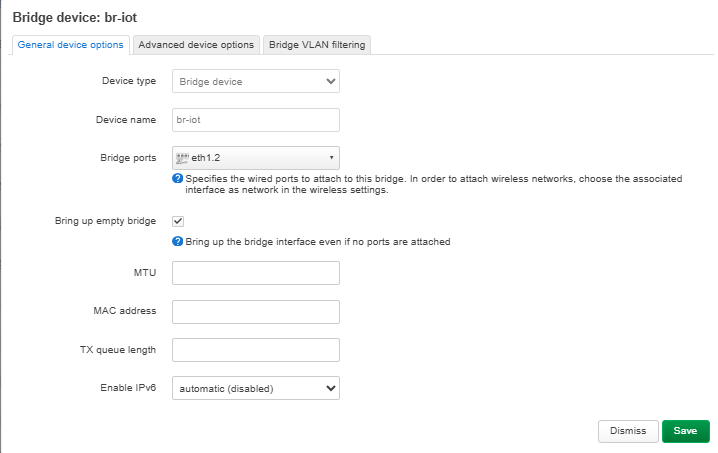
To use the Guest network, add eth1.2 to br-guest instead of br-iot.
Restore the Original LAN Port
Restore the Original LAN Port
Flint 2
Remove lan4 from br-iot or br-guest.
Add lan4 back to br-lan.
Click Save & Apply.
Flint 3
Remove eth1.2 from br-iot or br-guest. Delete the newly created VLAN.
In the original LAN VLAN, restore LuCI LAN 1 to Untagged.
Click Save & Apply.