Dear Users,
NetBird is a similar to software for remote virtual networking with firmware pre-installed Tailscale, Zerotier, AstraWarp (Powered by GL.iNet), but NetBird is not pre-installed in the router firmware (as of the publication of the topic, we have no plans to pre-install NetBird in GL firmware).
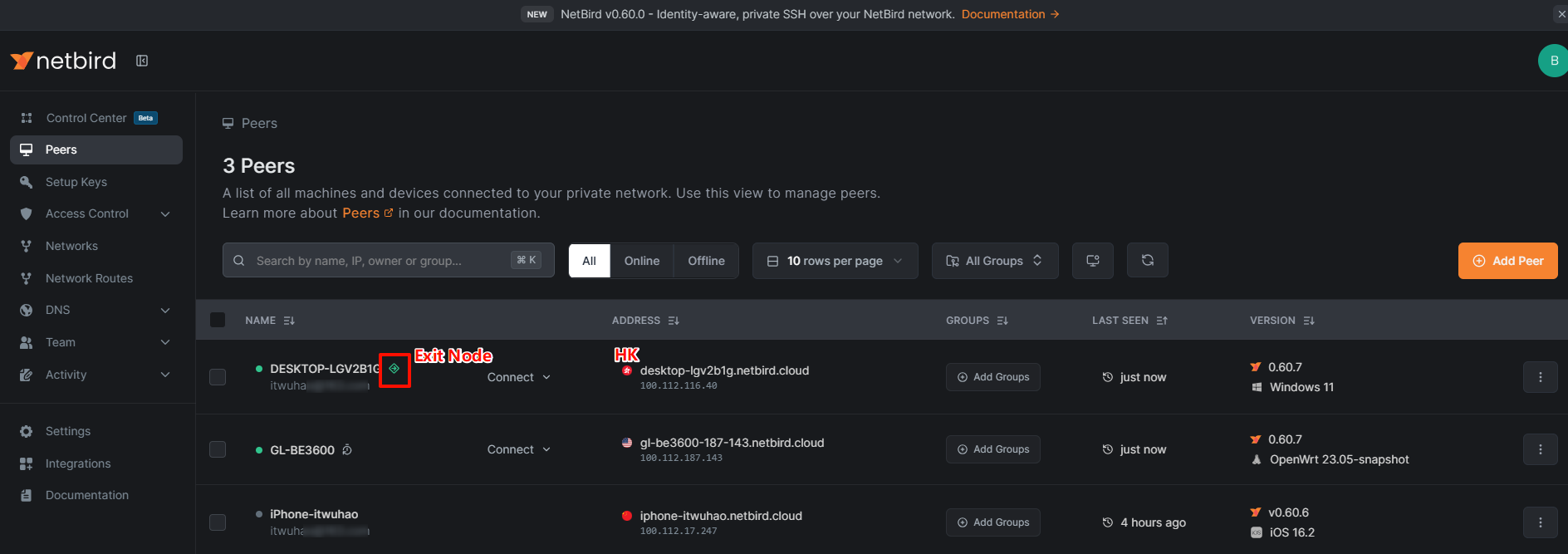
Some users may still would like to use NetBird because they already have some devices that have been installed and bound to NetBird, and the NetBird device hosted an exit node.
Since the GLiNet router opens a powerful terminal, we can SSH login to the router and install and use Netbird.
Follow this guide to install NetBird on your GLiNet router, bind the router to NetBird and implement virtual networking, allow NetBird devices to remote access each other, and configure the GLiNet router to use NetBird's exit node as the Internet.
Guide:
-
SSH to the router: SSH log in to the Router - GL.iNet Router Docs 4
-
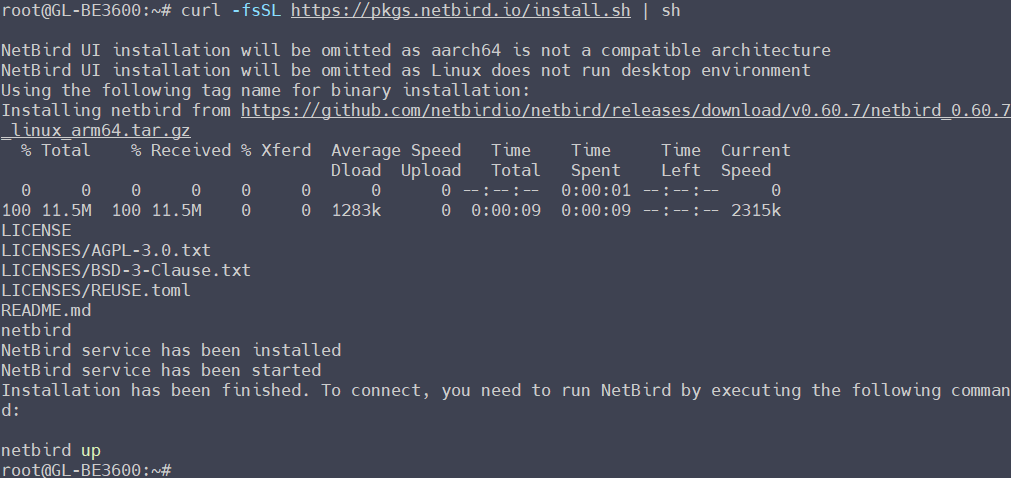
Install NetBird on router:
curl -fsSL https://pkgs.netbird.io/install.sh | sh
-
Run NetBird and bind Key:
netbird up --setup-key <SETUP KEY>
How to create your SETUP KEY?

-
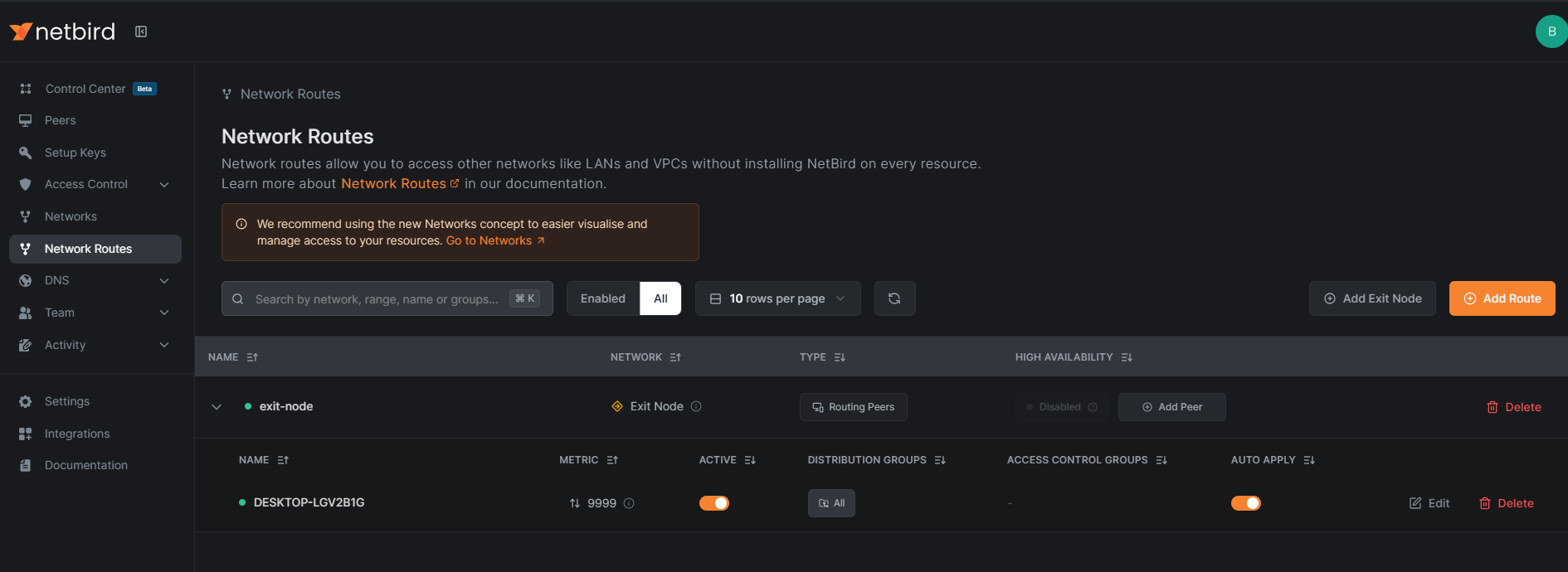
Configure the exit node and advertise the network route
0.0.0.0/0, follow this: Configuring Exit Nodes for Internet Traffic - NetBird Docs
-
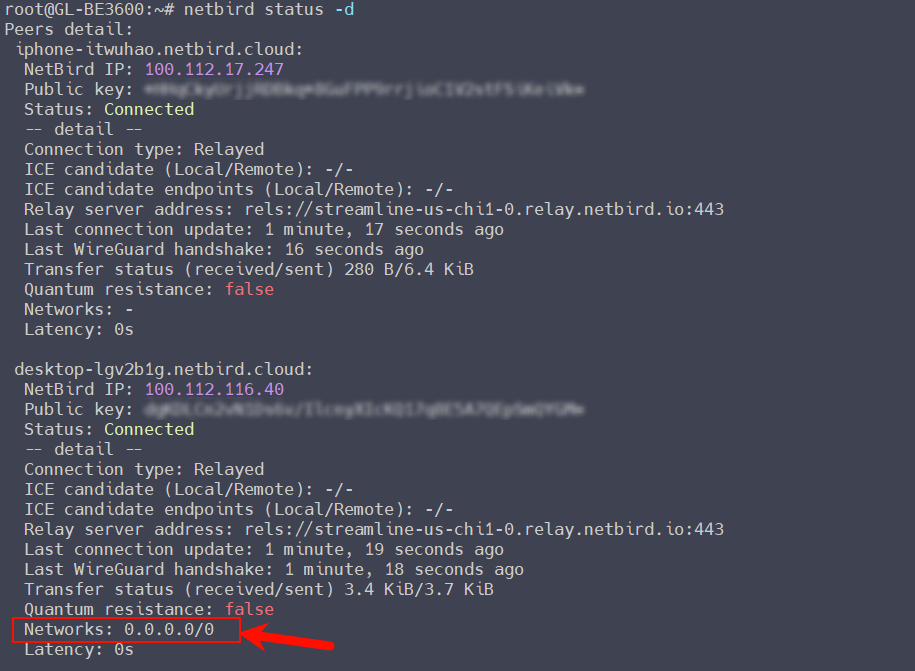
Check whether NetBird routing advertisement is obtained:
netbird status -d
IfNetworks: 0.0.0.0/0is displayed, it means that the router has accepted NetBird's routing and the exit node will take effect. -
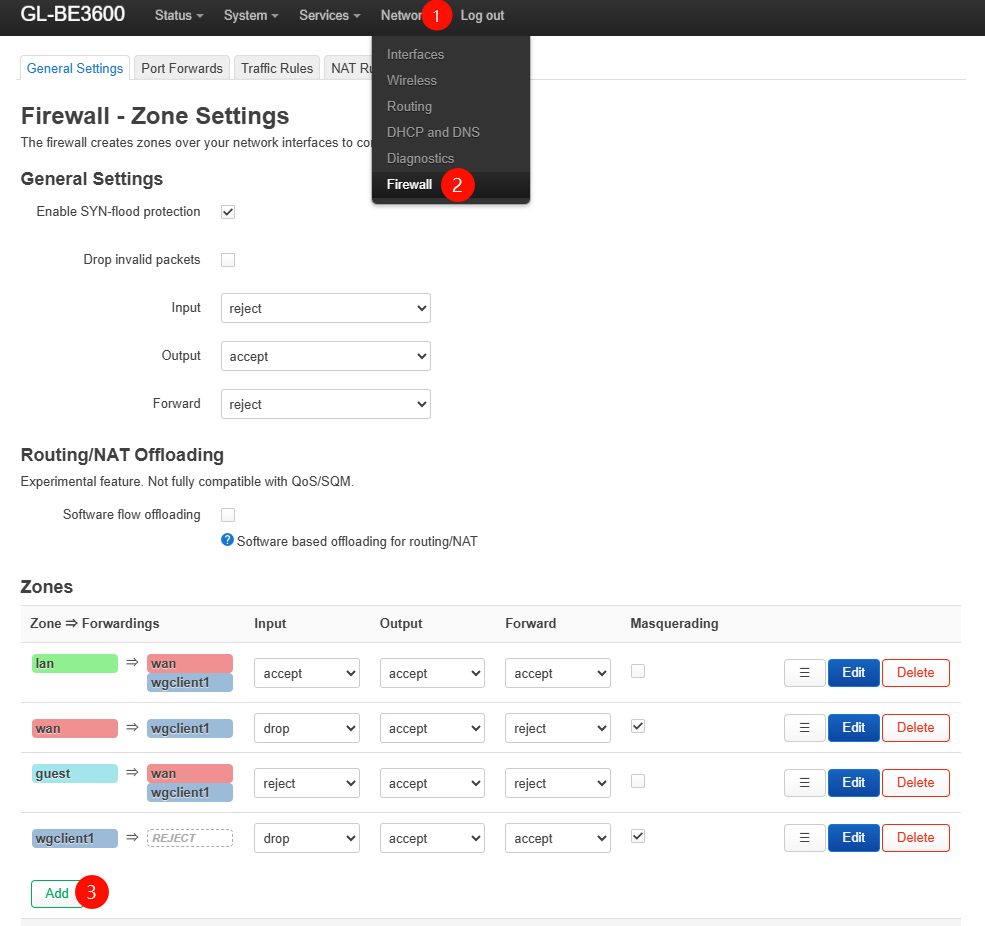
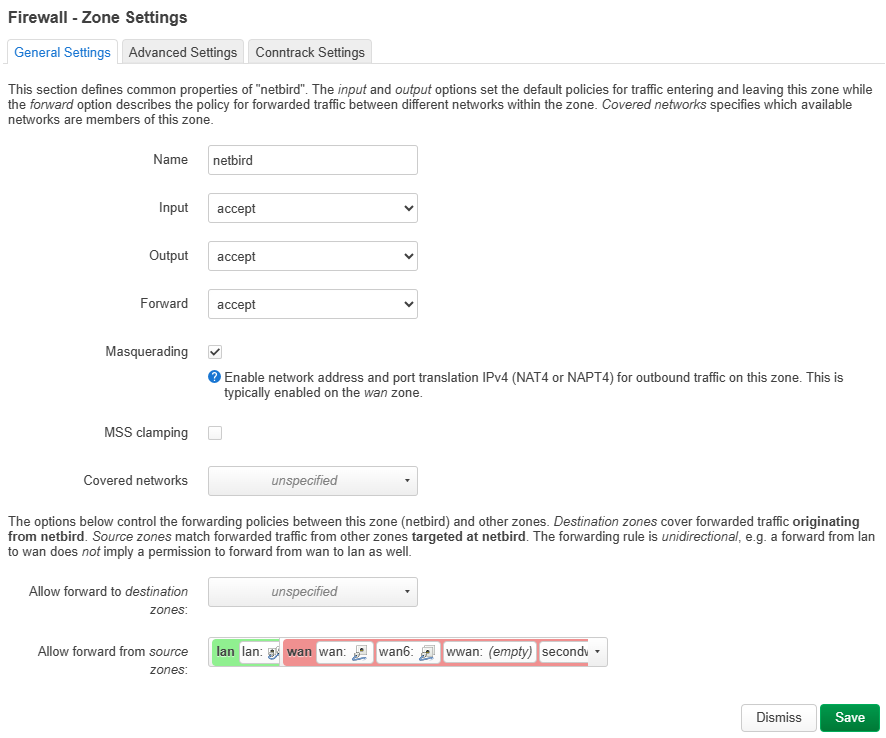
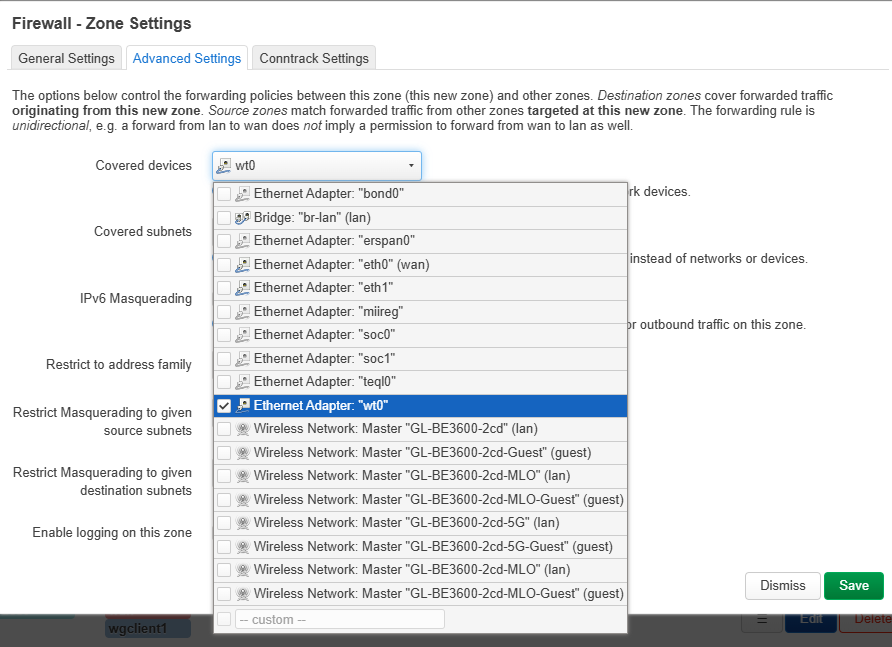
Add a NetBird zone to the firewall, allow forwarding to LAN and WAN, and enable Masquerade:
-
Add NetBird to auto startup and persist:

sed -i '/^exit 0/i\
sleep 30\
netbird service install\
netbird service start' /etc/rc.local
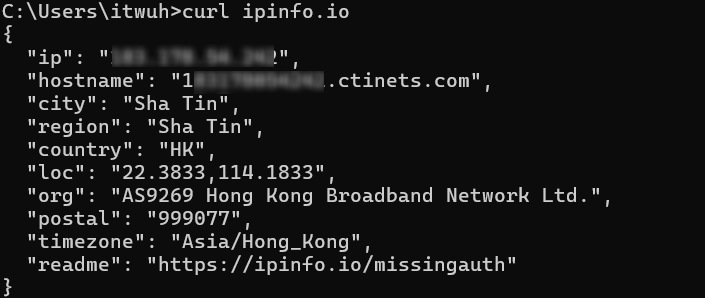
- Check in the LAN client of the router, like a PC, the Internet exit is using the NetBird hosted exit node:
CMDcurl ipinfo.io, or visit ipinfo.io, whatismyipaddress.com, whatsmyip.com on the browser
-end
Common Commands:
/etc/init.d/netbird restart
netbird down
netbird up
netbird status
netbird status -d
Tips:
- Not all router software architectures support to install the NetBird. Please refer to the official NetBird, you can contact NetBird technical support to confirm if the installation is failed.
- Before configuration, recommended that manually backup your router configuration first. If the NetBird configuration is abnormal, you can reset the firmware at will and restore this backup to return to the personal configuration that was used normally before.
- If you have no special needs, better to use the pre-installed AstraWarp, Tailscale, and Zerotier because they have GL GUI and the configuration process will be easier.
- Some guidelines refer to NetBird's Docs (https://docs.netbird.io). If there are configuration updates caused by NetBird plug-in updates, please refer to the above official Docs to troubleshoot by yourself.