When I would have my travel router at home I would like to add it to my 802.11s mesh. There are already three different brands but they all run OpenWrt (24.10.4) on them. In the advanced settings on my Slate 7 I can’t scan anything and the standard interface does not see the mesh. It isn’t a proprietary mesh at all. It is just the ?2011 standard 802.11s I use. Later on I will need to do some more advanced stuff (I run BATMAN Adv on the mesh) but I can’t even join the mesh as it is so I can’t even initiate the first step. Am I wasting my time?
Above should say slate 7? Not 7i. But I can’t find the edit option.
You have to use LUCI for that.
No, I’ve tried Luci already.if you go to Network>wifi and then scan on the appropriate radio shows nothing. Only way to scan is the usual interface but then it doesn’t show the mesh backhaul.
Hi
Unfortunately, the Slate 7 does not support 802.11s Mesh.
This is a pity. Too many proprietary mesh types I guess: combining the last two icons into one and having a mesh icon would have been sensible if a mesh was always a mesh. Was just thinking there might be a way to do this via the OpenWrt interface.
Just a small update: we are currently planning to provide 802.11s mesh support for the Slate 7 in the v4.9.x firmware(not v4.9.0). It will most likely be based on an EasyMesh solution.
There is no timeline available yet, as it may take a considerable amount of time for evaluation, development, testing, and release.
Will the basic openwrt implementation of 802.11s not work?
You can just create two nodes with a mesh type network and they auto connect. I mean two routers both broadcasting a 802.11s mesh network with same ssid and password.
They should auto connect.
Good to hear. I already set up my home mesh with BATMAN-adv on top of 802.11s as it is part of the Linux Kernel already and I mainly use Linux. Also being open source, free combining wired and non-wired helped.
I don’t think BATMAN-adv can be run alongside easy mesh as they seem too similar. Do you think I will be able to use 802.11s, download the Batman-adv (nb not batman daemon) packages and then join my mesh? I already checked the packages could be found in the repository software. Was thinking of trying to join my mesh with Ethernet.
if so my other nodes have 802.11r (fast roaming) enabled. Will you also be bringing 802.11r when you install 802.11s?
We have not yet enabled/supported 802.11s in the wireless driver.
There may be a need to make some modifications to the QSDK.
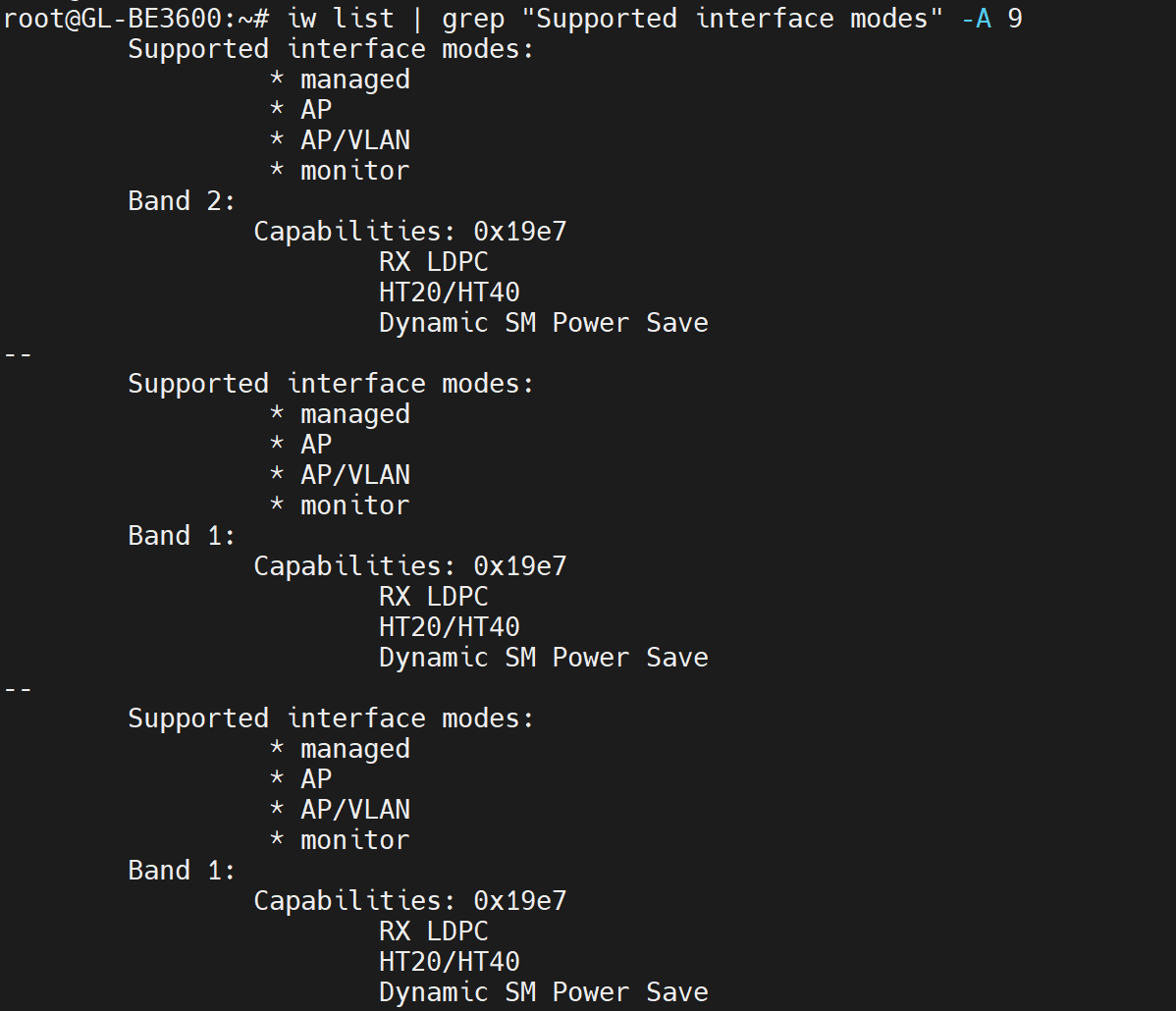
(No 'mesh point')
I think that after we provide support for 802.11s mesh on wireless driver, it should be possible for you to disable the GL-managed mesh and wireless features, and then install and maintain batman-adv on your own.
That said, I don’t seem to see the relevant packages (kmod-batman-adv and wpad with mesh support) available for the BE3600 yet…?
In any case, it may be a bit too early to discuss this in detail right now.
First, let’s focus on doing our best to bring 802.11s wireless driver support to the BE3600.
As for 802.11r, you can refer to the thread below to enable.
The commands are the same, except that the BE3600 lacks the 6 GHz band.
Thanks for the detailed answer, I get it now.
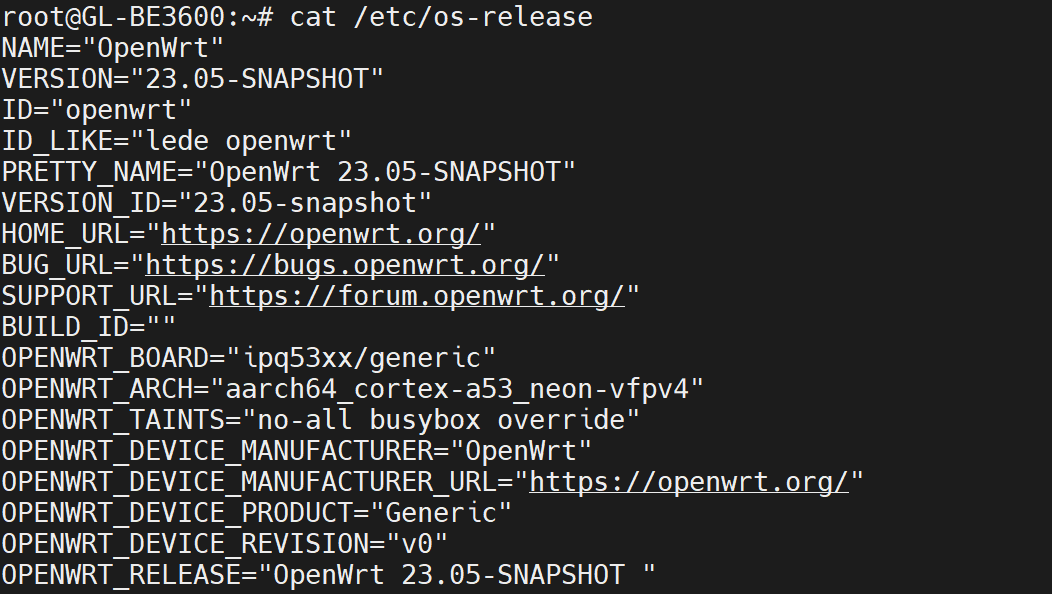
Never mind: I looked it up ?Qualcomm IPQ53xx with proprietary Qualcomm stuff? I think my previous routers have been Mediatek and hence easy to find packages for.
I was just going to manually install them ensuring the cpu architecture and OpenWrt version was okay. What is the cpu architecture? I can check they exist.