You will see I did, and Rotor did. Not interested in talking about it further. The next batch is in stock and we will see what actual experience is.
You're right on the proof. Feel free to re-examine rotor screenshot. The memory is maxed out. I'm not here to argue or upset you.. just because you can doesn't mean you should is my point.
Here is my ar750s with 128mb of RAM. Similar/less software... Memory is not something that can be created from air. Vanilla Openwrt needs 64mb by itself. Gl.inet framework maybe another 16-20mb. There just isn't enough memory for adguard home and tailscale to run properly..
This is why gl.inet does not offer with these capabilities. It looks like they added tail scale. But again it's just a VPN router, nothing more and it's due to the lack of memory :-/ this has been my entire complaint for this router. The fact that 10 years ago the first Mango had 128 MB... Launching the mango 2 with 128 never made sense. 256 should have been the minimum. Even if it would have cost an extra 5 to $10.
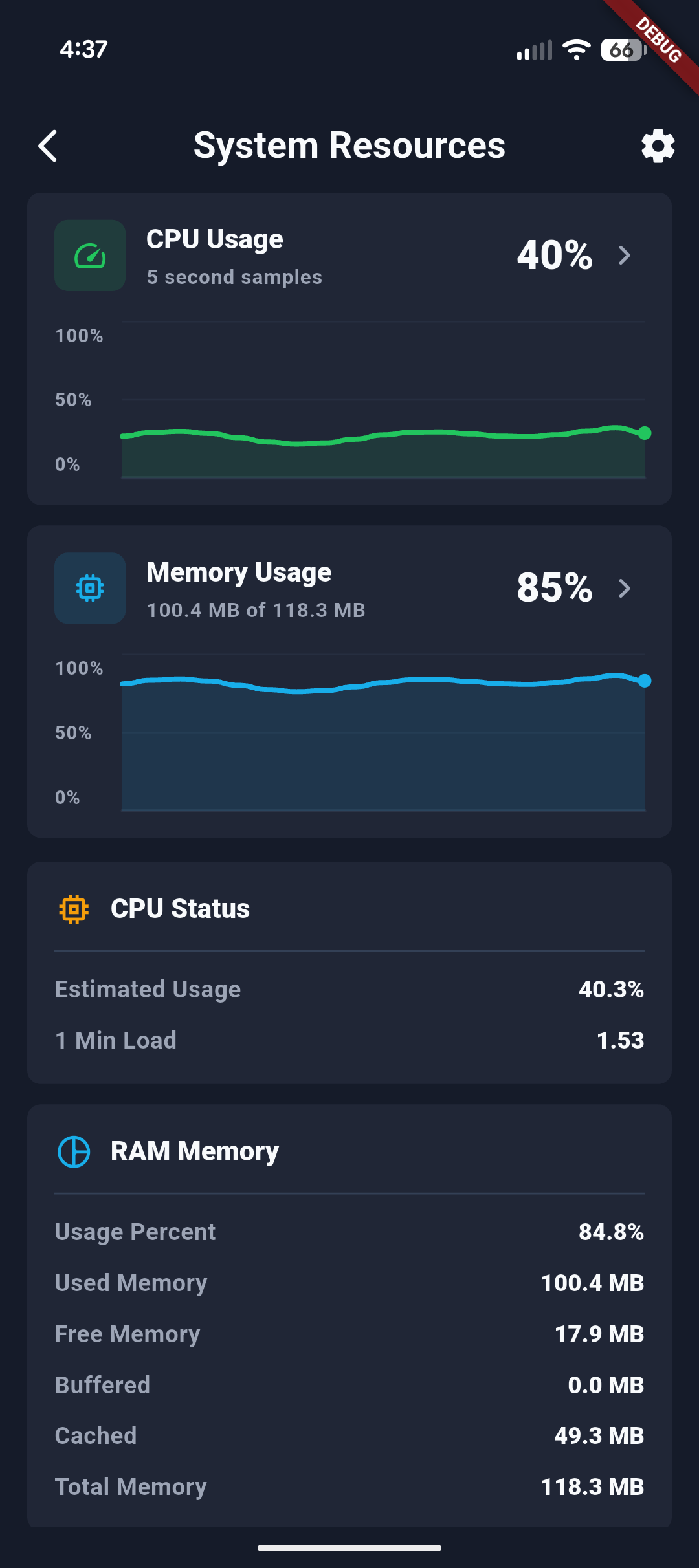
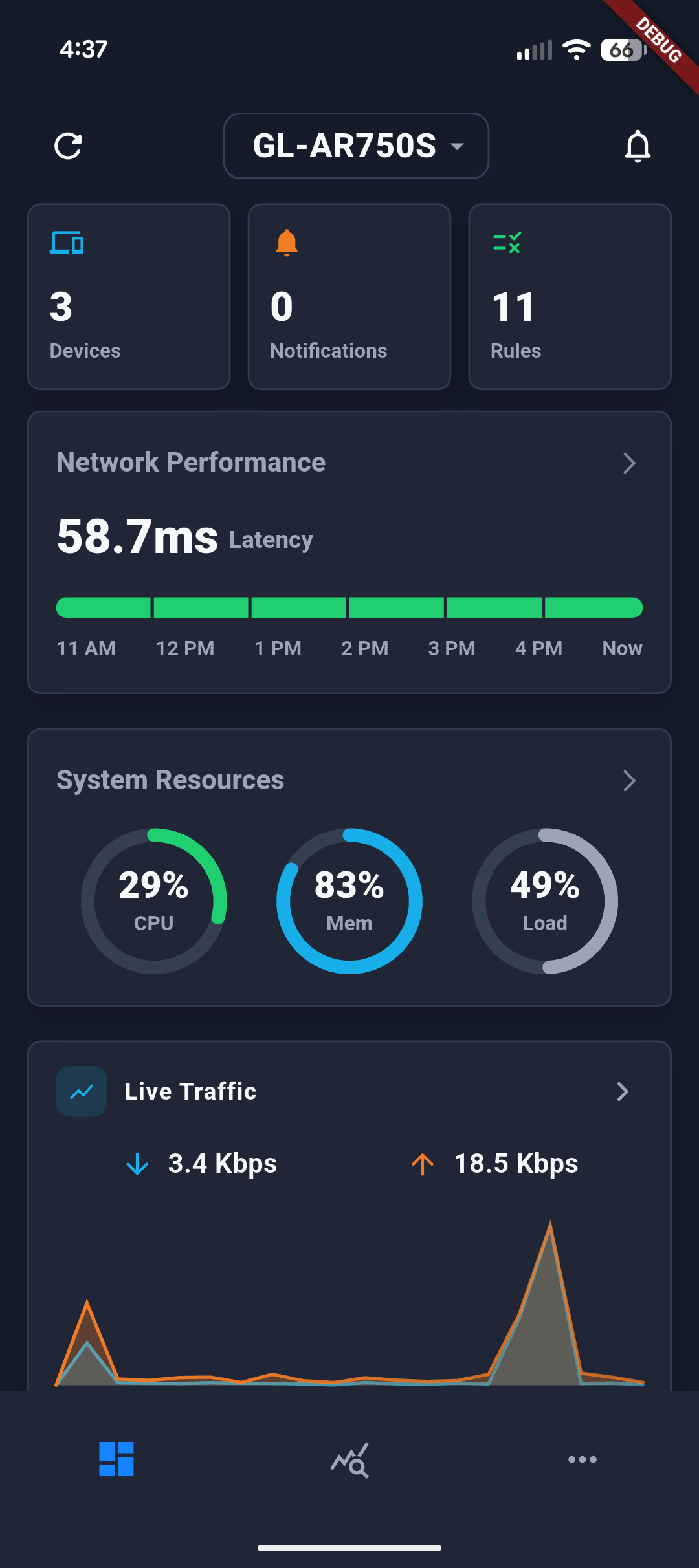
Interesting, my Mango 2 arrived today, and here's what the memory overview looks like:
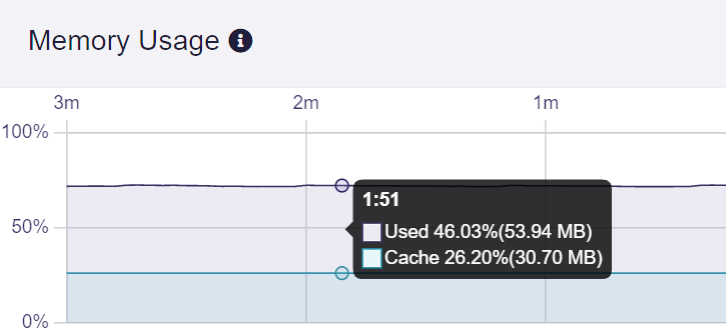
Only about 54MB used for the system, not 80MB like you seem to think.
I don't use Tailscale, no need for me, I've just got a couple of Wireguard clients installed so I can VPN in to my home router.
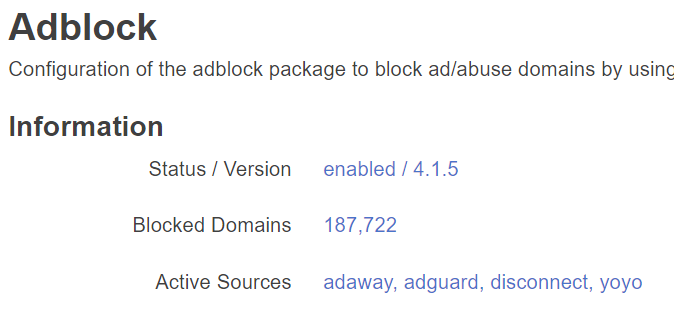
Also I use luci Adblock.
That's good to hear. My numbers were a rough estimate on the newest release but regardless when you add a few devices to it see if the memory goes up 
Also can you load some plugins for me  I'm considering buying one when it's available but I don't want to kick myself later.
Is that memory usage with ADBlock?
And what version of openwrt is shipped?
Hi,
Regarding the temperature, could you let us know the ambient temperature, how the router is positioned, the power adapter specifications, the CPU load, and how long the reported temperature persists? Because Mango 2 has a very compact enclosure, a higher CPU temperature under sustained load is expected. Please keep it in a well-ventilated location and avoid covering the device.
Regarding Tailscale throughput, lower performance than WireGuard is expected on this hardware. Due to Mango 2’s compact design, its CPU resources are limited, and Tailscale processes traffic in user space, so it cannot handle encrypted traffic as efficiently as kernel-based WireGuard.
Hi,
Regarding the random reboots, could you please provide the following details?
- The firmware version which could be found on System - Upgrade.
- The power adapter and USB-C cable being used
- Any enabled application / plug-ins
If you are not using the supplied USB-C cable, please first test with the supplied cable and a known-good 5V/2A power adapter. If the issue continues, please configure log storage to flash via running below SSH commnad:
uci set system.@system[0].log_file='/root/syslog.log'
uci commit system
/etc/init.d/log restart
logger -t wg-debug 'persistent logging enabled'
After the problem occurs again, export the logs and send them to us by private message. Please do not post the log archive publicly.
Once collecting the file, disable the temporary persistent logging to avoid continued writes to flash:
uci -q delete system.@system[0].log_file
uci commit system
/etc/init.d/log restart
rm -f /root/syslog.log
To send a private message, click the technical-support avatar and then click Message.
Hi,
Thanks for your feedback.
We are arranging an update plan for the bundled Tailscale version. It will be updated in a future firmware release, although we cannot provide a specific version or release date yet.
Hi,
Mango 2 does not currently provide ACL in the GL.iNet web Admin Panel. Similar access-control rules can be configured through LuCI. By default, the LAN and IoT networks are isolated from each other in both directions, so neither network can initiate access to the other.
Regarding AdGuard Home, it is not preinstalled on Mango 2 because of the device’s limited memory, and the documentation lists GL-MG1300 as an unsupported model:
If you install it manually through plug-ins, please use small filter lists and avoid running it together with other memory-intensive plug-ins.
In v4.10.1 it shows as
• Hostname: GL-MG1300
• Model: GL.iNet GL-MG1300 (Mango 2)
• Architecture: MediaTek MT7621 ver:1 eco:3
• OpenWrt Version: OpenWrt 22.03.4 r20123-38ccc47687
• Kernel Version: 5.10.176
Sorry, should have said base openwrt version.
Thx for the owrt version
I got to test the device for a week now. Wireguard works for me without any issue, however for using tailscale exit node do not work properly, IPv6 did not changes to the exit node IPv6 address and remains the same as local IPv6 address. The only way to prevent tailscale from leaking IPv6 address is to disable IPv6 which is a shame because through IPv6, I can establish direct connection which can improve the speed and latency. Right now I am also only getting a single digit speed through Tailscale, I was hoping it was at least double digit. 
Hi,
Tailscale IPv6 Exit Node routing is not currently configured automatically by the GL.iNet web interface. As a manual workaround, you can enable IPv6 masquerading on the Tailscale firewall zone via SSH:
uci set firewall.tailscale0.masq6='1'
uci commit firewall
/etc/init.d/firewall restart
After applying the setting, reconnect to the Tailscale Exit Node and check the public IPv6 address again.
Alternatively, you may try the community-developed gl-tailscale-fix project, which provides IPv6 support for Tailscale Exit Node routing:
Please note that this is a third-party community project.
I wish i could tell you any positive news. But it is still showing my local ipv6. This works on my beryl ax though. What else are different between the stock firmwares? Is there anything else I could try? I have not made any changes to the stock firmware besides what you have suggested.
Mango 2 just arrived, so I've swapped out my Mango in my go bag. I didn't realize the original had faded so, after 6 years. Here they are, side by side:

And here is the go bag:
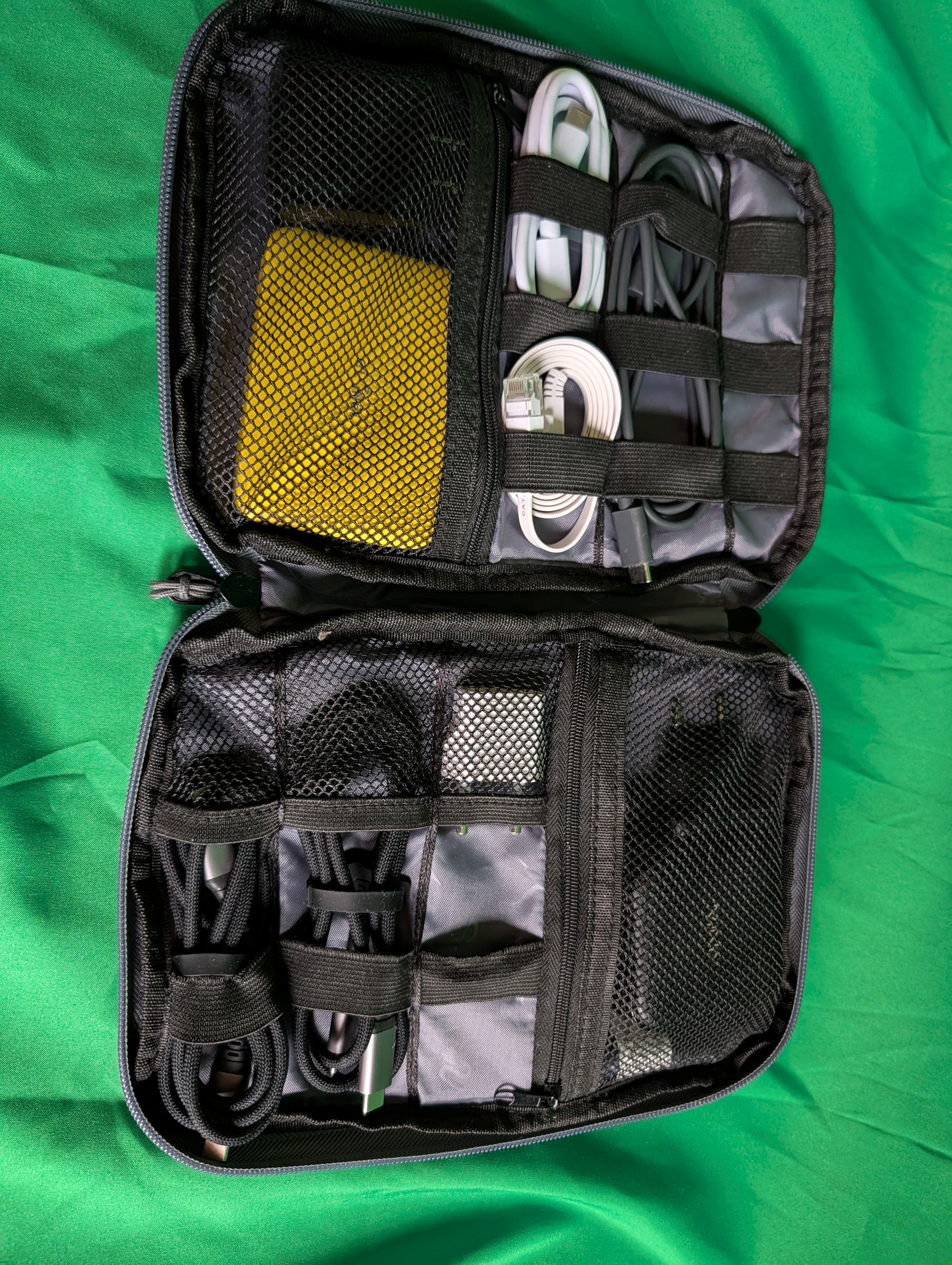
Containing:
- Mango 2
- USB-C charger, US prongs.
- Flat Ethernet cable, for connecting to a wifi router in an Airbnb, if accessible.
- USB-C to USB-C cable, for power or for tethering a phone, or as third power cable from GaN charger.
- USB-A to USB-C cable, for power from a wifi router in an Airbnb, if accessible, or for power at an airport/plane/train USB-A port, or from the fourth output from the GaN charger (which doesn't interrupt power when the C ports renegotiate.
- GaN charger with US/EU prongs
- US to EU a/c adapter
- 2 USB-C to USB-C cables, 100w, for charging phones, laptops, headphones, etc.
Optional
- Travel mouse for laptop
- USB-C to HDMI cable for Airbnb TV streaming.
- USB-C to USB-A adapter for thumb drives for laptop
Posted an issue I've encountered with multiple VPNs in a tunnel group here: GL-MG1300 4.10.1: WireGuard failover loop
Has anyone seen anything similar in testing?
Have been testing the device against my Unifi UTR LR over the past few days, and other than the issue above have enjoyed having the familiar glinet interface on this, even if low on memory.
Anyone from Canada or Mexico willing to help a brother out? I'm really wanting this device. 


Thanks for the update. We checked this on the Mango 2 and found that the ip6tables-nft dependency required for tunneled IPv6 is missing. Please SSH into the router and run:
opkg update
opkg install ip6tables-nft
/etc/init.d/tailscale restart
Then reconnect to the Tailscale Exit Node and test IPv6 again, with masq6 still enabled. Please let us know the result.