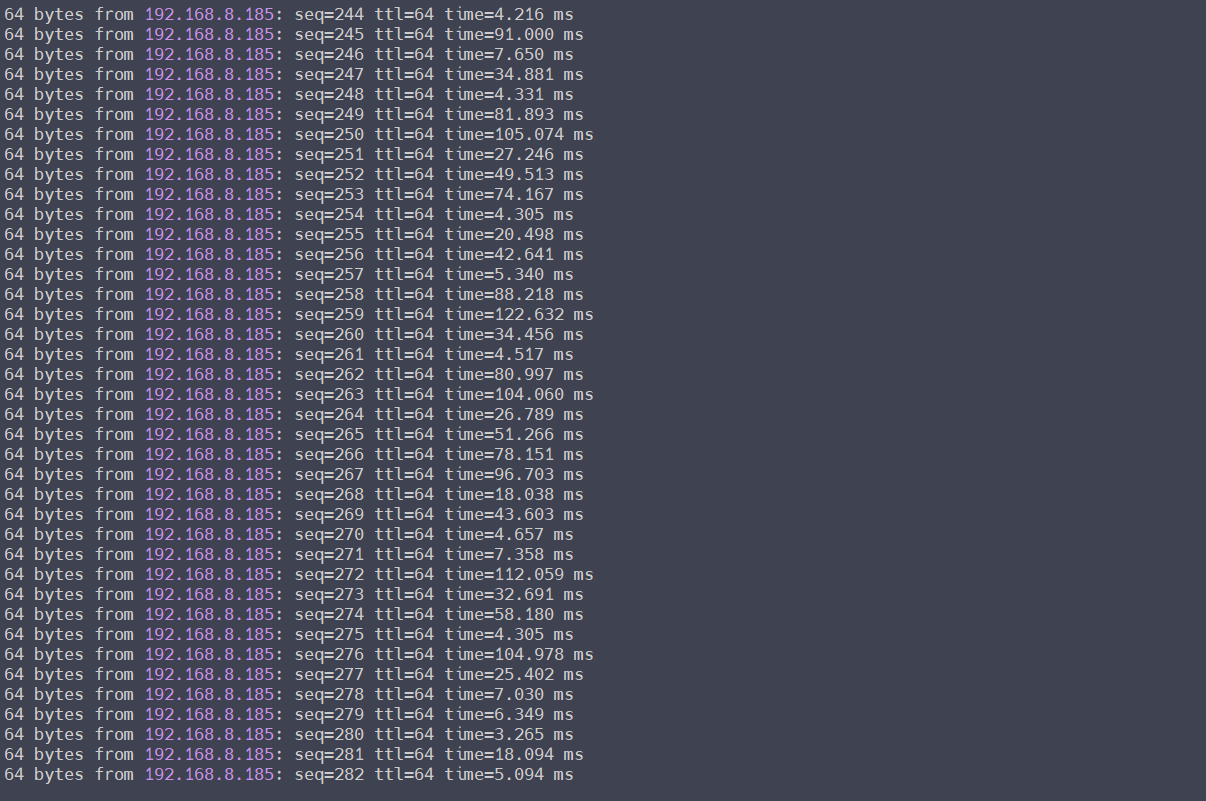
I also tested using input source from wifi and usb tether (4G tplink moderm using SIM card). It returns the same result (laggy), never tested with ethernet.
remember that, if i ping from mac using mango's wifi, it stable around 40ms. That mean somehow it gets 30% package loss if we ping locally on mango network (mango to laptop).
If mac hold the ping to google_com then game works fine. We can workaround when playing game on a computer, but we can not accept a solution like that when play the game on mobile devices.
It seems to be able to reproduce this phenomenon on MT300Nv2 and MT3000 (for comparing test).
The client is MacBook Air M1/Mac OS 15.5, and the power saving mode is disabled, disconnect power cable, only battery.
But there is no problem with other clients, such as Windows laptop, phone, etc., I assume probably related to the WiFi power management of MacOS/MacBook.
Do you have any other routers? Please do a comparison test to check it.
If the MacBook is connected to another router, and same reproduces, that can verify the above guess.
Is this reproduced on the mobile devices? Please let me know the brand/model, if we have the device, we will try to reproduce it.
In my case, the macbook still connected to the power source (macbook air m1, macos sonoma 14.7.6).
On my iPhone 14 iOS 17.6.1, the game so lag and keep disconnect to the game server every 20s (same with the macbook), and I never test ping from mango to the iPhone, but iPhone is full battery, no saving power mode enabled.
Is the Opal (GL-SFT1200) has the same problem? I've just return the mango and want to buy a more stable GL .INet, but I can not just buy - test - refund
I just test this in iPhone11 Pro, 15 Pro, with ICMP (ping) to detect the connection to MT300N-v2.
It did have ICMP packet loss. I think may be our office has too many test routers and the interference source is very large.
Sorry, I'm afraid I can't guarantee that there are any problems with other models, such as the SFT1200.
As I've aslo tested MT3000, it seems to reproduce the high latency but no ICMP packet loss. Although there is no packet loss, the high latency has a great impact on the game.
Perhaps for applications that are more sensitive to network fluctuations such as games and conferences, etc., I think Wired > 6GHz WiFi > 5GHz WiFi > 2.4GHz WiFi.
Thanks, the reviewers on the youtube never tested something like this. I am appreciate if you can perform a test using the 5GHz, if the result is good enough, then I will consider to buy the SFT1200 (support dual band and 5GHz)
thanks, look like there is a generic problem for macos/iOS for all kind of routers, not only for GL .iNet when trying to ping from router to an iphone or a macbook. But I still not understand why when connect the phone to the original router (the source wifi for MT3000) then the game not get disconnect every 20 seconds. I just do some research and find that the macos (or iOS) close UDP connection to save power if they "think" the connect is on idle state to save power. But what is the differ from GL .iNet and the orignal router?
Is the MacBook or iPhone connects to the MT3000 5GHz WiFi?
What model is the original router? Is the primary router which the MT3000/MT300Nv2 repeater connected?
The MT3000 only support 2.4GHz, and if devices connect to original router (from internet supplier default router - base on huawei i think). Due to my research, some rule on the mango cause disconnect the game if the game only use socket (tcp or udp) even the game is transfering large payload using socket connection. But when the game has a frequency http requests (api calling) then the router will keep the connection.
Oh, I assume it is the Mango (MT300N-v2), it doesn't have any special rules in fact, like other routers like Opal (SFT1200), Beryl AX (MT3000), etc., except that Mango only supports 2.4GHz WiFi.
I think, if possible, can try the Beryl AX to see if 5GHz WiFi will improve.
I think there is a miss config on mango, cause when I connect the game using my home's wifi 2.4Ghz the game is not be dropped, so this is not about the Ghz.