Over the past few days, we’ve spent a lot of time rethinking what GL.iNet’s Mesh should truly look like, including making both local and remote connectivity clearly, intuitive, and rock-solid. Also, we've been continuously tuning and optimizing the core performance of our Mesh networking, and roaming.
Today, we are excited to release the 4.10.0 Beta2 Firmware. We warmly invite you to give it a spin and would love to hear your feedback, bug reports, requirements and suggestions.
Main Updates
Replaces AstroMesh with standard Mesh feature, dedicated to local mesh networking. Remote mesh capabilities have been removed and transitioned to GoodPAS.
Rebrands AstroWarp/AstroLink as GoodPAS to streamline remote connectivity services.
Enhances Mesh user experience and performance across node discovery/pairing, network topology rendering, and profile management.
Enhances WireGuard VPN performance for higher throughput and reduced system overhead.
Fixed a memory leak issue under specific scenarios that previously caused Out-Of-Memory (OOM) crashes.
Fixed an issue where sub-nodes failed to broadcast Wi-Fi signals in low signal-strength environments.
What's the difference between a GL.iNet account and a GoodCloud account?
Can you relay this message to your management team? I mentioned this before, and I don't think I got the answer I wanted. In North America and Europe, there's a growing concern about telemetry and the amount of data companies are gathering. I'm hoping GL.iNet makes every effort to collect as little data as possible and, if possible, accepts user requests to promptly delete all data these new accounts have on the customer. If possible, I'm hoping the terms and conditions, along with the privacy policies, are strengthened.
We replaced the GoodCloud cloud-binding concept with a brand ID (GL.iNet account) to better provide a unified cloud service across all devices, not only the cloud platform (GoodCloud account). And we plan to add more cloud features to serve users with such requirements, and these will not be entirely dependent on GoodCloud.
Regarding data collection, most of the router's data processing is done locally and not transmitted to the cloud. We only collect data necessary to maintain the service and will not use it for any other purpose. For any such features, we will clearly inform the customer before activation and require manual confirmation from the customer. The customer also has the right to terminate data collection and cloud services at any time by confirming their identity via email to our support team.
We will ask the guys to strengthen the terms and condition, privacy policies, as well.
I loaded up the 4.10.0 beta 2 with a Main & MESH Node FLINT 3s.
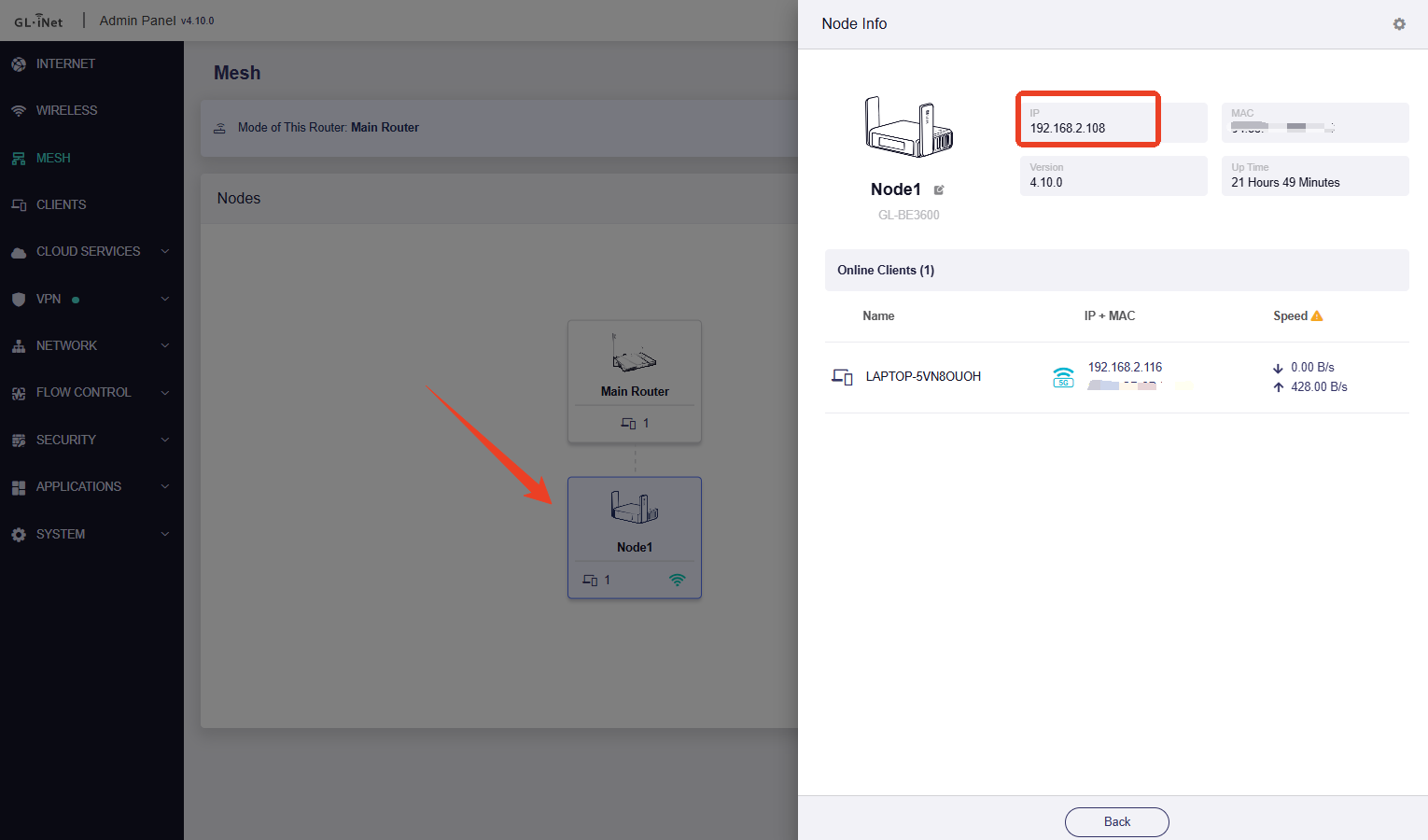
All seems to be fine except I do not see the NODE IP address in the main FLINT Client's list; I would like to set a custom reserved IP address for the NODE because I want to load up Docker and a SearXNG container on that NODE and I do not want the IP changing - I cannot even set the reserved IP for the NODE (because it is not listed in the MAIN FLINT client list).
Am I missing something?
Plus the Data Statistics / Application Total Data chart is not showing any data for today when the "Past Day" or "Past Hour" is selected.
And SearXNG I have running in a docker container on the NODE seems to be working OK apart from the NODE IP address changing all the time! (thus taking a bit of load off the limited memory of the main FLINT).
All seems to be fine except I do not see the NODE IP address in the main FLINT Client's list; I would like to set a custom reserved IP address for the NODE because I want to load up Docker and a SearXNG container on that NODE and I do not want the IP changing - I cannot even set the reserved IP for the NODE (because it is not listed in the MAIN FLINT client list).
Yes, the Clients page does not currently display the Node's IP address; you need to check it on the Mesh page. However, it cannot be modified.
I'm currently checking, and the Node IP doesn't seem to be changing.
Thanks Miles I was able to get the IP from there.
So does that mean when/if it is in the clients list that the IP address will be abled to be reserved.
It was changing when I was configuring the routers on the updated firmware - I will monitor it (naturally) - so far so good. I need the IP not to change because I have configured SearXNG in a docker container on the NODE and it needs a stable IP address.
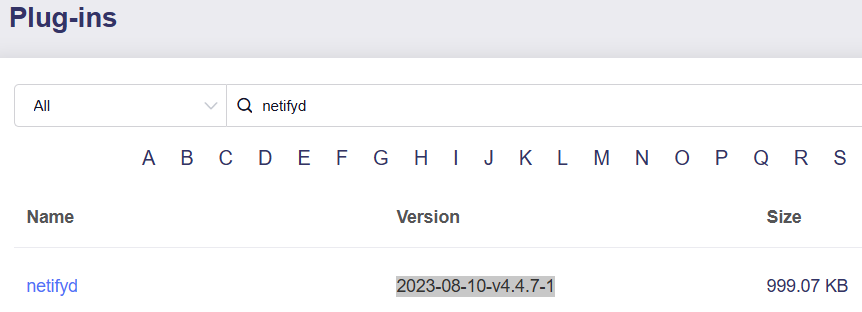
I remember this from when I previously reported this on the Beta1 Firmware. This is the version I an using (All Applications are up to date):-
The Mesh node appearing on the Clients page would not automatically make its address reservable. In beta2, the node IP cannot currently be modified or reserved; Miles or another staff member would need to confirm whether that capability is planned. Please continue monitoring the address shown on the Mesh page.
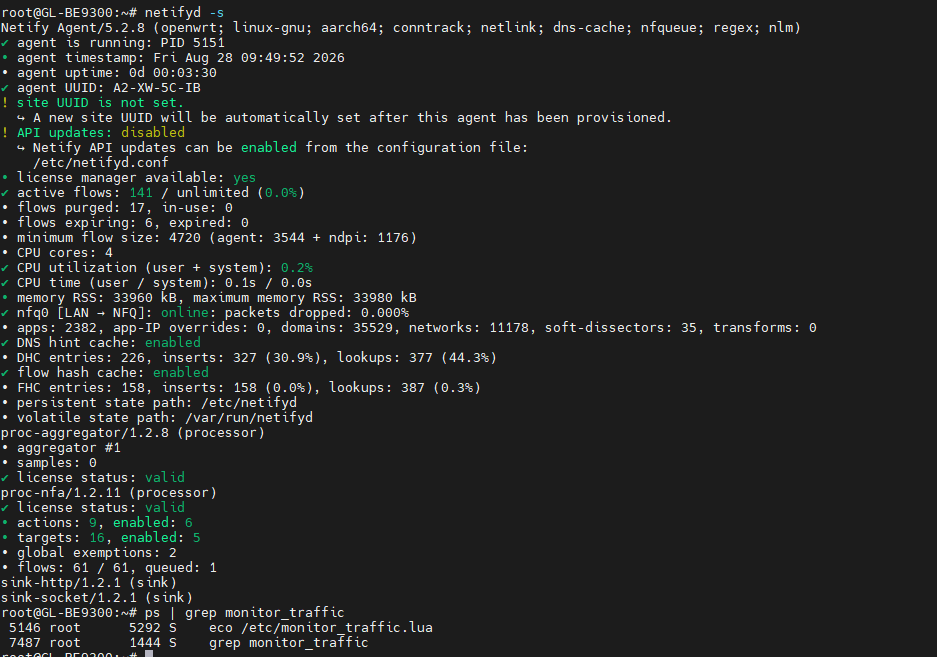
For Data Statistics, the stopped Netify agent explains the empty charts, but it is not yet clear whether Unbound or the Docker installation/removal caused it. Please run these on the main Flint 3 and share only the short outputs, with any IP or MAC addresses redacted:
If the agent immediately stops again, those final log lines should show the relevant startup error. There is normally no need for Netify to run on the Mesh node merely to display the main router’s Data Statistics.
This reply was generated by AI. Please verify its accuracy.
GL.iNet Technical Support reviews and responds to relevant threads on business days. Please allow time for a staff response.
Thank you for confirming! You might want to update the text about all the limitations and purchasing subscriptions plans here AstroWarp - GL.iNet Router Docs 4 and in other similar articles, github, etc.
You are correct—the current AstroWarp documentation still describes a 10 GB monthly limit and an AstroWarp+ subscription, which conflicts with the confirmed Beta 2 behavior of free, unlimited data. The documentation and related references need to be reviewed and updated by the GL.iNet team to avoid confusion.
This reply was generated by AI. Please verify its accuracy.
GL.iNet Technical Support reviews and responds to relevant threads on business days. Please allow time for a staff response.
The log shows that Flint 3 cannot resolve gslb-eu.goodcloud.xyz, so the cloud service cannot fetch its certificate; the binding link then times out or expires. This points to a DNS/network path issue on Flint 3 rather than a browser issue.
Please temporarily disable any VPN policy, encrypted/custom DNS, AdGuard Home, or content filtering on Flint 3, set its DNS to automatic, and retry. From SSH, also run nslookup gslb-eu.goodcloud.xyz and report only whether it resolves successfully—please do not post the binding URL or any public IP/device identifiers. If resolution still fails while ordinary websites work, please provide the complete Flint 3 Beta 2 firmware version/build and confirm which WAN connection and DNS feature it uses.
This reply was generated by AI. Please verify its accuracy.
GL.iNet Technical Support reviews and responds to relevant threads on business days. Please allow time for a staff response.
This is the output:-
✗ agent is not running.
• persistent state path: /etc/netify.d
• volatile state path: /var/run/netifyd
! agent run-time status could not be determined.
terminate called after throwing an instance of 'nlohmann::json_abi_v3_11_2::detail::parse_error'
what(): [json.exception.parse_error.101] parse error at line 1, column 1: syntax error while parsing value - unexpected end of input; expected '[', '{', or a literal
Aborted
root@Flint_3_Master:~# ps | grep -E 'netifyd|monitor_traffic'
4353 root 4988 S eco /etc/monitor_traffic.lua
30958 root 1456 R grep -E netifyd|monitor_traffic
root@Flint_3_Master:~# logread | grep -i netifyd | tail -n 30
root@Flint_3_Master:~#
 Main Updates
 Download Links (4.10.0 Beta2)