My current network structure is such that the external internet is connected to the main router's WAN port, and the main router's LAN port is connected to the MT2500's WAN port.
The main router uses DDNS, and port forwarding is configured for the MT2500's WireGuard port.
The WireGuard client connects to the MT2500 normally. However, the MT2500's status LED keeps blinking blue. To be precise, the white LED turns on and then periodically blinks blue.
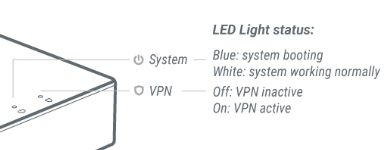
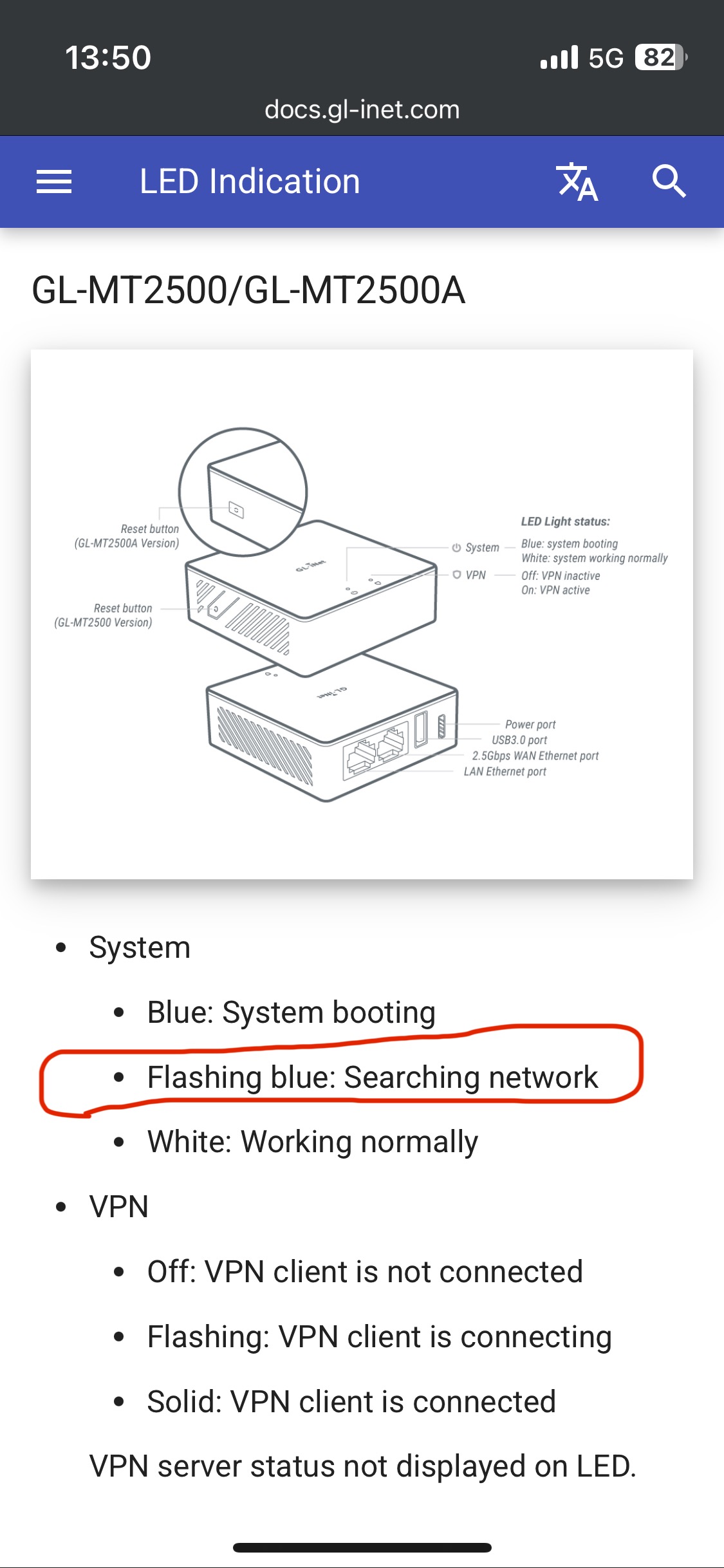
I understand that the blue LED blinking means "searching for the internal network," but I'm wondering if this is normal.
It's working fine as is, but I'm wondering if the continuous blue blinking is normal.
Is this because nothing is plugged into the MT2500's LAN port?
What I'm experiencing is a blue blinking system LED.
As I mentioned earlier, the WireGuard server is functioning normally.
So, I'm wondering if the blue blinking is causing any problems with the device. As indicated in the attached file, the blue blinking indicates "network searching." Therefore, the persistent blue blinking suggests that unnecessary internal operations are continuing indefinitely.
Will this overload the MT2500? If the blinking isn't causing any problems, I'll turn off the system LED as you suggested.
The blue blinking is due to a lost internet connection. After monitoring the device's status, I noticed that the internet connection keeps reconnecting and reconnecting.
The cycle is random, occurring approximately every 10-30 seconds. When the internet connection is lost, the LED blinks blue as it searches for a network. Once the internet connection is established, the LED turns white.
This is what I've discovered. But why does the internet keep disconnecting and reconnecting through the MT2500 WAN port?
When I connect a wired LAN from the main router to another device (a laptop), it doesn't disconnect. What could be the problem?
MT2500 has occasional loss of the Internet causes the system LED to flash. I suspect that it is caused by poor compatibility between the MT2500 WAN port and the primary LAN port negotiation rate. Please export the syslog and send it to me for confirmation.
If confirm the negotiation compatibility is poor in syslog, are you willing to switch the Gigabit port as the WAN port? As you mentioned the MT2500 is only used as a VPN server, I guess the Gigabit port has not connected to other clients.
I will send you some commands or guidelines if yes.
I've attached the log file here.
Over the past two days, I've tried numerous troubleshooting attempts.
The logs will likely contain the following: network initialization, stopping the WireGuard server, connecting directly to the ISP, etc.
I set the main router's default IP address to DHCP.
The router's gateway is 192.168.45.1.
Within that rule, I assigned the MT2500 192.168.45.2 and fixed it so it wouldn't change.
Additionally, the main router uses a DDNS address, and I configured port forwarding for the MT2500.
I checked the attached syslog and found that the network interfaces(including eth0 and eth1) were frequently down/up.
This may be due to network port compatibility issues, or the quality of the network cable may be poor.
Please try to unplug and plug in the network port multiple times until it no longer prints down/up logs (you can filter keywords in the GL GUI > SYSTEM > Log)
Replace new network cable, cat 5e and higher. And make sure the length of the network cable is not too long, otherwise the electrical signal will be attenuated.
However, I don't think it's a LAN cable or contact issue. The LAN cable connected between the main router and the MT2500 is the MT2500's bundled cable.
Therefore, I believe the cable is in good condition. I also don't understand why the terminals were being removed and reconnected so many times.
The connection between the main router and the MT2500 is solid, and the main router is new, having been installed only two months ago. I didn't bother checking the log's up and down indicators. This is because the MT2500's LED indicators are immediately visible. The blue dotted LED blinks very frequently.
The only change from the existing MT2500 is the firmware upgrade.
Sorry, let me add the reason for multiple unplugging and plugging network interface.
The main reason is there may be dirt on the metal plate of the network port, resulting in poor contact. Multiple un- and plugging will cause the contact surface to rub a few more times, thereby making the contact surface newer and the stability better.
Thus we may recommend changing the network cable (even cat5e is acceptable) and unplugging and plugging the network port several times to check first.
If above no luck, are you willing to switch the Gigabit port as the WAN port?
Since MT2500 only has 1 WAN + 1 LAN, when they are interchanged, you must ensure that all configurations of the two interfaces are modified correct before applying them.
Back up your current configuration (in case of errors during configuring, you can easily restore your configuration after a hard reset)
Log in to MT2500 via SSH and execute these commands at once:
uci set network.@device[0].ports='eth0'
uci del network.@device[0].macaddr
uci set network.wan.device='eth1'
uci commit network
/etc/init.d/network restart
After the 2rd step is completed, the Gigabit port has become as WAN and the 2.5G port has become as LAN. You need to exchange the network cable.
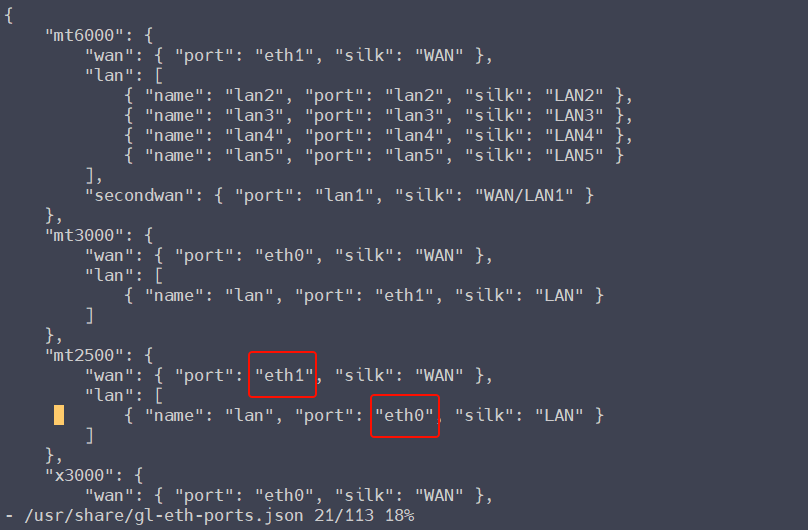
If Multi-WAN is not used, there is no need to do this step, but if it is used, you need to continue to complete this step, vi /usr/share/gl-eth-ports.json, and modify these two places:
When the Gigabit port is as WAN port, does the network disconnection still occur? ——There should be no compatibility issues with the Gigabit port. I think it may be the network cable or the network port. BTW, may I know if the network cable from the main router to the MT2500 is much long?
Restore the WAN-LAN port, first execute cp /rom/usr/share/gl-eth-ports.json /usr/share/gl-eth-ports.js on, and then import the router previous backup file in luci.
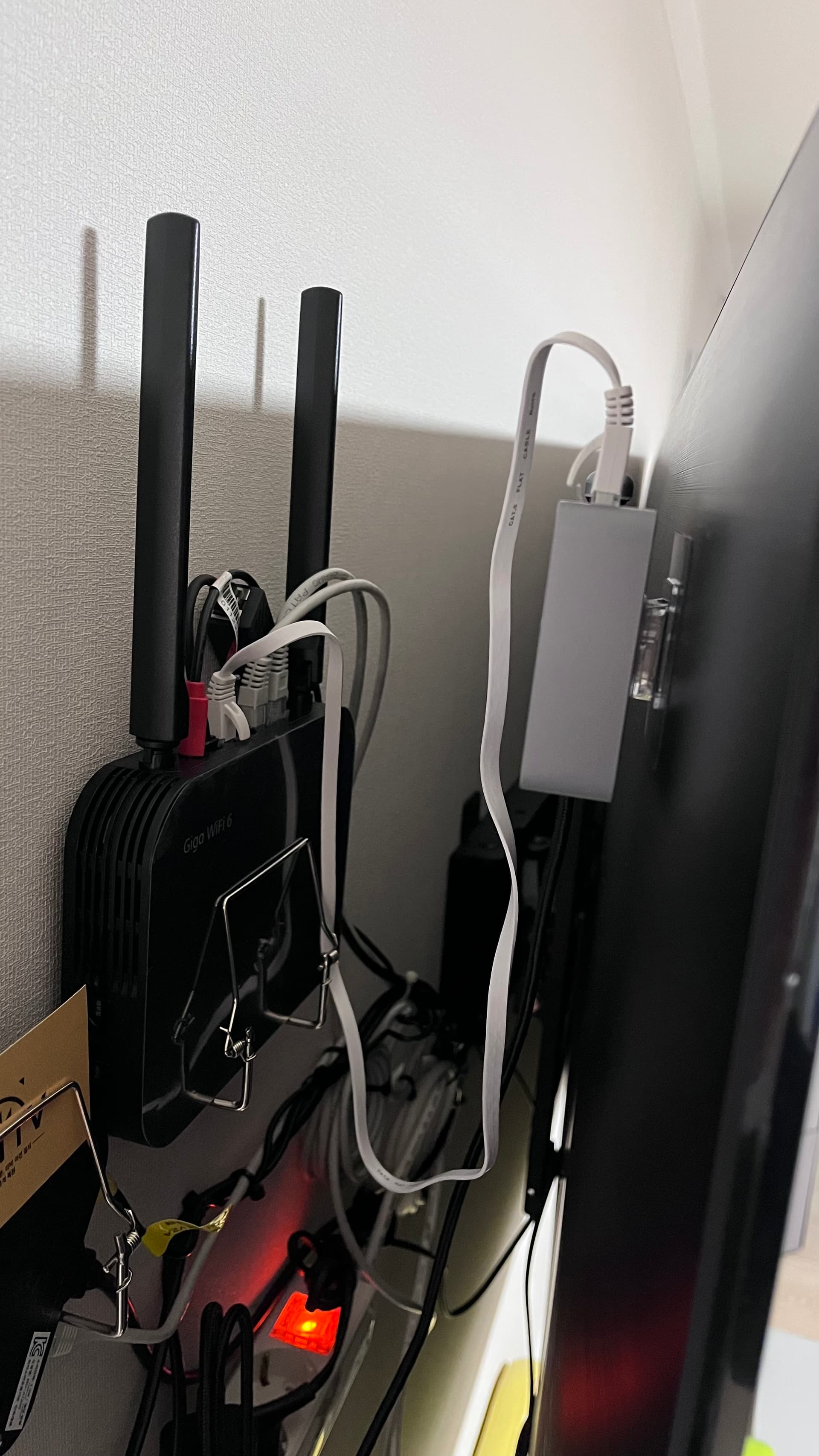
As you can see in the picture, the cable length is less than 1 meter.
I checked assuming it was a network port problem.
Connecting a laptop to the MT2500's LAN port and pinging test: No disconnection to the MT2500, No disconnection to the main router, and No disconnection to Google.
Connecting a laptop to the main router's LAN port and pinging test: No disconnection to the main router & No disconnection to Google.
This is really strange.
When I connect a laptop to the MT2500's LAN port, the LED blinking problem seems to go away.
If there is no disconnection from Google, which means there is no problem with Brume2's WAN (2.5G) and LAN (1G) ports.
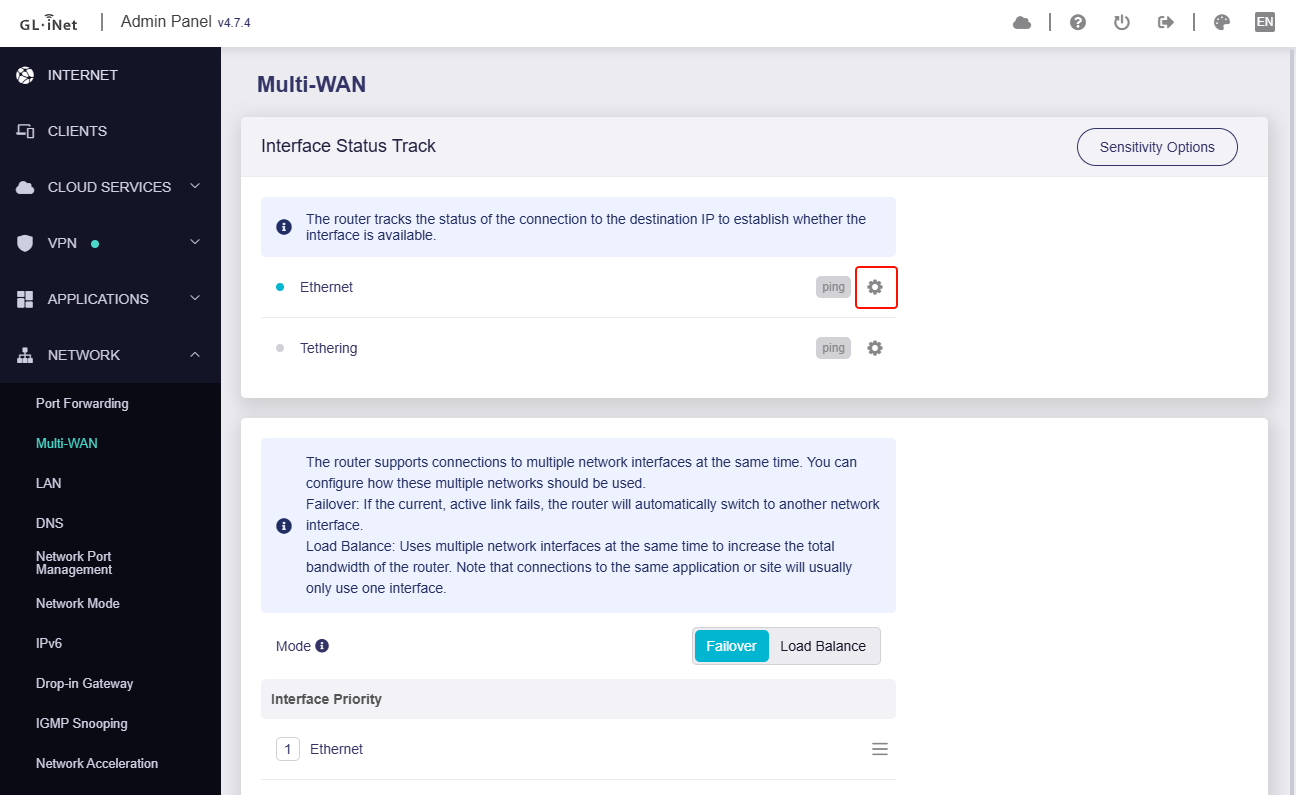
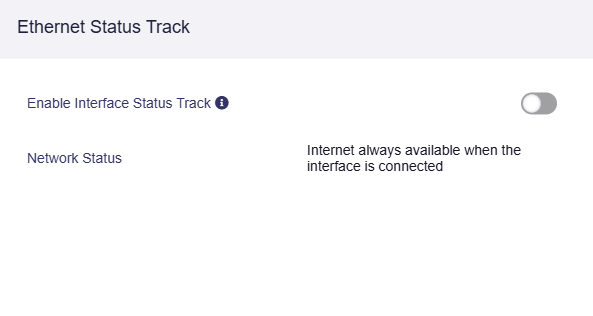
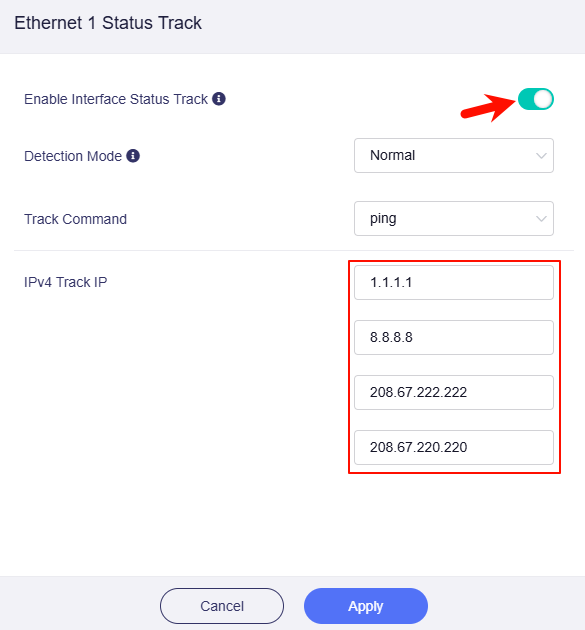
Maybe there is occasional packet loss at some IP addresses, and it is misjudged as an Internet abnormality? -- You can disable the interface status track button, or leave only one address 8.8.8.8 to check: