I’d like to report some strange behavior with my MT3000 router after a recent upgrade. I performed a fresh installation, no configuration was kept, everything was set up from scratch.
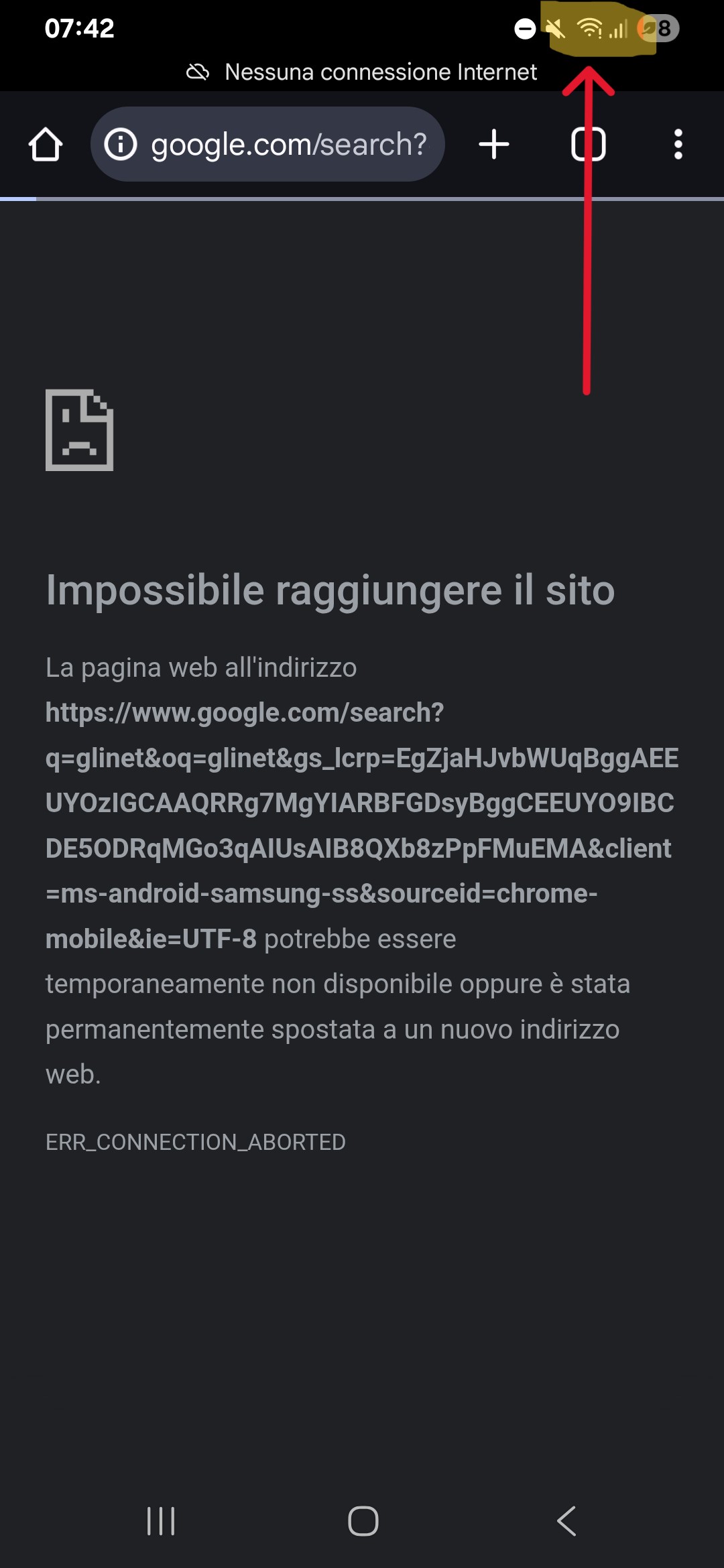
**Issue #1 After a blackout, when power returns, the router boots up normally. However, DNS seems to fail: I can access the internet and ping any address, but Google Search doesn’t work (other search engines do). A simple reboot via the web GUI resolves this issue.
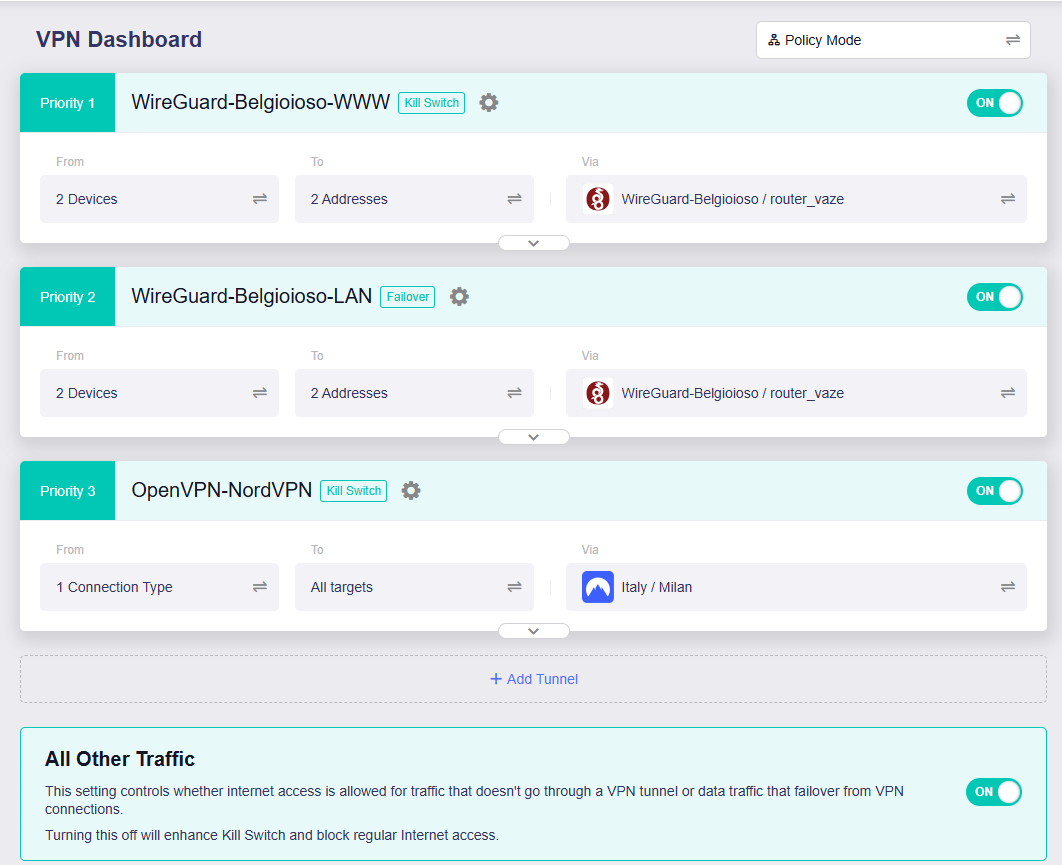
**Issue #2 After that reboot, my VPN client tunnels stop working. I use two WireGuard clients and one OpenVPN client. I have to manually toggle them off and on to restore functionality.
Right now, the router is working fine, but it's installed in a remote location. If another blackout occurs, I won’t be able to fix these issues without VPN access. I’m planning to add a UPS soon to prevent this.
If you need any details about my configuration to help investigate, feel free to ask. Thanks in advance!
If you use DOH/DOT &/or the kill switch with the VPN connections you're going to have trouble syncing time to NTP as there's no RTC in these devices. The TLS/authentication handshakes won't work properly until then.
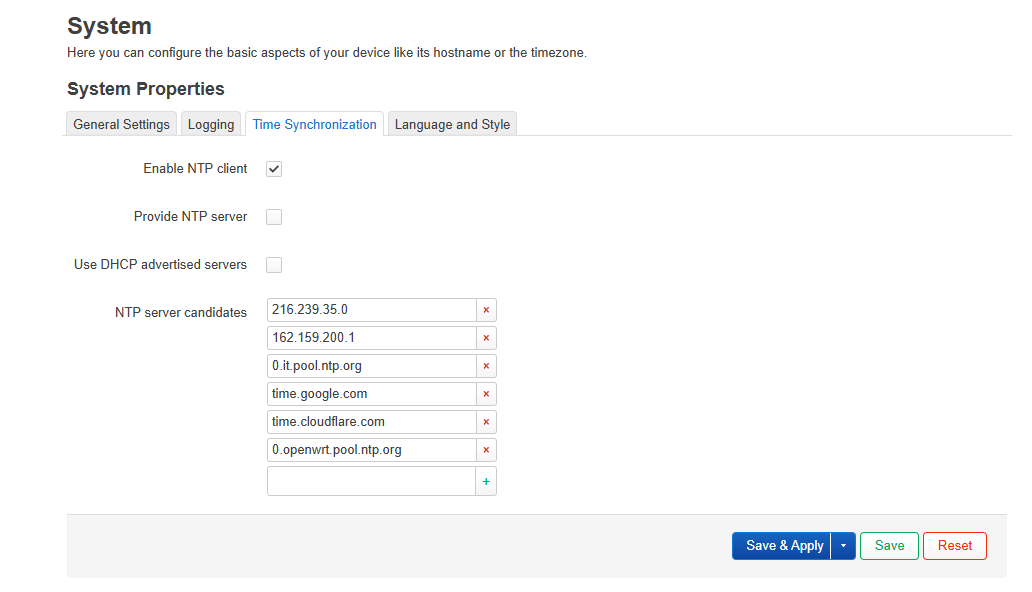
Adding NTP IPs will be faster than waiting for a DNS response.
	uci -q batch <<- __EOF
	set system.@timeserver[0].server='0.openwrt.pool.ntp.org 1.openwrt.pool.ntp.org 2.openwrt.pool.ntp.org 3.openwrt.pool.ntp.org 104.167.241.197 73.239.145.47 142.147.88.111 171.66.97.126'
	set system.@timeserver[0].use_dhcp='0'
__EOF
	uci commit system
Thanks for your help. I modified the NTP configuration through LuCI and tested the solution by unplugging the router. Now the VPN is working fine, but Google DNS resolution is still not functioning. Any ideas?
The output you posted above indicates you're able to ping 8.8.8.8 & www.google.com. Are you using DNS:53, DOH, DOT or the DNS:53 used by your WG confs? Your WG conf's DNS:53 will over-ride your GL.iNet GUI -> Network -> DNS settings for DNS:53.
I'm wondering if the DNS setting might be causing the issue. As it stands, ping and DNS resolution only work after I manually reboot the router via the GUI. However, this doesn't happen after a power loss recovery—the system comes back online, but DNS resolution fails until I reboot again.
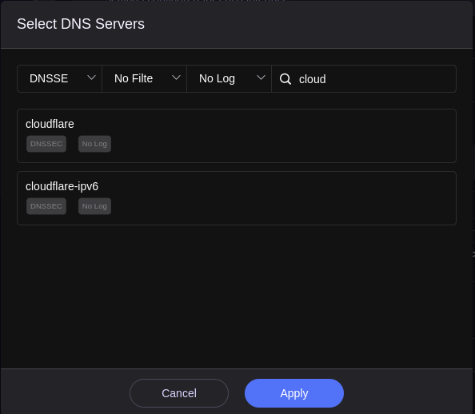
Cloudflare should be available as a DOH provider. I'd try that. The underlying process for DOH, dnscrypt-proxy (v.2) & its conf should have bootstrap resolvers to get Cloudflare's DNS IPs. Then everything will start getting put thru DOH.
dnscrypt-proxy starts early in the device boot process so that may be enough of a difference between stubby for DOT.
I'll definitely follow your suggestion to use DoH! In a couple of days, I should be able to test the configuration and let you know how it goes. By the way, the GUI is asking me to choose a DoH server—one of the options is dnscrypt.ca-ipv4-doh. Is that the server you recommended?
No. You should also be aware Cloudflare (US) holds logs for 24-48 hours. Quad9 (CH) does not. Quad9's 'filter' variants blocks malware @ the DNS level as they continually update their threat lists.
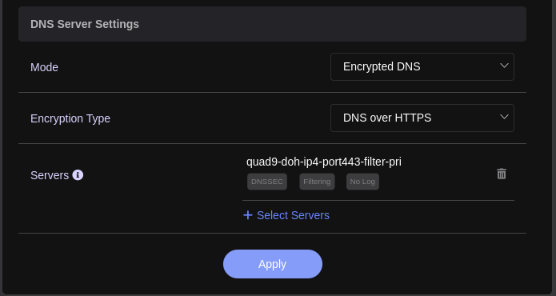
Thanks for your patience! I finally had the chance to connect to my router locally and apply the changes you suggested. First, I updated the firmware to version 4.8.1. Then I configured DoH using the DNS you recommended (Quad9).
Everything is working perfectly now! I even simulated a power outage to test the setup, and the router resumed operation smoothly after power was restored.
I'm really glad you got it sorted & reported back.
@bruce
See, Bruce? The root problem ITT strikes me as an exact case of a race condition caused by NTP DNS v IPs. I know I'd use it as an example to cite & support a solution to it with what we've already discussed.
So here will a question, isn't it better to use an IP NTP server? But the IP may not be permanent, and worried about the IP of the NTP server changes in the later period.
This actually doesn't seem to be very useful, if script touch /etc/xxx before restarting - if just restarting, the time deviation may be only 2-3 minutes. This clock skew tolerance may still affect DOT, DOH, VPN, etc., and NTP synchronization is still required.
Even if this script is added, after the system starts up, the time to read the file is still the time before shutdown, and it still has a clock tolerance.
Accurate time is required for WG & TLS so that requires NTP. If using DOT or TLS it'll never get it as it's a race condition from the recursion. Yes, DNS IPs may change which is why I configure 4 NTP IPs in LuCI/uci. If one doesn't hit one of the other three probably will.
Engage WG, full/all kill switches & DOT. Set just NTP DNS. Reboot & let me know what happens.
Amazing coincidence, I just ran into this exact race condition on my Brume 2, although it’s running vanilla OpenWrt 24.10.2.
After power cycling (unplugging/replugging), there’s a chance Wireguard (with OpenWrt’s version of “kill switch” enabled) comes up before NTP sync succeeds, and if it does, the router is left without internet access because Wireguard can never connect with the clock too far out of sync.
I haven’t implemented a fix yet, but (I hate to admit) Google AI overview suggested a hotplug script to only bring the Wireguard interface up after NTP sync completes. I have no idea yet how this will interact with the kill switch.
Well, DOH via dnscrypt-proxy comes up before WG including on pure OWRT 23.05.5. The conf @ /etc/dnscrypt-proxy/dnscrypt-proxy.toml has bootstraping IPs to bring up the provider before shunting everything thru the DOH tunnel. I haven't had a problem since also adding those IPs which are the counterparts to the OWRT NTP DNS.
Under coupled conditions (NTP servers are domain, using encrypted DNS, VPN client is enabled, KillSwitch is enabled, and the router is restarted), the ntpd service can still be synchronized after the router is started, and the VPN client is connected normally.
I guess the ntpd request should be resolved through the WAN DNS. It may not be initialized by dnsmasq or stubby, resulting in the DNS request of ntpd on the boot not being encrypted, that is, it was not forwarded to port 5435.
In this case, the domain name resolution of the NTP server is not considered a DNS leak, because other traffic has been blocked.
When the system time is obtained normally and all services are running stable, all traffic will go through the encrypted DNS and VPN tunnels.
 **Issue #1 After a blackout, when power returns, the router boots up normally. However, DNS seems to fail: I can access the internet and ping any address, but Google Search doesn’t work (other search engines do). A simple reboot via the web GUI resolves this issue.
 Right now, the router is working fine, but it's installed in a remote location. If another blackout occurs, I won’t be able to fix these issues without VPN access. I’m planning to add a UPS soon to prevent this.