Very frustrating situation here. I use a brand new Mudi V2 with an eSim from Gl-inet partner, EIOT. The SIM card is not registering on the Mudi. It shows "no service". I contacted EIOT, they told me to use bicsapn as APN setting. It still doesn't work.
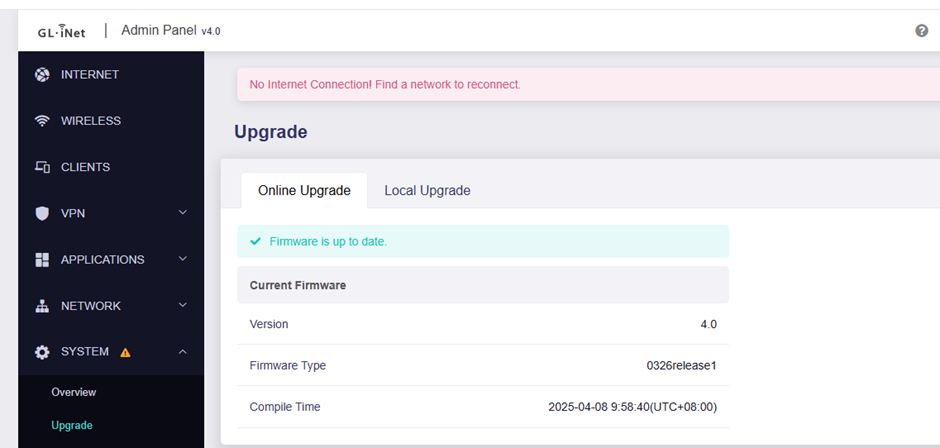
The SIM works fine on a mobile phone, good internet. On the Mudi, there is nothing to do. I tried to change the IMEI, also no hope. The firmware is up to date, I tried resetting, no changes. There is no visual signs of damages (device is new).
I am really annoyed by this, lost countless hours already. Please help
Hello, I have the same issue as Miki - sounds like global one and appearing since few years - regardless from FW version, can anyone help me out as well (I already binded my device id with goodcloud) thanks in advance !
Hello,
What's the firmware version of your router?
Could you export the modem debug info from the INTERNET ->Cellular ->Modem AT command page and then send to us for analysis?
The SIM card couldn't find an available network at that time and needed to restart the modem to restore the network.
And the normal esim profile is also working now. Pls have a try
I have the exact same issue as this, have tried to use in a few countries in Asia with esim for each over the last week, but continued issues with the mudi which seems to be cycling through different cellular providers has been difficult.
Running latest firmware and have just factory reset to see if this fixed, but issue remains
Hi @unlinked_persevere
What's your router model? If it's Mudi V2, you‘re advised to use the stable firmware, as the current beta FW has bugs which may affect the cellular network connection.
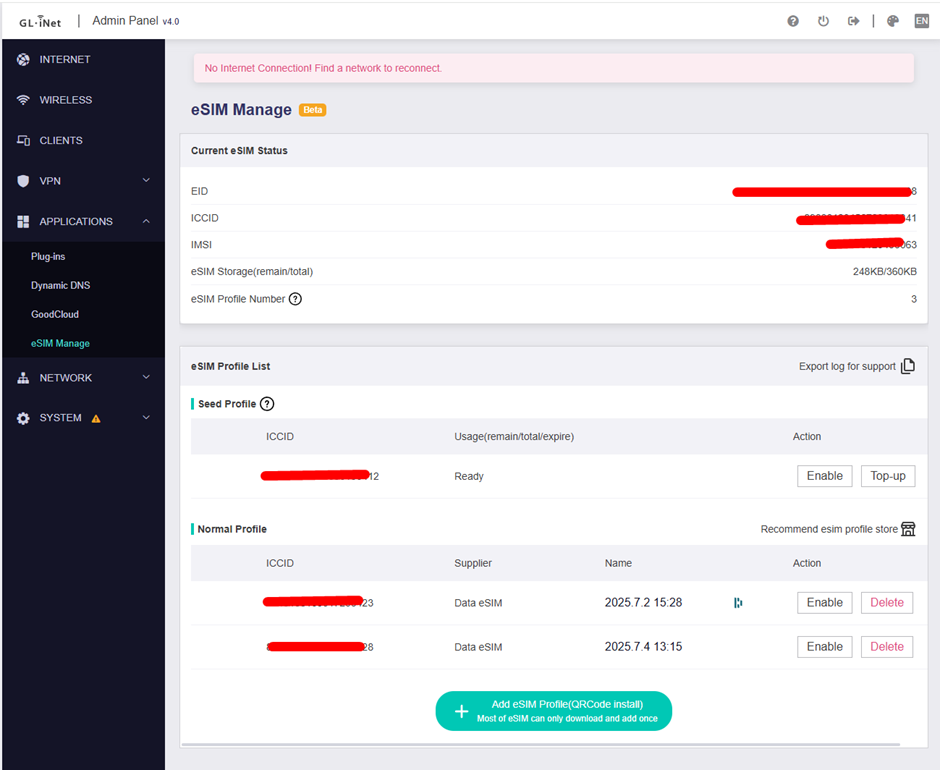
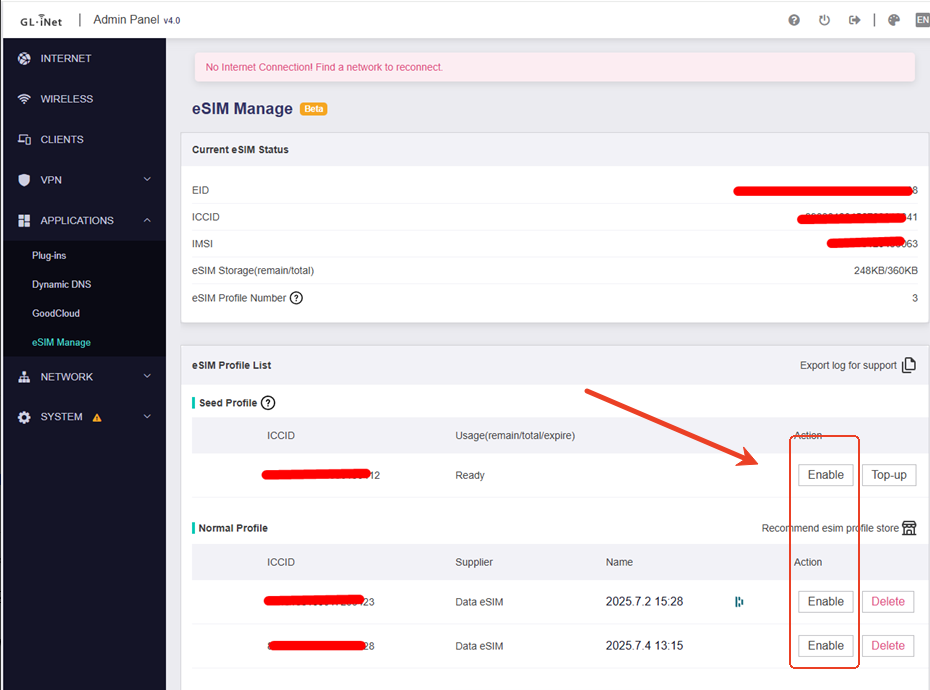
pls check and ensure the esim profile is enabled
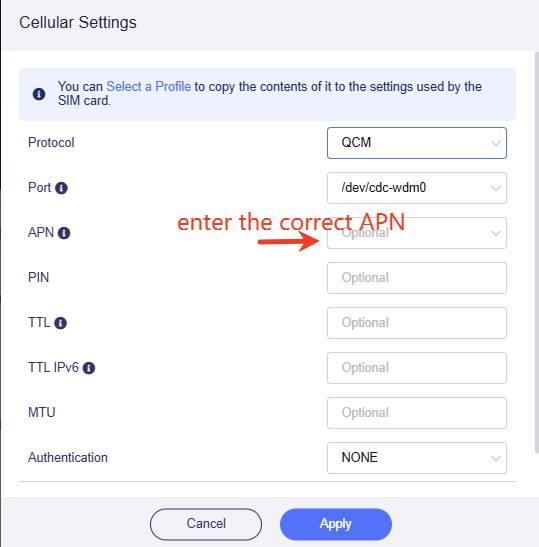
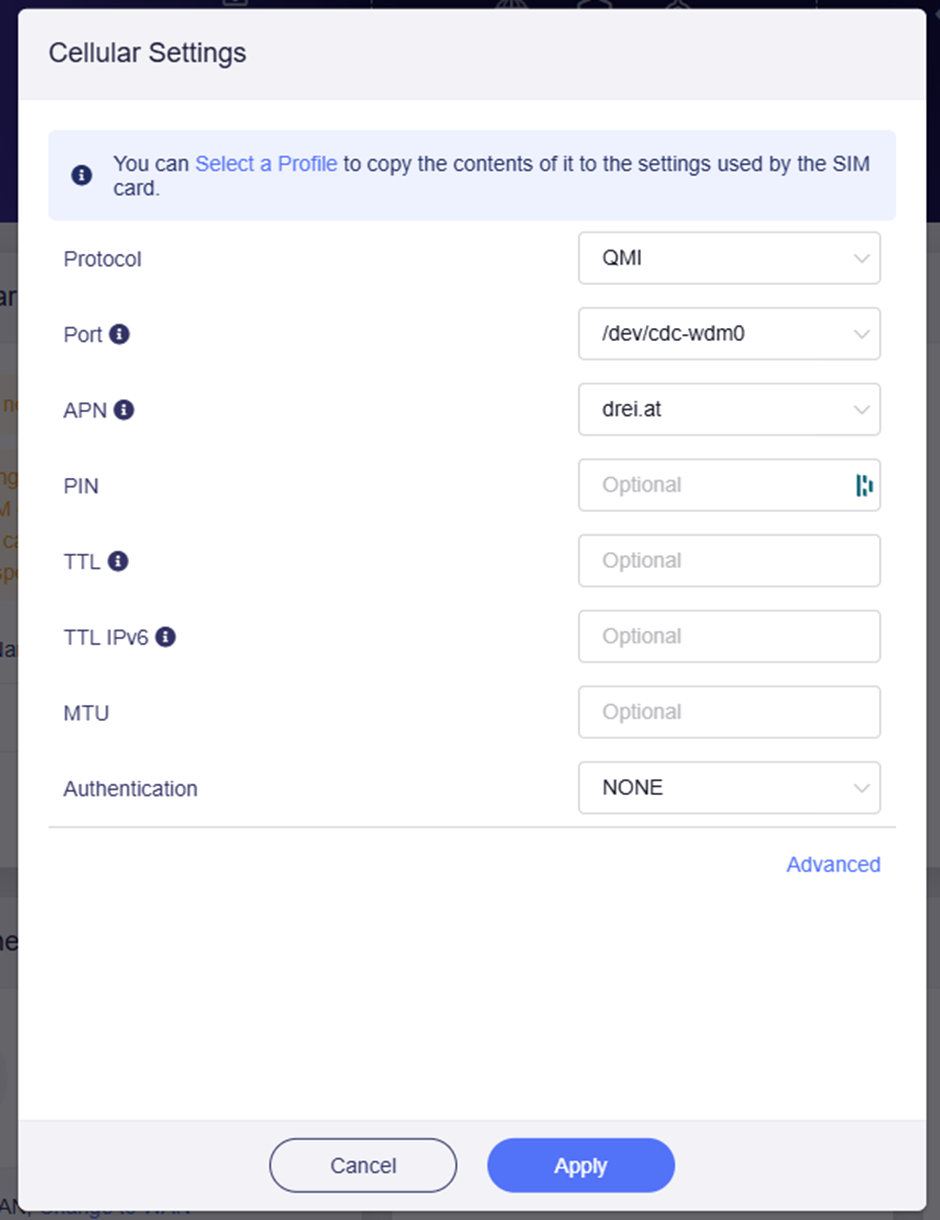
if you couldn't connect sim card via cellular auto setup mode, try cellular manual setup mode. Set protocol to QCM and enter the correct APN, apply to setting to try.
EDIT: Apologies, i just re read your post again and realised i missed a step (QCM). This is now changed, and still no connection. I will PM you the log file again
Hi @unlinked_persevere
Looks like that all esim profiles are disabled. You need to enable one esim profile first. There will be a green dot indicates that the selected eSIM profile is currently active after enabling the esim profile