I see a weird issue with DNS after I upgrade to 4.8.3 beta on MudiV2.
DNS works as expected without VPN policies but not with VPN policies. Any DNS mentioned in the VPN policy to use VPN does not resolve. when i try to ping the website IP it pings but doesn’t use the VPN.
looking at the logs of VPN following is frequently generated.
daemon.crit dnsmasq[1]: bad option at line 1 of /tmp/dnsmasq.d.ovpnclient1
The issue has been identified and resolved, and it is currently pending verification.
But a new beta release may not be available in the near term and does not have a timeline that could be shared now.
Re Mudi v2 with 4.8.3 beta - The release notes (in Bug Fixes section) say “Fixed OLED cannot accurately display the VPN status.” I never had that problem before the 4.8.3 beta, but now I do.
I have confirmed multiple times that my (wireguard) VPN connection is on and working (using sites such as https://ipleak.net to verify that no details of my ISP appear).
But the OLED router screen says “VPN OFF”.
Please can you fix this as it is very disconcerting every time I see that.
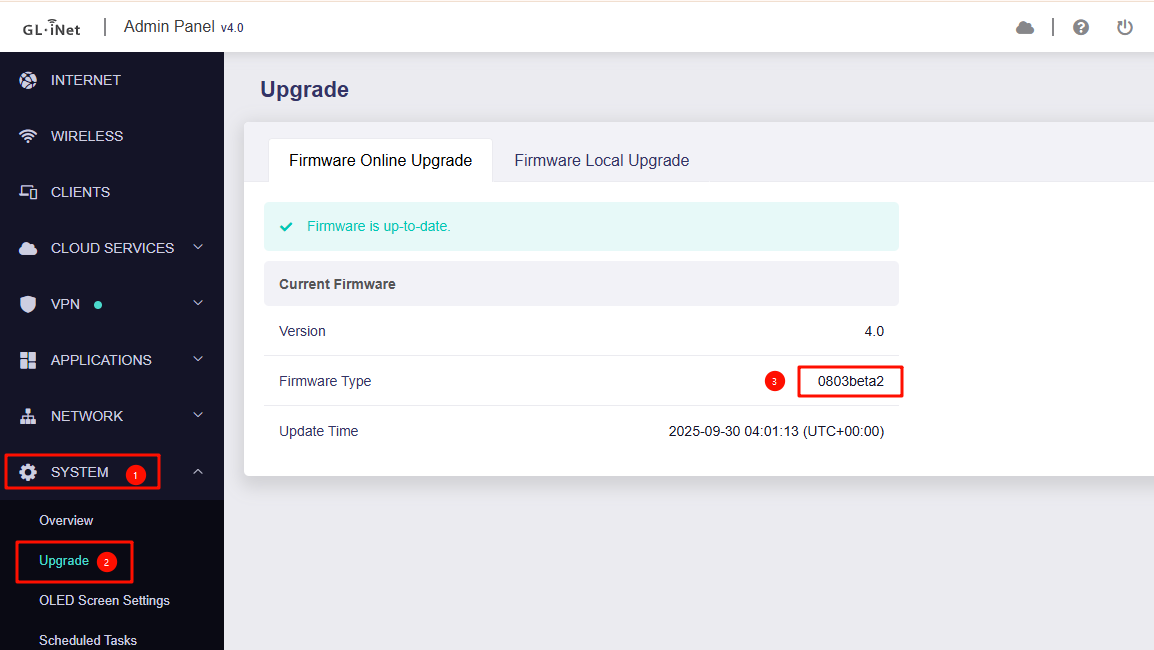
If it's not beta 2, please try upgrading to beta 2 to see if that resolves your issue.
We have locally tested and confirm this should be fixed on this version.
It might be an idea to actually indicate the FULL current beta version number on the beta download page (as is common practice on GitHub and other sites that release new beta builds). It is not apparent that beta 4.8.3 has changed to beta2 until one either downloads the file or inspects the download link.
I have the page bookmarked in my browser and have been regularly checking it for anything new, but as I just kept seeing “4.8.3” I assumed there was no change.
I’ll flash the update later today and report back.
Just flashed 4.8.3-beta2 and yes the “VPN ON” OLED is now working.
The only thing is, when I was using the last stable firmware version I seem to remember that the OLED used to say “VPN connecting” (or something very similar) while it was connecting.
Now it just shows “VPN OFF” until it has made the connection, then changes to “VPN ON”.
It was nice to have the visual feedback of the device actually confirming that the VPN was in the process of connecting.
Anyway, congrats on the excellent new features. They are much appreciated.
By the way, I was unable to get past the firmware verification stage when I tried to upgrade using the Glinet Android app. The spinning dots just went on for ever.
Uploaded the same firmware file from a PC and the verification passed in about 30 seconds.
Since we introduced support for multiple VPN instances in the 4.8.x release, we need to discuss the logic for displaying the Connecting status with our product and development teams first and will check whether we can bring it back or not.
We have also reproduced this issue and will request the development team to investigate.
One more point perhaps worth mentioning - after successfully upgrading the firmware, the device did not reboot automatically, it just stayed on as if nothing had happened. I had to shut it down and then reboot manually.
We've conducted over a dozen local tests, but we haven't been able to reproduce the issue.
After clicking the Install button, does the OLED screen show "System Updating"?