Let’s go….
Thanks to the developers.
Let’s go….
Thanks to the developers.
Installed last night. So far so good. Need to do more tests in regards to the Wi-Fi speed/ noise etc Thanks a lot R&D team.
Great 
Upgraded to this earlier today. The speed is higher over WiFi and more consistent. Range seems better as well. Thanks to the developers.
hi walterwhite, did you test or see the range difference with an app like wifi analyzer?
if the power/range is better than the op24 - 4.8.2 it would be great.
Thanks!
Installed 14 hours ago.
All working ok.
Good to see a reasonably quick response to two CVE’s, but they’re not mentioned in Firmware release notes or Security Vulnerabilities on GL’s website.
Yes, they’re Openwrt CVE’s but they do impact GL’s firmware too.
Installed on my mt3000. Coming from op24 4.8.2
Kept settings.
Wifi repeater mode connecting to 5ghz wifi eap network disconnects/reconnects every few seconds.
Factory defaulted the mt3000.
Still the same. Cannot stay connected to wifi eap network.
No settings other than initial wizard to connect the wifi repeater.
Mt3000 log shows connect success and then portal check then claims 100% packet loss then disconnect then reconnect every few seconds in a cycle.
The wifi has no portal just wifi eap. Mt3000 logs agree there is no portal.
For the brief moment it is connected data is flowing fine.
Rolled back to 4.8.2 and all works fine again.
So 4.8.3 has broken repeater or broken wifi eap.
10 hours in with this firmware, so far so good, no fancy stuff, good cloud working as expected, VPN server too.
WiFi working extremely good, both guess networks setup as IOT networks, with hardware acceleration off, so far didn't need to setup SQM
Maybe it's a placebo effect but I fell the coverage stronger and reaching farther 
In general so far so good, good job GL.Inet 
Edit: installed SQM and 160 MHz working flawless 
Great to hear your feedback and runs without issues, so enjoy it!
Hello,
Please send us the issue syslog.
Please do some comparison test:
Please check your messages for logs.
1)I am sure you can test this
2)Yes
Problems with op24
This update breaks Glinet UI access.
Google Chrome displays this message
ERR_CONNECTION_REFUSED
There's another update, which I can't remember, that also breaks Glinet UI access, but with a different message.
msg.unknown_err
Also, this plugin doesn't work properly in op24.

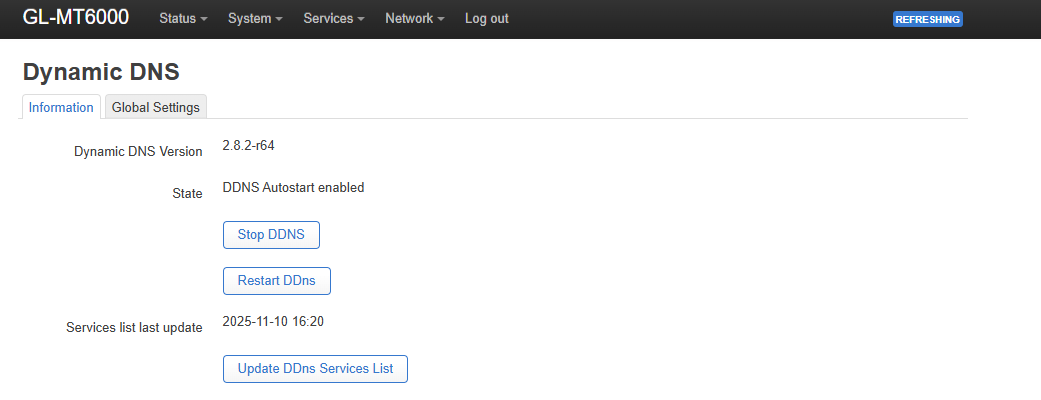
If the service is stopped using the button or restarted, it stops working. It only works when the plugin is installed.
@pupeto usually, it is recommended not to update the apps. All the time I have done that, I had to factory reset 
gracias
thanks a lot!
Upgraded from OP-4.8.2-op24 on my Flint 2 and it crashed both Wifi channels and unable to restart. Previously I added a 3rd AP on both via Luci, and disabling these solved my issue for now. Enabling via Luci or the GL inet skin just crashed all again.
Tue Nov 18 11:38:48 2025 daemon.err hostapd: Failed to set up interface with data: driver=nl80211 logger_syslog=127 logger_syslog_level=2 logger_stdout=127 logger_stdout_level=2 country_code=CN ieee80211d=1 ieee80211h=1 hw_mode=a beacon_int=100 stationary_ap=1 chanlist=36,40,44,48,149,153,157,161 tx_queue_data2_burst=2.0 #num_global_macaddr=1 #macaddr_base= ieee80211n=1 ht_coex=0 ht_capab=[HT40+][LDPC][SHORT-GI-20][SHORT-GI-40][TX-STBC][RX-STBC1][MAX-AMSDU-7935] ieee80211ac=1 vht_oper_chwidth=1 vht_oper_centr_freq_seg0_idx=-6 vht_capab=[RXLDPC][SHORT-GI-80][TX-STBC-2BY1][SU-BEAMFORMER][SU-BEAMFORMEE][MU-BEAMFORMER][MU-BEAMFORMEE][RX-ANTENNA-PATTERN][TX-ANTENNA-PATTERN][RX-STBC-1][SOUNDING-DIMENSION-4][BF-ANTENNA-4][MAX-MPDU-11454][MAX-A-MPDU-LEN-EXP7] ieee80211ax=1 he_oper_chwidth=1 he_oper_centr_freq_seg0_idx=-6 he_su_beamformer=1 he_su_beamformee=1 he_mu_beamformer=1 he_bss_color=128 he_spr_sr_control=3 he_default_pe_duration=4 he_rts_threshold=1023 he_mu_edca_qos_info_param_count=0 he_mu_edca_qos_info_q_ack=0 he_mu_edca_
Tue Nov 18 11:38:48 2025 daemon.notice hostapd: hostapd.add_iface failed for phy phy1 ifname=wlan1
ok, deleting the extra SSID’s and recreating them solved the problem.
Everything still running smoothly  but I just noticed a bug, the VPN server setup it's not letting me use the DDNS address of the router, the address it's working fine because I can access the router admin page from any network.
I called it a bug because 4.6.6 used to let me use the DDNS address to setup my VPN server, if any of you guys know this it's not a bug and instead by design please let me know so I can start looking for a workaround