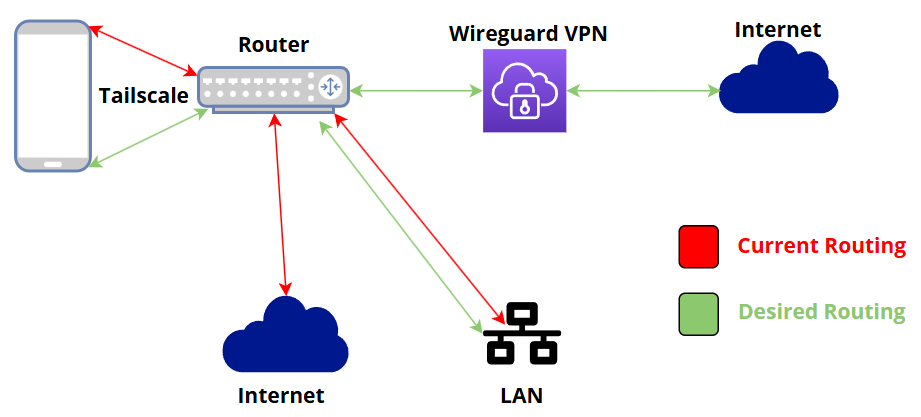
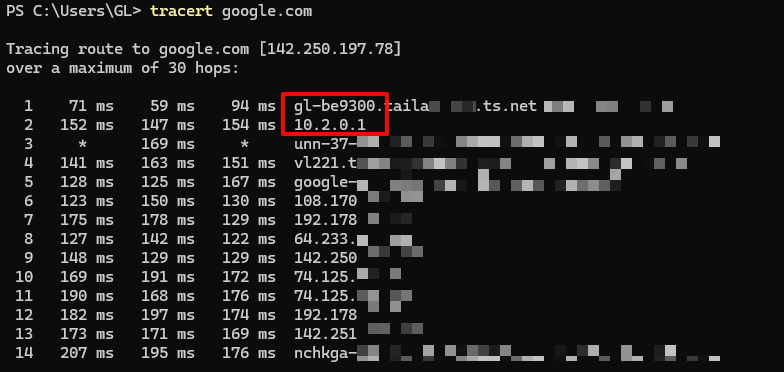
I have Tailscale on my Flint3 router so I can connect my phone to my home network when I’m out. This works well for using Jellyfin, Symphonium, Immich and for accessing my files and routing my internet traffic through my home connection when I’m out.
However, I have a privacy VPN set up on my router to mask all the traffic that comes from my home network.
I want the Tailscale exit node traffic to be routed through the privacy VPN too, because I don’t want to expose the traffic that’s coming from my phone and going through my home internet connection.
So the route would basically be like this: Phone ==> Tailscale ==> Privacy VPN ===> Internet
I assume you already know how to configure GL.iNet as an exit node.
If you need assistance on this side, please refer to the following thread for configuration.
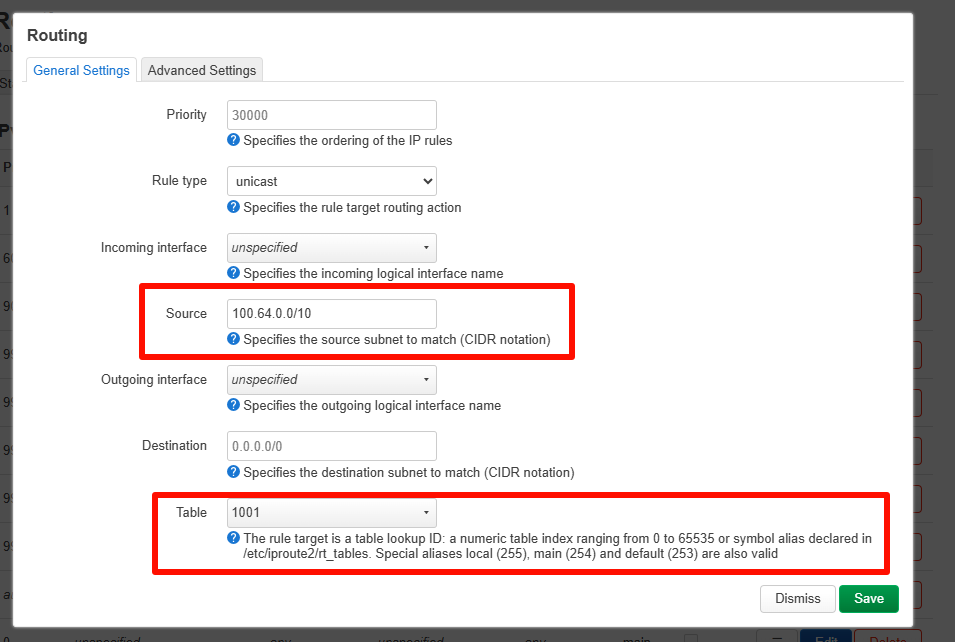
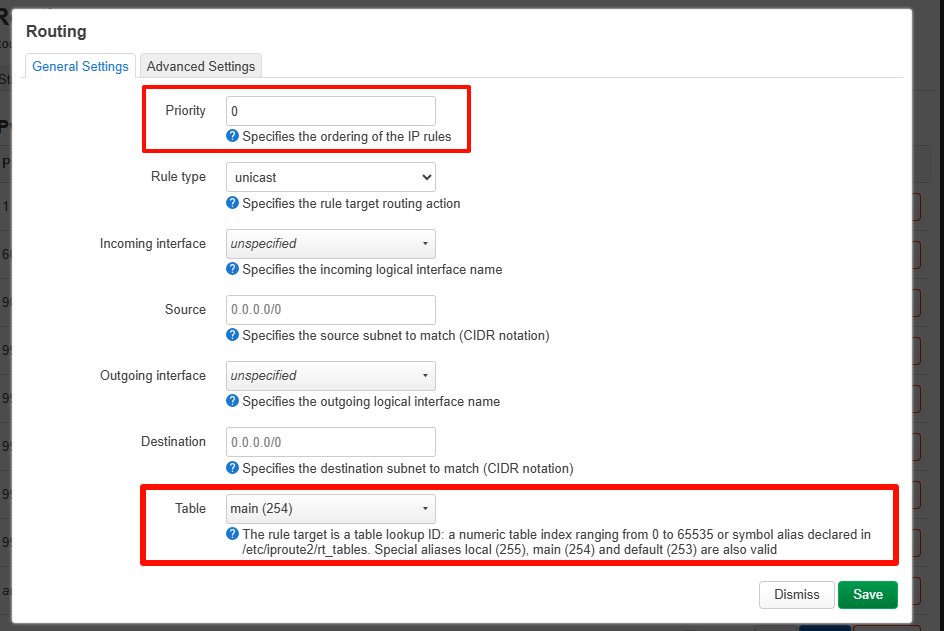
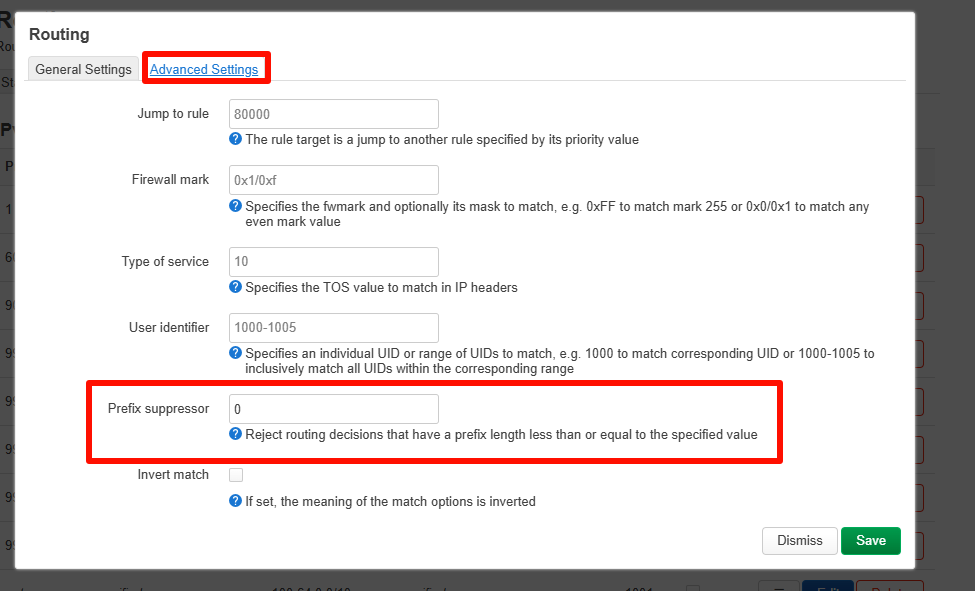
Here are the steps to further adjust the configuration to make with Tailscale exit node work with WireGuard VPN:
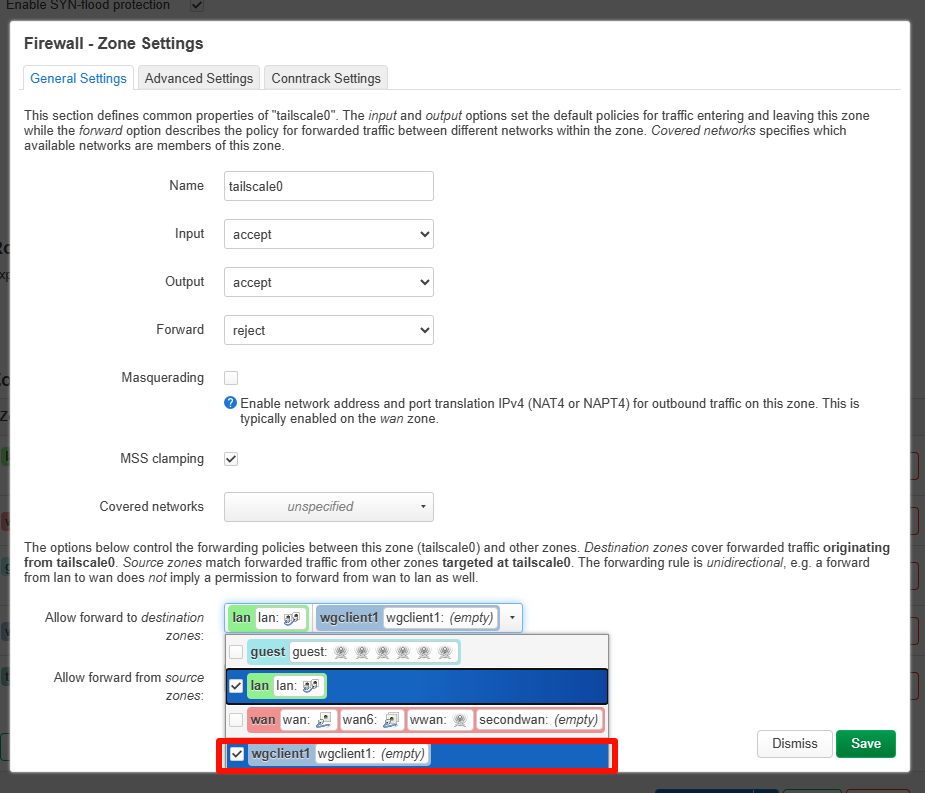
In Luci - Network - Firewall - Zones, configure tailscale0 to allow forwarding to wgclient1.
Thanks for the help, but I attempted the previous step and it just cut off LAN and Internet access to my phone.
This is what I’m trying to achieve. It’s the internet (WAN) routing I’m finding difficult. As I’m pretty inexperienced with this, I’d need step by step explanations with no ambiguity or assumption of prior knowledge. For information, I’m using Surfshark as the VPN, and used the Gl.inet UI to configure that as the wireguard VPN. Thanks in advance.
Also in relation to the reply. I wasn’t sure where to find the subnet CIDR value. But I managed to find it in the status page of LuCI. That was the main issue. I was trying all kinds of addresses in there to see if that was the problem. So if anyone else comes across this. You can find the subnet CIDR notation on the menu under status and then routing.
Any updates here? I’m trying to achieve the same thing, but struggeling as well with the solution.
I guess also the interface and routing logic have since changed, so I can’t fully repliacte this anymore.
Please be aware that while this setup is functional, it is considered an advanced configuration and is not officially supported.
If you do not have a strong technical background in networking or OpenWrt, we generally do not recommend this approach as it may lead to stability issues or difficulty in troubleshooting.
Has the routing options moved? Can’t seem to find Luci - Network - Routing - IPv4 rules. The only thing I can find close is Static IPv4 Routes. There are missing pieces in this section.
Thank you, I may wait until this is officially supported. I am already taking a risk using the beta firmware with the obfuscate option in Wireguard. I backed out the Tailscale config for now. Adding this to my notes. I do have an extra router I can play with. It’s been a month and I already have 4 GL.iNet routers.