Do keep up Mr. Bond:
It is interesting that this script has significant portability to GL.iNet routers, possibly EOL running current OpenWrt.
Do keep up Mr. Bond:
It is interesting that this script has significant portability to GL.iNet routers, possibly EOL running current OpenWrt.
It seems you have issues reading, I wasn't talking about the mango that was clear, I was talking about using the script on vanilla openwrt 
Can you run the following commands and paste the output?
cat /proc/meminfo | grep -i memtotal?which opensslif this fails try opkg update && opkg info openssl-utilopkg update && opkg info nginx-sslifconfig -a |grep wg | awk '{print $1}’Interesting. So Openwrt 25 doesn’t install openssl at all by default. It uses wolfssl (EDIT: not the Mango version, which uses an alternative with a lighter footprint). I don’t have OpenVPN clients running, so I’m not sure of the interaction. So #2 returns blank. If I install the openssl-util packages (remembering that OpenWRT is on apk now), #2 returns /usr/bin/openssl . So that explains that.
#1 returns MemTotal: 122984 kB The hardware page reports 128MB; the Memory i/o benchmark reports 256MB.
#3: nginx isn’t installed either–OpenWrt now uses uHTTPd instead. apk install nginx-ssl fails with a memory error, trying to install 31MiB where I have 1 MiB free now.
#4: I restarted the wireguard tunnels and the script now seems to detect and optimize them just fine, so ignore that. They must have been down when I checked before, so my bad. The WG bechmarks work fine (Mango is 1x, Beryl is 2x, Beryl AX is 10x).
I wonder if the official builds based on OP25 might have similar questions, but the only odd thing I see is #1. Nice!
#1 is resolved with the latest update. You can check the changelog for more details but TL;DR is that the script was calculating the memory benchmark test with a different memory calc function than the system info screen. They’ve both been unified and slightly refactored to account for various RAM sizes.
#2 is resolved with the latest update. This is installed by default on all gl-inet fw versions so I never implemented a preflight check for the utility for openwrt. That’s been resolved as well.
#3 is on the backlog and not resolved. This is a call to my other script to install openspeedtest server. There are enough gaps now that I plan to fork my openspeedtest server script to be directly included in glinet_utils and sunset updates to openspeedtest server script
#4 good to hear.
Also resolved is tc which had a simple check vs installing if it wasn’t already installed which it should be. Finally, fixed the internal package manager to be apk aware. Thanks for your feedback and let me know if you find anything else.
Just came across this post and thought I’d give the tools a try on my Brume3.
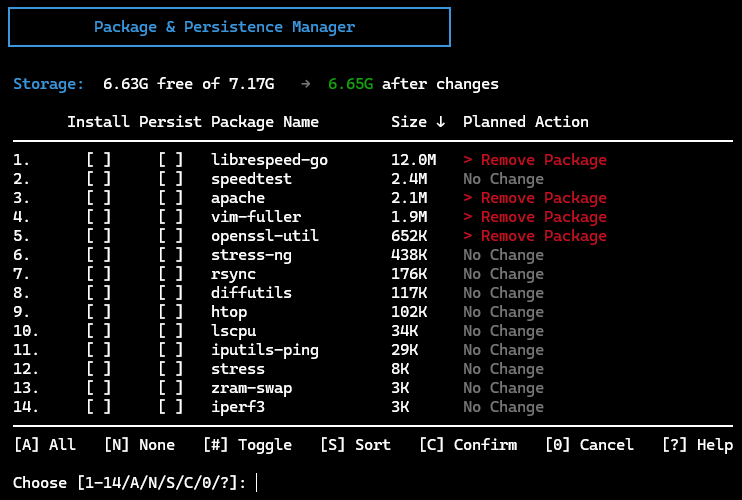
I installed a couple of packages and then tried to remove one but nothing seems to get removed. I ran opkg update manually and got tons of errors:
root@GL-MT5000:~# opkg update
Downloading https://fw.gl-inet.com/releases/v21.02-SNAPSHOT/mt7987a/kmod-5.4.281/aarch64_cortex-a53/kmod/Packages.gz
Updated list of available packages in /var/opkg-lists/glinet_core
Downloading https://fw.gl-inet.com/releases/v21.02-SNAPSHOT/mt7987a/packages/aarch64_cortex-a53/glinet/Packages.gz
Updated list of available packages in /var/opkg-lists/glinet_gli_pub
Downloading https://fw.gl-inet.com/releases/v21.02-SNAPSHOT/mt7987a/packages/aarch64_cortex-a53/packages/Packages.gz
Updated list of available packages in /var/opkg-lists/glinet_gli_packages
Updating database.
Collected errors:
Any idea what broke opkg?
The script does not directly write to opkg db. It only calls opkg for installing packages. Your opkg cache got corrupted and its not uncommon. I’m going to add this fix to my script but it’s trivial to run standalone in the meantime.
rm -rf /var/opkg-lists/* /tmp/opkg-lists/* && opkg update
Great idea but I’m afraid we need to dig around more to see what else need to be fixed. It could be coincidence but I did nothing more than install the scrip and try to add and remove a few packages. That’s when I saw I could toggle install/persistence for let’s say stress-ng but after I pressed C (Commit) I got the screen back showing that nothing was removed. Then I ran pkg update manually and saw the errors. Any ideas?
root@GL-MT5000:/etc# rm -rf /var/opkg-lists/* /tmp/opkg-lists/* && opkg update
Downloading https://fw.gl-inet.com/releases/v21.02-SNAPSHOT/mt7987a/kmod-5.4.281/aarch64_cortex-a53/kmod/Packages.gz
Updated list of available packages in /var/opkg-lists/glinet_core
Downloading https://fw.gl-inet.com/releases/v21.02-SNAPSHOT/mt7987a/packages/aarch64_cortex-a53/glinet/Packages.gz
Updated list of available packages in /var/opkg-lists/glinet_gli_pub
Downloading https://fw.gl-inet.com/releases/v21.02-SNAPSHOT/mt7987a/packages/aarch64_cortex-a53/packages/Packages.gz
Updated list of available packages in /var/opkg-lists/glinet_gli_packages
Updating database.
Collected errors:
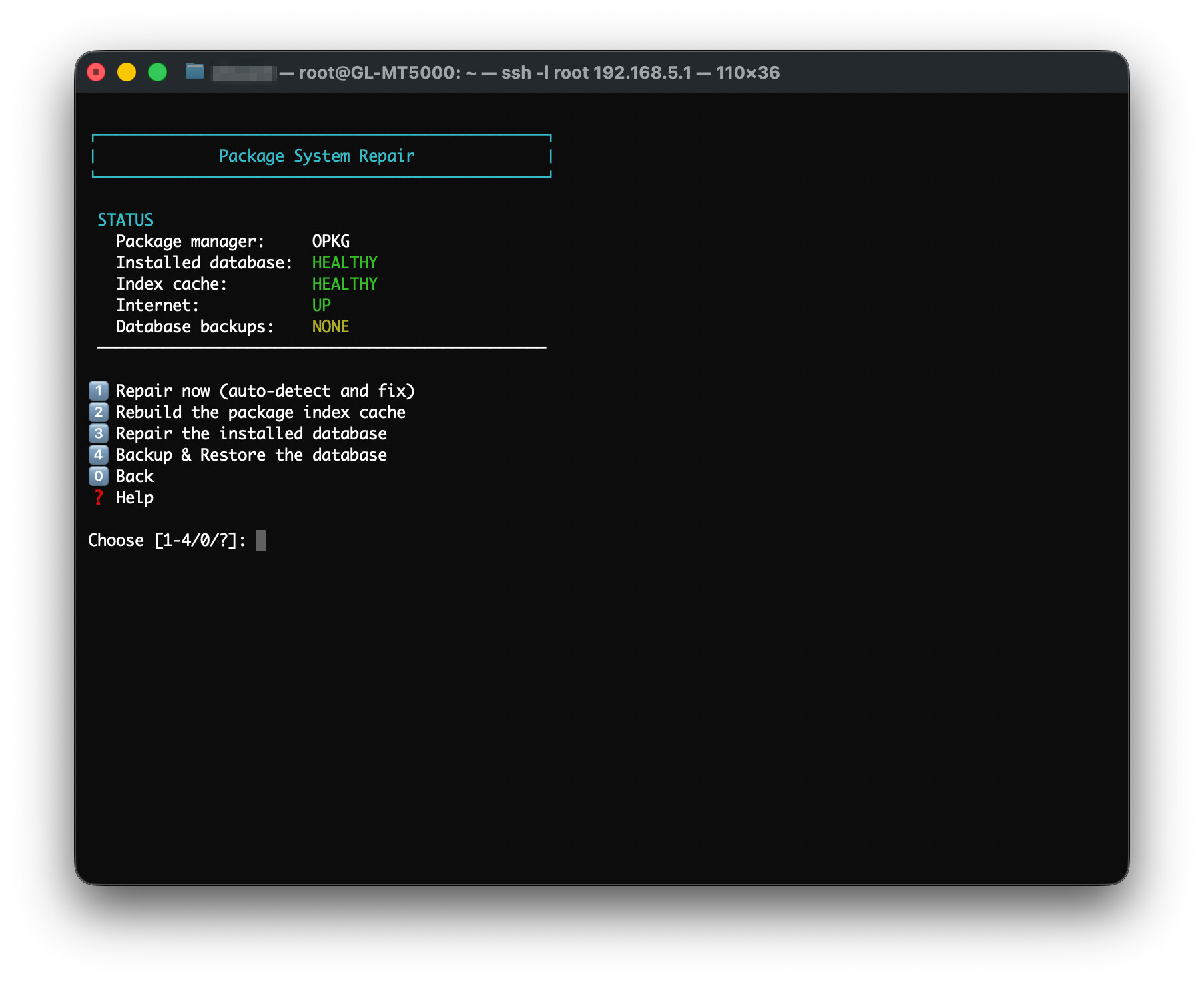
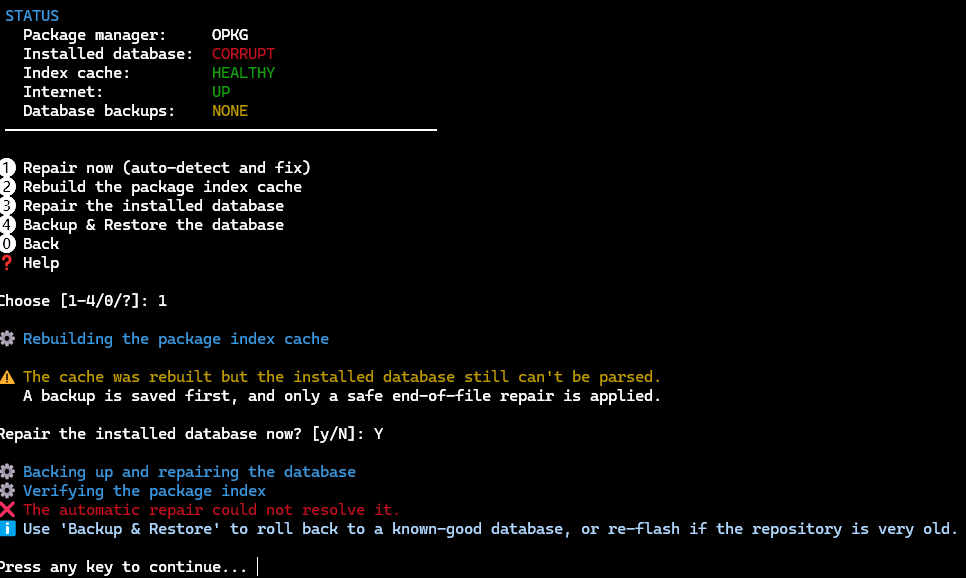
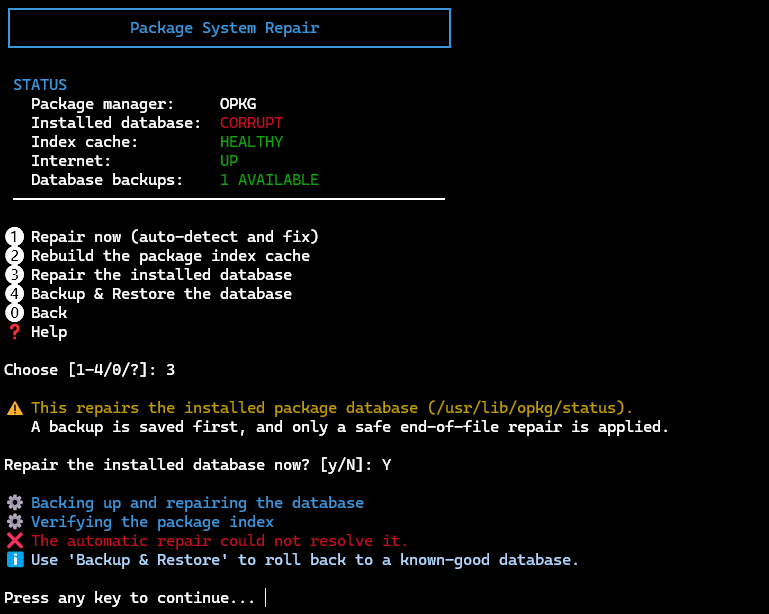
The issue appears to be that your db has been corrupted and not your cache. I was able to mock the same on my Brume 3 and I think I’ve been able to code a fix for it. Update to the latest version of the app and go to option 3 –> option 5 “Package System Repair”. Let me know if it’s able to detect your db being CORRUPT (vs HEALTHY). Try the repair now (option 1) or repair db (option 3), if one doesn’t fix it. If you still have issues afterwards, please let me know and I’ll dig deeper. If you are able to re-create the corruption of the DB afterwards, let me know as well so I can try to reproduce on my Brume 3. Also, for others that on APK, this new feature should work the same as opkg.
This is great feedback and points to a real db corruption (that I’m not able to simulate). No need to re-flash the firmware (yet). There are a couple more steps we can take before that needs to occur. I updated the utility and added two more levels of opkg db restoration (apk to follow).
/usr/lib/opkg/info/*.controlPlease update and try out the same options to see if that resolves your issue. If you are able to provide screenshots, that would be helpful as well.
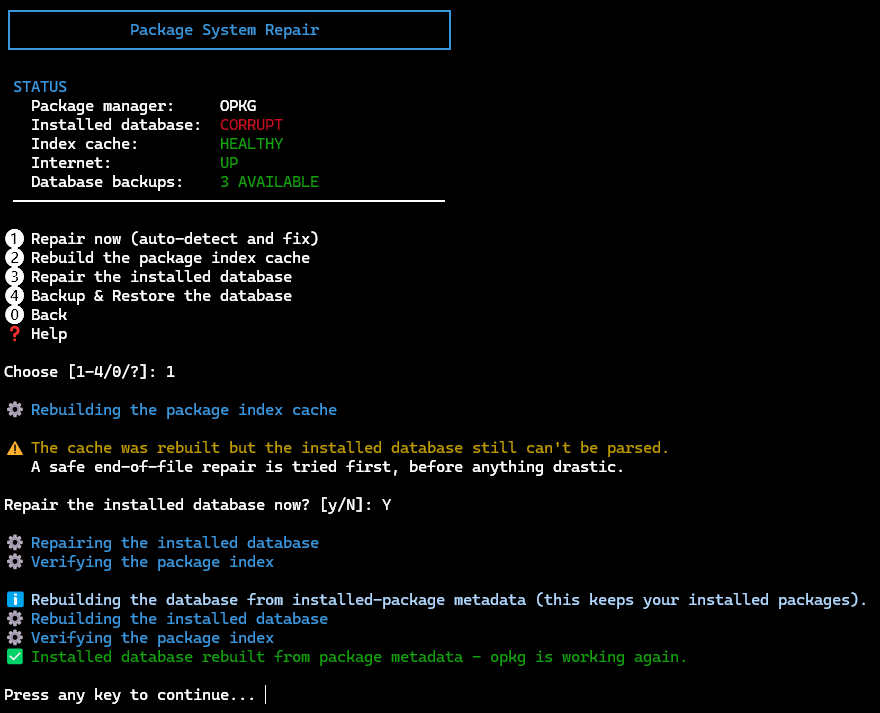
Your magic is working!
First the good news after the tool prompted to update itself and I let it do it and restart:
 Thanks for using GL.iNet Toolkit!
root@GL-MT5000:~# opkg update
Downloading https://fw.gl-inet.com/releases/v21.02-SNAPSHOT/mt7987a/kmod-5.4.281/aarch64_cortex-a53/kmod/Packages.gz
Updated list of available packages in /var/opkg-lists/glinet_core
Downloading https://fw.gl-inet.com/releases/v21.02-SNAPSHOT/mt7987a/packages/aarch64_cortex-a53/glinet/Packages.gz
Updated list of available packages in /var/opkg-lists/glinet_gli_pub
Downloading https://fw.gl-inet.com/releases/v21.02-SNAPSHOT/mt7987a/packages/aarch64_cortex-a53/packages/Packages.gz
Updated list of available packages in /var/opkg-lists/glinet_gli_packages
Updating database.
Database update completed.
root@GL-MT5000:~#
Now to not soo good news, or me not (yet) understanging how the tool works.
I’d like to remove what I had installed before the corruption happen, and potentially let it install the tools I wanted to try to see if the corruption would happen again:
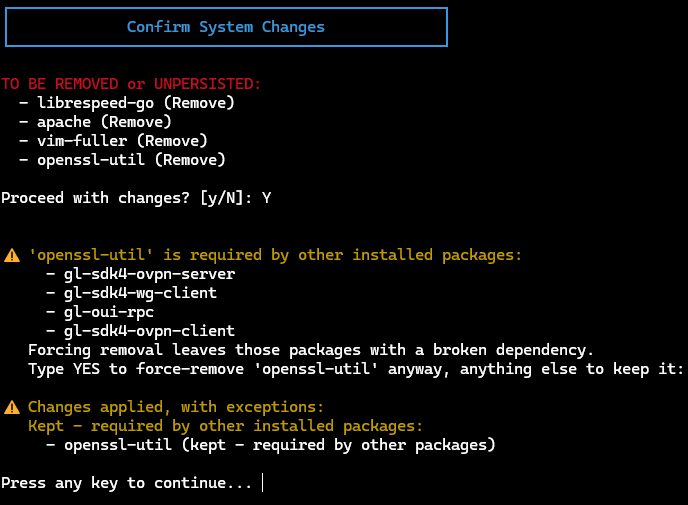
Any idea why all that were removed are showing as not removed?
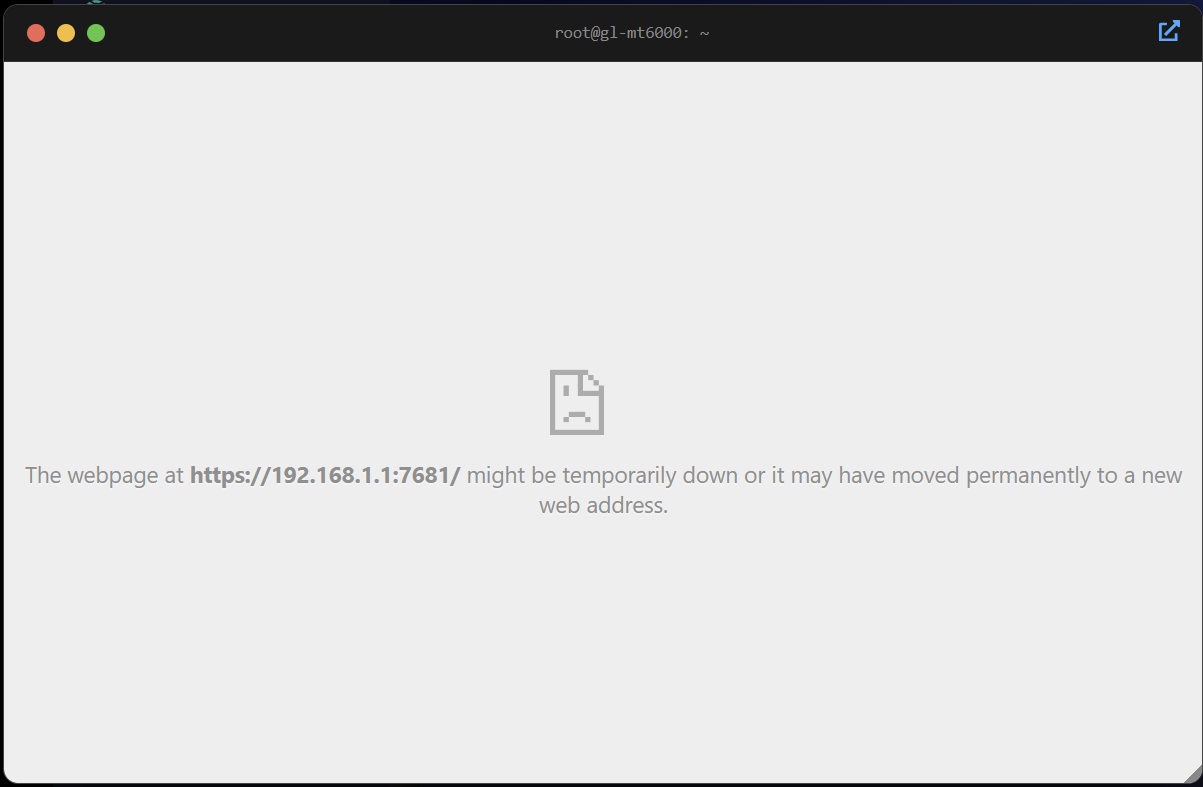
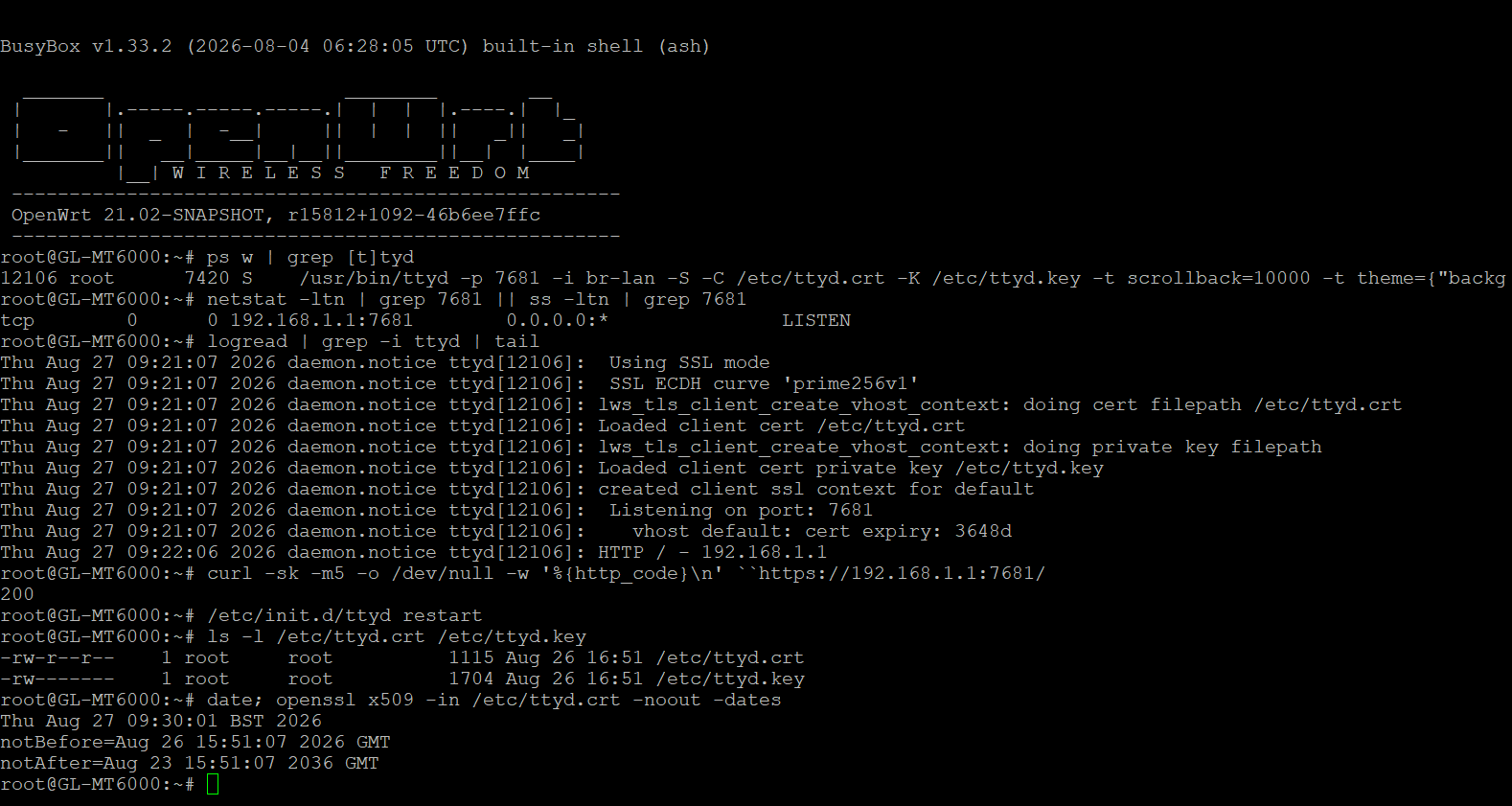
Please check/provide the following:
ps w | grep [t]tyd (if not running skip to restart)netstat -ltn | grep 7681 || ss -ltn | grep 7681logread | grep -i ttyd | tailcurl -sk -m5 -o /dev/null -w '%{http_code}\n' ``https://192.168.1.1:7681//etc/init.d/ttyd restartls -l /etc/ttyd.crt /etc/ttyd.keydate; openssl x509 -in /etc/ttyd.crt -noout -datesLet me know what you are able to find out.
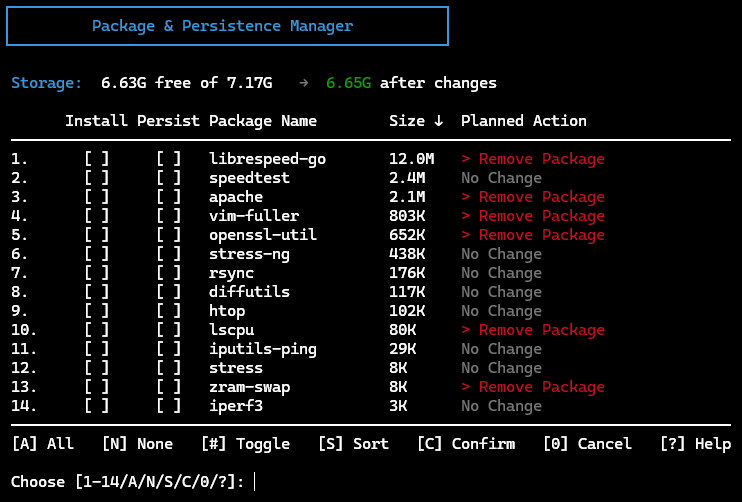
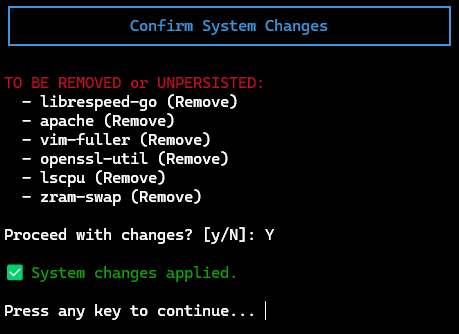
New version pushed that addresses your package removal issue. There are a few things going on:
Similarly, there is now verification that ttyd installs correctly and is operational; offering some log output in the case where it didn’t install / start correctly. The implementation is more quick and dirty to provide some help and insight for @KryptonKid09 . As mentioned above, there is a need to standardize the UX flow across all failure messages output, so don’t get too comfortable with the current implementation.
Almost perfect!
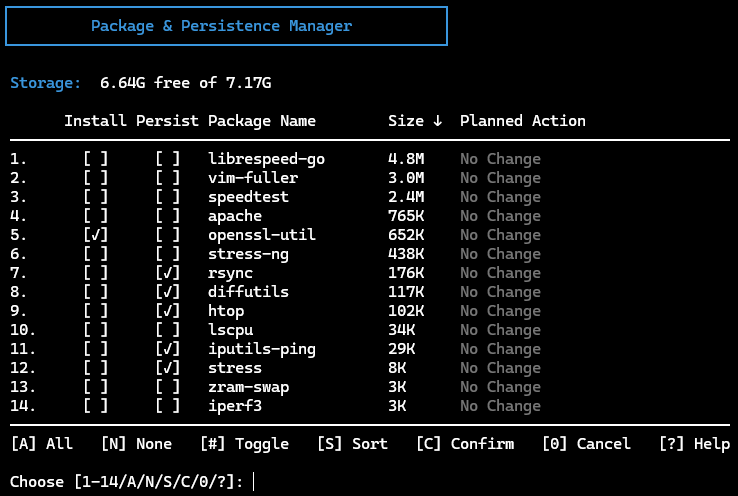
Updated, restarted, 3, 4, N
N, C
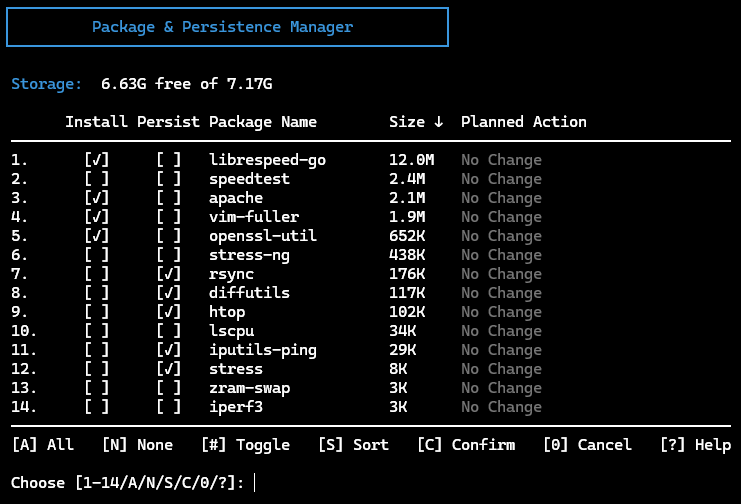
Shouldn’ those under Persist also be gone now as per the previous screenshot?
Can something that’s not Installed be Persist-end?
PS.
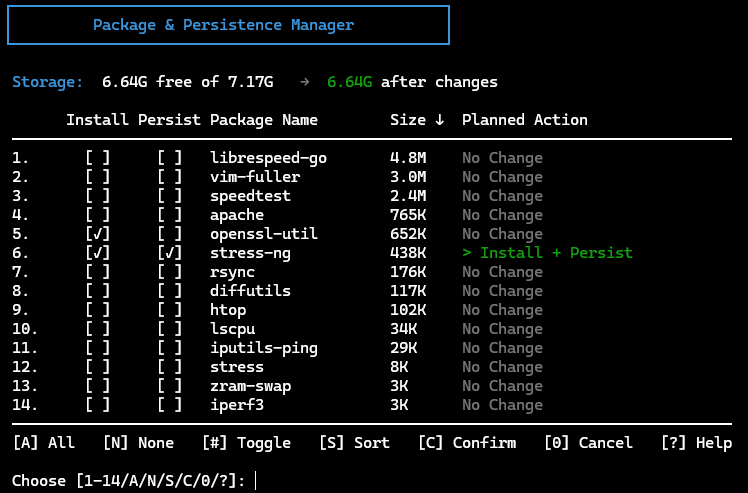
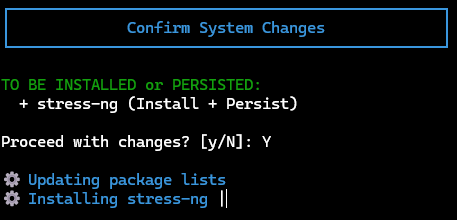
To test the Install vs Persist, I picked (at random) 6. stress-ng
Does stress-ng just install a package or does it do something else?
I got kicked off the GUI and the installer on my terminal got stuck and stopped spinning several minutes ago (while the GUI eventually respawned and asked me to login again):
Does it run the stress test and kill everything, including kicking me off the ssh session?
I see also my uptime is just a couple of minutes so it must have crashed the Brume 3, or at least eebooted it? Perhaps based on timing, this is the culprit of the damaged opkg db?
If you could please do some more tests about this specific package - install just installs but it doesn’t execute, maybe have some warnings about even installing it?
This is just an idea to toss out for the small number who might try this with a Mango/Shadow.
I have a script that emails me vnstat reports nightly. For flash memory reasons, I have it installed on a USB drive (/mnt/sda1/). That is where the .db lives, and I write out the graphs there, assemble the email, send it, and then delete the graphs and email.
This script is fairly large, and I wonder if it would be useful to be able to install it on an external drive as well, as an option, and possibly other things it downloads/uses.
New version pushed.
Apparently, there is a bug using stress-ng and kernels that are older than 6.6 which causes the router to crash. Logic has been added to detect the kernel version and will use stress vs stress-ng. The benchmark menu preferred stress vs stress-ng which is why it didn’t cause a crash. Logic has been normalized across both.
Package and Persistence Manager now will no longer persist an uninstalled package. Options are to install +/- persist and remove or remove + unpersist (if persisted already).
Good finds. Thank you.
Very well done, sir! Thank you!
I no longer see the stress-ng as an option to install on the Brume 3. Once I get my Flint 4, I’ll give it another try to see if it just installs or it also runs/kills the new router.
Quick question/request on AdGuardHome. I went to adjust my lists, with RAM in mind and saw you had done some work focused more on “storage space limit”, which is helpful for older gear but the Brume 3 has plenty (for now, in my case). Yet, we I selected the HaGeZi’s Ultimate list and a few others from the provided list at http://192.168.8.1:3000/#filters aaaand, out-of-memory crashes started immediately and were so bad that I could barely ssh back into the Brume 3 and try to remove them via vi 
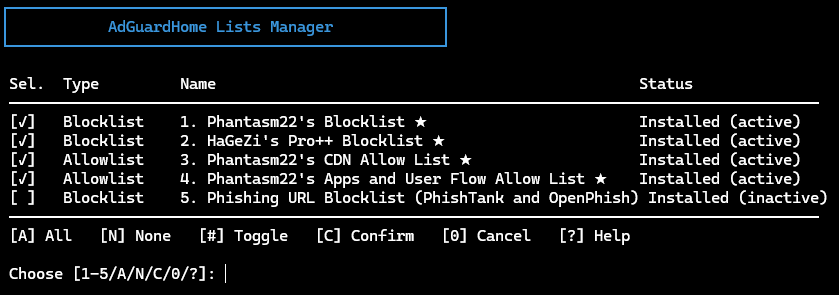
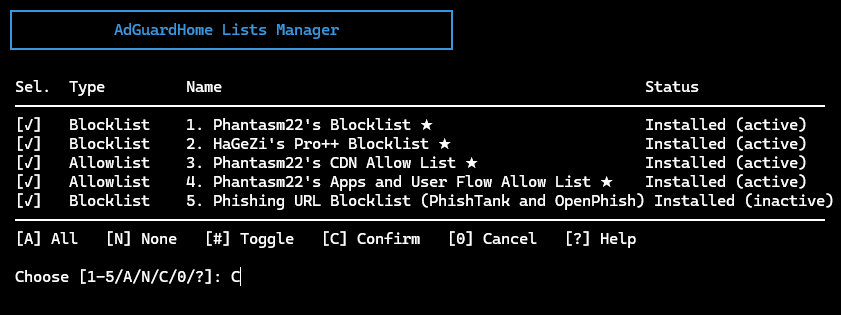
Then went back to your latest and greates tool and let it pick your “best practice” ones. That worked great but… I’m here to play and break things, right… so I added one more - see below if that looks right
Selecting 5, C flashes a message that disappears quicker than I can screenshot it, but it says something like “No changes to apply…” which isn’t correct as I did select the inactivive 5.
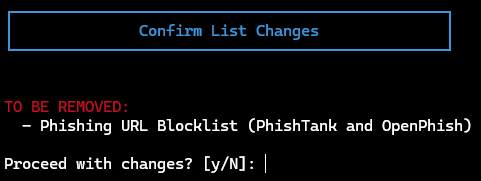
Going back to the screen below and pressing just C (not selecting 5, or any of 1-4), in my mind should says - nothing to do, as I didn’t select anything but instead it says:
Pressing Enter doesn’t remove it, as expected. Doing again “5, C” tells me again that there are No changes to apply although 5. was shown as selected
and no, I’m not fast enough to capture the messages that quickly flashes and disappears.
In an ultimate wishlist, I’d love to see the full list still selectable + the RAM estimate it would use, maybe even with some guesstimate/warning on “you selected something too big, or too many, and won’t fit in RAM, will cause issues/crashes”. Also, and this might be by design, if I use your tool, it hardcodes your entries and they cannot be removed/addedback from the standard GUI anymore (they aren’t selectable) and the standard HaGezi’s Pro++ can’t be unselected, i.e. the checkist below is non-removable/clickable:
Thanks again for taking my feedback, bug reports, and fixing it all so promptly!