At least it would be something to start with 
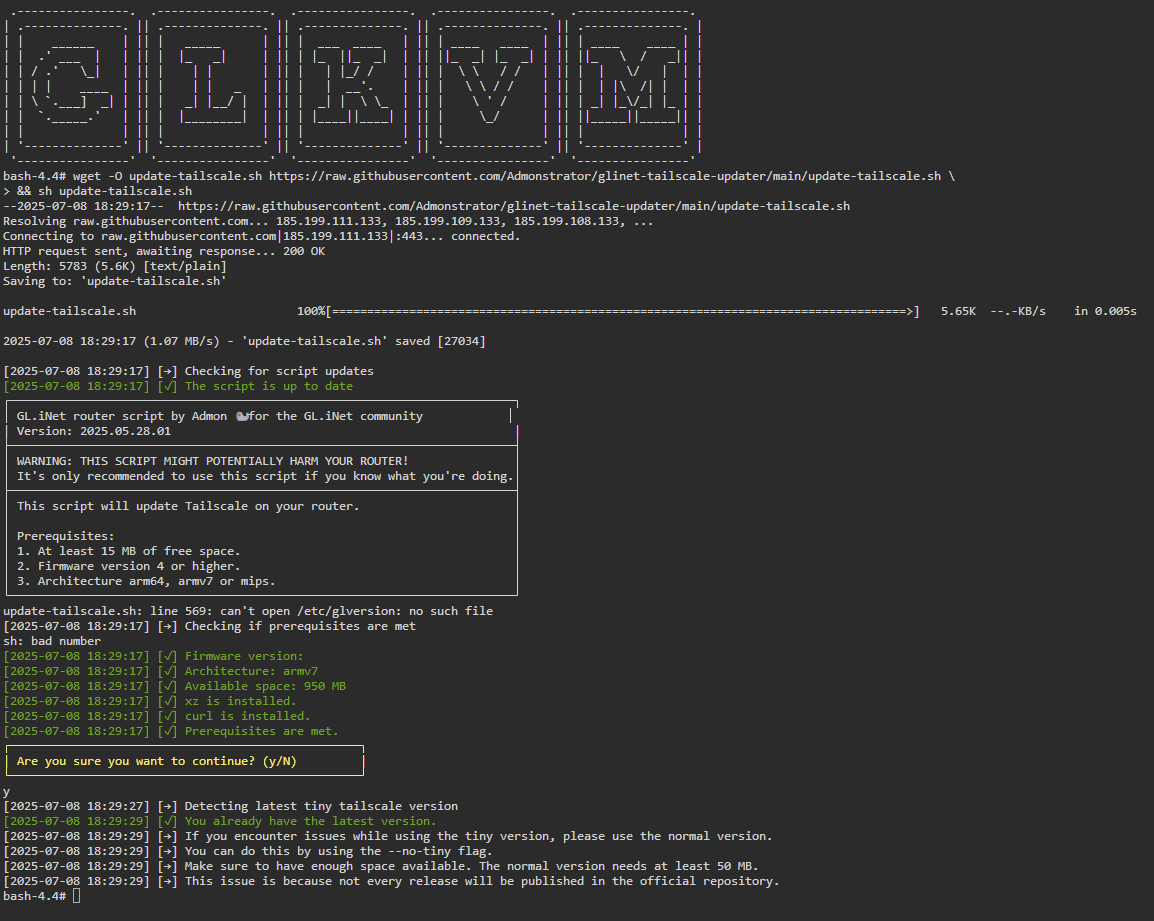
Here it is, you can see that the installation apparently goes smoothly and tells you that you are already on the latest version, but when checking on the console, it is not...

It worked perfectly on my Mt2500, thank you very much 
Expected behavior on Flint 3....
You mean it works?
Yes, it does perfectly
1 Like
Great script @admon ! Thank you.
I just tried it on my GLKVM (RM1) and it worked instantly and updated my tailscale from 1.82.1 to 1.84.3
I have a few comments:
- Backup of the config files did not work. When I looked to /root/tailscale_config_backup, no files where visible.
I would suggest to put the files somewhere in the /userdata/media tree, as that has the most space. - The script assumes that it is working on a router only ("This script will update Tailscale on your router." etcetera). I would suggest to expand this to other GL devices, as it is proven that it works there too
- My uname -a on the RM1:
Linux glkvm 4.19.111 #1 SMP PREEMPT Thu Jul 3 06:32:31 UTC 2025 armv7l GNU/Linux
Thanks!
Harold
Hey,
thanks for your feedback.
Currently it's not planned to adjust the script for usage on the KVM. It might be added later this year.
1 Like
holding my breath for it! Thank you in advance
1 Like
Is there an updated smaller binary for mips/AR-750S-EXT
The AR750S-EXT is not listed as a supported platform but was able to install a deprecated version using app install, 1.32.3-1 (OpenWrt). A brief perusal of this thread suggests that the most recent smaller binary for embedded devices using mips architecture is not available as a binary using this script.
Looks like compiling for mips architecture is required, but wondering if anyone has done this.
Did you try the script?
I just tried to run the command on the MT3000 (version 4.8.0) to upgrade Tailscale to the latest version. It can also work. Congratulations!!
1 Like
Need help. I was able to update 2-Brume2 units, 2-Flint2 without any issues...but my Slate7 would show - "Failed to send request : Operation not permitted"
Thanks
It would be helpful if you posted the the full output & formatted it using the '</>' button in your response.
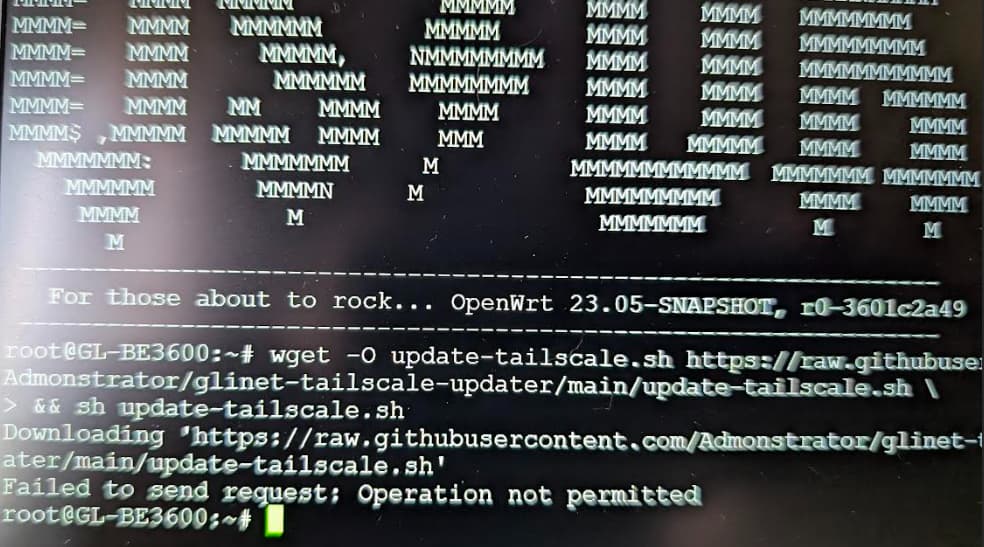
Can you not copy & paste text? What are you using for a SSH client? Try MobaXterm. It's free.
You seem to have a problem with your WAN connection:
root@slate-ax:/tmp# wget -O update-tailscale.sh https://raw.githubusercontent.com/Admonstrator/glinet-tai
lscale-updater/main/update-tailscale.sh
Downloading 'https://raw.githubusercontent.com/Admonstrator/glinet-tailscale-updater/main/update-tailscale.sh'
Connecting to 185.199.108.133:443
Writing to 'update-tailscale.sh'
update-tailscale.sh  100% |*******************************| 28396   0:00:00 ETA
Download completed (28396 bytes)
Are you blocking Amazon's AWS by chance? GitHub uses them for githubusercontent.com. Do you get any output from ping -c2 github.com like 2 packets transmitted, 2 packets received, 0% packet loss?
Solved!! The Slate7 actually has the "Custom Exit Node" toggled. Un-toggled the custom exit node and then it started loading...all good now.
Thanks
2 Likes
So the script is working great.
But noticed all WAN connections are using DERP.
Other devices in my LAN can access Tailscale remote hosts directly.
So seems it’s just an issue with my GL-MT3000.
Tried allowing in firewall, like at Site to Site GL-MT3000 tailscale - Routers / VPN, DNS, Leaks - GL.iNet and even rebooted but no change.
tailscale netcheck shows correct PMP response, PCP response, and even UPnP reply http 200.
Any thoughts?
just updated a 6000 and a 1300 … both worked perfectly ... Thank you Admon!
1 Like
Just updated my GL.iNet GL-MT3000 to v4.8.1 and then went and updated tailscale using the script and now the tailscale page in the admin panel doesn’t function properly. It shows tailscale is enabled and tailscale shows it as connected, but I can’t get a list of exit nodes or anything else. Anyone else use tailscale using this script lately and notice and issues on v4.8.1?
For reference this is the version of tailscale the script updated to:
tailscale --version
1.90.0
tailscale commit: 3c78146ecec4eb65fc8113516c80731304d371f6
long version: 1.90.0-t3c78146ec
go version: go1.25.3
I ended up doing a –restore and this was the output:
sh update-tailscale.sh --restore
WARNING: This will restore the tailscale to factory default!
Downgrading tailscale is not officially supported. It could lead to issues.
┌──────────────────────────────────────────────────┐
| Are you sure you want to continue? (y/N) |
└──────────────────────────────────────────────────┘
y
[2025-10-22 18:48:36] [→] Restoring tailscale
[2025-10-22 18:48:41] [→] Restoring tailscale binary from rom
[2025-10-22 18:48:44] [→] Restoring tailscaled binary from rom
sh: out of range
sh: out of range
[2025-10-22 18:48:44] [→] Restarting tailscale Might or might not work
[2025-10-22 18:48:44] [→] Removing entries from /etc/sysupgrade.conf
[2025-10-22 18:48:44] [✓] Tailscale restored to factory default.
root@berylax:~#
Tailscale on the admin panel is working as it should after the restore. Not sure what the “sh: out of range” is referring to though?