Preferred way is to not keep settings, but you still need to apply the newest firmware again and keep watching for more firmware updates to be released as they find out more about how everything went down.
I’m running a Flint 2 and set up new FW yesterday from scratch. New FW again today. I installed saving settings. Since it was new yesterday it should be good to go today.
Yes, I already set everything up again with the first firmware with the fixes the day before yesterday, it would be quite a hassle if I had to redo all three routers again with today's update.
What is the probability that my router was attacked again within the last 24 hours without Good Cloud and with the appropriate fix?
The attackers servers have been blocked and taken down, the chances are very small yet still possible.
Since I upgraded to latest firmware, I can no longer access the router using 192.168.8.1, says connection refused.
This was working prior to the upgrade. I still have Internet access though, how do I fix?
Using brume 3
Look at your network settings on your PC or laptop, see what the default gateway IP is. That would be the IP of the router, make sure it didn't change somehow.
Will, thanks. I've been in contact with support and they're very kindly sending out a replacement unit.
Awesome to hear!
I can access my router settings, the brume 3 is working side by side with my main router so the default gateway has always been 192.168.8.1, I can access the hub gateway but blocked on my brume 3 gateway.
Edit: I can access the luci dashboard on 192.168.8.1 so the brume gateway must still be the same, something else has changed as saying connection refused. Sounds like a firewall block at lan level.
so I downloaded the new firmware and flashed it, I setup the router with a new pw on the welcome page and set the ssid. Now I cannot connect to the wifi at all. it keeps dropping my laptop from wifi. Anyone seeing this issue?
x2000-4.7.15_release1-871-1124-1795505373.bin
The DPI database update uses a different connection method from GoodCloud. Therefore, if GoodCloud is not enabled ever, this incident will not affect the devices.
We apologize for the inconvenience. Since we address known vulnerabilities as quickly as possible, release cadence can be frequent. I think this reflects our efforts to maintain device security.
For the OpenWrt 21 (MTK SDK), we have applied fixes for any vulnerabilities related with our SDK. If you discover any further issues, please provide samples and verification steps so we can validate the situation and follow up. Thank you.
Here quick guide.
Online Upgrade:
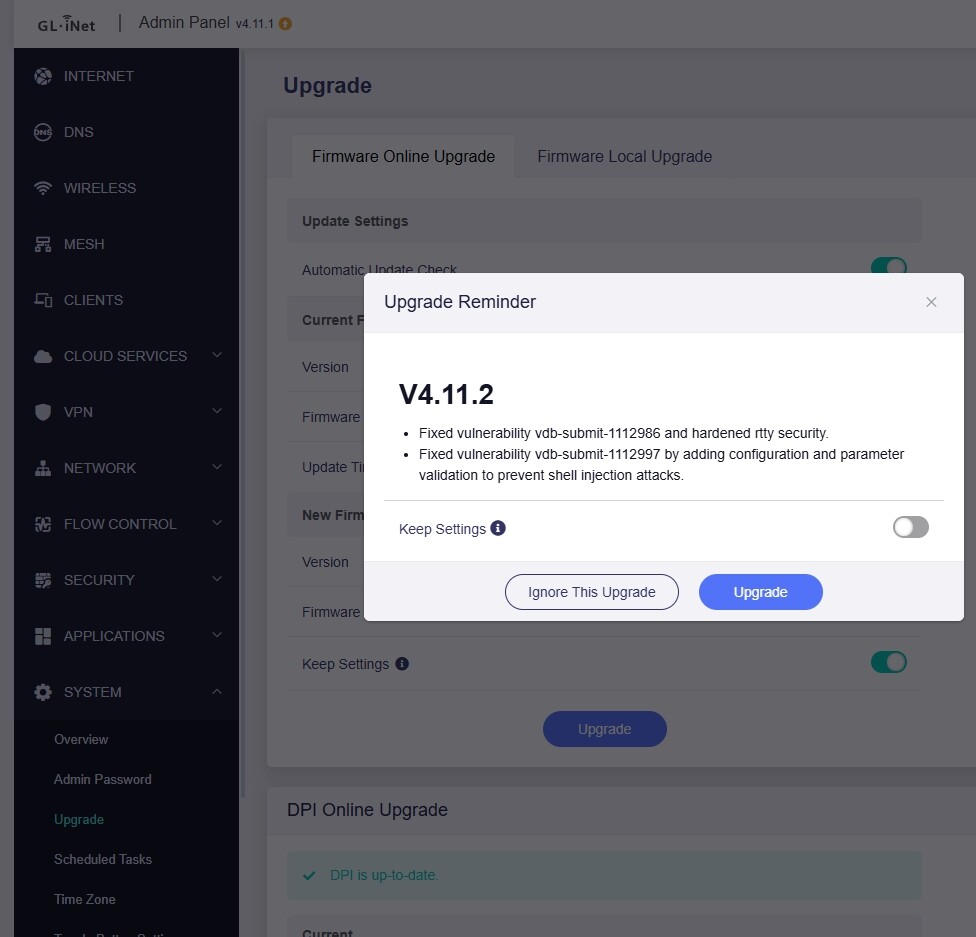
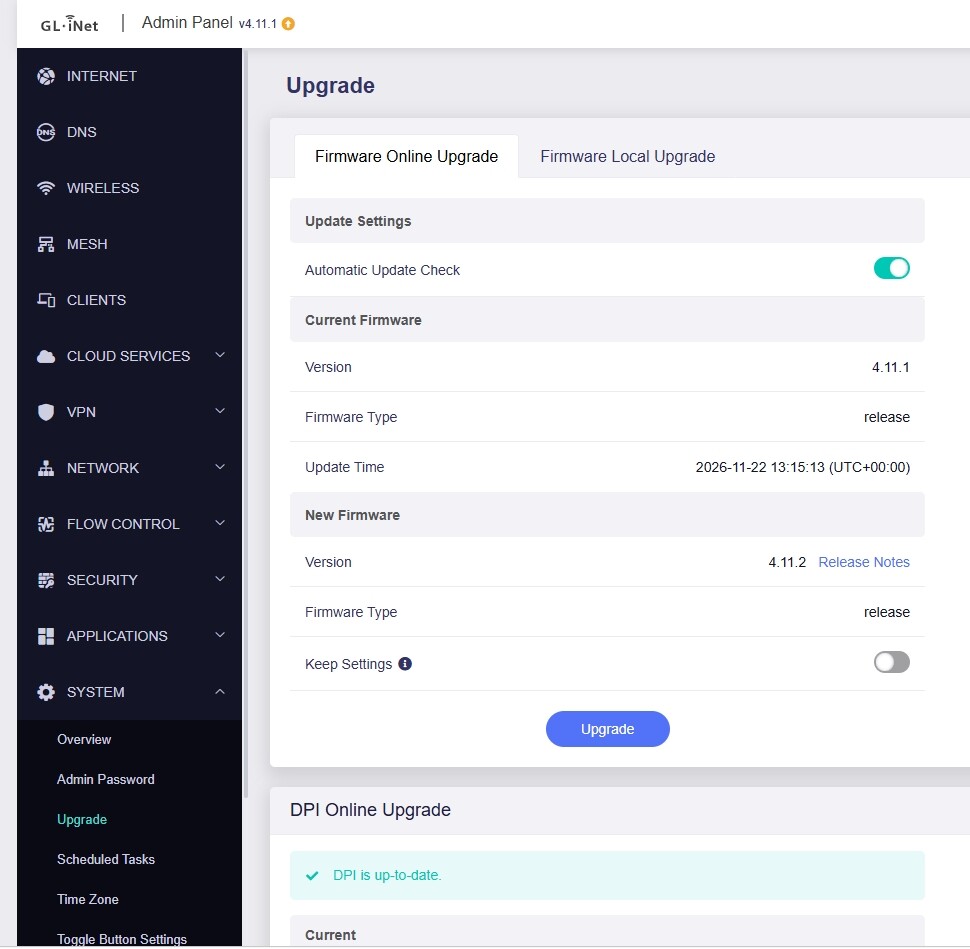
Firmware updates can be performed directly when you see the upgrade prompt upon logging into the GL GUI, or by checking the notification under GL GUI > System > Upgrade.
If necessary, please ensure the "Keep settings" option is left unchecked during the process. Upon completion, following the upgrade, configure the device as new and do not import previous backup configuration files.
Manual Upgrade:
-
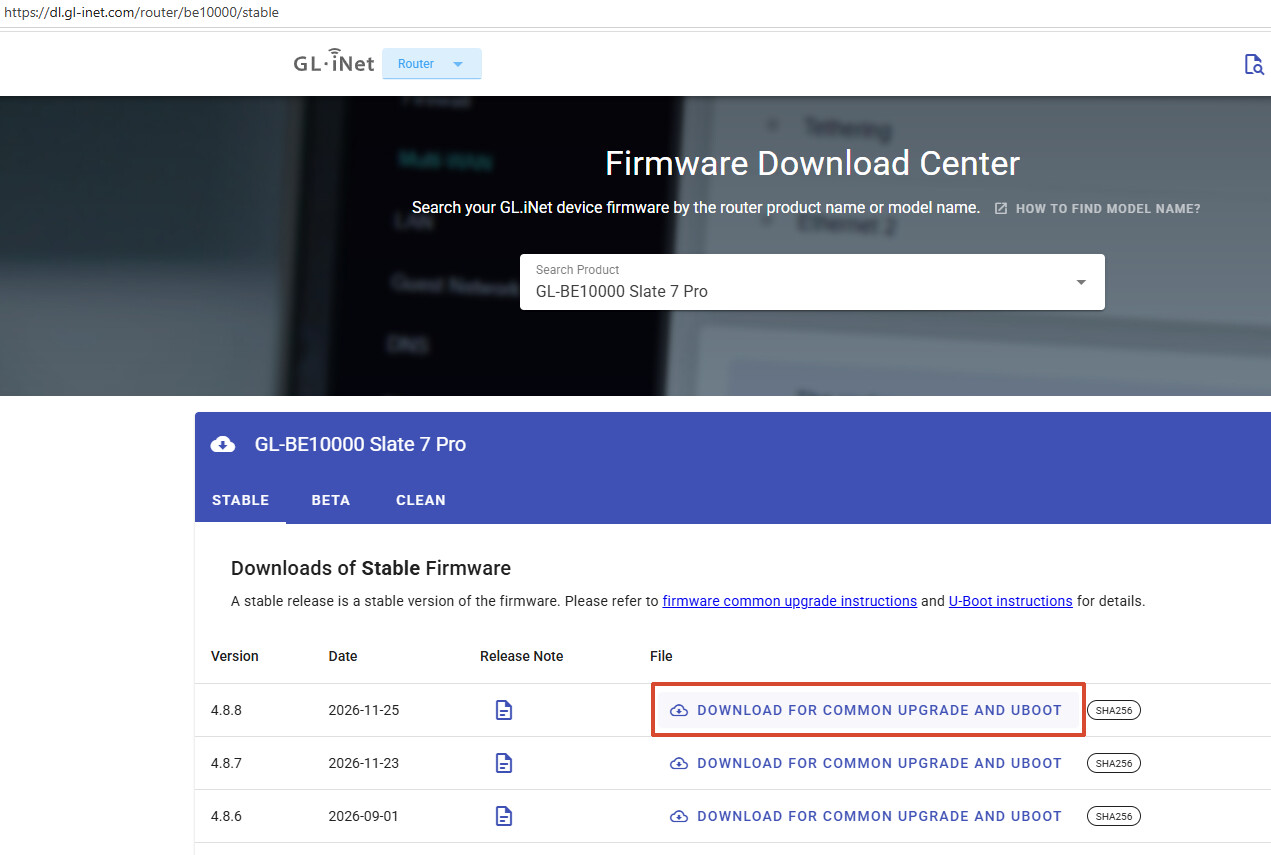
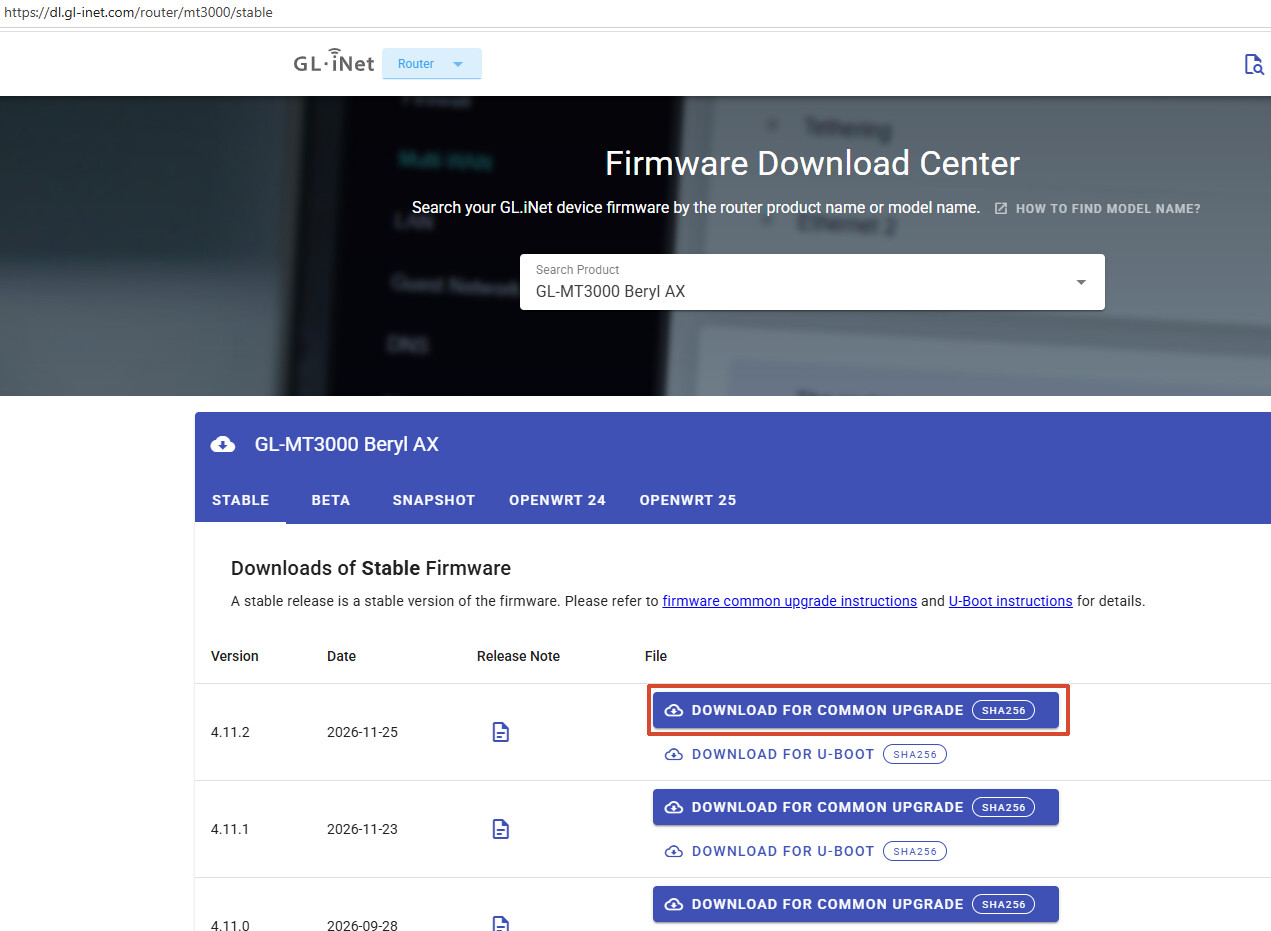
Obtain the appropriate firmware for your specific device model from the Firmware Download Center. Do not cross-flash firmware between different models. It is recommended to review the release notes for any patch or vulnerability fix information.
-
Download the latest firmware file to your computer or mobile device.
-
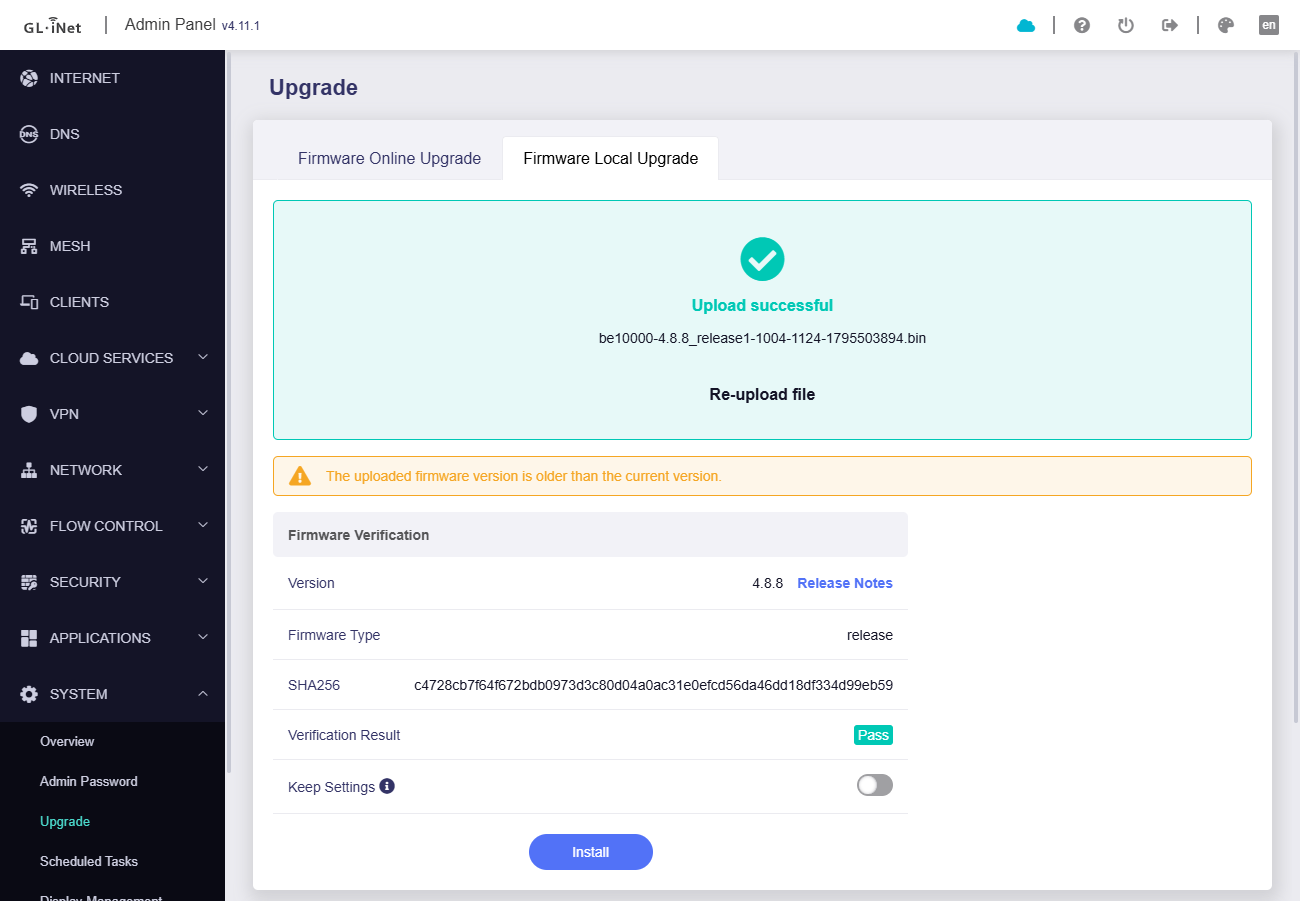
Login to GL GUI > System > Upgrade > Manual Upgrade.
-
Upload the downloaded firmware file, wait for the verification process to complete, and click "Install." If necessary, ensure that the "Keep settings" option remains unchecked. Following the upgrade, configure the device as new and do not import previous backup configuration files.
Are other devices, such as a phone, able to connect to the X2000 Wi-Fi SSID?
If yes, please try forgetting or deleting the saved network profile for this SSID on your laptop, and then reconnect using the password.
What is the network topology? Why do two devices on your LAN have the same gateway configured as 192.168.8.1?
Is the Brume3 operating in Drop-in Gateway mode?
Please considered assigning a different gateway IP to the Brume3.
Sorry my error.. i have always used my brume 3 in drop in mode.. i can access my main router on 192.168.0.1 and brume-3 on 192.168.8.1 until i upgraded the firmware last night.
After explaining the issue to ai, it said if port 8080 works for luci, then it means nginx which runs on port 80/443 for the main router settings might not be running.
After doing a check on ssh to see what ports are running, i cannot see anything running on port 80/443.
So looks like this is the reason why all connections are being refused.
What can I do to fix this? I have rebooted to see if everything comes back up but still cannot see nginx running on port 80/443.
Am I the only one who finds it a little odd that some GL.iNet devices went years without firmware updates, but now updates are coming out for multiple devices within days? How thoroughly were these rushed updates tested, and are they safe to install?
These are hotfixes, side effects can always occur, but I would still say it's better for security to install the update.
Glinet should also prepare to release security patches more frequently; the last two months have shown how quickly and critically this can happen in the AI age, and there will be more to come.
Nothing like a little bad publicity to get a company moving. Users have been asking for a security update for the A1300 for 18 months, and apparently it took a public security incident to finally get one released.
This is the real problem with GL iNet firmware support. A router can still be sold as a supported product while falling far behind on updates. Too many products, too few engineers, and existing customers end up paying the price.
Now, GL-iNet has resources? I don't buy it.