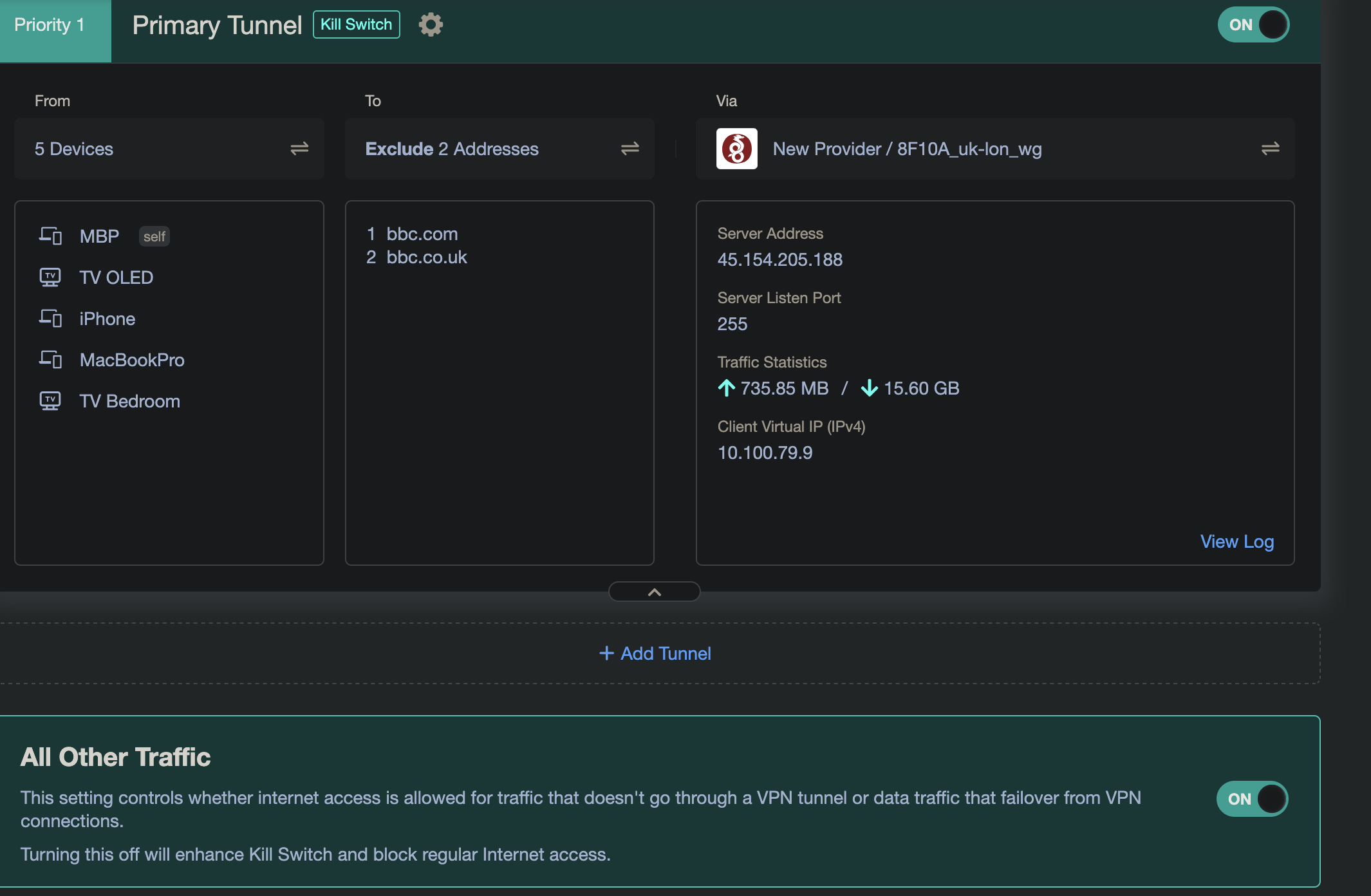
Hello, let me preface this by saying I am very much new to this and this is my first ‘proper’ router with these kind of options.
I bought a GL-MT6000 router so I could install my VPN directly to the router, however I’ve found that this has caused certain streaming apps to block access. I also cannot access any BBC site. I’m trying to add these domains so that any traffic from any of my clients is not routed through the VPN so I can access these apps.
Trying to exclude domains for this approach is going to be a headache. Not all content might be coming from “bbc.co.uk - bbc.com” hence you are still getting blocked.
I use the VPN device policy and just disable the VPN for the device when wanting to access services that might be flagged via VPN checks, not exactly ideal but it works. The only other thing is you could try regenerating a new wireguard config with a different UK location and hope that the IP on the new config isnt blacklisted.
Your best approach would be to exclude the device from your VPN router policy and if the device accepts the VPN providers app then install it directly on the TV. Installing the VPN providers app on the TV will then usually let you exclude the iPlayer for example (if it supports split tunnel)
Check out this thread where I posted some info too.
Unfortunately the person who uses the streaming apps is my wife, she’s not technically minded so explaining to her how to log into the router and turn off the VPN is unlikely to work.
However, it did give me another idea, could I set up the guest wifi not to go through the VPN? I think if I showed her how to get the TV onto the guest wifi when she wants to use one of the apps that could work.
You can however I believe that you need to manually configure the guest network inside luci (advanced settings) to exclude the VPN.
Judging from your screenshots you are using the latest firmware which also includes options to manage VPN clients via the app. So you could potentially install the glinet app on your wife's mobile and then she could see the TV client and click / disable the VPN for the device…again I'm sure there is an option to toggle VPN on / off via the app. On the older version 4.7.x this wasn't available in the app and you needed to go to the glinet web gui to add or remove the clients.
I'm not running the latest 4.8.x on my Brume 2 but when I briefly tested my beryl ax on the 4.8.x betas I'm pretty sure I have seen the options. So that's a possible option too.
Just to add to this:
If you install your providers VPN on your TV you can enable what's called split tunneling. This means that you can set it up so that the BBC iPlayer is excluded and it will be persistent, so when your wife loads up the iPlayer then it will use you ISP WAN and bypass any VPN / blacklist.
The VPN apps usually allow to auto connect on boot or you could have it so that it doesn't connect at all so that your IP is your ISP WAN and then when your wife needs to bypass something on the VPN then she can just fire the app up…
Unfortunately the TV is an LG which uses WebOS and I believe it’s not possible to install the VPN directly onto the TV.
I think your suggestion of using the app to turn the VPN off when she wants to use the streaming apps is going to be the way forward.
I did look into using the shortcut app to create a VPN on/off but I don’t think it can access the Glinet app which is a shame. There’s probably a way to create a shortcut to SSH in and turn the VPN on/off that’s far past my skill level!
Well ignore what I said above, unbelievably (for me) I now have two short cuts on my phone’s homepage, one turns the VPN off, the other turns it back on both through SSH.
Now this is progress but this has now led me to wonder if there’s a better solution as this obviously kills the VPN for all devices which isn’t ideal. Is there a way to SSH in and remove the client from the VPN?
I have a flint 2 this is much better then the 3 with the current firmware, so you have the best chance of success on saying that I have got the Exclude specified Domain / IP List To work but it’s a bit temperamental to be honest running 2 tunnels I can’t get it to work at all but like you I need my streaming device to not use the VPN I would flash back to the previous firmware it works fine as your only running one tunnel and see if it’s fixed on the next firmware update.
I think I’m on the right track with creating shortcuts in iOS that SSH and fiddle with the VPN. I just need now to work out how to remove just the right client from the list of clients going through the VPN rather than just shutting down the whole VPN.
Actually, having said that, she could just ask me to remove the client when I’m home, when I’m not home she can just use the short cuts, I think this is the solution.