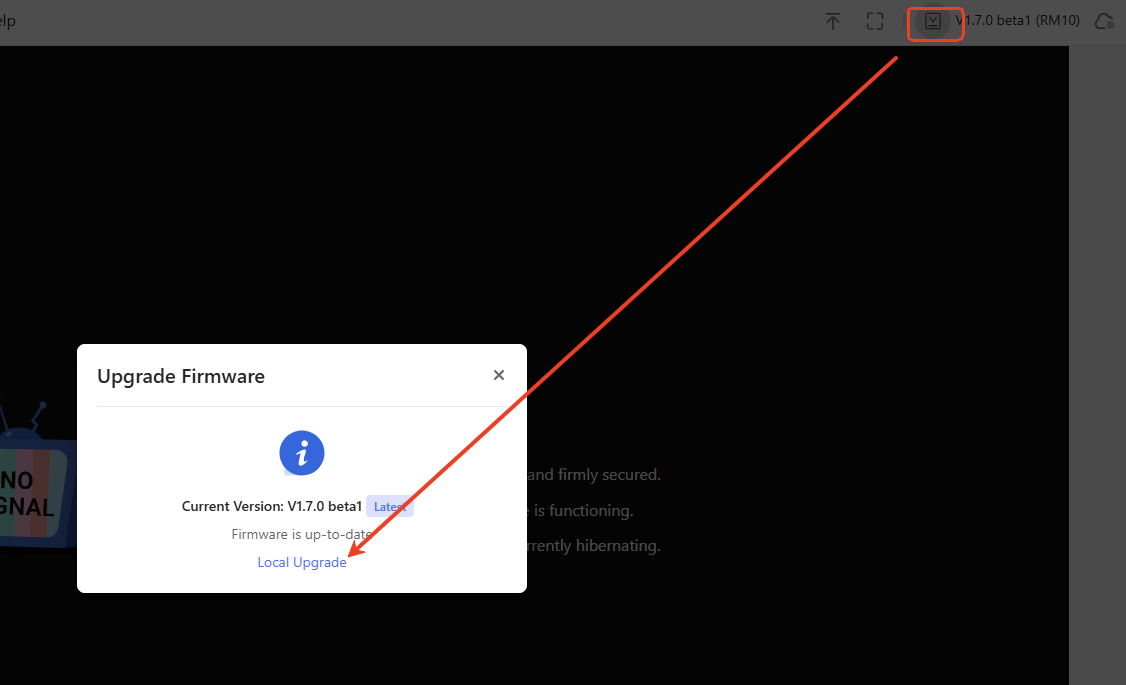
Try using Google firmware and resetting the default settings then see?
The sole difference between this Google firmware and the original 1.7.2 version is that it automatically restarts NTPD to synchronize time when network access is available. If you disable the LED, this feature will be disabled(should wrok the same as original 1.7.2).
I tried to install glkvm-RM1-1.7.2-1128-1764342299 or the version from google drive (image6) but after upload the image and press install button i get a verification failed message and aborts. The installed firmware on device is 1.7.1 beta 1.
I have a RM1PE that over the last week has gone to a blinking white light each night and loses its internet connection. I have to hard reboot by pulling the power and logging back in. I use tailscale and have not enabled the cloud service. Not positive what firmware is running cause the machine is not reachable but I will check as soon as someone gets to the office and can unplug. I updated last week though so I think its 1.7.1.
What should my plan of action be? I see on the website there is a 1.7.2 posted, and I read in here about a google drive version of the firmware with some special features. Or should I downgrade all together and go back to 1.5?
I just update my firmware for GL-RM1PE from 1.7.1 beta to 1.7.1 release 1 stable.
In Optimizations & Updates is mentioned: Upgraded Tailscale to version 1.90.4.
I reboot the device and from terminal i get:
bash-5.2# tailscale version
1.88.3
tailscale commit: f453b350e4ac2b690498137e3a07894437831730
long version: 1.88.3-tf453b350e-g6ebb4c936
other commit: 6ebb4c936d785481a61603ecd7d361020b44ecff
go version: go1.25.1
bash-5.2#
I have opened a topic as this one is for RM1 and not RM1PE.
The release notes of the new firmware mention that the tailscale is updated to version 1.90.4. So when i restarted my device the tailscale should be in the latest version. It seems that the latest version of firmware 1.7.1 does not include the correct version of tailscale. I have updated 2 times the firmware in my device and i have restart it (power-off, power-on).
Hi, please update to the latest firmware availible in our firmware center. That is a new one posted at last two days. You can download from the link below (1.7.1) and locally upgrade.
But this is the version i have used. As I have wrote:
”I just update my firmware for GL-RM1PE from 1.7.1 beta to 1.7.1 release 1 stable. In Optimizations & Updates is mentioned: Upgraded Tailscale to version 1.90.4. I reboot the device and from terminal i get: bash-5.2# tailscale version 1.88.3 tailscale commit: f453b350e4ac2b690498137e3a07894437831730 long version: 1.88.3-tf453b350e-g6ebb4c936 other commit: 6ebb4c936d785481a61603ecd7d361020b44ecff go version: go1.25.1 bash-5.2#
”
So the latest firmware does not include the tailscale verion mentrioned in release notes.