I'm not sure how Mikrotik VPN tunnel works before.
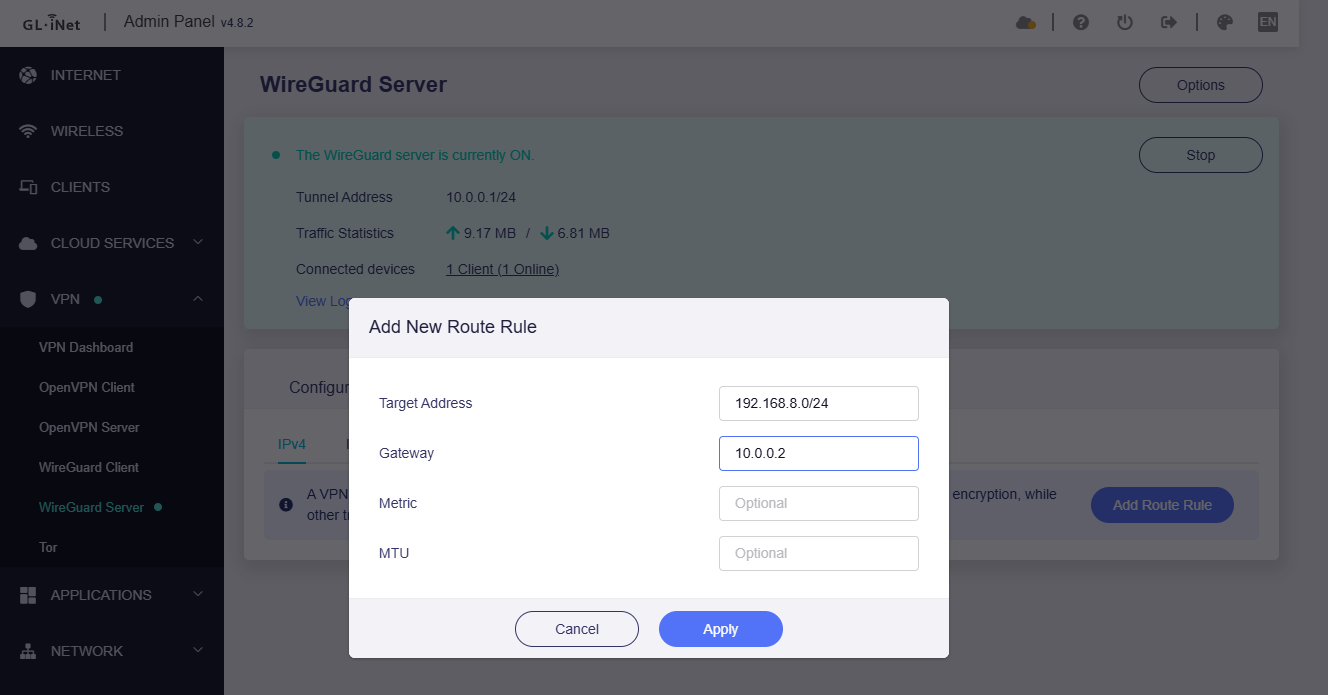
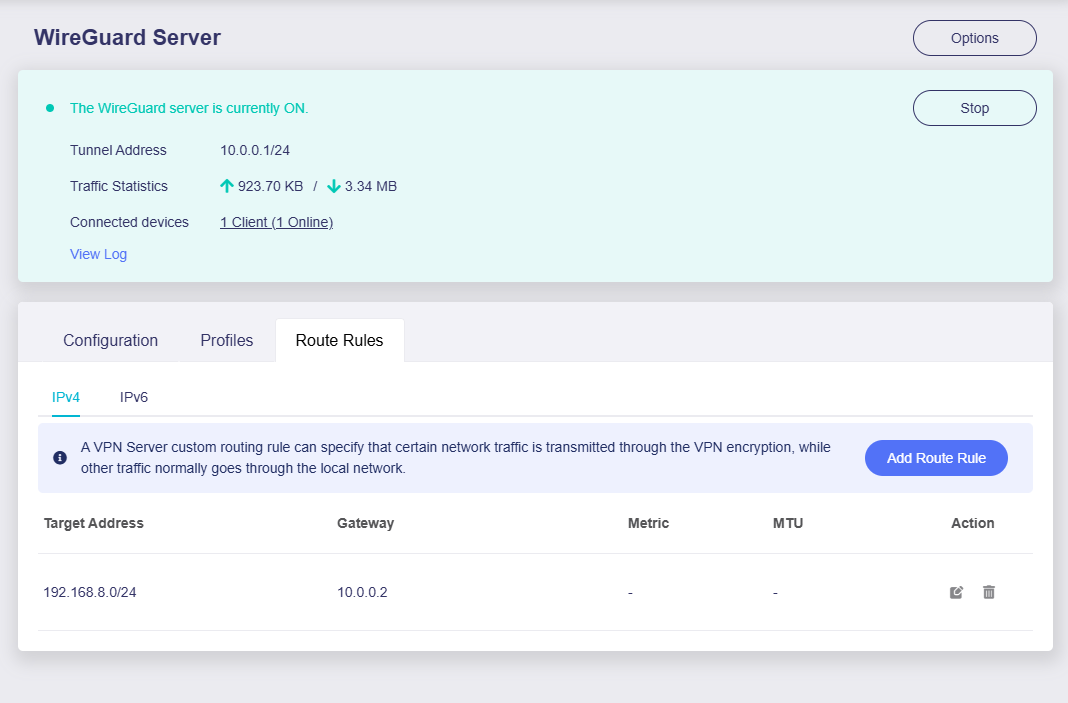
However, in WG peer to peer tunnel (Client < -> Server), if access the VPN client from VPN server, or if access the VPN client B from VPN client A (through VPN server), we have to add static routes to make the VPN server router know if the packet is forwarded to the corresponding subnet (each Client LAN subnet).
You don't need to enable WireGuard server on X3000, I'm just using my MT6000 WG server as a compare test.
WG is a p2p VPN. Yes it does not need to route if access through VPN IP, but if access in each LAN <-> VPN, it needs route(s) to packet forwarding.
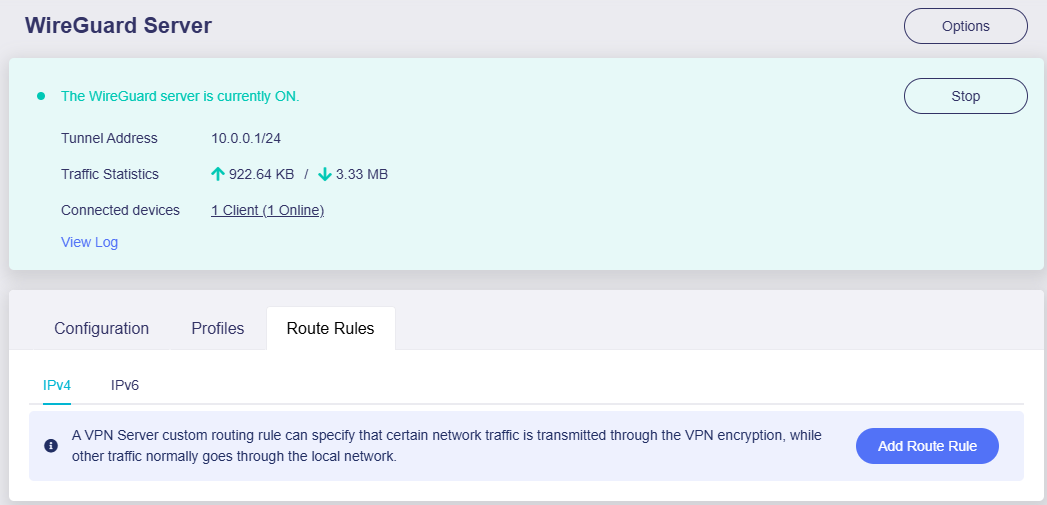
For GL router VPN server, like this:
You can contact VPN server's vendor technical support for how to configure static routing in server.
could it be that a route is missing? I wouldn’t really know which one it should be.
With my MUDIV2, the two tunnels are established via LuCI and everything works fine in both directions. I recently purchased the XE3000 PULI and transferred the entire configuration from the MUDI to the PULI – without changing anything on the Mikrotik routers that the X3000 also connects to.
However, I’m seeing exactly the same issue: I cannot reach the router from the other site. If I power up the MUDI and shut down the PULI, the MUDI works as expected. Of course, I can’t run both at the same time since they share the same IP ranges and tunnels.
This makes me wonder if there is something in the GL.iNet implementation that behaves differently compared to the WireGuard standard.
One more open question: will the current “include” and “exclude” approach remain as it is? Ideally, it should work seamlessly with both domains and IPs in order to integrate properly with Windows networks and DNS.
as mentioned earlier, the MUDI works flawlessly when configured via LuCI. In this setup I was able to reach it from both networks without any issues.
To test, I performed a factory reset on the MUDI and set up the tunnel via the GL.iNet interface – without making any changes on the two Mikrotik routers. In this case, no ping through the tunnel to the MUDI was possible.
Since I need the MUDI for work, I restored the LuCI backup. The MUDI can only run one tunnel at a time, which is why I depend on LuCI in this case.
At the moment, the issue can be reproduced on the following devices:
XE3000 (active)
X3000 (active)
MUDI (tested only)
Current behavior:
With LuCI: everything works fine, both networks can reach the MUDI.
With GL.iNet interface: the tunnel comes up, but no traffic (ping) passes through.
Expected behavior:
Identical tunnel configuration should work in both LuCI and the GL.iNet interface, without requiring changes to the Mikrotik peers.
The access request you initiated from the server to the client is unreachable, as there are no relevant routes on the server, which causes the packet to not know how to go.
X3000/XE3000 can also be configured in Luci, please use router SSH:
Install the Wireguard protocol
opkg update
opkg install luci-proto-wireguard
If your X3000/XE3000 is in v4.8.x firmware, also need to execute:
uci set route_policy.global.enabled="0"
uci commit route_policy
rtp2.sh
this was exactly the starting point of this post. When using LuCI, I had the problem that the VPN tunnels would drop and not reconnect automatically.
From what I understand, the issue is related to the OpenWrt version. In the current upstream version of OpenWrt this should already be fixed, but it is not yet included in the GL.iNet firmware.
That was the reason you recommended setting up the VPN through the GL.iNet interface instead.
Don’t you think it would make sense to resolve this issue? I believe I won’t be the only one who needs to establish tunnels with devices from other vendors.
Try to install the watchcat plug-in to cooperate with the detection link of wg, if the wg cannot be connected, the interface will be restarted.
We also hope to implement your needs on the GL GUI, but we must configure routing on the wg server. This is required by WG P2P, otherwise how will the accessed traffic be routed to the correct subnet.
thank you for the suggestion. I understand that Watchcat can help to automatically restart the interface if the WireGuard tunnel drops, but that is more of a workaround for reconnect stability. It doesn’t solve the routing issue we are discussing.
What we really need is to be able to reach the router itself through the tunnel and to remove DNS from the include list so that Windows networks and DNS can work properly. These should be handled directly in the GL.iNet GUI, not only by using external scripts or plugins.
I appreciate that Watchcat can help for stability, but the main problem with routing and router reachability still needs to be solved.
Sorry for the late reply.
As a VPN server, it needs routing to know which hop the traffic should go to and which subnet it should reach.
For the E750 as a VPN client, it doesn't require routing configuration, I think I have to test it locally with an AX1800 as the VPN server before replying to you.
thank you for looking into this and for testing it locally.
Just to clarify – the issue is not about routing to an entire subnet, but only about reaching the local IP address of the router itself through the VPN tunnel.
All other traffic and LAN devices behind the router work as expected — it’s only the router’s own local IP that cannot be reached.
Thanks again for your support and for taking the time to test this on your side.
I tested the E750 and X3000 as WG clients locally, with the AX1800 as the WG server.
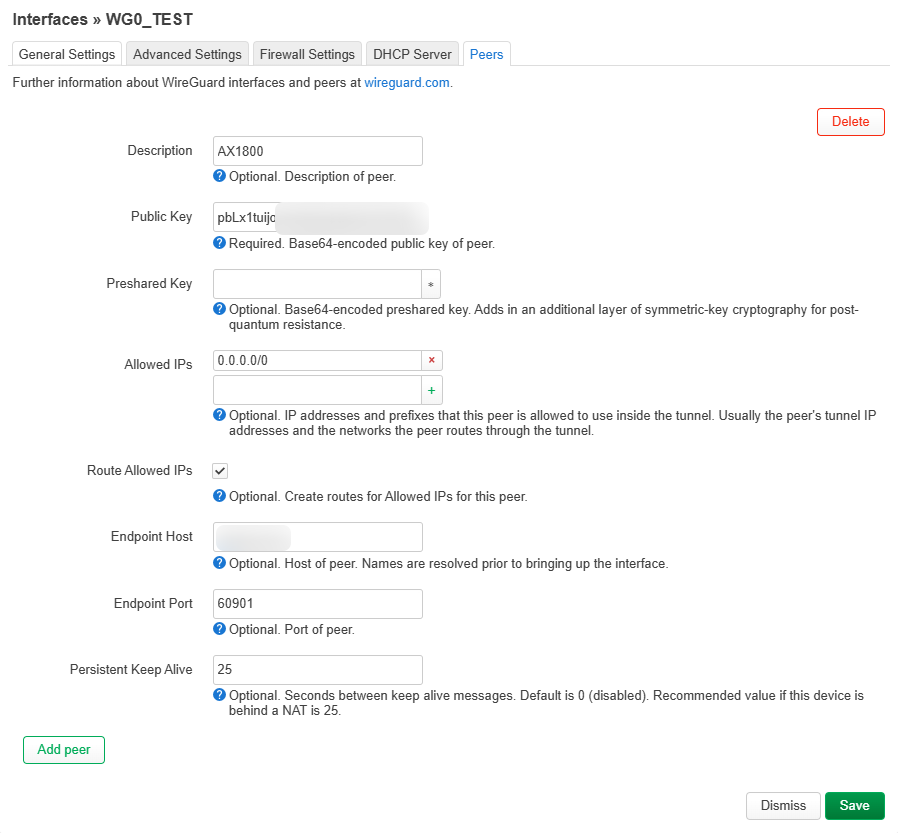
The parameters for the AX1800 WG server remained unchanged, while the E750 and X3000 used the same profile.
When testing the WG client in E750 and X3000, the WG interface only enable one of them, other one would disconnect.
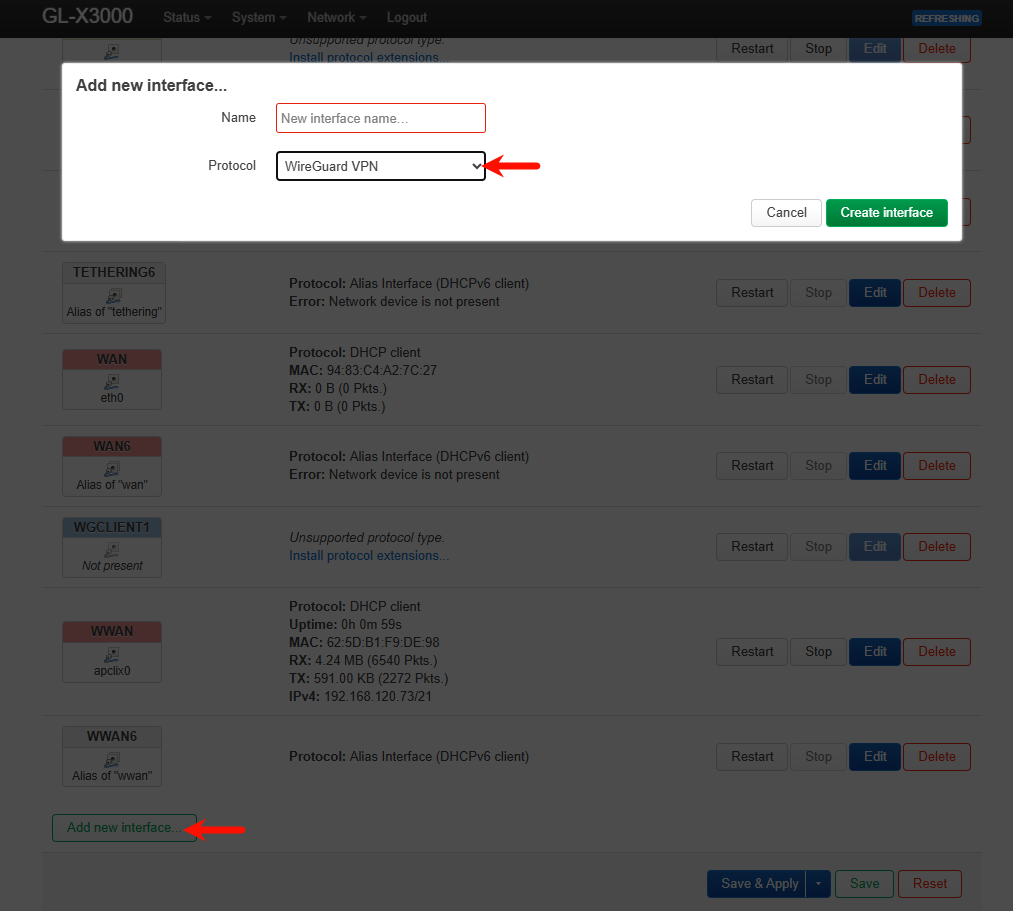
For the E750 and X3000, I manually created and configured the wg0_test interface in Luci and set up a wg0 firewall zone.
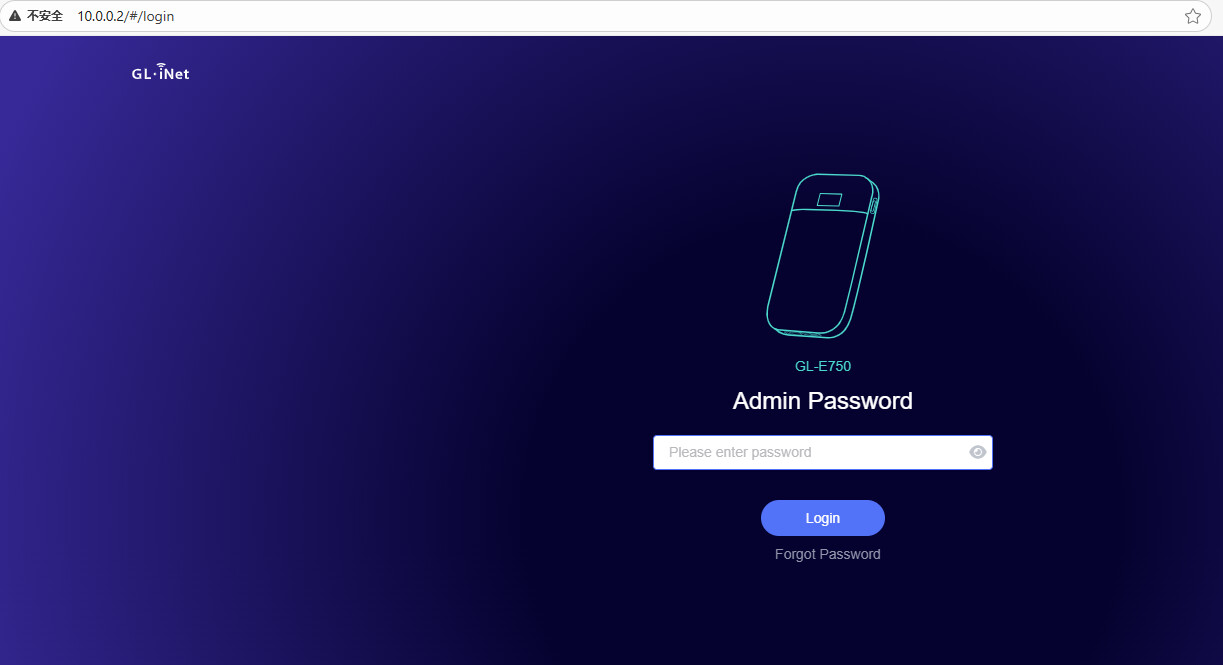
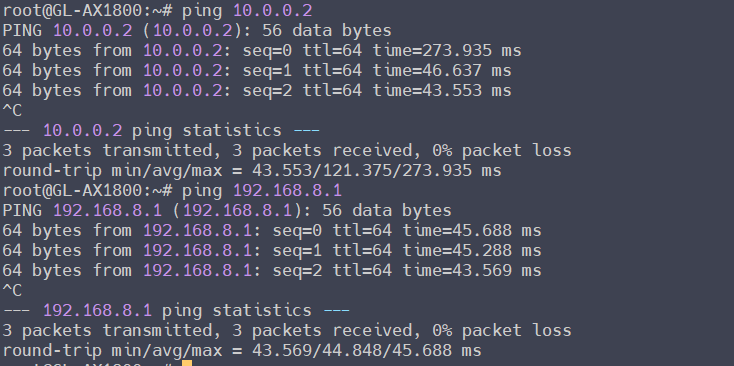
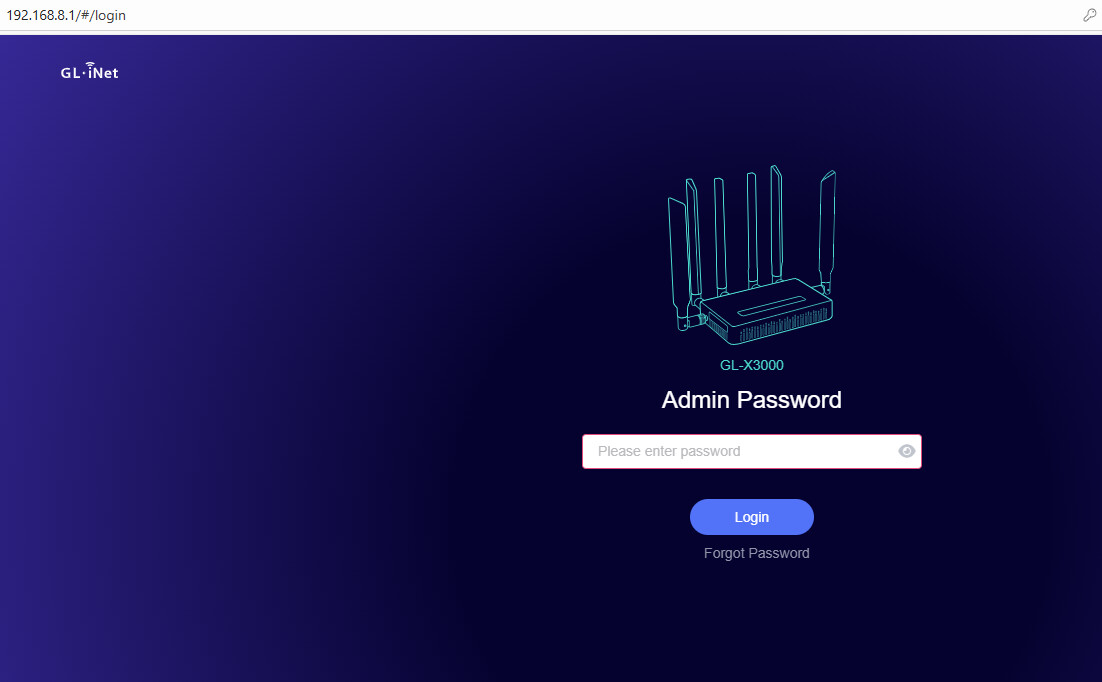
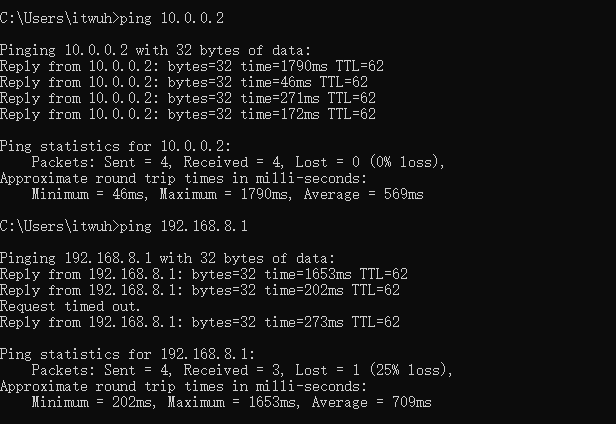
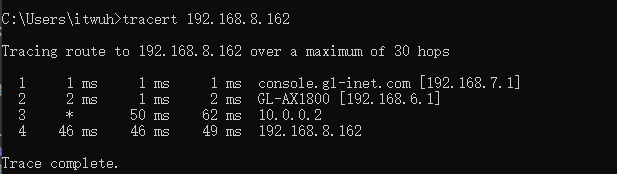
When no route is added to the AX1800 WG server, the PC in AX1800 LAN can only access the GL GUI through the WG tunnel IP of the E750 or X3000, but cannot access the GL GUI through the LAN IP of the E750 or X3000.
AX1800 WG server (no route):
When added a route to the AX1800 WG server, the PC under the AX1800 can access the GL GUI through the WG tunnel IP and LAN IP of the E750 or X3000. This also means that the LAN clients of the E750 or X3000 can also be accessed.
AX1800 WG server (add route)
thank you for testing and sharing the results. I think there’s a small misunderstanding:
In my case, I can already reach the LAN devices behind the GL.iNet router — that part works correctly.
The problem is specifically that I cannot reach the GL.iNet router itself (its local LAN IP, e.g. 192.168.x.1) through the WireGuard tunnel.
So it’s not about routing to the LAN subnet, but about accessing the router’s own management IP via VPN.
This used to work fine on LuCI and on Mikrotik routers with the same configuration.
Oh, I know what is going on. Another (very hidden) reproduced condition is that the server zone/interface of firewall in the VPN server router does not enable IP masquerade.
Yep, this is an issue actually with the VPN client, and this issue will be fixed in the future firmware.
With this current firmware, you can add a static route on the VPN client router, so that server requests with the router LAN IP can be reply through the wgclient interface:
ip r add [VPN server router LAN subnet] via [VPN client WG tunnel IP] dev [WG client ifname]

# For example, my VPN server router (AX1800) LAN subnet is "192.168.6.0/24"
# VPN client (X3000 or E750) WG tunnel IP is "10.0.0.2"
# WG client interface name is "wgclient1"
ip r add 192.168.6.0/24 via 10.0.0.2 dev wgclient1
I’m really glad that the issue has finally been found — I was already starting to doubt myself a bit!
Do you already have an idea when the firmware with this fix will be released?
I’ve been living with this problem for quite a while now, so I can manage a little longer, but there are too many routers deployed to apply a manual workaround to each one.
Also, could we talk again about the “Exclude specified Domain / IP List” topic?
In my setup I need to work in an inverted way — normally I would use include, but since my clients use the DNS server on the other side of the tunnel (usually a Windows Domain Controller provided via DHCP), I need to exclude certain domains or IPs instead.
Thanks again for your help and for finding the root cause!
The R&D team has updated the codes, but it has not been released a new firmware yet.
I will remind them.
To work in the opposite way, why not use "exclude" instead?
If it is "include", is there any problem with Domain Controller?
And, "include/exclude" does not support DNS server yet, only the destination address (like, IP/subnet/domain supported)
On the split-tunneling logic: using include/exclude only for the final destination (IP/subnet/domain) but not for the DNS server itself does not work for our deployments with a remote Windows Domain Controller (DC) as DNS.
Why “include” makes no sense in this case
We must send all DNS queries to the remote DC (provided via DHCP).
Your include/exclude currently matches only the final destination traffic, not the DNS server traffic (UDP/TCP 53, DoT 853, DoH).
Therefore, with include, DNS queries stay local instead of going through the tunnel to the DC. To fix that with today’s logic, we would have to “include” every domain on the planet—which is impossible.
Why we had to use “exclude”
The only way to guarantee that all DNS queries reach the remote DC is to send everything through the tunnel and then exclude specific destinations that must stay local.
That forces us to maintain a huge exclude table, which doesn’t scale across many customers.
What we need (proposal)
A switch like “Route DNS to VPN” where we can specify the remote DNS server IP(s); the router then forces all DNS traffic (UDP/TCP 53, and optionally DoT 853 / DoH) through the tunnel to those IPs.
Alternatively/additionally: policy rules that can match service traffic (e.g., “dest IP = OR dest port ∈ {53,853}”) so DNS can be tunneled independent of the final destination.
Domain rules should be resolved client-side (respecting TTL) and applied to the final destination as they are today—but DNS server routing must be handled separately.
This way, we can keep “include” for selected destinations and still guarantee that all DNS goes to the remote DC, without maintaining a massive exclude list.
Thanks again, and please let me know when you expect the firmware with the WG-fix to ship. I can wait a bit longer, but we have too many routers in the field to roll out per-device workarounds.
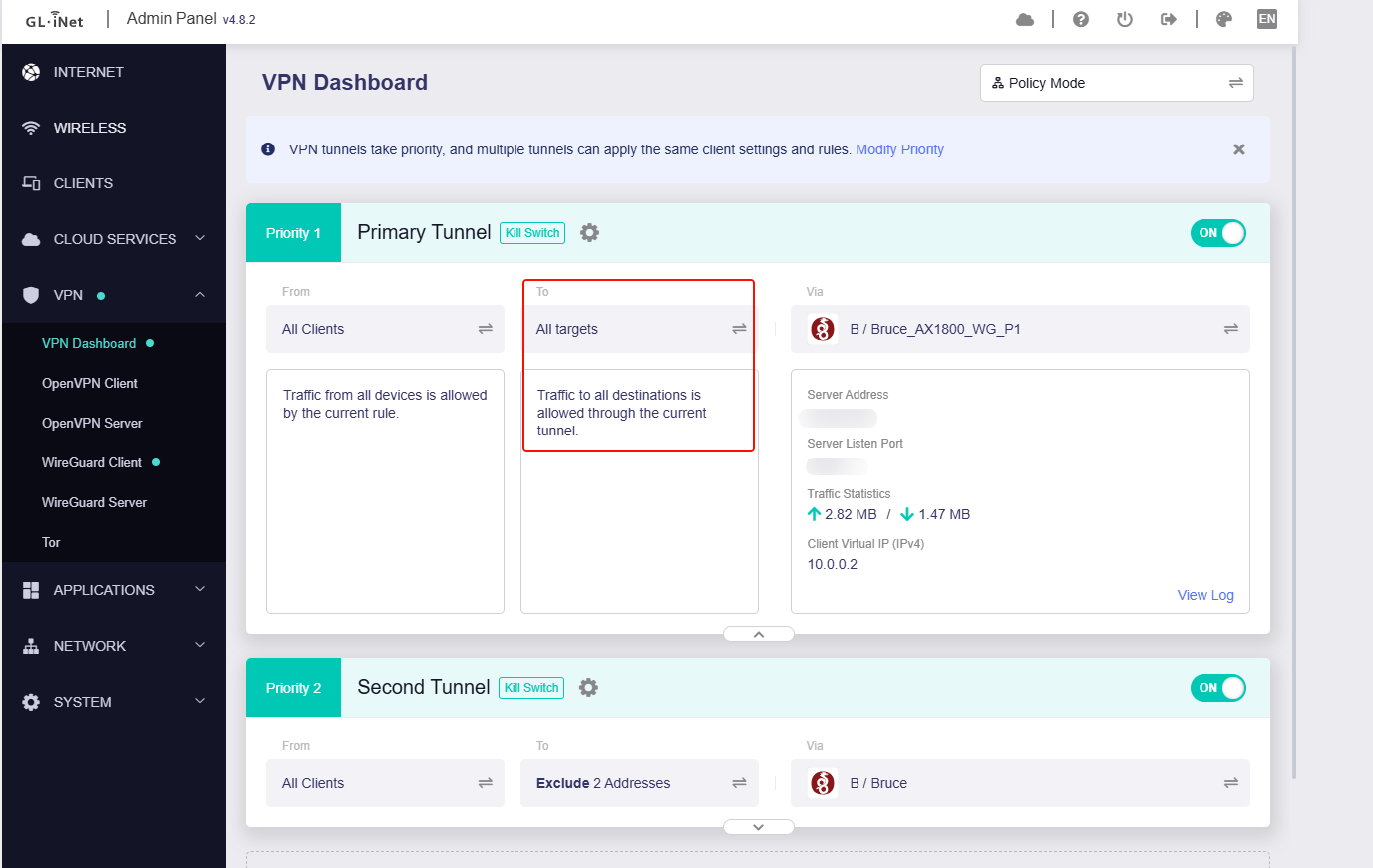
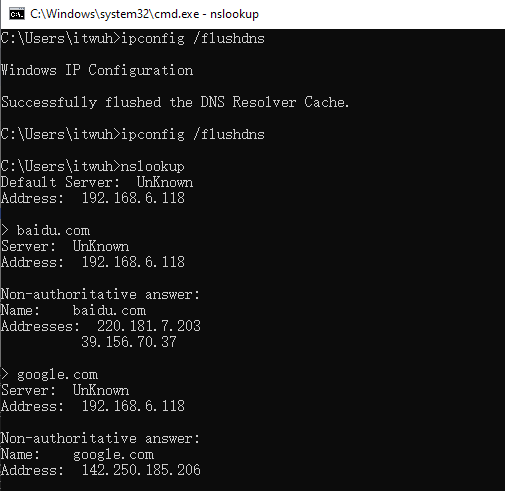
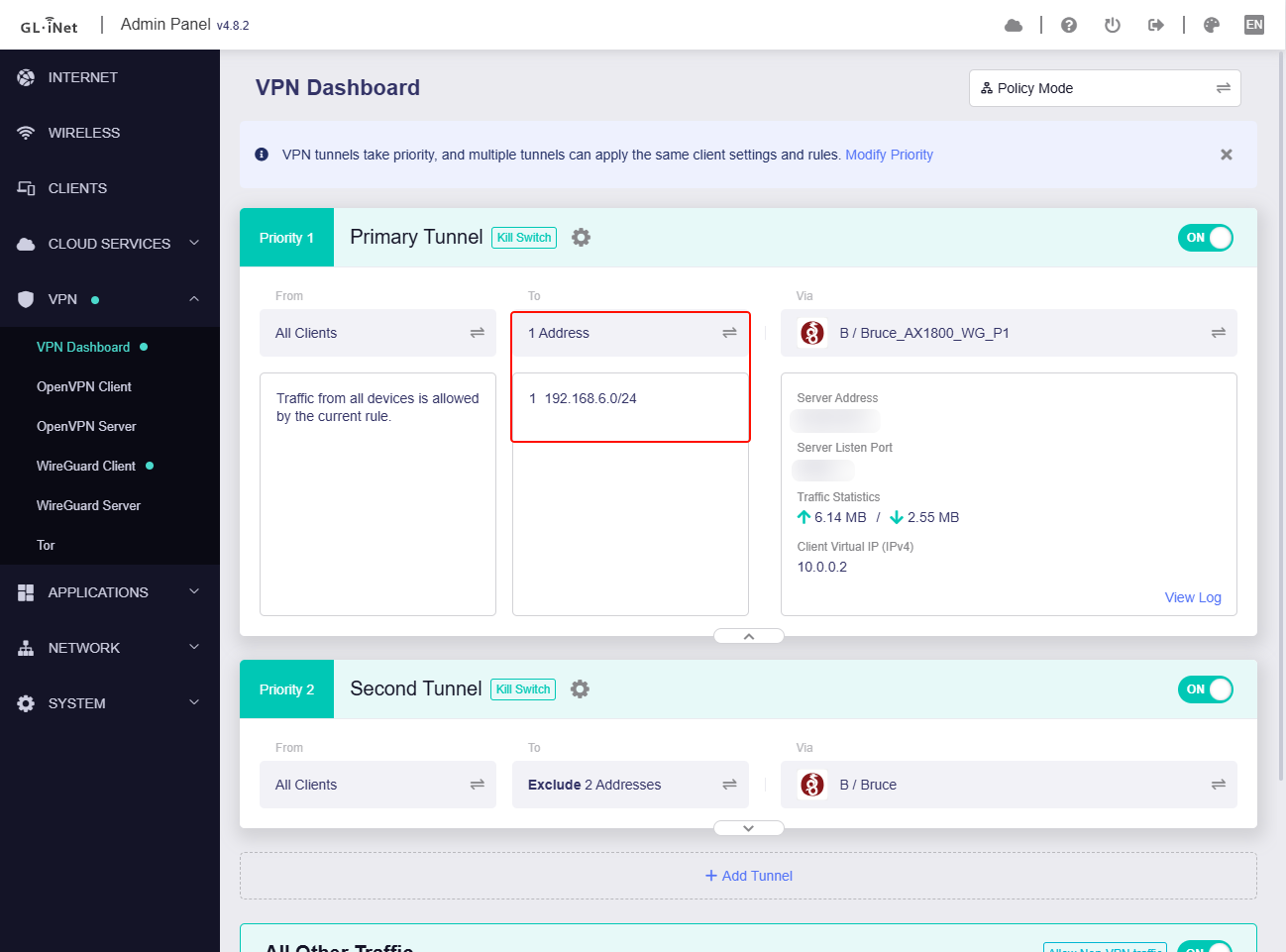
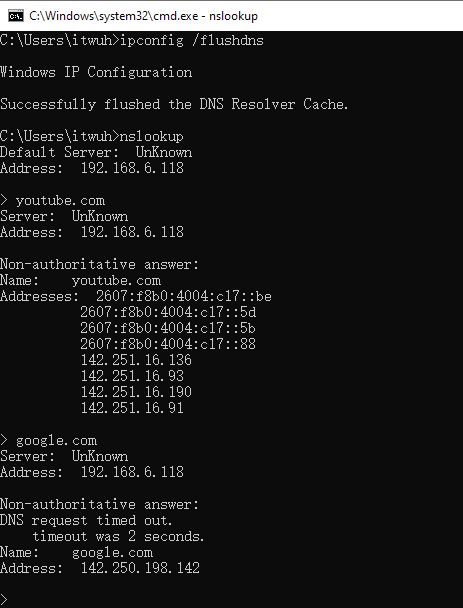
After watching your video, I set up a test environment similar to yours and try to reproduce it in locally. No issues were found.
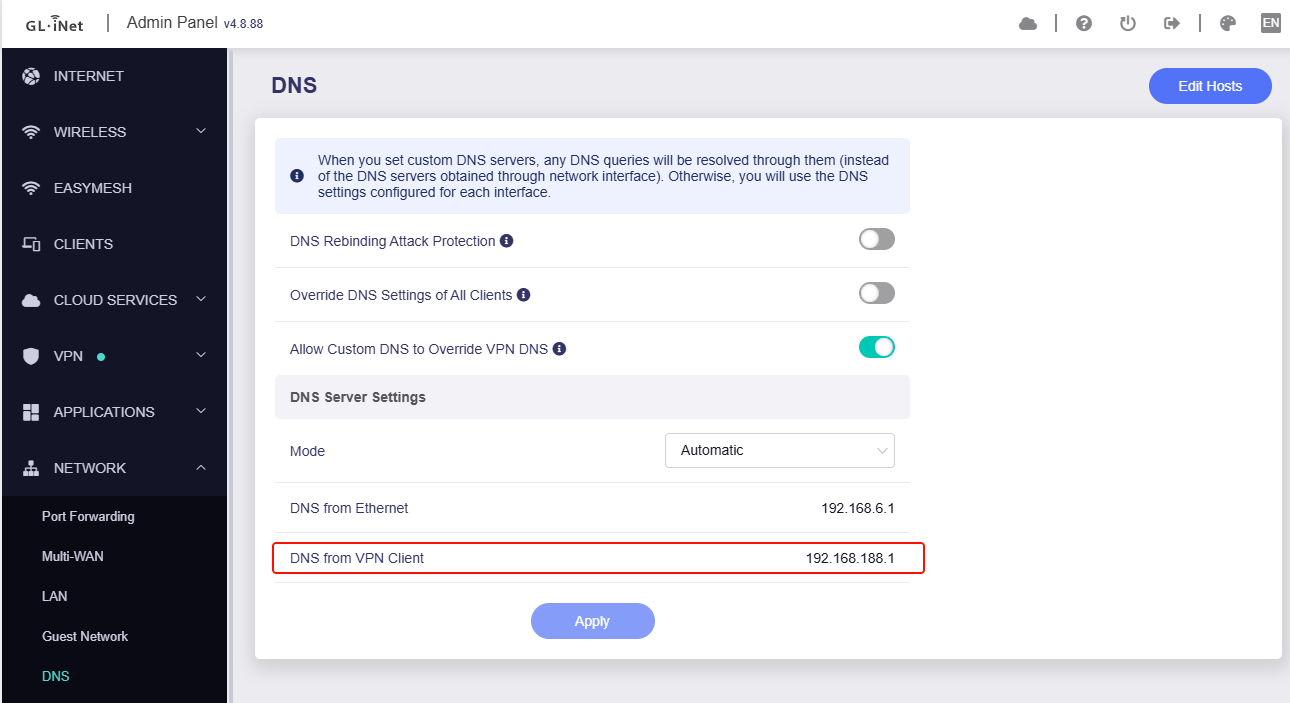
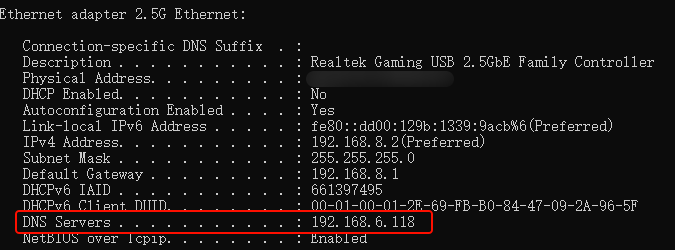
I'm not sure if there are differences with your environment. For example, if Win is the DNS server obtained via DHCP by default, the DNS server displayed when CMD enters nslookup should be the router LAN IP (like GL router default LAN IP, 192.168.8.1). However, when CMD nslookup is displayed in your video, the DNS server is a specified one. I guess you have manually customized the DNS server on the network card of Win.
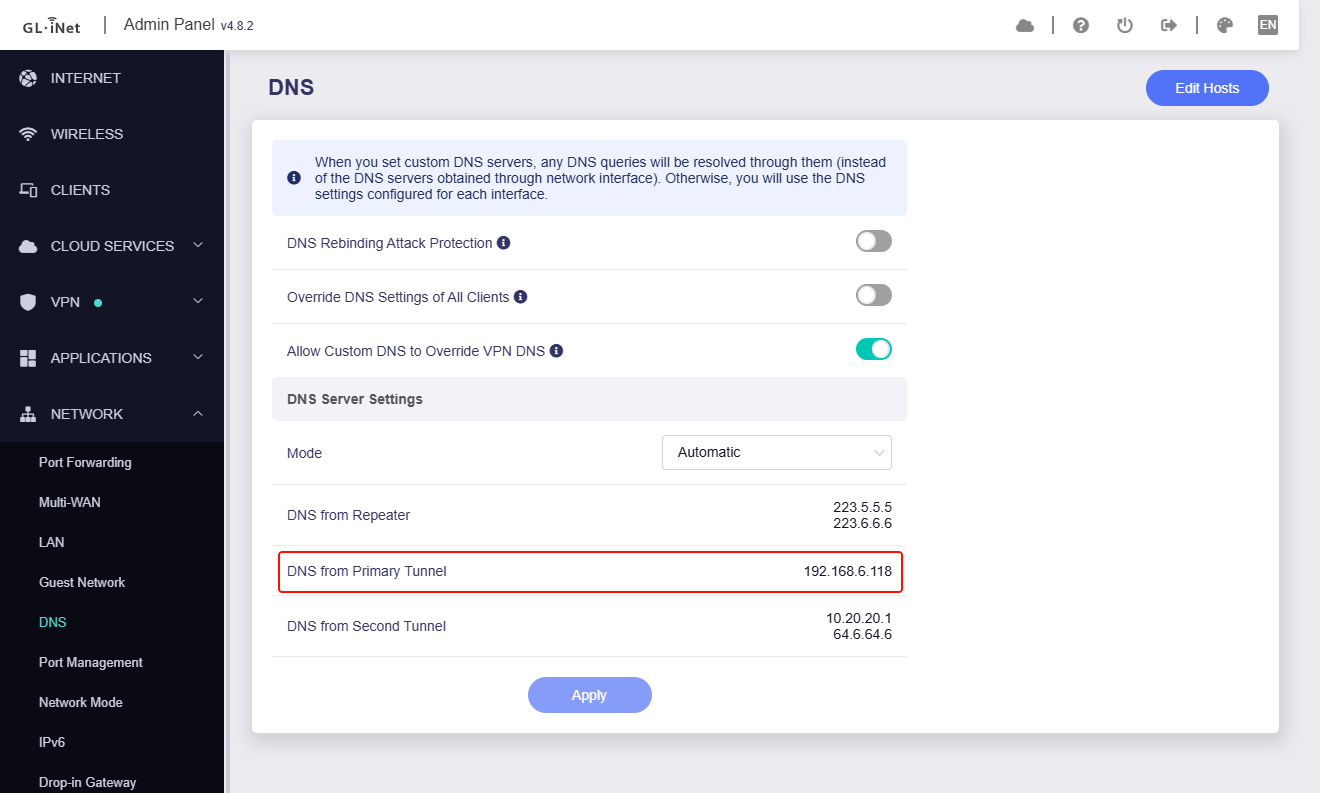
My test process and results are as shown in the screenshot below:
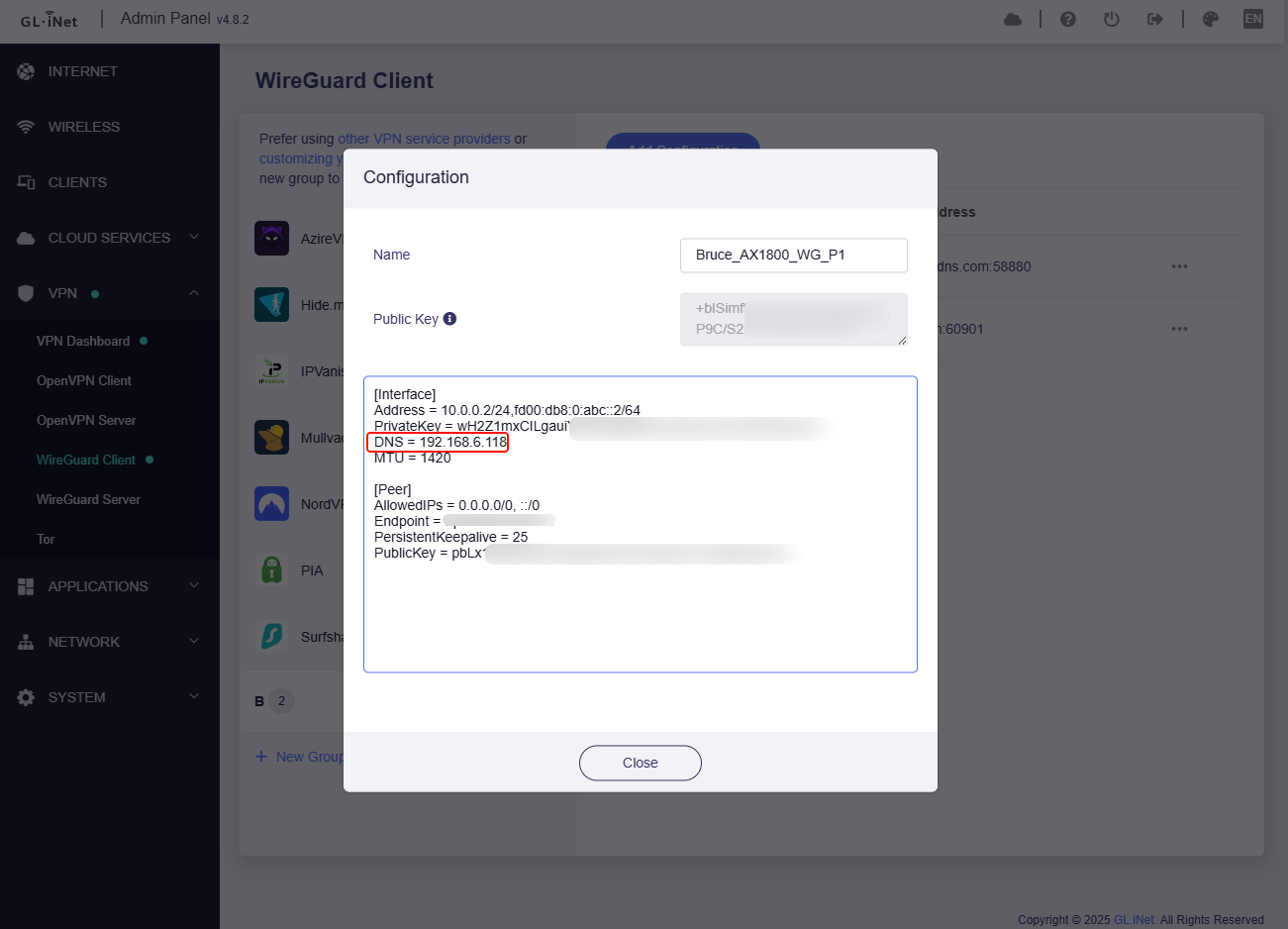
VPN profile, customized DNS server, which is the LAN client "pihole" of AX1800 (VPN server):
From your video, I saw that in your VPN profile, AllowedIPs has designated routes.
Please change to AllowedIPs = 0.0.0.0/0, ::/0 and test again.
From your video, I saw that in X3000 tunnel options, IP Masquerading is disabled, please try to enable it. (But I tested in locally, whether the IP Masquerading disabled or enabled, both DNS works properly.
If no luck, please share your router with me again.