So have fun reprogramming the button, then.
Trying to follow the suggested guide to get WPS working on a newly purchased Flint 2. After installing hostapd-utils, not getting the Enable WPS pushbutton checkbox in the Wireless Security tab.
Based on experience successfully getting WPS working on a Raspberry Pi, added comparable options to /etc/config/wireless file. This got the Start WPS button to appear on the Status / Overview page. However, still can’t get client devices to connect to router.
Question: What version of the firmware were you using? Is it the Base Firmware, Native OpenWrt 24, or Vanilla OpenWrt firmware?
Currently, I’m using Base Firmware v4.8.2. Before going to the trouble of trying the other firmware versions, would like to know if that might be to problem. Many thanks.
Hello,
Flint2 supported WDS in network mode.
- If you required to connect two Flint2 routers with WDS, no plugins need to be installed.
- If the Flint2 is connecting to a different router with WDS, I think installing the op24 firmware for Flint2 would bring a better compatibility.
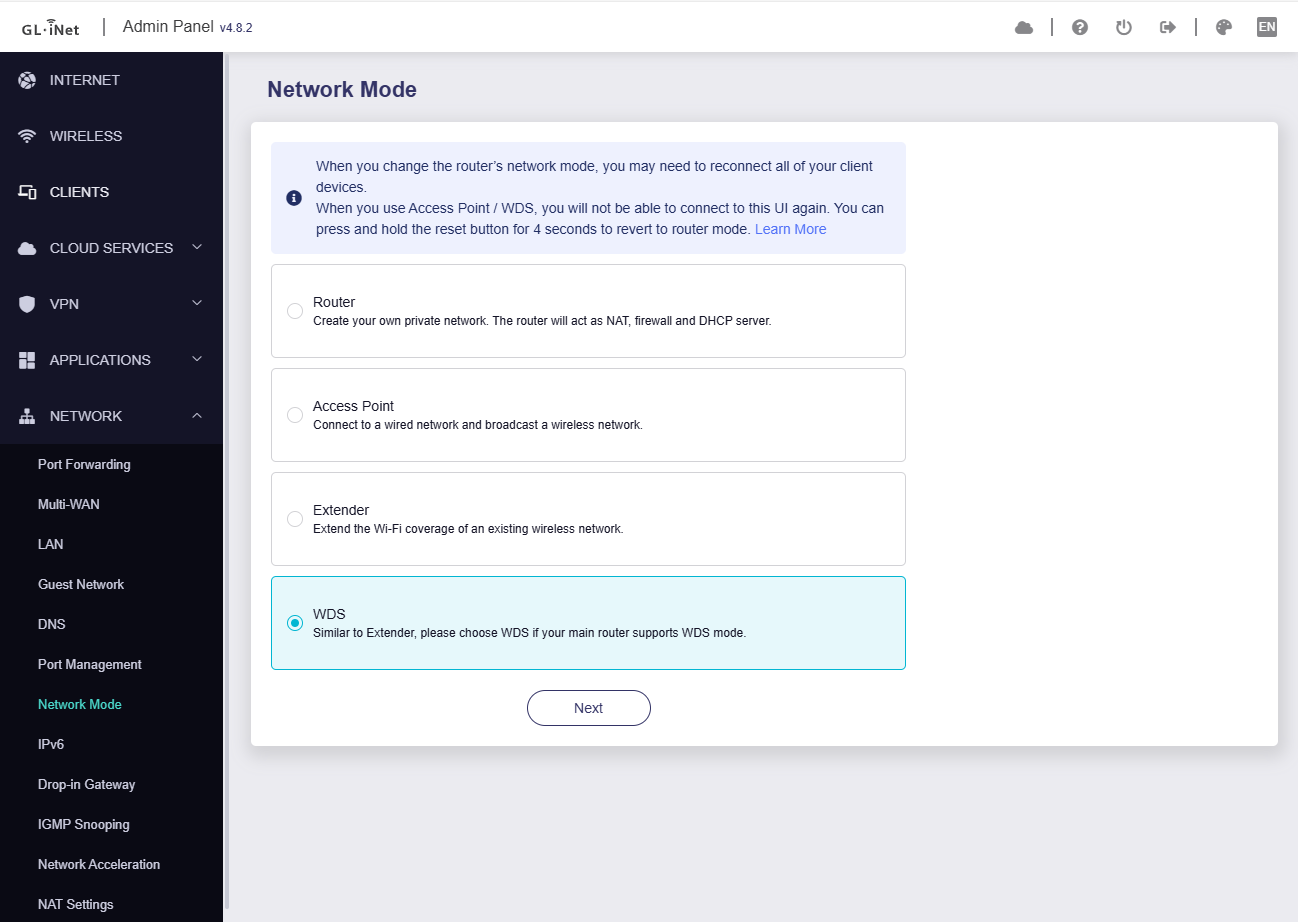
Thank you for your reply.
I should have been clearer as to what I’m trying to accomplish. I’m not trying to connect two routers. Although I’m using the Flint 2 as my network router, I’m trying to connect a number of IOT devices (moisture sensors) to the Flint 2 using WPS. These devices have no other means of connecting to a network, other than to initiate WPS_PBC on the access point (router) and then pressing the button on the device. Specifically I’m trying to configure the Flint 2 so that WPS_PBC can be initiated. Don’t really care how it’s done, either via the WebUI, LuCI or CLI (hostapd_cli). I’m comfortable with any of these.
I see, you mentioned WPS (Wi-Fi Protected Setup).
- Please install the op24 firmware for your Flint2
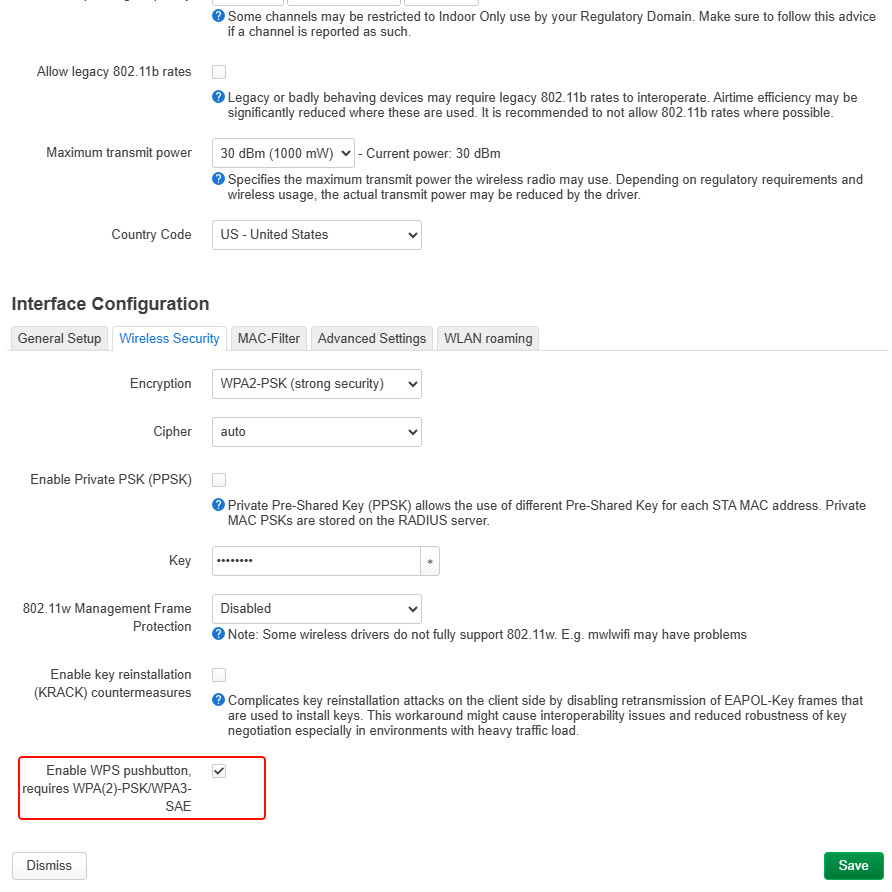
- Luci > Network > Wireless > Edit > Wireless Security, the Encryption choose
WPA2-PSK, enableEnable WPS pushbutton, requires WPA(2)-PSK/WPA3-SAE, save & apply.
- Restart wireless radio interface.
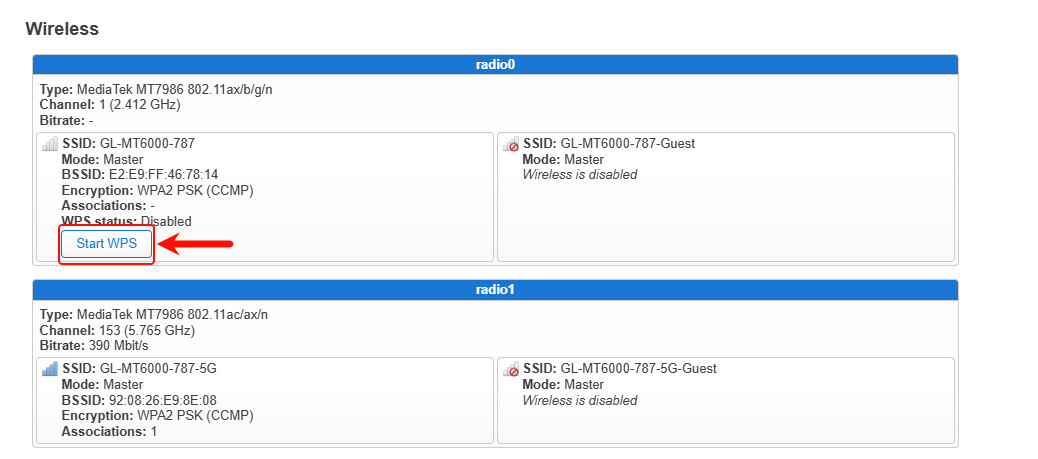
- Luci > Status > Overview, you can find a button
Start WPS
1 Like
Many thanks. Now that I know that a different version of the firmware is required, I have no problem taking the time to re-flash / re-configure the router.
This topic was automatically closed 30 days after the last reply. New replies are no longer allowed.