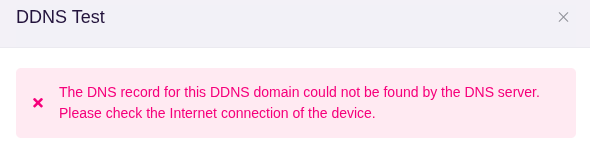
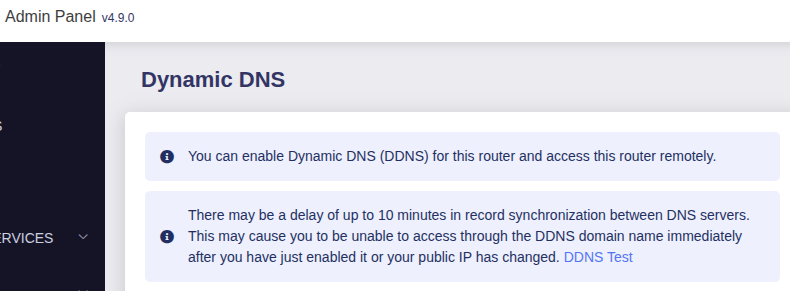
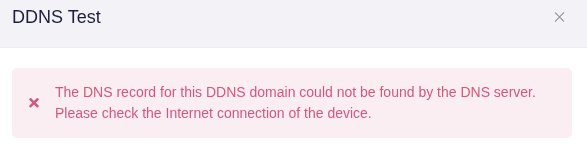
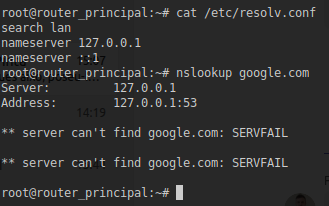
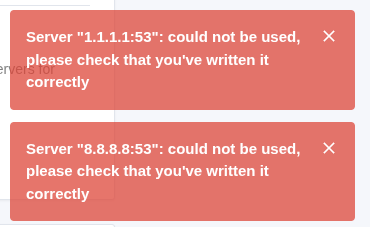
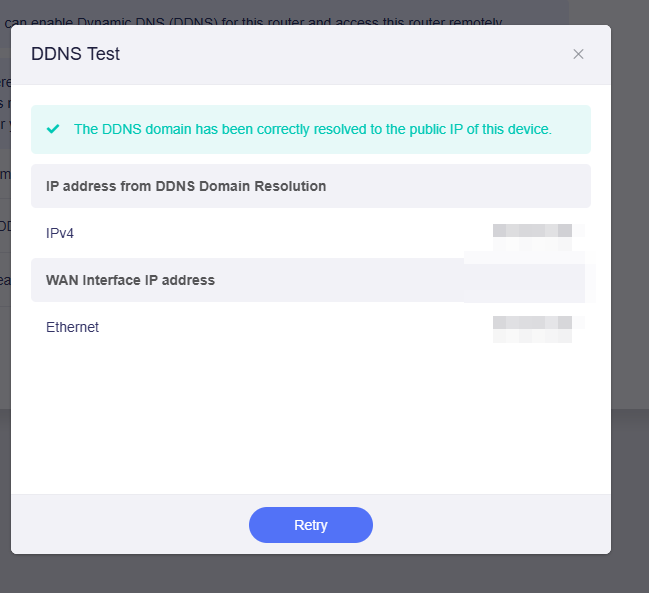
On Flint 3, I upgraded the firmware to 4.9.0, and I found that DNS is not working. With Chatgpt I tried to solve it, and after disabling Ad Guard, everything work again. But if I enable it, DNS is not working. For instance, DDNS is not working. My public IP is not binded to glddns if Ad Guard is enabled.
I have two other Flint 3 connected to the main router as AP , and these 2 routers appears connected to GoodCloud. But tue main router appears offline.
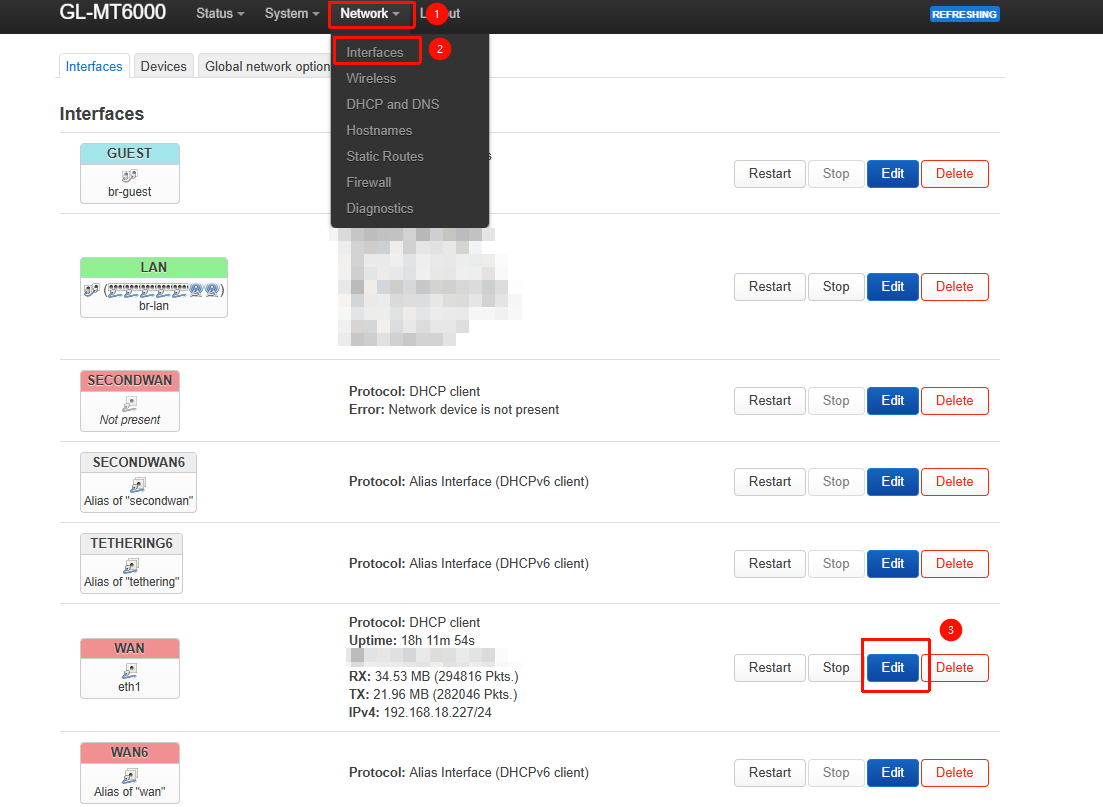
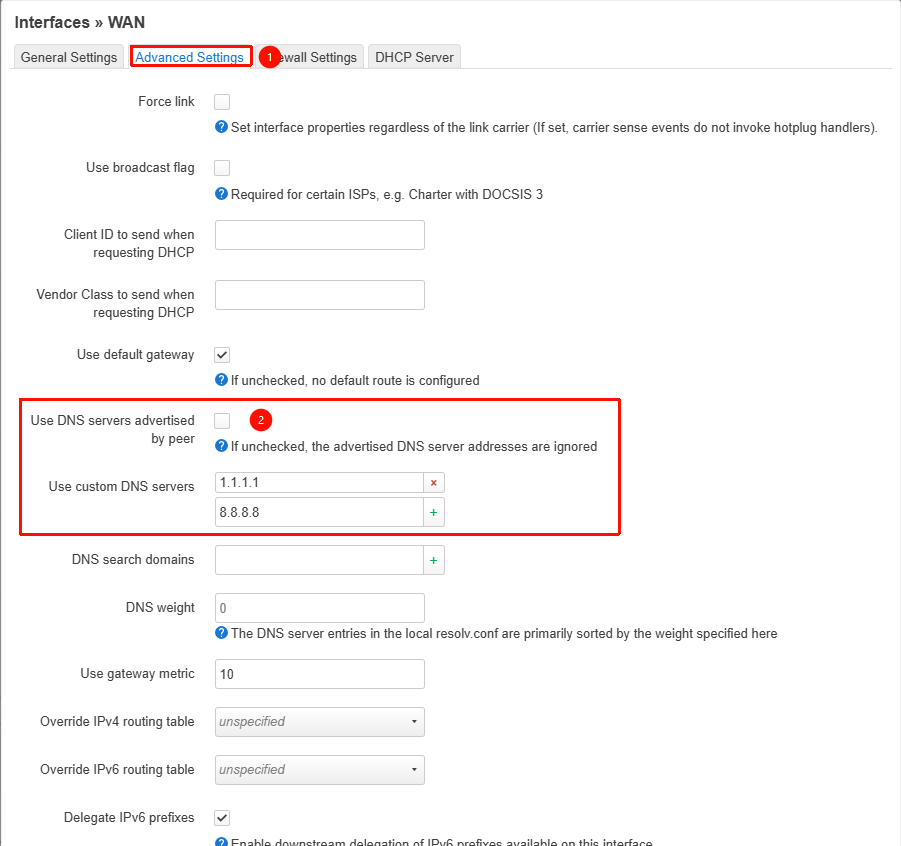
By default, the router itself (for example services like GL DDNS) should not resolve DNS through AdGuard Home unless the WAN DNS configuration was manually changed to 127.0.0.1.
Based on the error messages, the issue also appears to be related to IPv4 UDP rather than IPv6.
In any case, we’re glad to hear that everything is now working properly.
We will continue monitoring to see whether other users encounter similar issues.
Although my problem is different, I also experienced a problem with the DNS. I've already reported it to you. It seems like disabling and re-enabling things resolves them. Pretty annoying that I spent several hours doing trial and error to figure it out!
The error only appears when I have enables AdGuard. If I disable it, everything works ok. The problem is that I did not change anything before and after upgrading to 4.9.0 version. And it has stopped working on its own.
I have another Flint 3 in other home that still has the 4.8.4 version, configured like the other broken Flint 3, and everything is going ok. This is the reason why I still have not upgraded it to 4.9.0
I'm out of the house right now. I’m trying to connect to my vpn and I see that router is down. It seems that it’s not connected to Internet… I will try again tomorrow when I go home, or if I can connect
I don’t know what you changed on my routers when you connected remotely, but all of them are unaccesaible at all. I’m really angry, because nothing is working. I lost my internet connectivity for all the home. Can’t connect to any routers via wifi. Also I can’t connect using cable ethernet. I don’t know what happened, but I’m really angry about this situation…… I think the only solution is to make a hard reset…
We sincerely apologize for the inconvenience caused.
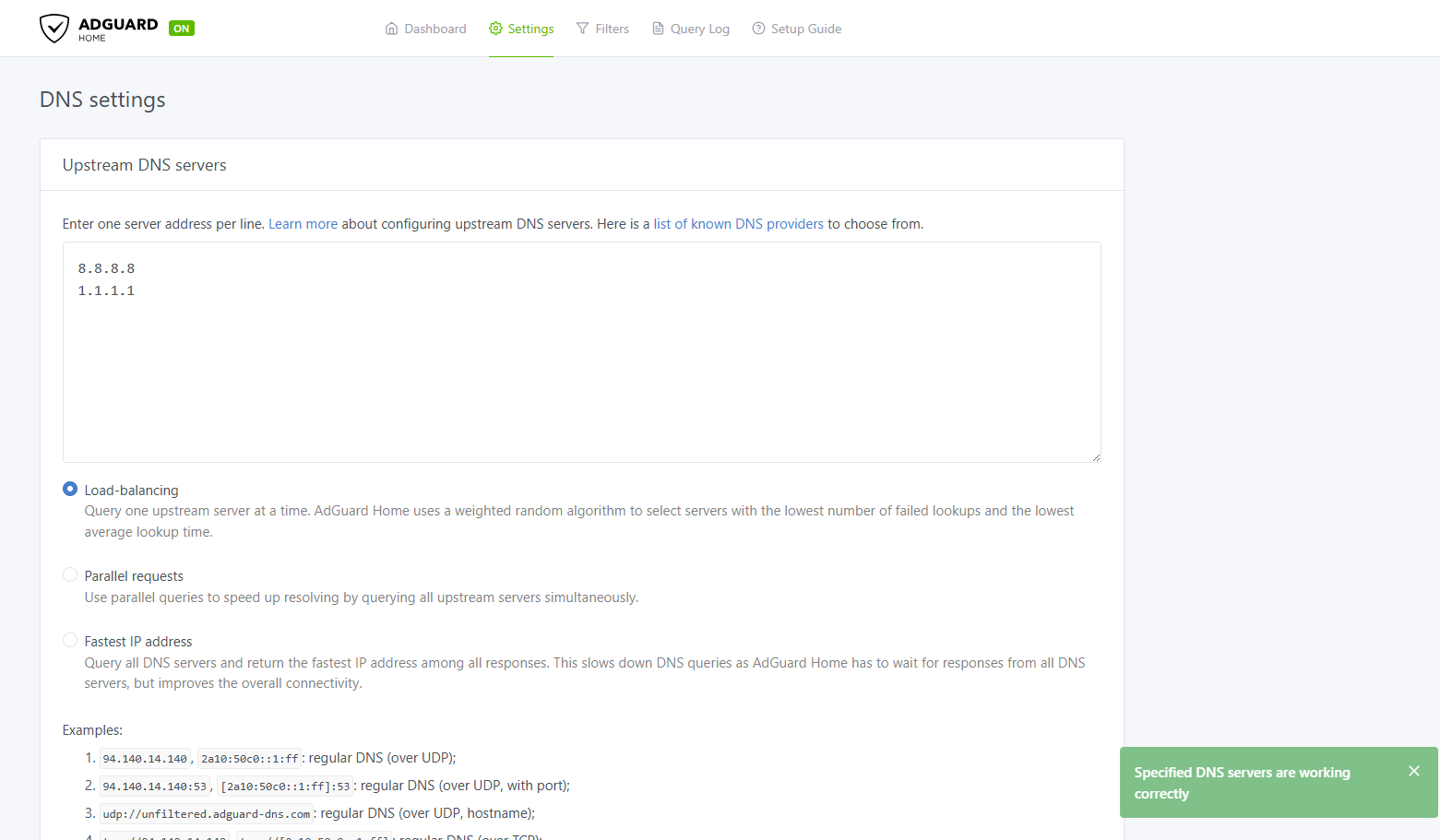
The only change we made remotely was adjusting the following AdGuard Home setting. This modification should not affect the normal operation of other router functions, and it has been tested and verified both locally and by other users.
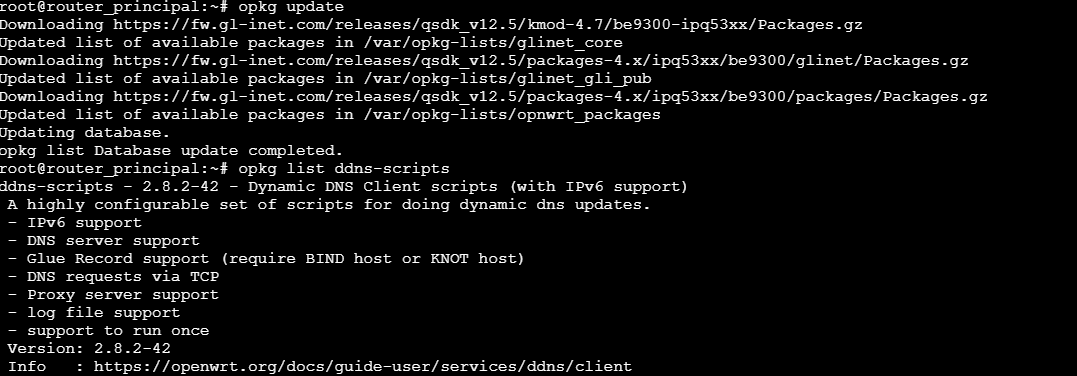
As shown in the screenshots we provided, when we finished the remote session, the router was still connected to the internet normally and had successfully restored connectivity to the AdGuard Home upstream DNS servers, the opkg repositories, and DDNS services after making change.
Could you please clarify the following?
Did you discover the issue as soon as you returned home?
What was the status of the router's LED indicators when the issue occurred?
Was the device still shown as online in GoodCloud at that time?
What exactly happened when devices could not connect to Wi-Fi? Were they unable to connect at all, able to connect but unable to obtain an IP address, or able to connect but unable to access the internet?
Did rebooting the router restore normal operation?
Immediately after applying the changes, I was able to access it. I checked the same you said, and I logout the router. I promise you that I did not changed nothing. After that, I notice that the 3 routers appeared as disconnected in GoodCloud.
I was away from home the weekend, so I could not check nothing until yesterday at night when I came back to home.
The LED of the main router was blinking everytime. I tried connecting via Wi-Fi, but none of the three networks (2.4, 5, and 6 GHz) appeared. I also tried connecting via Ethernet cable, but the laptop wasn't receiving the router's IP address.
I tried restarting the router, but the same thing happened again. Can’t connect to the router. I tried pressing the reset button three or four times, but it didn't do much. Finally, after unplugging the router and waiting a while, I was able to press the reset button and it reset to factory settings, allowing me to configure the router from scratch.
The problem now is I don't have a backup of the router. When I updated from version 4.8.3 to 4.9.0, I did make a backup, which I imagine was saved on the router itself. But when I restored the factory settings, I imagine it was deleted. I have to reconfigure the VPN and everything else. I honestly don't know why this happened.
We managed to review the GoodCloud logs and found that the issue may be related to memory usage. Before we fixed the connectivity issue, the available memory was already running very low, with only about 25 MB remaining.
Therefore, it is possible that after we restored network connectivity for those services, they resumed normal operation and consumed additional memory, eventually causing the device to run out of memory and become unresponsive.
However, this is only a hypothesis. Since there are currently no relevant logs available and the device has already been reset to factory settings, it may not be possible to further investigate or confirm the exact cause.
Router backups are typically not stored on the router itself. When you click Export, the backup file is automatically downloaded to your local device through the browser.
If you have exported a backup before, please check your browser's download history or the Downloads folder on your device.
Thanks for your response. I have not any backup. When I was asked about creating a backup before upgrading to 4.9.0, I click “yes” but I don’t remember to be asked about downloading any backup file. This is why I thought the backup was stored on the router itself. OK, no problem about that.
I performed a factory reset because I needed to work today, and otherwise I wouldn't have had internet access. I apologize if this has prevented you from accessing the history to try and find the cause of all this.
If the problem was the memory left in the device, I don’t know why the router is full…
The option you selected is used to determine whether the router configuration should be preserved during the firmware upgrade. If it is not checked, the upgrade will be performed without retaining the existing configuration.
Therefore, it is not an option for creating a backup file.
Unfortunately, if the device has since been reset to factory defaults and no backup file is available, all settings may need to be configured manually again.
We sincerely apologize for the inconvenience.
Once you have restored your previous configuration, you can SSH into the router and run the following commands to check which processes are consuming memory:
opkg update && opkg install htop
htop

# Then use mouse to click MEM% to sort processes by memory usage
Based on our previous experience, this issue can sometimes occur when AdGuard Home is configured with a large number of filter lists.
It is also worth noting that Tailscale and the new DPI feature introduced in v4.9.0 can consume a amount of memory as well.
Sorry, your’re wright about the button to keep the configuration.
As far as I remember, the only extra package I installed on the 3 routers was Dawn (from openwrt documentation), and another package to see on lucy the mounted devices.
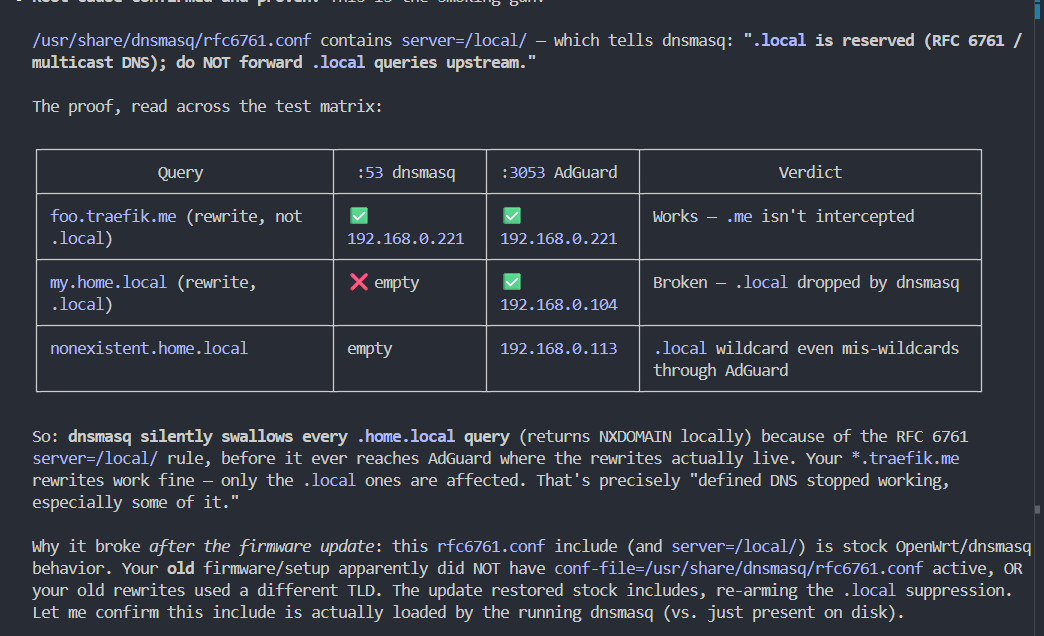
i got a similar issue after update all my dns rewrites that were defined in adguard stopped working
the fix was to rename all my domains from .local to something that is not occupied by dnsmasq like .internal or .me.
unpleasant situation as now i will have to change many settings in my homelab as well. but hopefully this may help someone else