I’d like to ask one more time as it may have gotten caught up in the noise, but is there a way to set a FIXED MAC address for the USB-C "network gadget”? Right now it’s RNDIS(? I think?) so the “random MAC address” bit it set so I end up with all these random MAC addresses in NetworkManager. Plus, it’d be nice to fix the MAC to “Mudi 7 Ethernet” or the like (which I can’t do with a random MAC).
1 Like
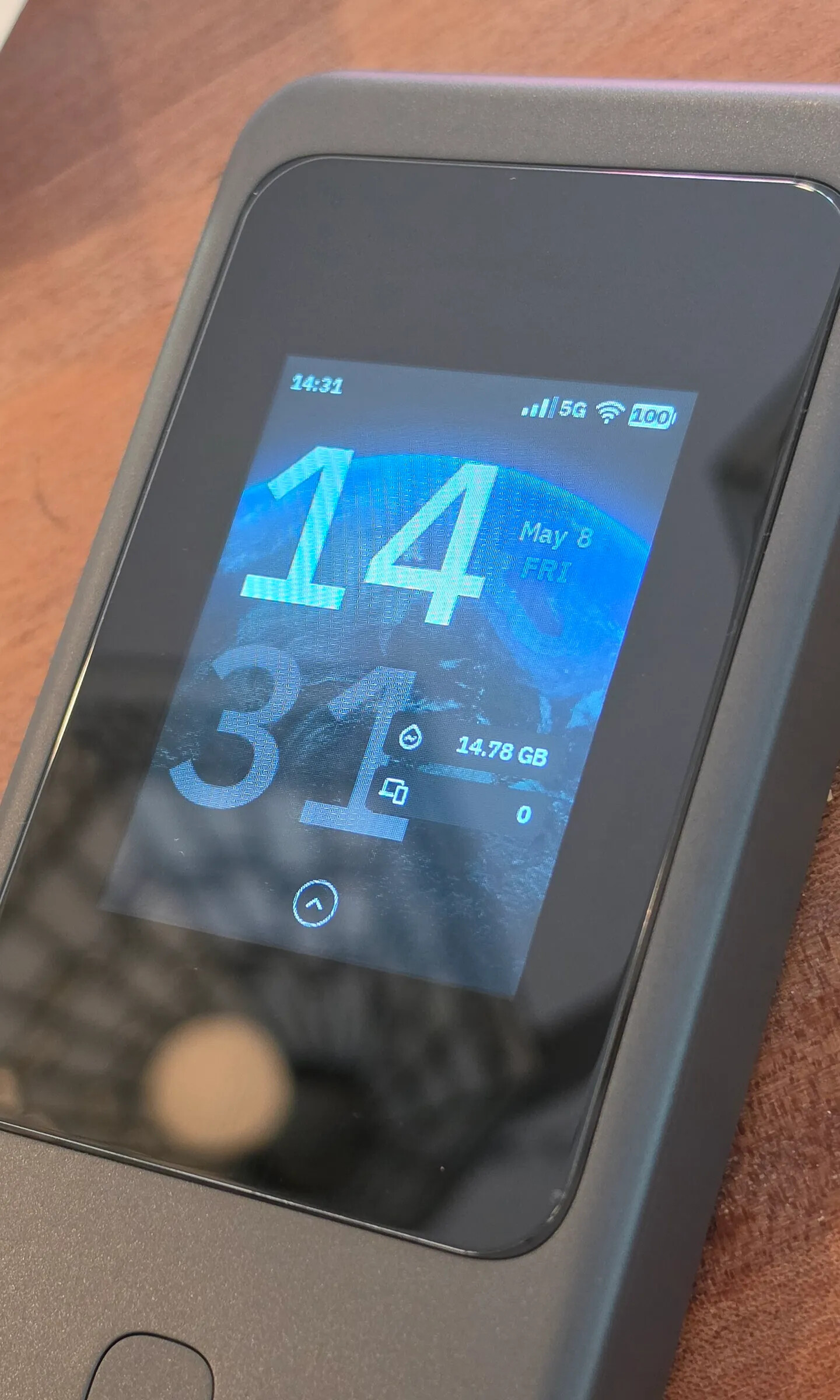
If anyone’s interested I got this screen protector and it seems fine. https://www.aliexpress.us/item/3256811967309880.html
8 Likes
I‘ve ordered as well.
It seems like the Mudi 7 still doesn't have a proper airplane mode. It connects to the network and receive text messages even when airplane mode is on.
edit: This only seems to happen when entering the SIM card PIN code. Even if airplane mode is on, entering the PIN code bypasses it, and the device connects to the network anyway and starts receiving text messages. Could this be fixed in future firmware updates?
At first I thought that had to be an error. But then I dug out my abacus ...
Assuming the battery is 3.7V. 5000mAh. 18.5Wh.
Claimed battery life – 13.5 hours.
That’s, mmm, 1.37W consumption, before accounting for inefficient.
Very nice!
I believe it. Once I’d left it on and admittedly mostly idle, but it had ~10hrs runtime and only lost ~25%
I’ve had my mudi 7 for almost 2 weeks now…
Definitely couldn’t wait to play and test. Got all my scripts up and running (basically settings and features for/from tailscale I normally like to run) as well as beszel-agent installs. Interaction and notification via telegram.
Haven’t quite yet dug into what/which bands are CA’n, however I am seeing a constant over 2-300mbps. I’ve hit 600mpbs download and 90-100mbps upload
1 Like
Yea I seen the exact brand on amazon as well, but shipping seems further out than aliexpress
Hi all, first post here. I’ve just ordered the Mudi 7 and am very excited with what I see. I have the Mudi 2 which has generally been fine. One of its main drawbacks was the loooooong time it took to switch on and connect. It was upwards of 5 minutes at times. What is the relative speed of the Mudi 7 from switch on to connections being available?
Forgot to note… my mudi 7 button was in a deep sleep or something as the button wouldn’t awake the screen. However, cell and wifi signal seem unaffected?
A reboot fixed everything though. Not sure what happened.
I haven’t timed it, but it seems like maybe 1 minute or perhaps less. It’s pretty quick.
2 Likes
Thanks for that, appreciated.
A little over a minute, like a modern phone. I have the Mudi 2, it was very slow to boot and get connection. An annoyance that is now fixed.
3 Likes
I got my EU version Mudi 7 one week ago. It works well with T-Mobile, where there is N41 coverage. The download speed can reach 400+Mbps in urban areas.
The only drawback is the lack of N71 band support for T-Mobile's low-band 5G. Since N71 is listed as an optional 5G band of RG650V-EU in the datasheet from Quectel, I tried to use AT commands to lock 5G-NR band to N71, but it doesn’t work. Not sure whether N71 is not supported by firmware or hardware.
The “Realtime Graphs’ in LuCi in version in 4.0.0803 is essentially useless  None of the graphs have any correlation to reality; for example, “br-lan” should be the sum of the traffic of all the client devices connected, but while I’m currently using ~130Mbit/sec the graph isn’t showing much at all.
I know in most cases you have to disable hardware acceleration for these to have any useful data, but that also causes very real drops in performance.
Huh. OK … I just figured they’d have a timer that just averaged out the raw interface values over a period (i.e. looking at /proc/net/dev), which should be independent of any acceleration?
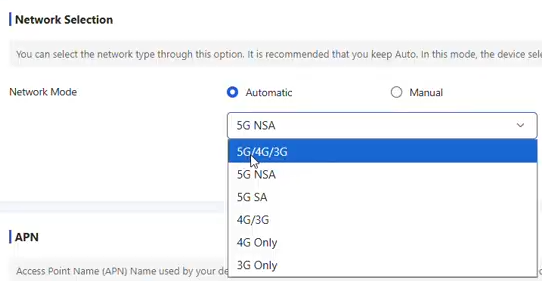
Any chance to add more selections in network mode? See example from ZTE. Might improve user experience a lot and in areas with low 5G SA speeds it would be much quicker to switch to 5G NSA manually.
1 Like
Thank you for your suggestion.
We will discuss with the product team whether more flexible cellular network mode selection can be supported in future firmware versions.
3 Likes
can’t you already do this by just blocking all 5G SA bands? i mean, at least as a workaround…