Does the Mudi 7 support STR MLO?
Yes. If Multi-WAN determines that one link is unavailable, it will switch to another network according to the configured priority.
The availability check is based on pinging the configured IP addresses.
For more details, please refer to:
1 Like
Thank you for your suggestion.
We will further discuss it with the product team and see whether support for this can be added in future versions.
1 Like
Please check whether Network Acceleration has already been disabled under Admin Panel → Network → Network Acceleration.
If it has not been disabled, the speed shown there may not be accurate.
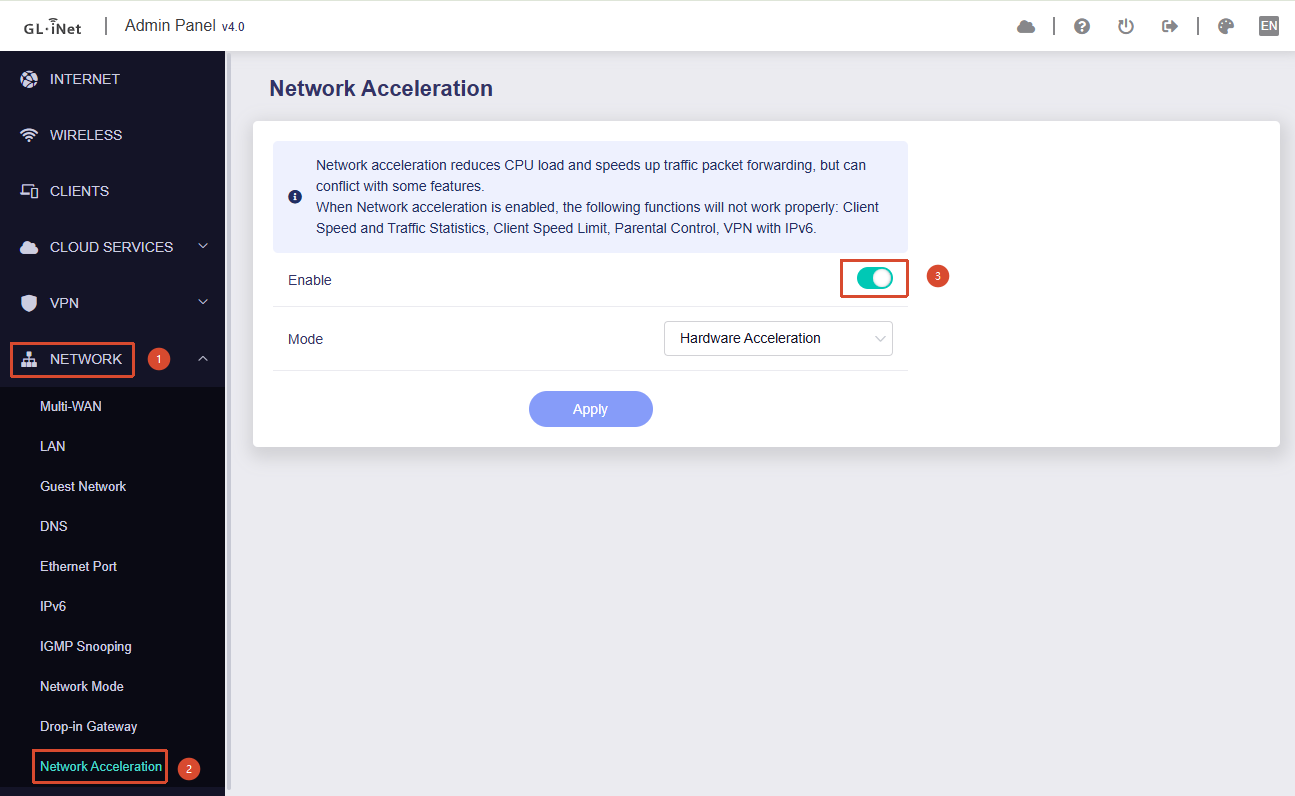
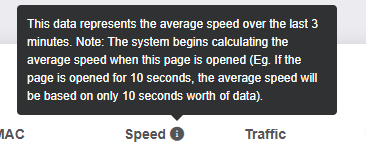
In addition, the statistics shown there represent the average speed over:
- the past 10 minutes, or
- the past 10s / 30s / 60s / 3mins after opening the page,
rather than real-time throughput.
For more details, please refer to:
1 Like
Due to hardware limitations, the Mudi 7 does not support MLO.
3 Likes
that’s what i’m saying, though - you can already do this by blocking (or allowing) different bands. it’s not as simple as flipping a 5G vs 4G switch, but it works just the same.
if you want to limit to 5G SA, just either block 5G NSA and LTE bands (OR allow only 5G SA bands). if you want to do 5G NSA, block 5G SA bands.
[REVIEW] GL.iNet MUDI V7 vs MUDI V2 – A Real-World Upgrade Worth Every Penny
Hey everyone,
After spending some time with the MUDI V7 (GL-E750V7), I wanted to share my experience compared to the older MUDI V2. Short version: this thing is a massive leap forward.
 What's genuinely better
Vodafone reception is excellent – noticeably stronger signal than on the V2. The dual SIM support with automatic failover is a game changer for travel. No more manually swapping SIMs or losing connection mid-session.
WireGuard VPN works great – I'm running tunnels to both my office and home network simultaneously.
Boot performance is finally where it should be. The V2 felt sluggish; the V7 just gets going.
 Quick tip after short usage
→ Set WiFi to Medium power – noticeably improves battery life without meaningful signal loss.
 Known issues / pain points
-
Guest WiFi breaks when the repeater is active. Not a dealbreaker, but worth knowing upfront.
-
The display times out extremely fast. Needs a more generous idle setting.
-
WireGuard multi-tunnel routing is tricky. If you run VPN tunnels to both work and home, configure via Exclude routes, not Include. Here's why: Include mode doesn't only affect IP traffic — DNS queries also get captured, which means DNS traffic disappears into the first tunnel and never reaches the second. Exclude-based config gives you the control you actually need.
 What's still missing (feature requests)
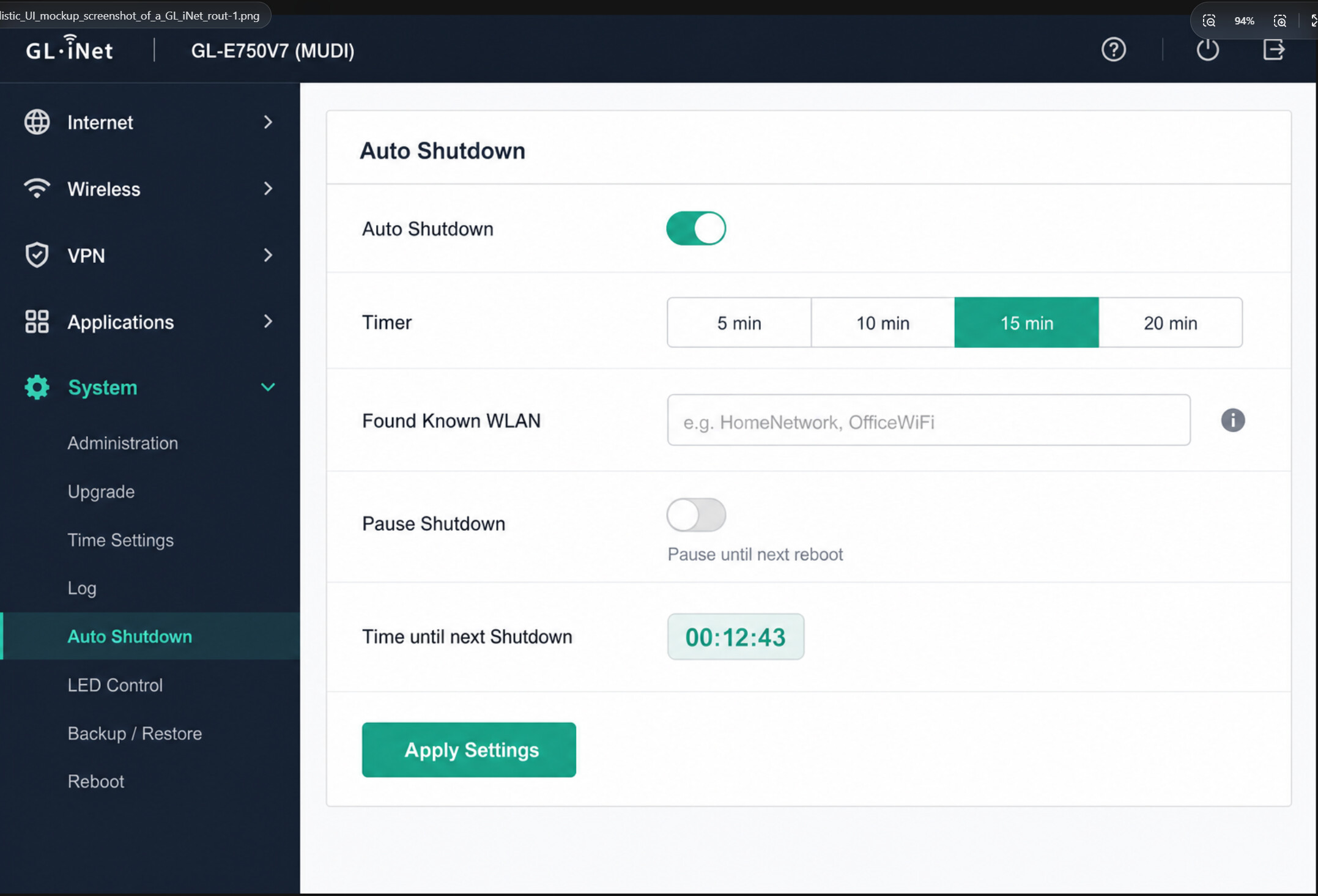
The one thing I really wish existed: automatic shutdown based on location/proximity.
Right now, when your trip ends (e.g. you arrive home after a train journey), the router won't auto-power-off because your phone is still connected to it — the built-in idle-shutdown logic never triggers.
What would actually make sense: if the router detects a known WiFi network nearby, it shuts itself down — and all connected devices automatically fall back to home or office WiFi. Clean, seamless, zero manual steps.
Bonus points if the display shows a countdown screen with which known network triggered the shutdown and how long until power-off. That kind of UX would make this the ultimate travel companion, full stop. Technically ambitious, sure — but absolutely within the realm of what OpenWrt-based devices could pull off with the right firmware support.
 Bottom line
The MUDI V7 is a serious upgrade. If you're still on the V2, the jump is absolutely worth the investment. Dual SIM failover + WireGuard + faster boot alone justify the switch.
Happy to answer questions — especially around the WireGuard routing setup, since that one took me a while to figure out.
Cheers 
Imagine how awesome it would be if this menu actually existed 
6 Likes
I think the Mudi 7 is the most important product in GL.iNet’s lineup that isn't supported by v4.9 yet. Hopefully, very soon, as I want DoH and DoQ support!
3 Likes
Does Mudi 7 support Tor?
edited - yes, apparently it is supported, I found it on the Tor page, not on product page.
Has anyone tested with Tor?
I am curious about the Mudi 7 data sheet claim: “When using Mudi 7 in an RV or in-vehicle environment, the battery must be removed.”
Why?
What happens if the battery is not removed? Because this usage scenario is inevitable.
After two weeks stuck in customs, my AliExpress screen protector finally arrived. Right size, fits weill.
2 Likes
Maybe degradation due to constant heat and charging.
One thing I’ve noticed with my Mudi 7 (and Slate 7 Pro as well) is that, despite the auto-login setting being enabled (like all my other GL routers), it’s 50:50 whether the captive portal actually appears on my phone to complete the login, requiring instead that I login to the device admin screen just to click on the captive portal link that’s ‘stuck’ in there.
Perfect fit? Do you have a link?
From the OP: https://www.aliexpress.us/item/3256811967309880.html
1 Like
The best way to force a CP login is going to a non-SSL site; I prefer ‘nossl.sh’ ; bookmark that (or better yet, add it to your homescreen) then after connecting to your Mudi, hit that. Works every time.
1 Like
Despite the two-week Customs delay, I’m glad I’d ordered when I did- it’s gone from 99c to $10 (and the same $7 for shipping)!
2 Likes
slightly offtopic but still relevant for Mudi 7:
SQM on X3000 GUI, beta firmware 4.90, tested very vell with 5G SA and NSA. Settings in the GUI work stable and I found the sweetspot to be 34 Mbit up and down with cake (not fq-codel), allowing 4k Streams and reliable video calls. Counter Strike approved
(The also new QoS GUI feature tested inferior in these scenarios, usual spikes and dropouts, also when not under load.)
Would be great if the SQM max stable bandwith could be determined automatically as with the Netgear equip (I could have 600 Mbit at night vs. 40 Mbit on daytime..). Not sure what algorithm / stack they use for that auto-adjusted-SQM but it works great.
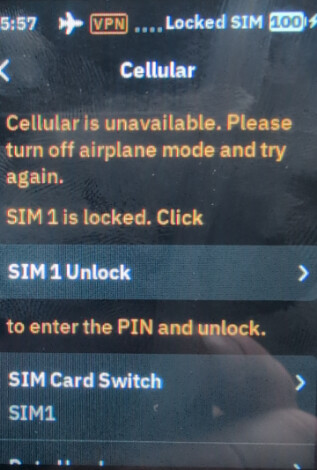
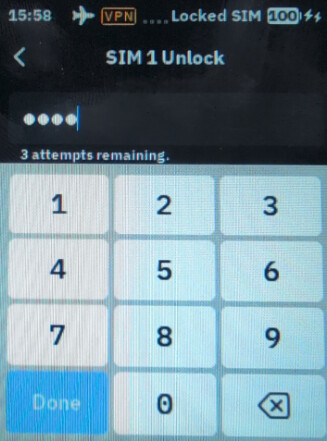
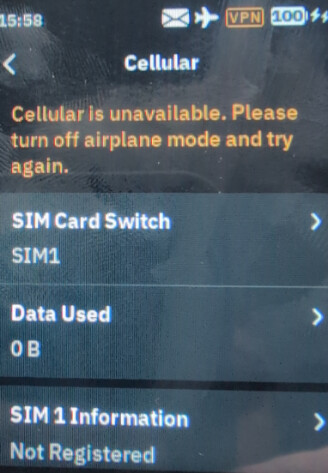
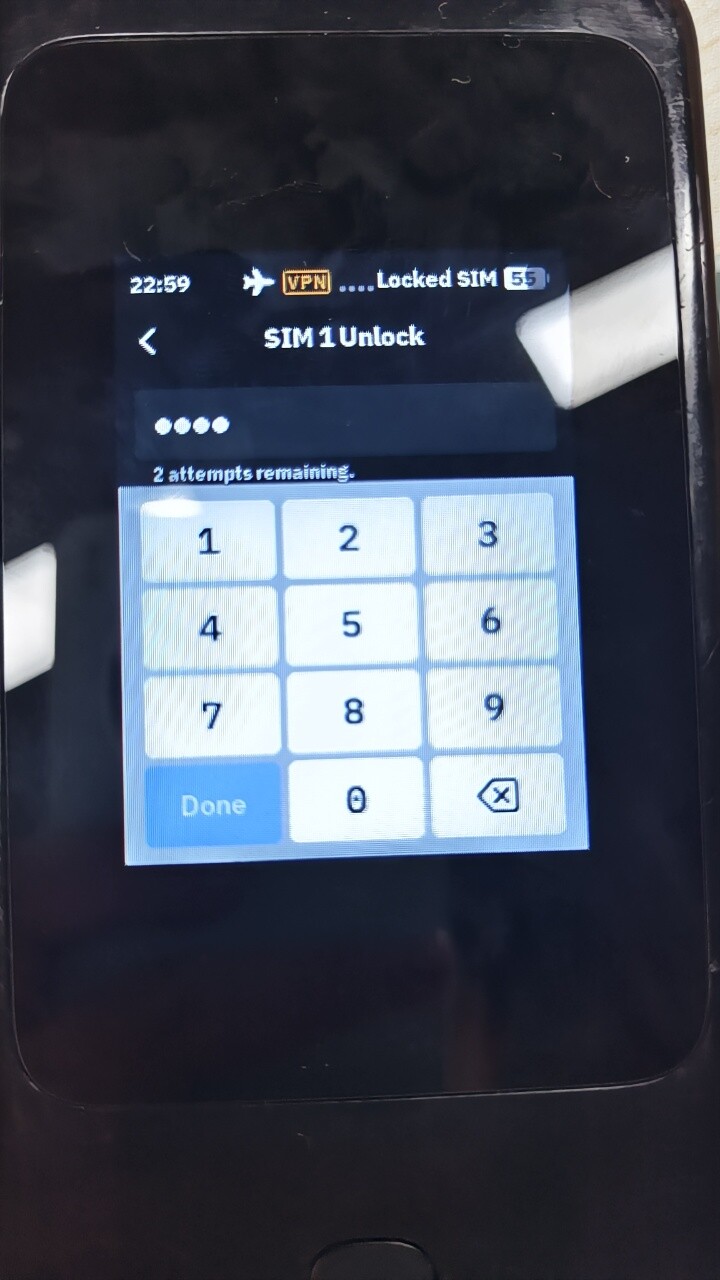
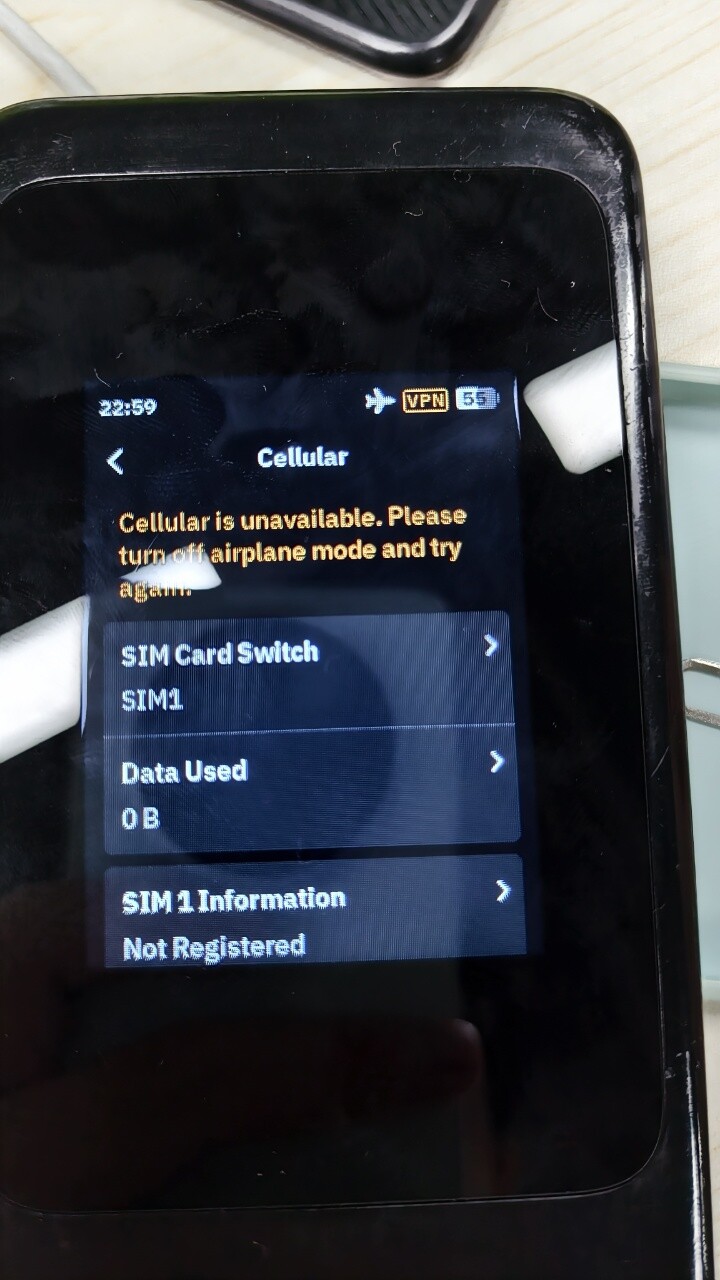
I changed my SIM card now and I was able to reproduce the issue. What I did was:
- Put the device in airplane mode
- AT+EGMR=1,7”new_IMEI”
- AT+QPRTPARA=1
- Power off
- Switch to a new SIM card
- Power on
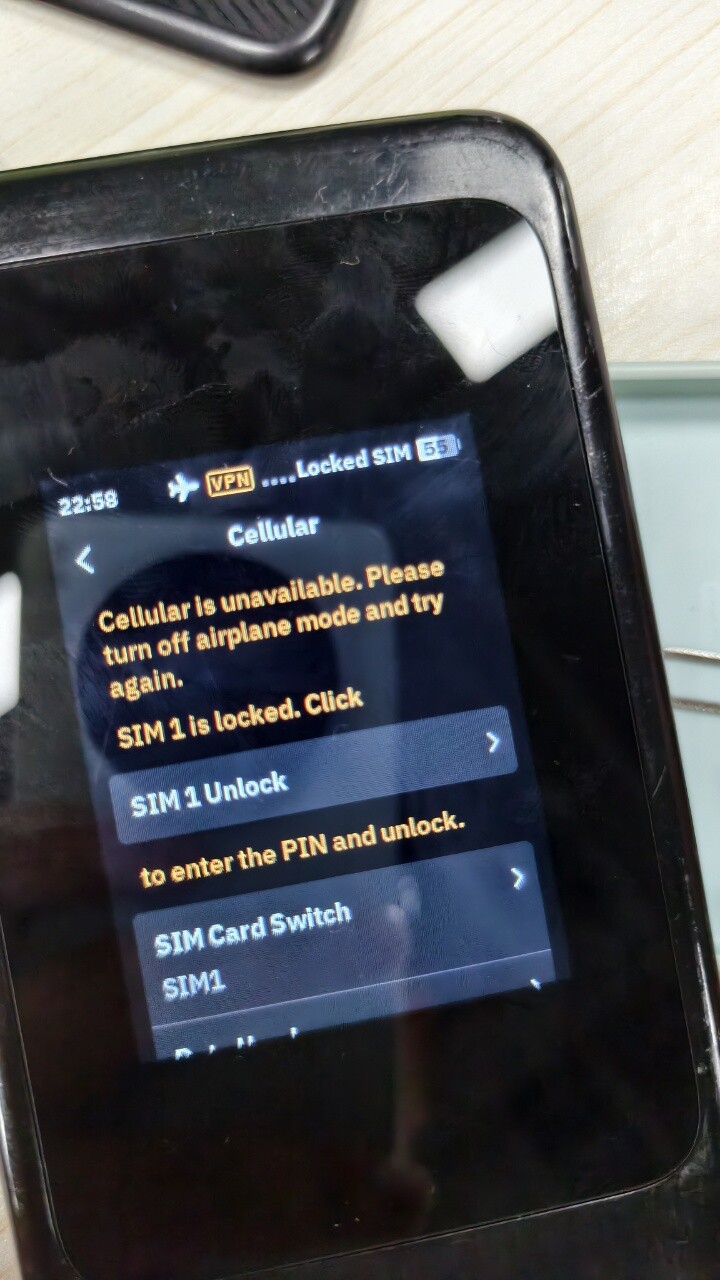
- While device is still in airplane mode → tap SIM 1 Unlock
- Enter PIN → SMS received from ISP while still in airplane mode.
Hi Dolly,
Thanks for sharing the detailed steps.
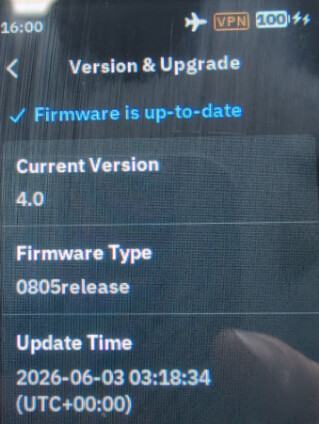
We tested locally using the same steps and firmware version, but we were unable to reproduce this issue.
After unlocking the SIM PIN while Airplane Mode was enabled, we did not receive any SMS. Then we waited for several minutes, but still did not receive any SMS.
May I ask if this issue can be reproduced consistently every time on your device?

1 Like