It can be upgraded directly to v4.9.1. There is no need to upgrade to v4.9.0 first.
It's fine to upgrade through either the Admin Panel or the GL.iNet Download Center.
As a precaution, we recommend exporting a configuration backup before upgrading so that you can roll back if any issues occur. Please follow this guide:
Please also note:
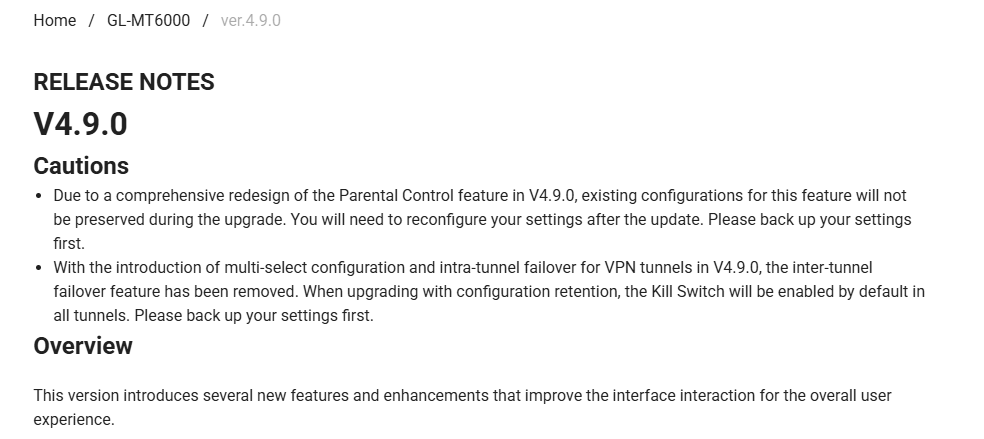
v4.9 includes some changes that may require you to review and adjust your configuration after the upgrade. Please refer to the following release notes:
Thanks for following up. We have now reproduced the configuration overwrite through the same WAN-online startup path on a GL-X3000 running v4.10.0 Beta 2.
The issue is caused by the firmware’s kmwan time-sync handler. Before time synchronization is marked as valid, it checks the first Chrony pool. If that pool is not time.cloudflare.com , the handler replaces it and adds the five default NTS servers again. The changes are then committed to /etc/config/chrony .
As a temporary workaround, you can keep a disabled Cloudflare pool as the first entry and add your preferred pool as a separate entry:
uci -q delete chrony.time_nl
uci -q delete chrony.netnod
uci -q delete chrony.ptb
uci -q delete chrony.dfm
uci -q delete chrony.cifelli

uci set chrony.@pool[0].hostname='time.cloudflare.com'
uci set chrony.@pool[0].disabled='1'

uci set chrony.custom_pool='pool'
uci set chrony.custom_pool.hostname='2.us.pool.ntp.org'
uci set chrony.custom_pool.maxpoll='12'
uci set chrony.custom_pool.iburst='yes'

uci commit chrony
/etc/init.d/chronyd restart
Please note that 2.us.pool.ntp.org is a regular NTP pool, not an NTS server, so here we don't set nts='yes'.
We will check with the team to see how this type of behavior can be improved in future firmware.
Thanks @will.qiu - I can verify that the workaround works as intended:
root@JaLoJaSh:~# chronyc -N sources -V
MS Name/IP address Stratum Poll Reach LastRx Last sample
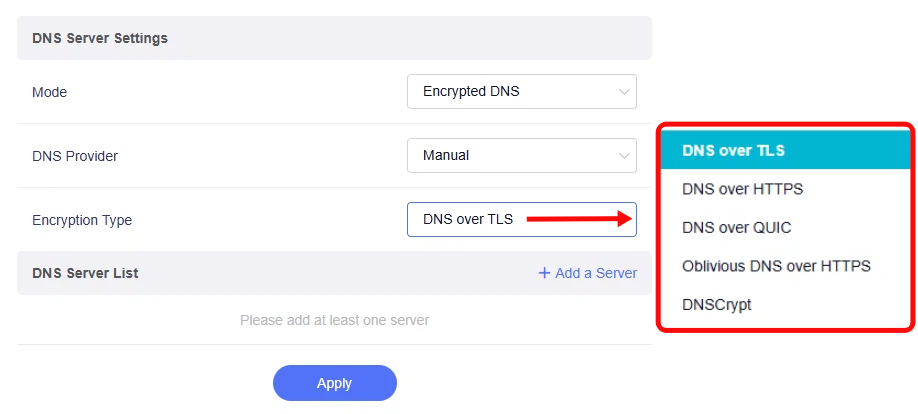
In the Admin Panel, navigate to Network > DNS, set Mode to Encrypted DNS, and select Manual as the DNS Provider. You should then be able to find DNSCrypt under Encryption Type, as shown below: