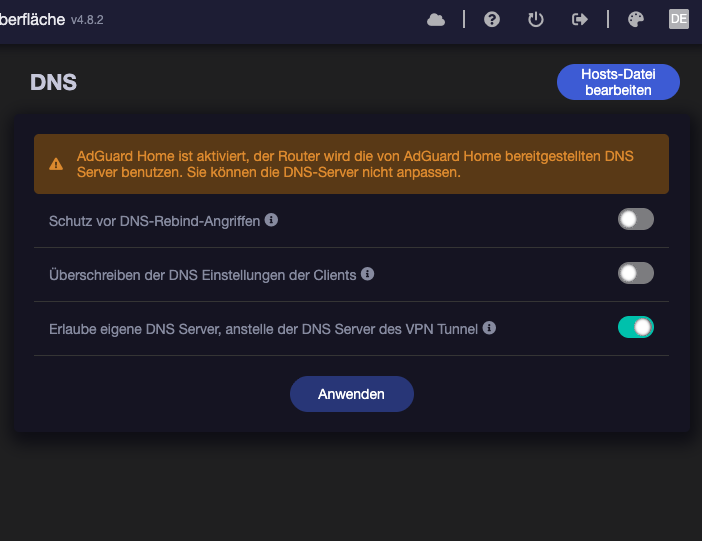
I'm using Flint 2 with the current version 4.8.2, version 3, as of September 1, 2025. I've also tried numerous other versions.
About the problem:
I use a VPN on my router, which runs continuously and works great. I've also tested various VPNs there (without success), so it's not the VPN.
The router is set to automatically reboot every two days, which works very well. Only the VPN is causing problems. In the menu, the router shows that it's rebooted and says the VPN is running, but when you check on your PC, phone, or wherever, none of the devices are connected to the VPN. You always have to manually turn the VPN off and on again to get it to work on all devices.
The same problem occurs when you manually restart.
The internet is there, but not the VPN, even though it shows it. The router displays it as shown in the image, but when I test it, only the provider's internet is active.
It only comes back when I manually turn the VPN off and on again.
It doesn't matter if Adguard is on or off, I've already tried all that
Of course, I then have to wait at least 24 hours because, strangely enough, a certain amount of time always has to pass before this effect occurs.
Example:
If I tell the router to restart every morning at 6 a.m., the VPN doesn't work. If I restart the VPN manually at 8 a.m., for example, it works immediately.
If I then set the router to automatically restart at 8:30 to test it, the VPN works immediately after the restart.
But if a certain amount of time passes (no idea how long) and the router restarts, it doesn't work automatically.
And yes, I only do a clean install of every new firmware, and I've tried it with and without Adguard, as well as various VPN providers: Surfshark and NordVPN.
How long is the protocol recorded (i.e. time interval) Because when I look into the protocol there are only the last 20 or 30 minutes. Can you set it longer if so how
Here, so you don't have to babysit & to zero in on any outage windows a little better. Note I assume you're putting everything thru the VPN. If not add Cloudflare DNS (or whatever other IP/server you want to ping) to an approp. VPN policy:
mkdir -p /root/.bin/ # make a directory to store the shell script/sh
cat <<- '__EOF' > /root/.bin/pinger
	#!/bin/sh
	# shellcheck shell=sh

	[ -n "$1" ] && TARGET="$1"

	ping -4 -w '2' -q -c '2' "${TARGET}
	ping_status="${?}"
	[ "${ping_status}" = '0' ] || logger -t pinger "Ping to ${TARGET} failed [✘]"

	exit 0

__EOF
chmod +x /root/.bin/pinger # make the sh executable
printf "*/5 * * * * /root/.bin/pinger '1.1.1.1' # ping cloudflare dns every five mins\n" >> /etc/crontabs/root
/etc/init.d/cron restart # restart the system timer to process every 5 min
logread -e 'pinger' will output any failed attempts including the timestamp.
Pro Tip
Update your .profile path to include /root/.bin so you can run it right after logging in via SSH by rand-hostname. See related below.
If you SSH into your Flint v2, you can use the above shell script to automatically ping a server on the Internet every 5 minutes. If it fails to do so it will show up in the logs as a error including the date & time. That should help you determine if the problem happens regularly at the same time of day or if it is random.
You can disable the 'pinger' at any time by removing its entry @ /etc/crontabs/root. The nano text editor is pretty handy to keep on hand.
I have over 35 devices connected to the router, including surveillance cameras that run nonstop. Don't you think at least one device is requesting something every few seconds?
Ah, I see. I don't use AdGuard Home. You may have a race condition between NTP (to get the proper time via the network time protoco), WireGuard, & AGH's DNS over HTTPS/DNS over TLS.
My advice doesn't account for AGH. Apologies. Hopefully GL staff will eventually see this thread & respond if you're commit to using it.
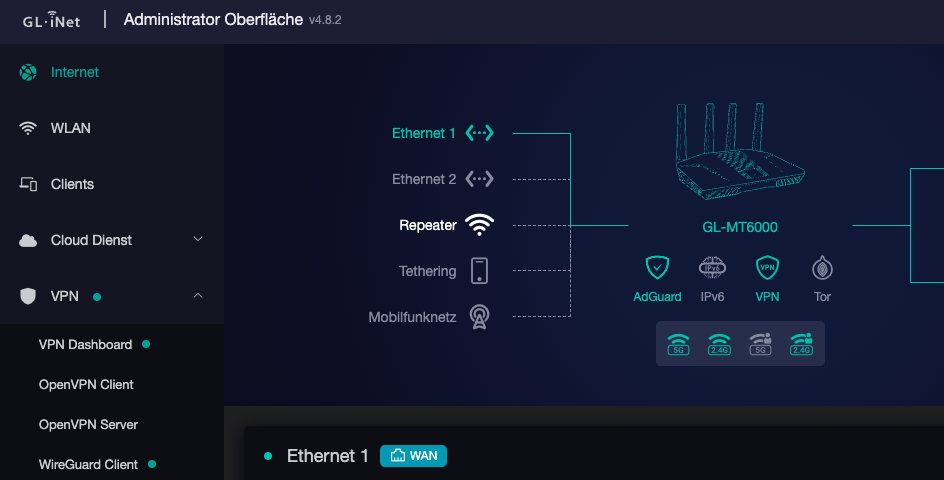
 - guess this isn't helpful.