I read whole topic and still dont know if I should update to 4.8.4 or 4.9 when available. Atm my settings in luci are: DE region, ax auto 80MHz (40 for 2.4GHz), 20dBm(100mW). I am satisfied with that.
Take a backup in LuCI, then it’s easy enough to re-flash 4.8.3 (even through uboot) and restore if you want to.
… but with DE region, going to 4.8.4 (or, we assume beyond) you will lose some Wi-Fi power/range/speed.
1 Like
Running 4.8.4 on AX210 and Linux kernel 7.0.11 give me this:
”iwlwifi: Microcode SW error detected. Restarting 0x0”
Happens on 5GHz, not on 2.4GHz. Throws a error and no network.
Downgrading to 4.8.3 back to normal and full speed.
Confirming lower range coverage and speeds on firmware 4.8.4 with 2.4 Ghz, not only 5 Ghz. What is the recommended best setting in this configuration? For which countries does that apply? Is there a workaround?
Revert back to to 4.8.3 or setup a wired AP to extend the signal?
I’ve only just got my Flint 2, although had read some of this thread before doing so.
I was of the view that if the wifi power was reduced for regulatory compliance then all those complaining must have got used to something excessive and non-comparable to similar hardware.
So with the intention I was going to use the regulatory compliant version, I upgraded my Flint 2 straight to 4.8.4. That lasted as long as it took for me to walk to the next room and realise I no longer had wifi coverage. It did reach some rooms, but definitely didn’t like going through many obstacles. Now my free from my ISP TP-Link EX220 covers all rooms of my house.
I am sure TP-link are playing by the same rules, especially with an ISP managed model like the EX220. The fact this cheap hardware outperforms on wifi range makes me think there is something more wrong in v4.8.4 than just aligning to compliance.
So I am now back on 4.8.3. Having just read through the thread again, I realise the trick I missed was to set the wifi country code set to GB (which is where I am) before updating. Is the consensus this should get me 4.8.4 and wifi not impacted?
Mind I am not sure what is in 4.8.4 that is of benefit anyway.
There is 100% something off with 4.8.4 with weaker signal compared to my ISP managed TpLinK EX820V,
I purchased the Flint 2 about a week or so ago, It came with 4.8.3 firmware (Can’t remember OP version) I am in the UK and the signal was great as before and similar to the ISP’s router I removed.
Upgraded to 4.8.4 and didn’t think anything of it at the time and the signal has degraded quite a bit on both bands.
So after following this thread I tried as some suggested and and changed the country code to my country to which it should be (UK) this has done for the signal it does not work for me it is exactly the same as when it was on default of DE.
So to clarify I am using the correct country code for my router and signal has degraded on 4.8.4 compared to 4.8.3 to the point it is worse than my ISP’s cheap router so something is off with the latest release and it seems be nerfing either incorrect users or countries or a generic fix has been applied because the signal should not be worse than the router I was replacing, To add the signal was perfectly fine before I updated the firmware in the next room and upstairs but it has weakened now on 4.8.4.
Will this issue be resolved if I flash back to 4.8.3 which is listed on this website or has this pulled since and modified?
These are my tests:
- Brand new GL.iNet Flint 2, shipped with 4.8.3
- DE Country Code out of the box
- Upgraded to 4.8.4, kept DE country code
- Changed country code to GB, rebooted
Same room:
4.8.3 - DE
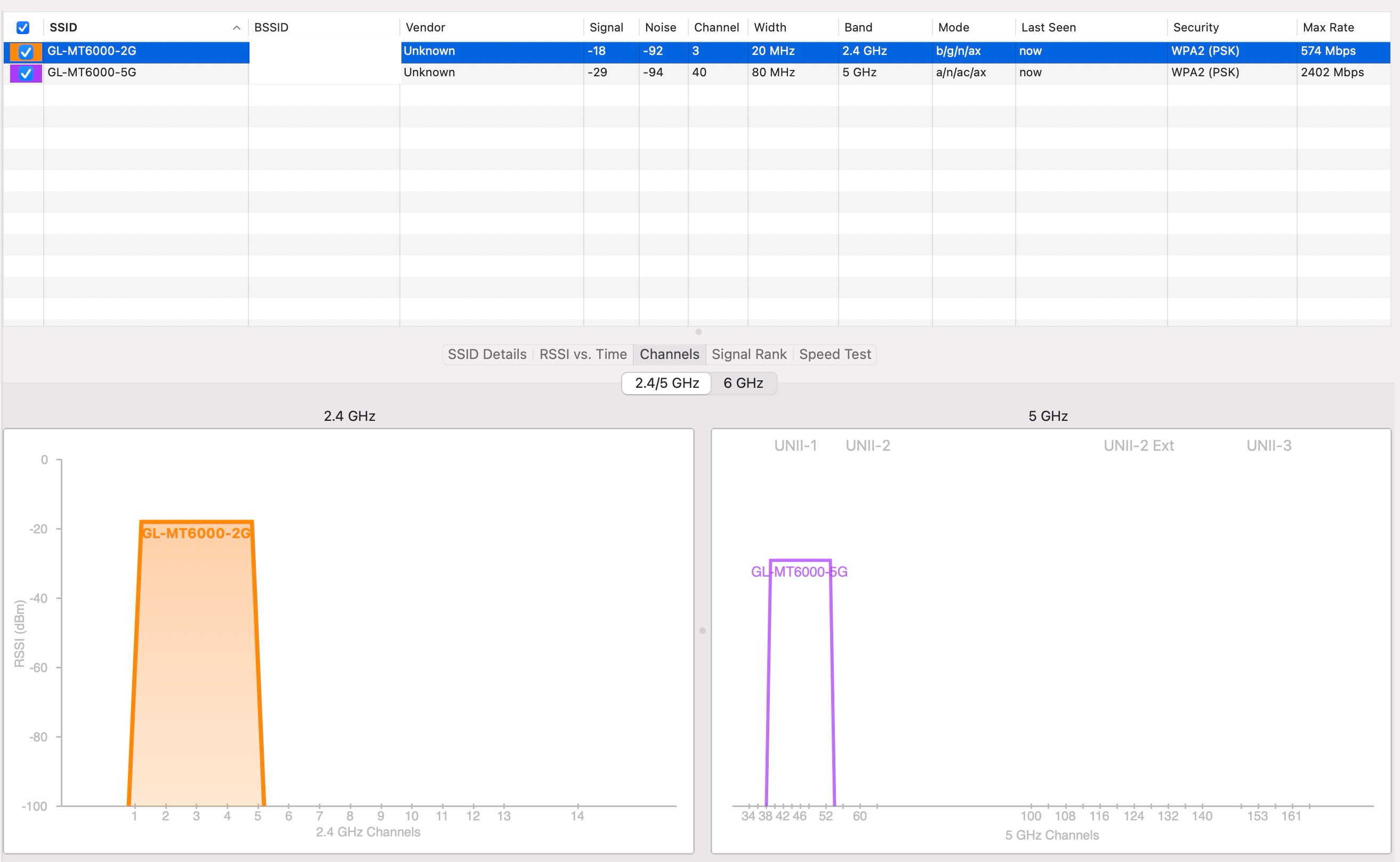
4.8.4 - DE
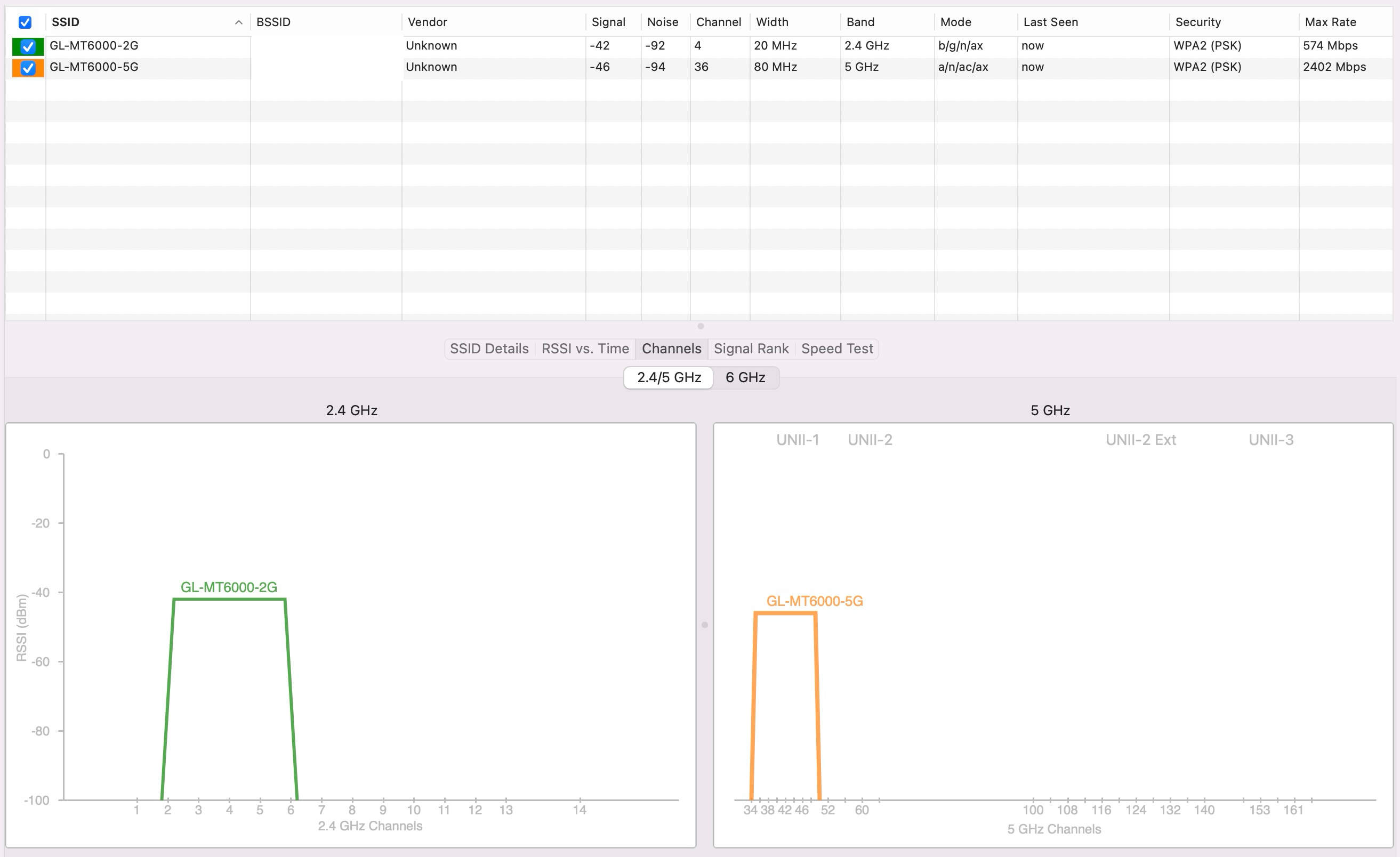
4.8.4 - GB
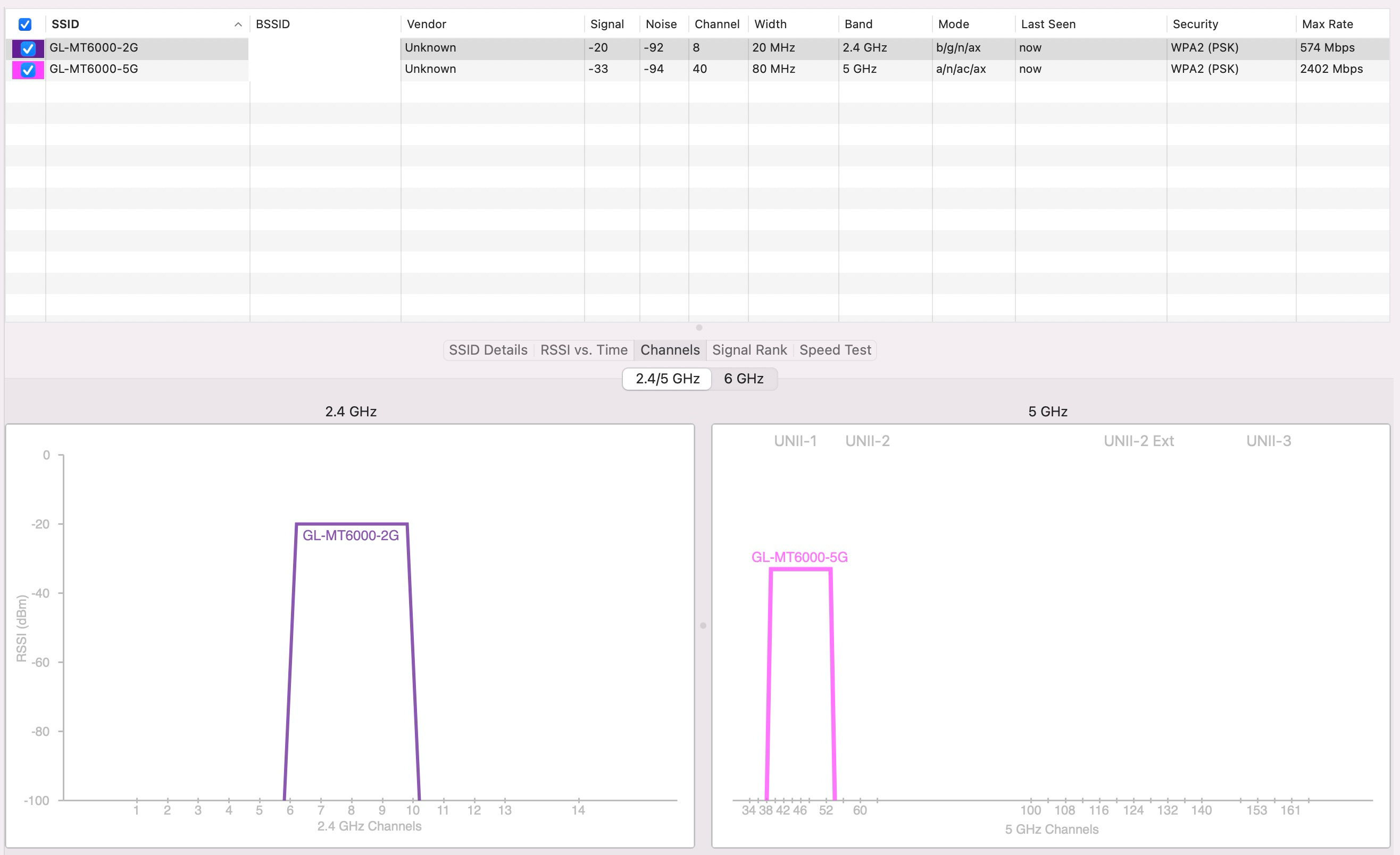
Next room:
4.8.3 - DE
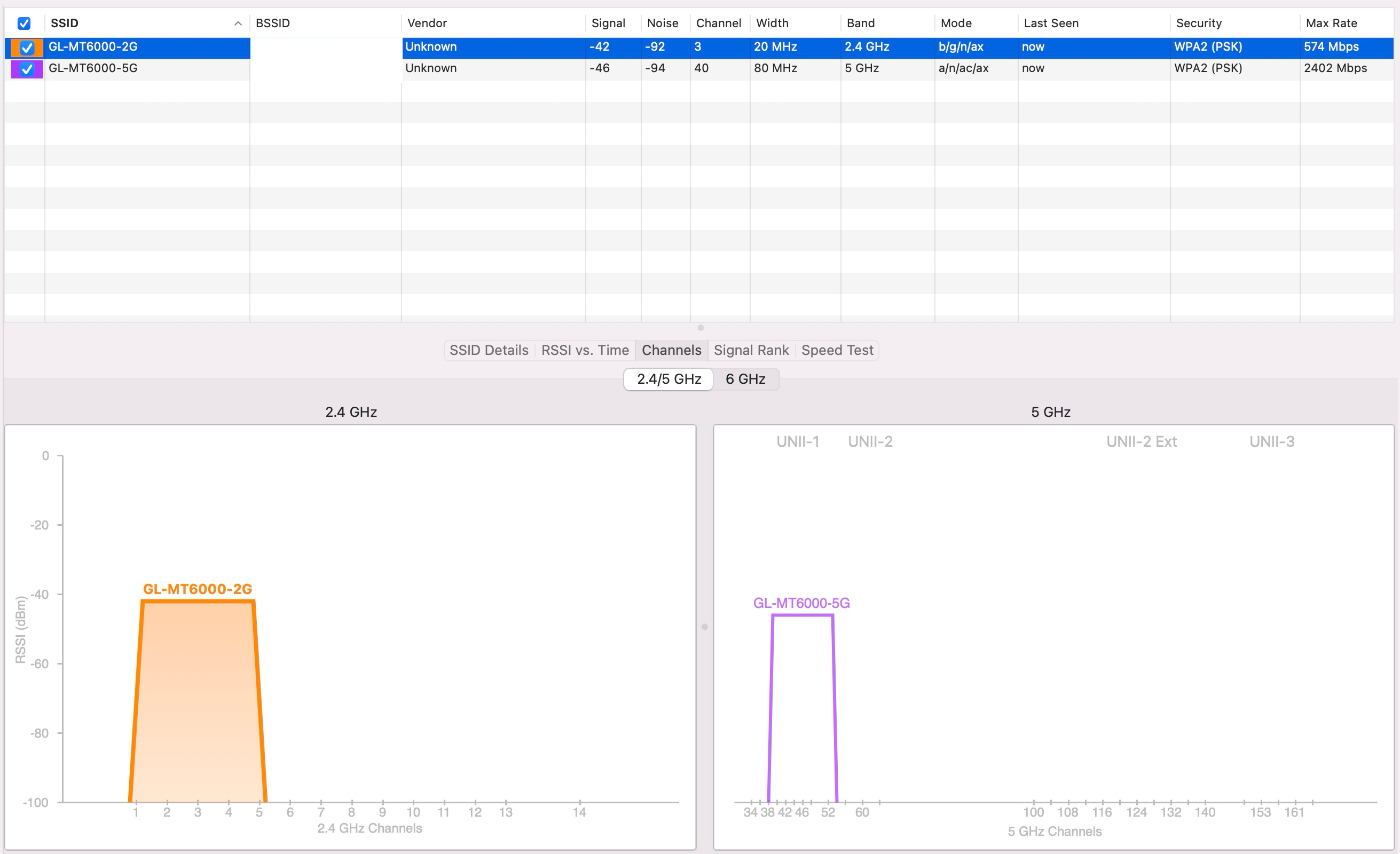
4.8.4 - DE
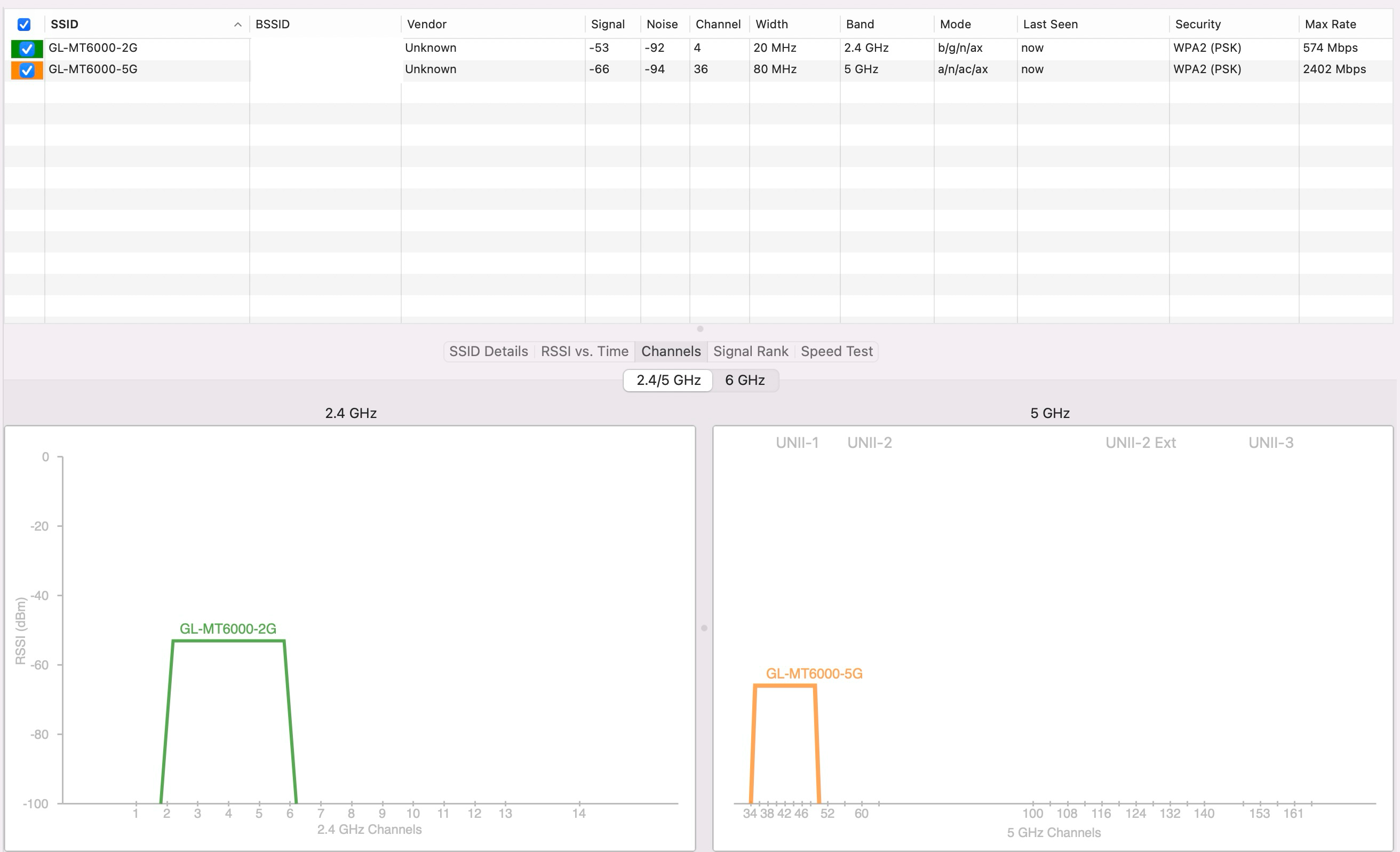
4.8.4 - GB
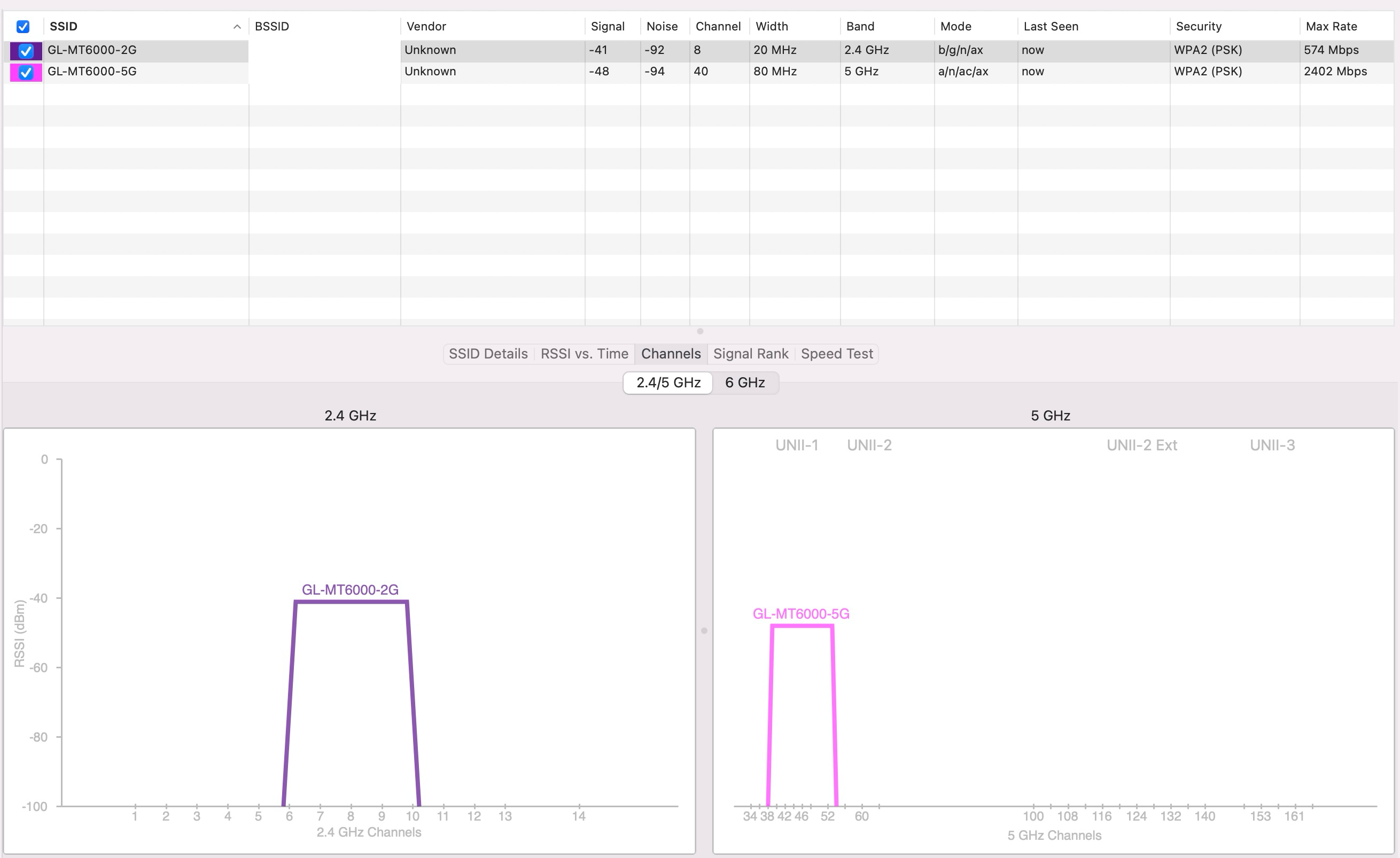
Downstairs → Upstairs, diagonally:
4.8.3 - DE
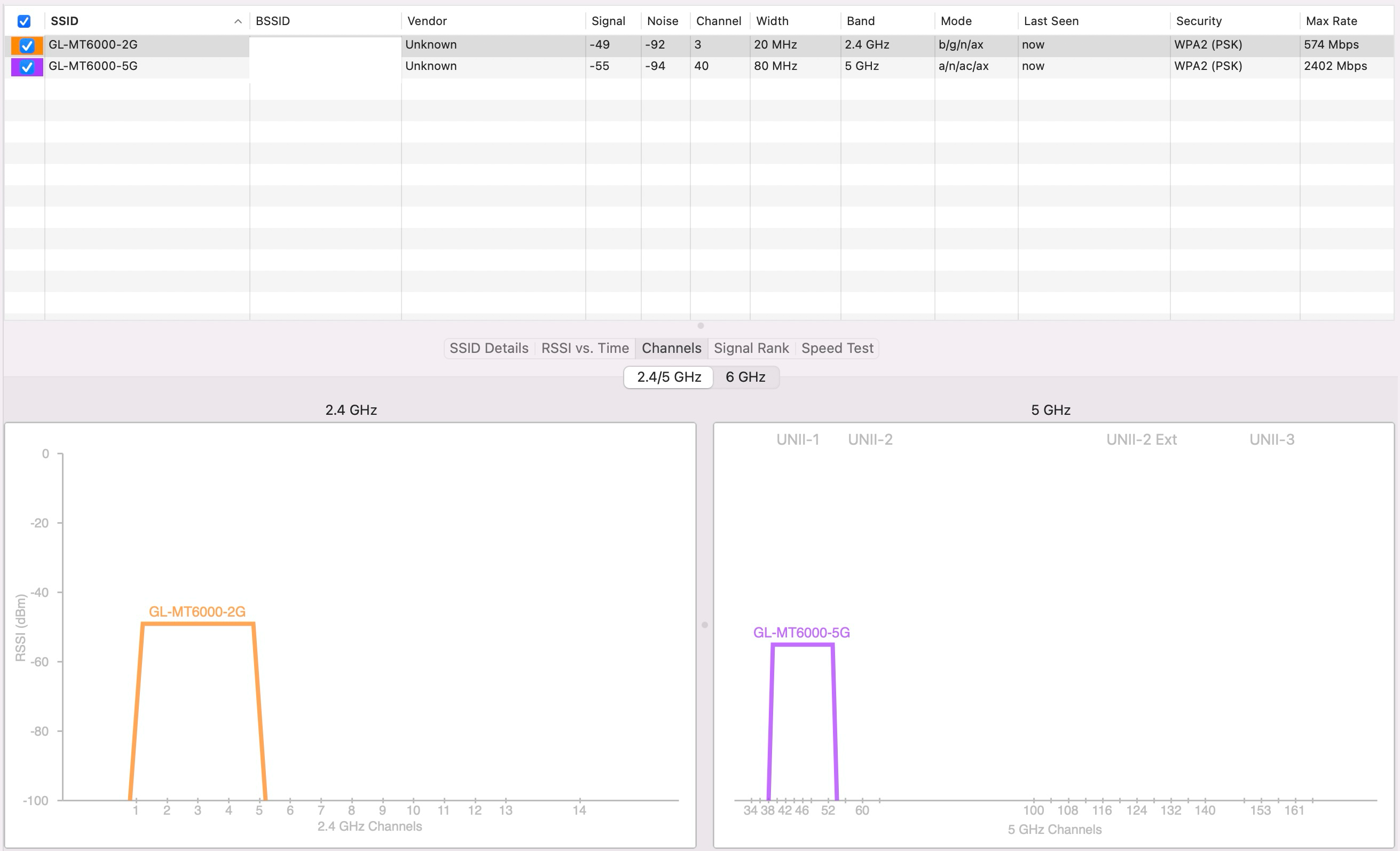
4.8.4 - DE
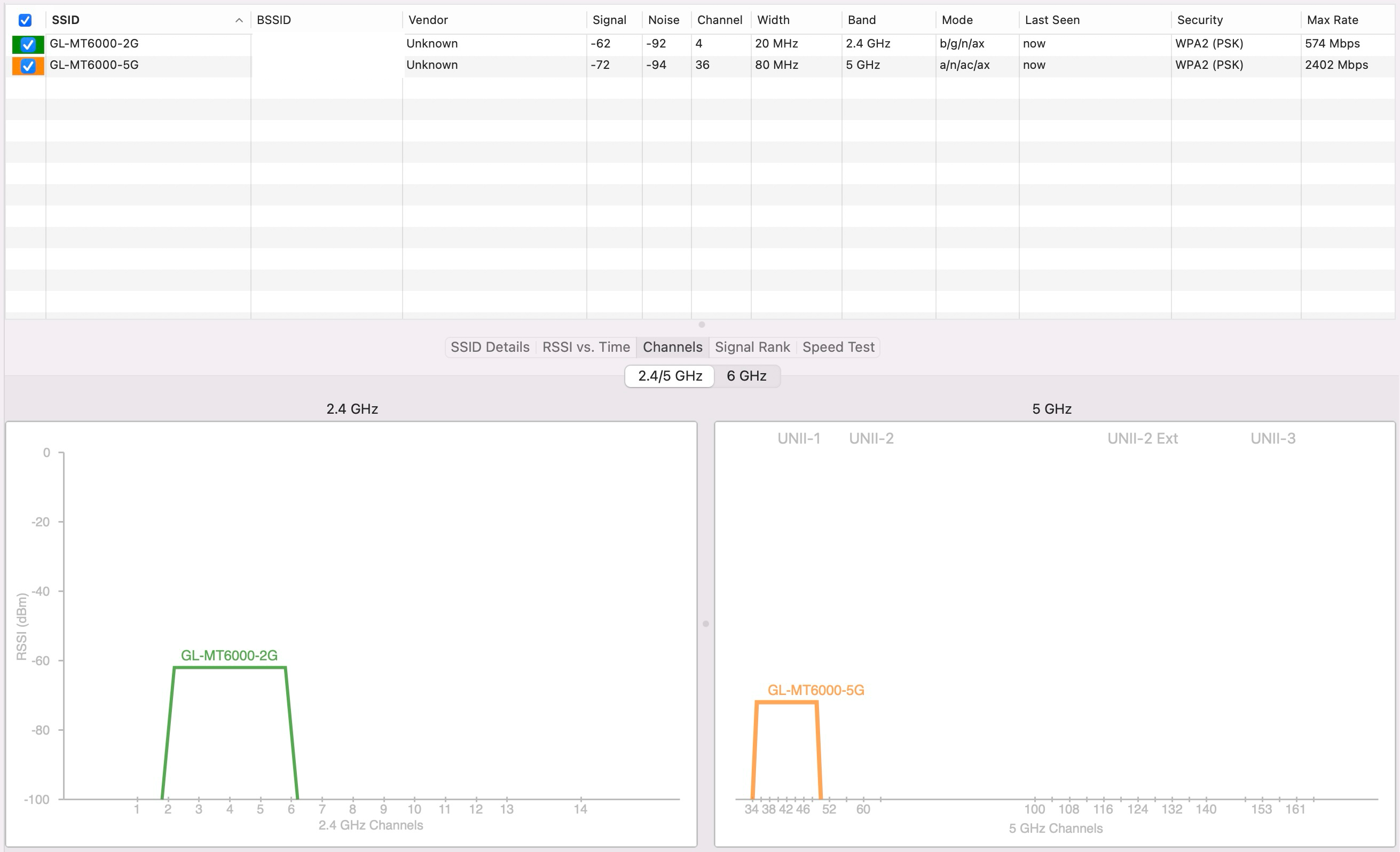
4.8.4 - GB
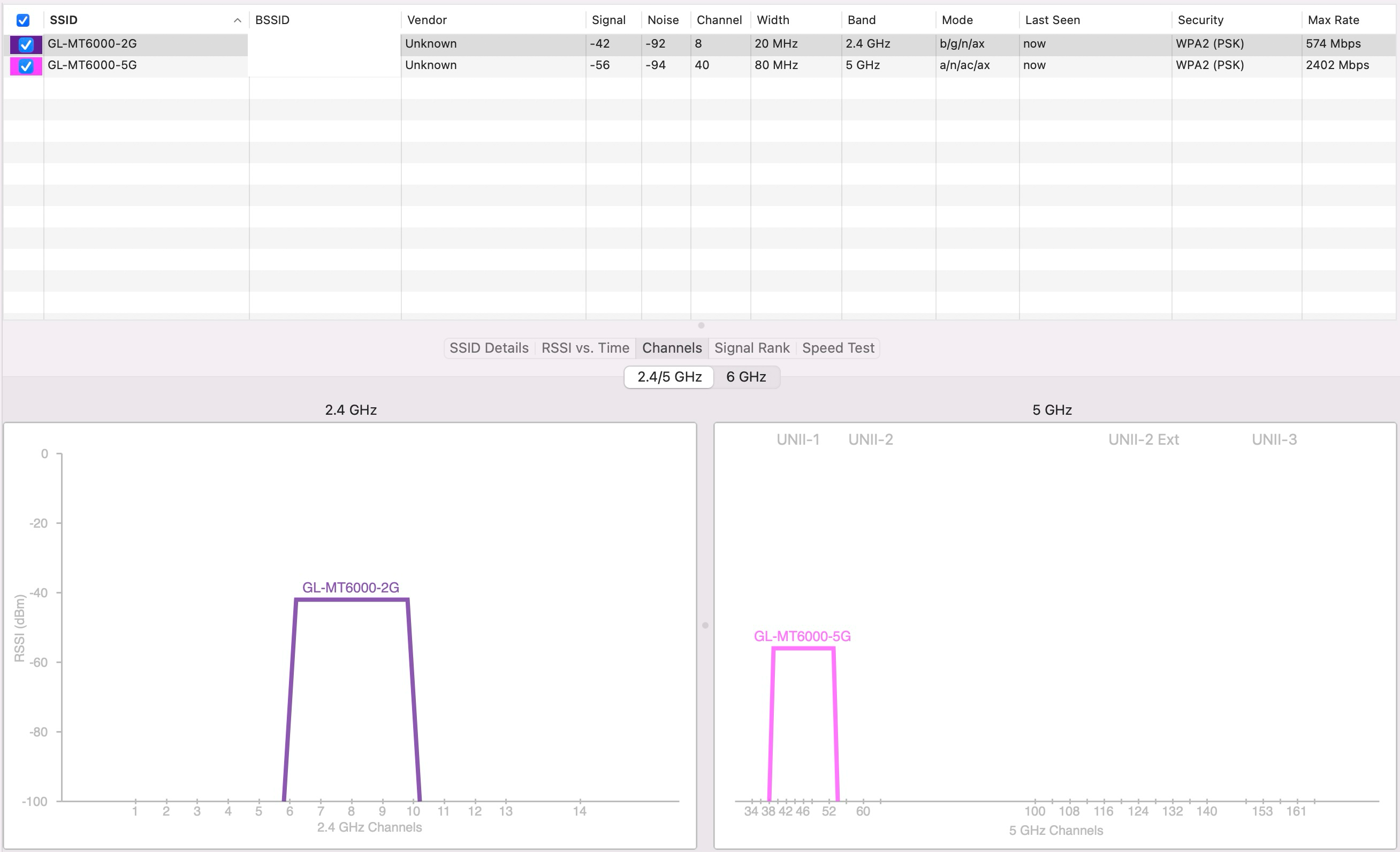
Same floor, through to an extension (thicker walls):
4.8.3 - DE
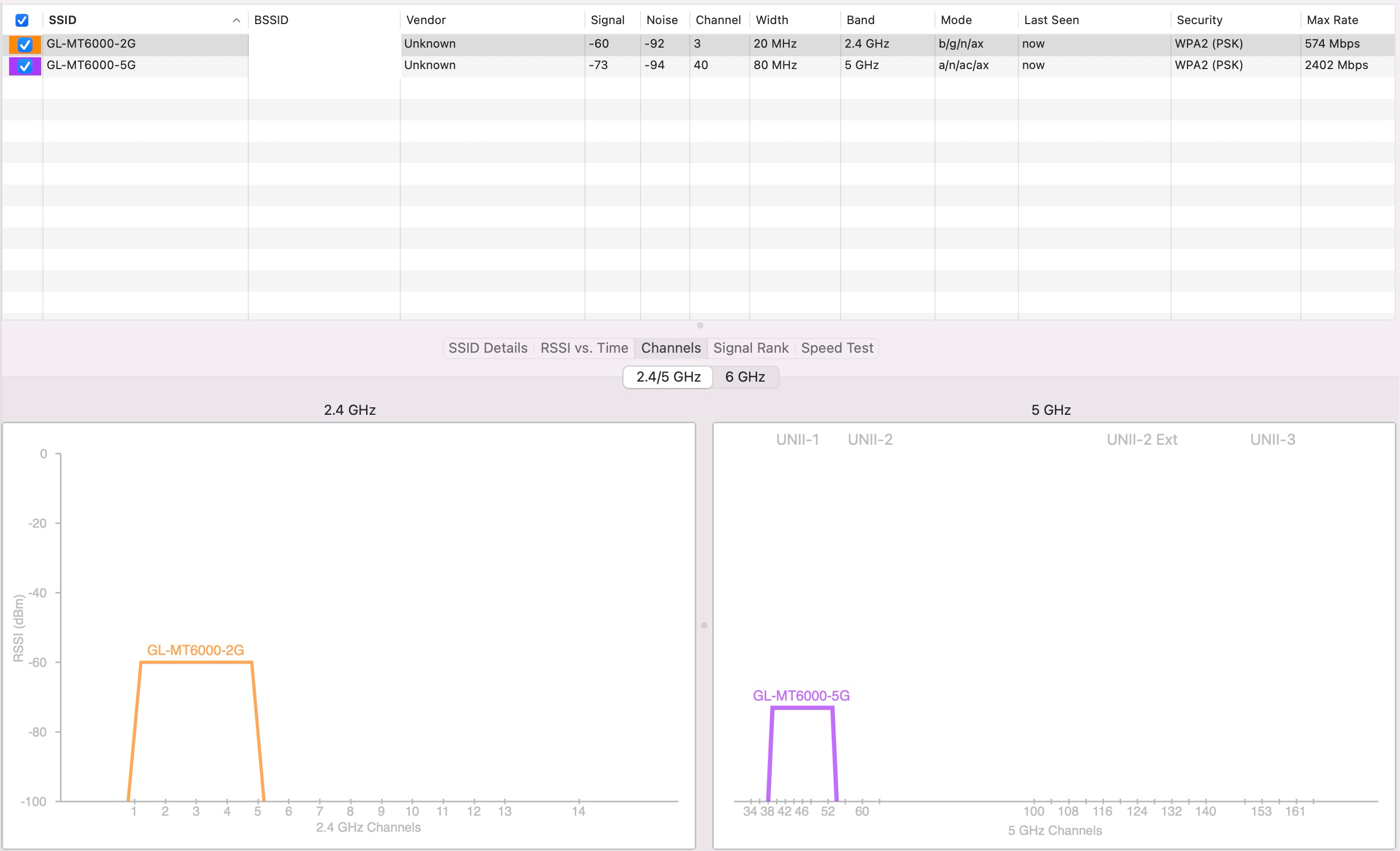
4.8.4 - DE
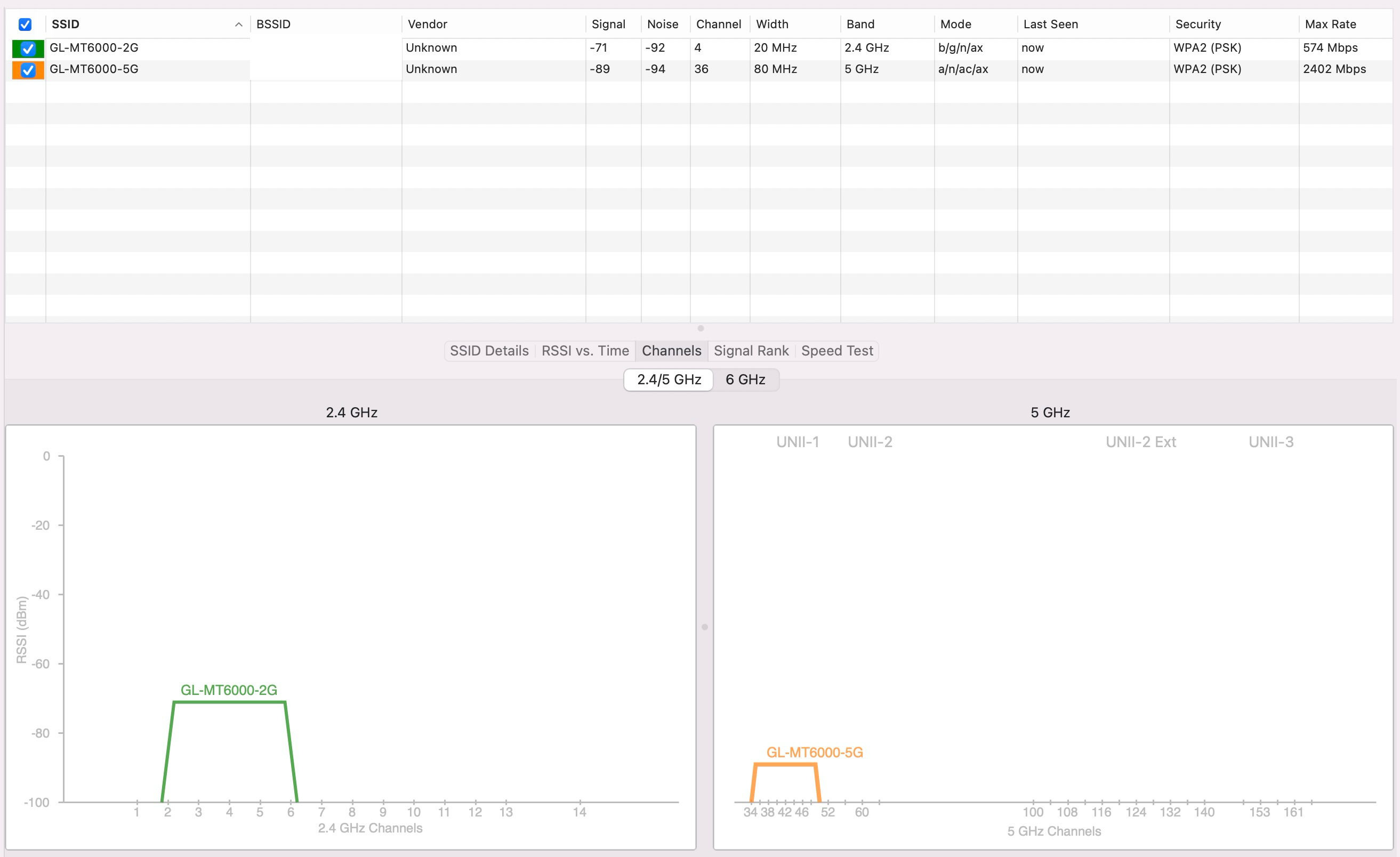
4.8.4 - GB
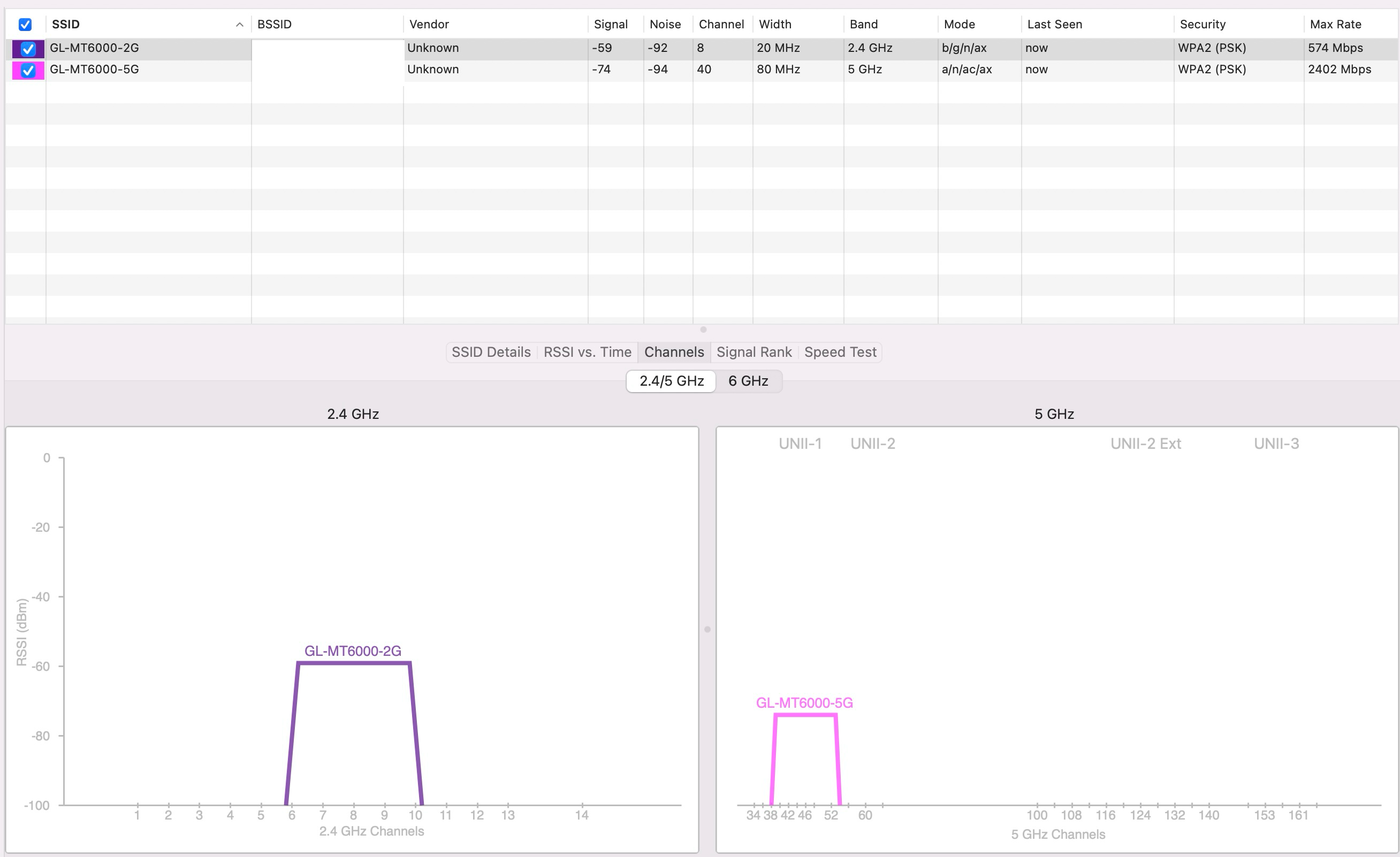
1 Like
Has anyone tried the beta or the snapshot of 4.9.0?
Some were released before, so don’t have the changes.
… given that glinet have communicated that the changes were intended, and are not bugs, future stable/main releases we should assume will be the same.
This thread probably does need locking, a lot of questions come up repeatedly that were already discussed a few times above - along with some incorrect assumptions, corrected by glinet - but it is understandably a long thread and naturally not all read the entire thing.
1 Like
You can still download 4.8.3
Yes I am going to test that shortly and see if it goes back to how it was, Or at least comparable to the ISP router.
Can confirm downgraded to 4.8.3 and signal greatly restored to what it was before upgrading to 4.8.4 now in line with with my previous Asus quad band router I sent back and also my current ISP’s provided TPLink router.
changing country to my correct country via Luci advanced does not work, I know as I checked with WiFi analyzer and there is 0 difference in signal strength changing from the default of DE to GB.
1 Like
Based on my understanding of what I read in this thread, if you set WiFi country code to GB and then upgrade to 4.8.4 it's OK. Is it worth the effort to find out and it 4.8.4 otherwise a better proposition?
As for the thread I would like it to stay open. GL.inet position it was intentional is one thing, but intentional and drastically poorer than more budget equivalents raises questions. I am not holding my breath, but maybe in the future there is a middle ground solution. Probably called Flint 4 
Seems like changing the country code has worked for you?
For the data/screenshots I pasted above, taken this morning, I upgraded to 4.8.3 → 4.8.4 with the DE country code, then just changed (both radios) to GB and restarted.
Post restart on 4.8.4 with GB, in my testing, it is more or less comparable to 4.8.3 with DE.
1 Like
I’m following this thread; I haven’t mentioned any bugs.
We were talking about the 4.9.0 beta, not the snapshot.
As is already known (and perhaps I even wrote this in the thread), the snapshots follow a strangely different path in that there are (and remain) several differences between the snapshot and the beta/stable versions. In fact, all the 4.8.4-op21-snapshot versions I’ve tried have never had any issues with Wi-Fi, whereas the problem (or difference, whatever you want to call it) has always been present in the beta and stable versions.
So, the question remains as to whether Wi-Fi performance might revert to pre-4.8.4 levels—
I’d add that I think we should still have the option, at our own risk, to retain the Wi-Fi performance we had up to version 4.8.3, given that, if I wanted to, I could move anywhere in the world, take my router with me and be fully compliant.
But in this case, I admit that the opposite might also make sense, as I don’t know much about it.
Maybe GLnet should just explain exactly what is changed and what firmware that is best use for getting a non fucked wifi signal.
1 Like
Certainly, but it won’t be a ‘correction’ on their part, given that it’s a necessary adjustment; however, I still stand by my view: if I’m not in one of the countries where this adjustment is required, or if I were to move there, I should be able to have the full power I had before, provided it wasn’t being fired off excessively and at random.
The problem is that this change was made quietly and didn’t appear in the changelog.
3 Likes
Who is going to try upgrading to v4.9 (now released) with WiFi country set to GB (or anything but DE) and let us now how it goes?
Will try later myself.