@bruce After upgrading to 4.8.1 I am very disappointed to find out that multiple SSIDs that previously worked are once again completely broken…
After reverting to 4.7.14 and restoring a previous configuration archive, my SSIDs work.
This router NEEDS first-party support in the GLiNet UI for running multiple SSIDs on a single radio. Clearly you can do it since you allow for easy creation of “Guest SSIDs”.
to have channel 100, I simply overload the router. The remaining channels cannot be used. How to select a country so that other channels can be used as standard, it would be interesting. When I changed the binding to other countries, nothing changed, but the high channels 165 disappeared. Reset did not help to return them. So for now the router works as standard.
And have 1 Gbit/s or 2 Mbit/s internet depending on the time of day. There are just a lot of networks on these channels. No, this is disgusting advice.
Even though there are many WiFi radios on those channels in the environment, your router Flint3 still has a certain operating frequency space.
If 5GHz works on the Band1 channel, the WiFi speed performs better, maybe fixed channel in Band1 is ok.
Guys, is acceleration still problematic on Flint 3 ? Seems when enabled it does indeed utilize full bandwidth, but after days slows down, need to flip switch to bring it back…So what are your fellings, does it work or keep it disabled and loose Internet speed ?
Hello, we don't seem to have reproduced this issue. Flint3 keeps network acceleration enabled, and after a few days, it still maintains full bandwidth.
That’s interesting — I wasn’t aware of any speed issues related to network acceleration on the GL-BE9300. I use this router daily without problems. Could you please clarify under which conditions you experienced the slowdown? I also have AdGuard Home enabled, and everything runs smoothly on my setup.
If say the Internet speed of the LAN wired client is normal, there should be no problem with the router WAN port and ISP modem.
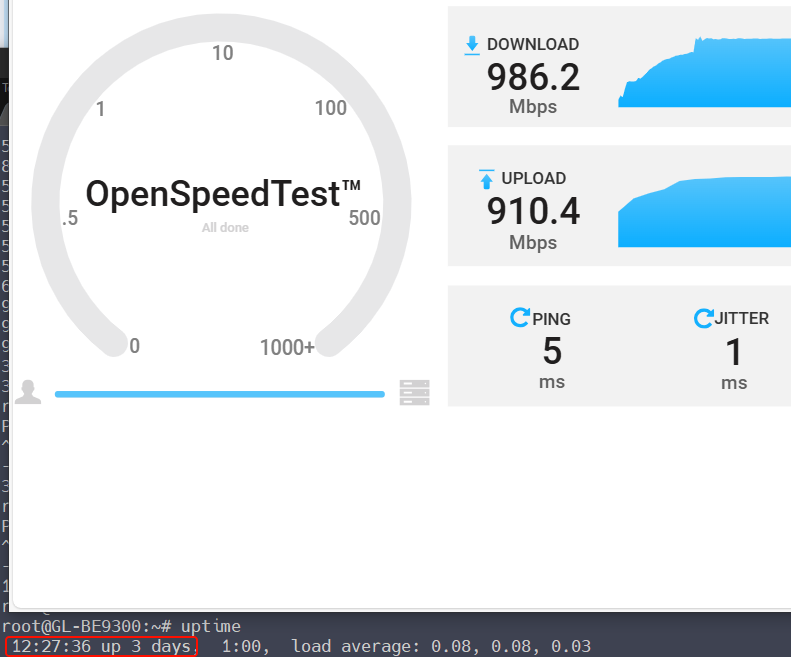
In order to confirm the speed of the wireless client, please install the plugin OpenSpeedTest server in Flint3. When the issue reproduces, check the speed whether the speed of the wireless client has dropped.
Additional observation, when acceleration is active, network performance degradation affects Wi-Fi clients, manifesting particularly in Facebook Reels playback. Content regularly interrupts with buffering cycles, requiring substantial recovery time before resuming.
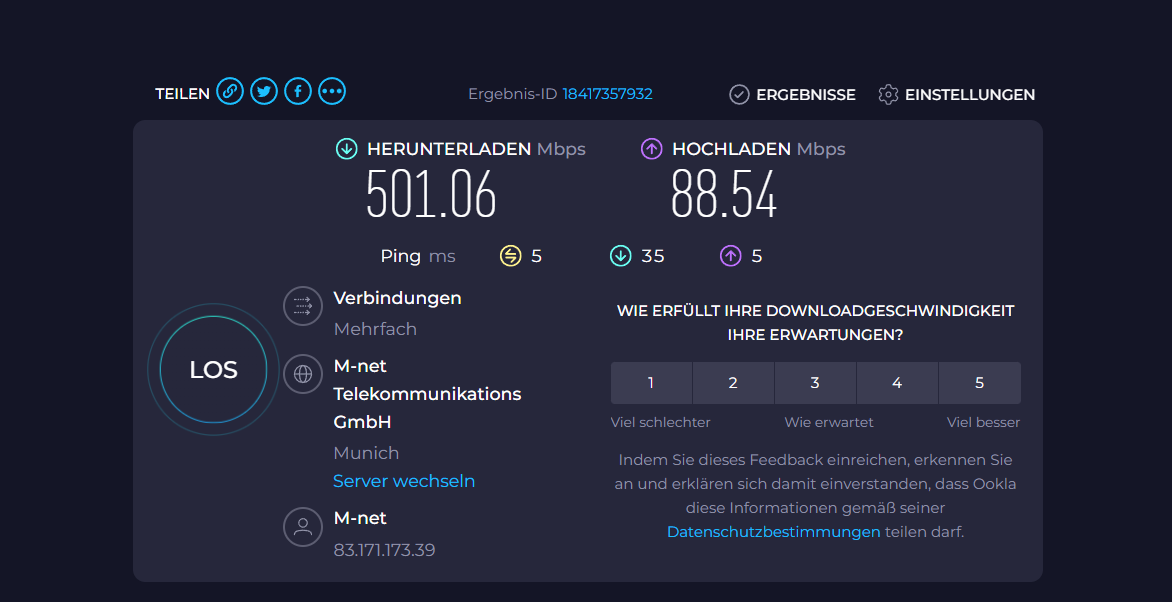
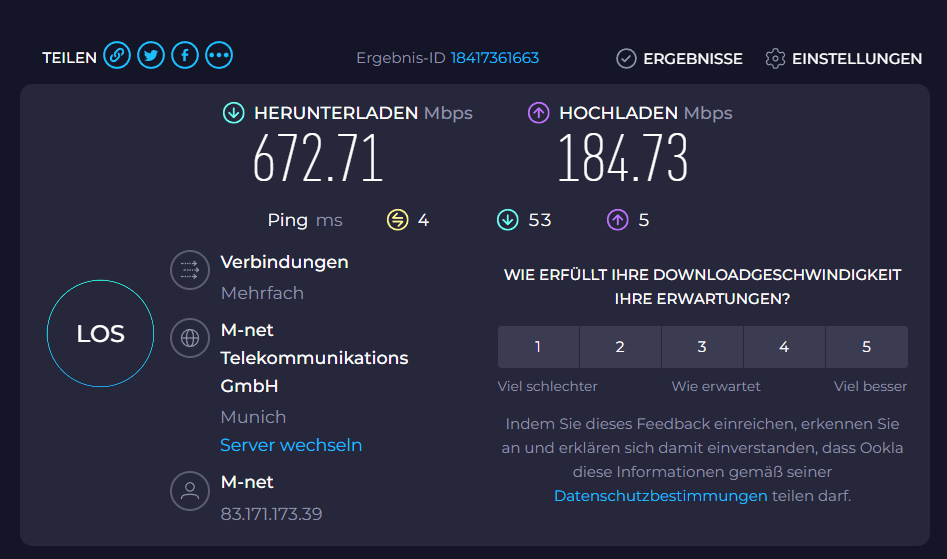
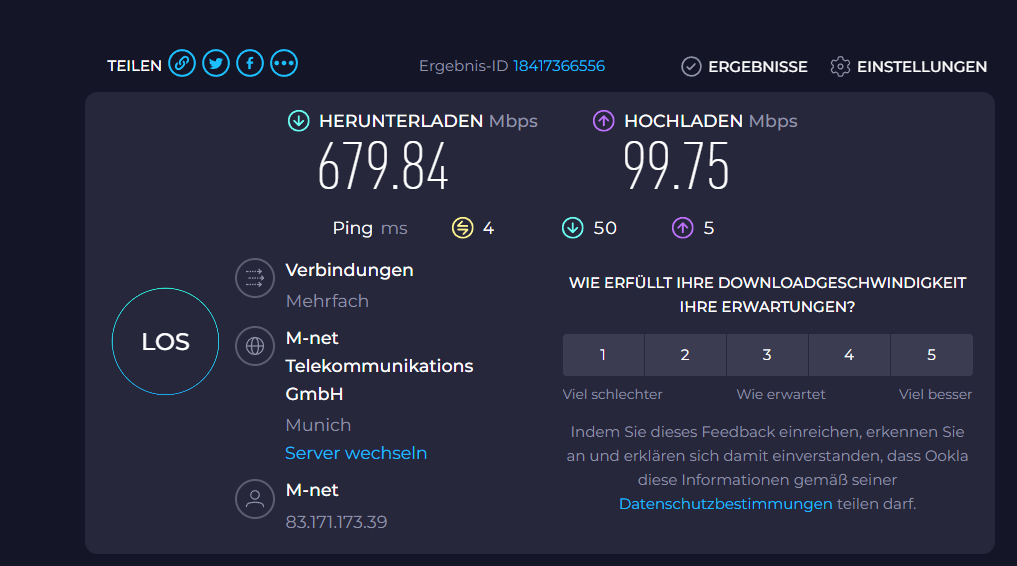
I did 3 tests, one with no acceleration, one with software and one with hardware. Where no accleration enable is obviously slower, software is doing better like hardware. At the end, seem either hardware (chip) is very unmature, or software doesn’t follow QC chip.
Ok, thanks for clearing that up.
But why offer then a simpler version of the Flint 3 when the 3 ticks (with current firmware that needs improvement in support for OpenWrt) nearly ticks all the boxes?
When one has to choose why save a few bucks when the Flint 3 is the better option?