Hi @bruce
Please add actual sing-box to repo 
This kind of plugin is not supported. Please get it from the GitHub or OpenWRT repo.
Hi Dondi.
I know that the best measurement is with appropriate instruments, but you have to consider the performances in the real life. If in a room where I had wifi signal before, now I have not, it is a problem.
Said that I have less or more same issues coming from Flint 2 to Flint 3. Less coverage, less wifi speed, less wireguard speed. It is not unusable, but I am a little astonished to see that new product has worse performance than new one. I think that many of them will be fixed with firmware updates, but the doubts about less powerful cpu (in working frequency), same amuont of ram, not so good speed with wireguard I think are licit.
Flint 3 is not a crap, I think it is just still immature. More frequent updates should help.
Flint 3 is immature from a firmware perspective. My own experiences and testing have been positive, but I seem to be in the minority there. Yes it is a very bad sales proposition for GL.iNet as Flint 3 is running a chipset that users do not like, it runs hotter than Flint 2 and the firmware and OpenWRT support are very immature for Flint 3.
Hi,
any news on a new firmware for the Flint 3?
Personally, I'm more interested in an update that fixes or begins to fix the currently detected issues.
I'm less interested in having version 4.8.x.
If both arrive, I won't complain.


Thanks for the heads up.
I updated to 4.7.14 with a configuration reset.
My first impression is that the Wi-Fi has improved, although I think there's still a lot to do.
Standing in the router's room (1 meter away), the signal seems disturbed and not as strong as it should be.
But as soon as I can, I'll do some comparisons with Flint 2.

MLO, at least in my case, doesn't want to work with my Intel BE200 card. In the logs, when connecting, I find the following errors:
Thu Jul 24 21:12:53 2025 kern.err kernel: [ 6269.645795] wlan: [0:I:MLO_MGR] wlan_mlo_peer_create: MLD ID 0 ML Peer XX:XX:XX:XX:XX:XX allocated 000000008c53e594
Thu Jul 24 21:12:53 2025 kern.err kernel: [ 6269.666173] wlan: [0:I:MLO_MGR] mlo_peer_allocate_primary_umac: MLD ID 0 Assoc peer XX:XX:XX:XX:XX:XX primary umac soc 1
Thu Jul 24 21:12:53 2025 kern.err kernel: [ 6269.666237] wlan: [7510:I:MLO_MGR] wlan_cfg80211_prim_netdev_notification: Vendor event Created for peer mac address: XX:XX:XX:XX:XX:XX mld address: XX:XX:XX:XX:XX:XX Peer Link ID:2, Primary peer ifindex: 27,MLD ifindex:18
Another issue I've read has already been reported is Hardware Acceleration.
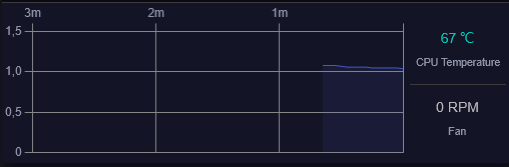
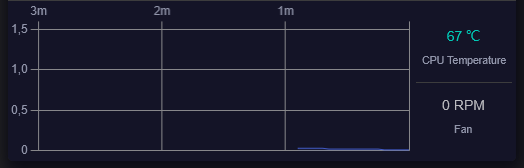
CPU usage was always high with the feature enabled; disabling it drops it to practically zero, clearly without any workload.
I think it creates more problems than benefits at the moment.
Hardware Acceleration - ON
Hardware Acceleration - OFF
Does 4.8 includes also wifi fixes, or it is separate build?
I seen same issues with cpu load. I ignored it and moved on. Few hours later either the cpu fully loaded up or free memory ran out. My loaded pings went thru the roof. I hahe a local device that streams mp3 from a local nas and that was breaking up. My smart tv said no connection. Like the network saturated till it was dead. Had to go back to flint 2.
This morning I decided to put Flint 2 back into operation. In the afternoon I felt guilty and reassembled Flint 3.
I hope a new update comes out soon......
1 Like
Issues with firmware version 4.8.1. My Flint 3 cant seem to get WAN setup on Router mode with this firmware even with a clean flash. Compare to flashing 4.7.14, it gets online no problem.
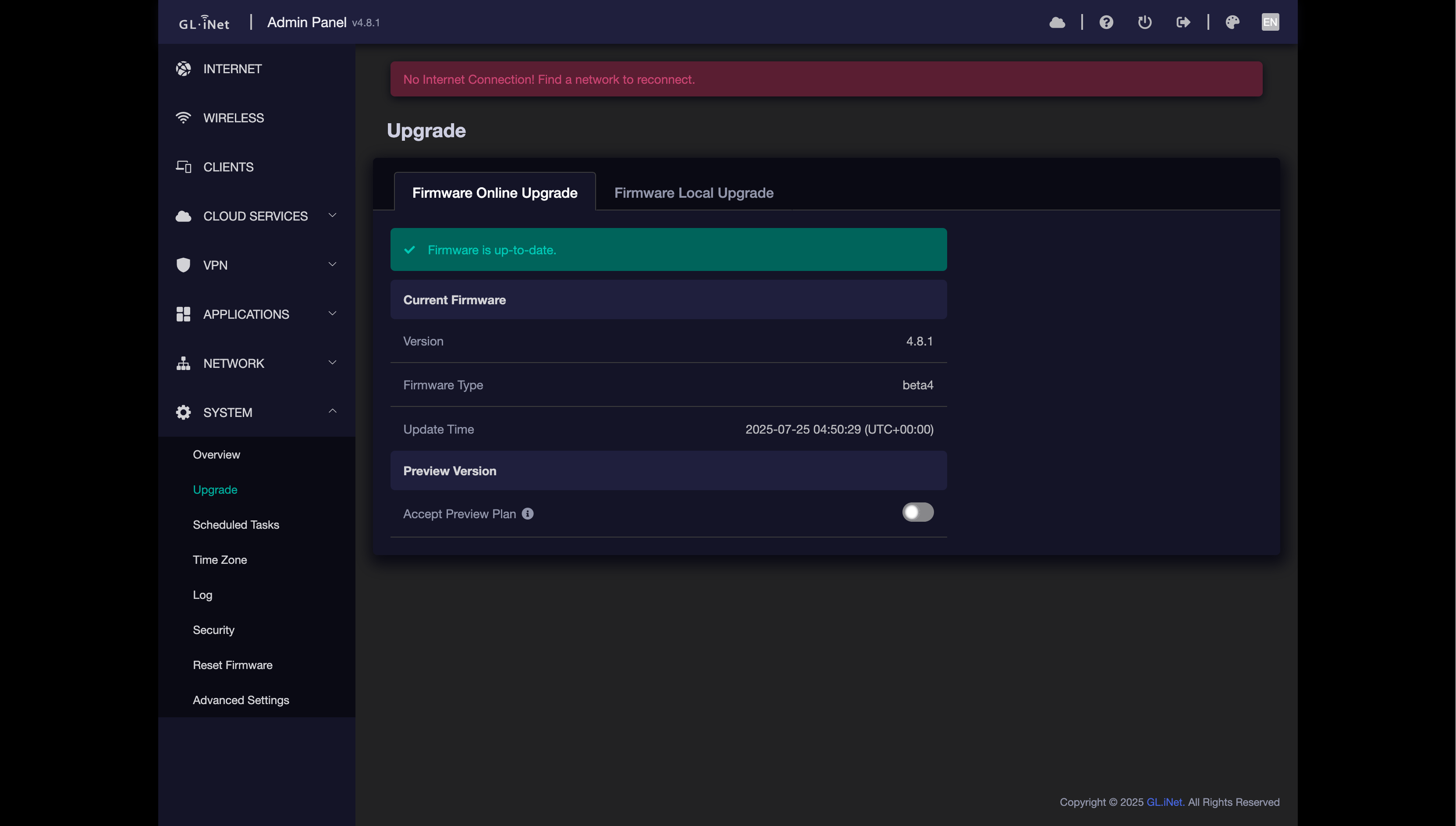
Attached logs
be9300_4.8.1.zip (64.8 KB)
Hi, after reviewing your debug logs, I noticed that your device is still working in router mode. May I ask if the issue you're experiencing is the inability to switch to AP mode? If it's convenient for you, could you please export and send me the configuration?
Good afternoon! Please tell me if it is possible to fix the samba server. It works very slowly with the SSD, and other devices have no problems with it, but this device works very slowly on any firmware. Is it possible to add qbittorrent to the interface?
Sorry, my wording was incorrect in the original post. I am having issues when in Router mode which I dont have when on 4.7.14. I already tried flashing 4.8.1 without keep settings. I get no internet connection. Attaching configuration backup via luci
backup-GL-BE9300-2025-07-25.zip (121.0 KB)
Just wanted to add that with firmware 4.7.14, MLO is more unstable than on 4.7.11 on my Flint 3. Seemingly daily since updating, MLO will randomly behave like there's no internet access at all, but remain connected. Network activity does nothing. At first, I thought it was the router as a whole and had been rebooting the router. But the last time it happened, I switched to the 5 Ghz band and that worked fine. I still have to see if this is repeatable next time it stops working for me.
So far, I've confirmed this behavior in use with my Pixel 9 Pro XL on Android 16.
Yep, I can confirm this issue on my Flint 3 as well. All my iOS devices will behave like that - funny to say my Windows PC doesn't care. So maybe something dedicated to mobile devices only? Same on 4.8 beta. No special log entries.
@bruce Any idea why this happens?
Replying off of you because I have a weird situation with my Wifi7/MLO network on Flint 3 that doesn't occur on non-MLO. I can't cast to any of my Chromecast devices like Google Home or Google Nest Mini (Gen 2) unless I switch to a non-MLO network. I have them all named separately, where Wifi 6 is "MyWifi-6G", Wifi 5 is "MyWifi-5G" and so on. So once I switch my phone to any of those, I can cast just fine.
I tried setting the 5Ghz wifi to use WPA/WPA2-PSK on 11/a/n/ac/ax/be. Disabling "Disassociate on low Acknowledgement" on all 4 wifi networks. Enabling IGMP Snooping. Also installing IGMPProxy package.
1 Like
The same for me. I can't cast my screen to Chromecast with Google TV when using MLO, but it works fine in 2.4/5/6Ghz. Also I cant reach my Zyxel managed switch control panel when using MLO, but it works when using 2.4/5/6Ghz.
1 Like
Hi,
When the problem occurs, could you try outputting the following command?
cat /etc/config/wireless

iw dev

wlanconfig mld0 list
Try disabling network acceleration and deactivating the 2.4 GHz band on the MLO WiFi.
Meaning that in syslog the WiFi is not actually disconnected?
A bit strange, according to Miles' advice, let's take a look at the WiFi status first: