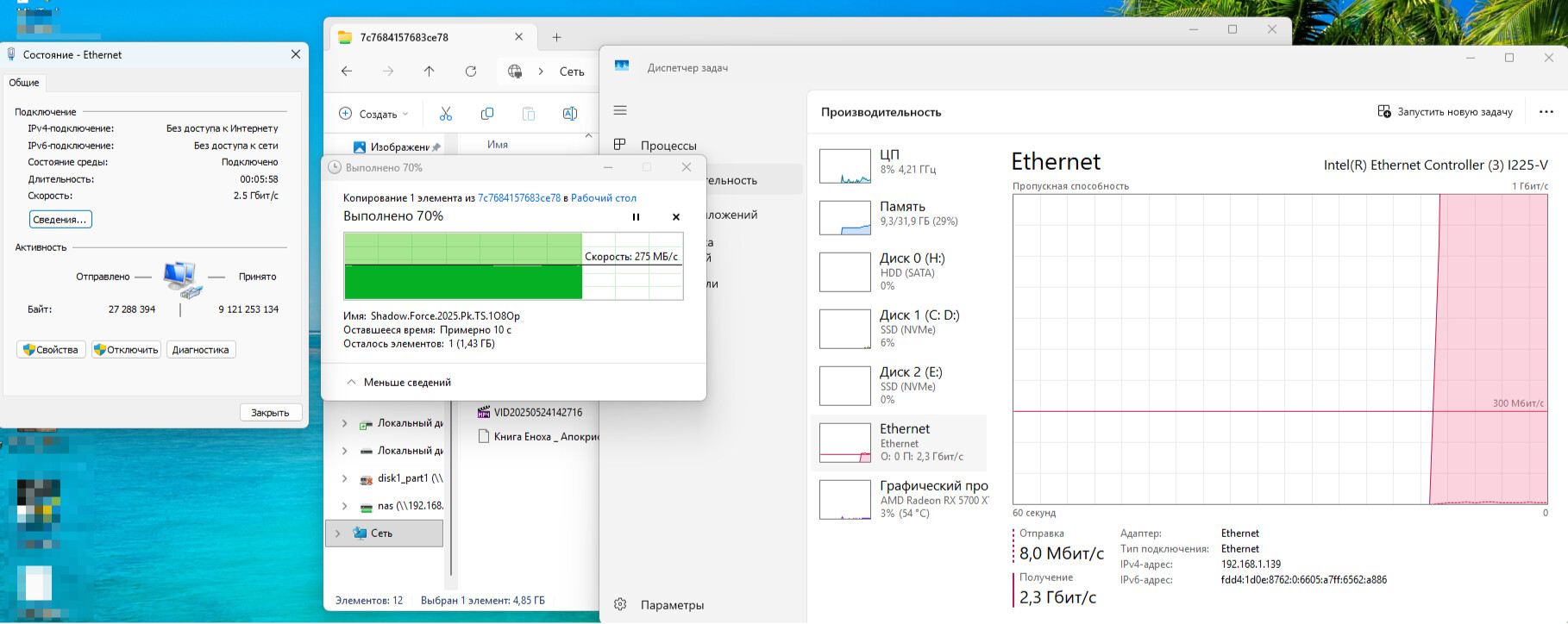
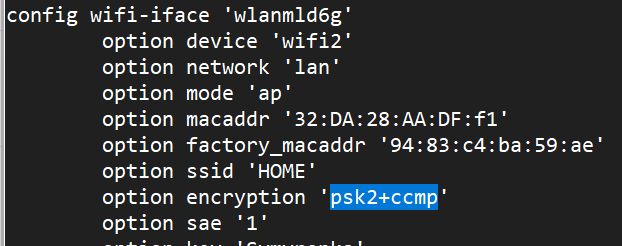
by editing the config file I was able to set up WPA2-PSK/WPA3-SAE encryption for MLO network 2.4+5+6GHz
While only WPA3-SAE is available in the interface Flint 3. Why not add WPA2-PSK to the interface MLO?
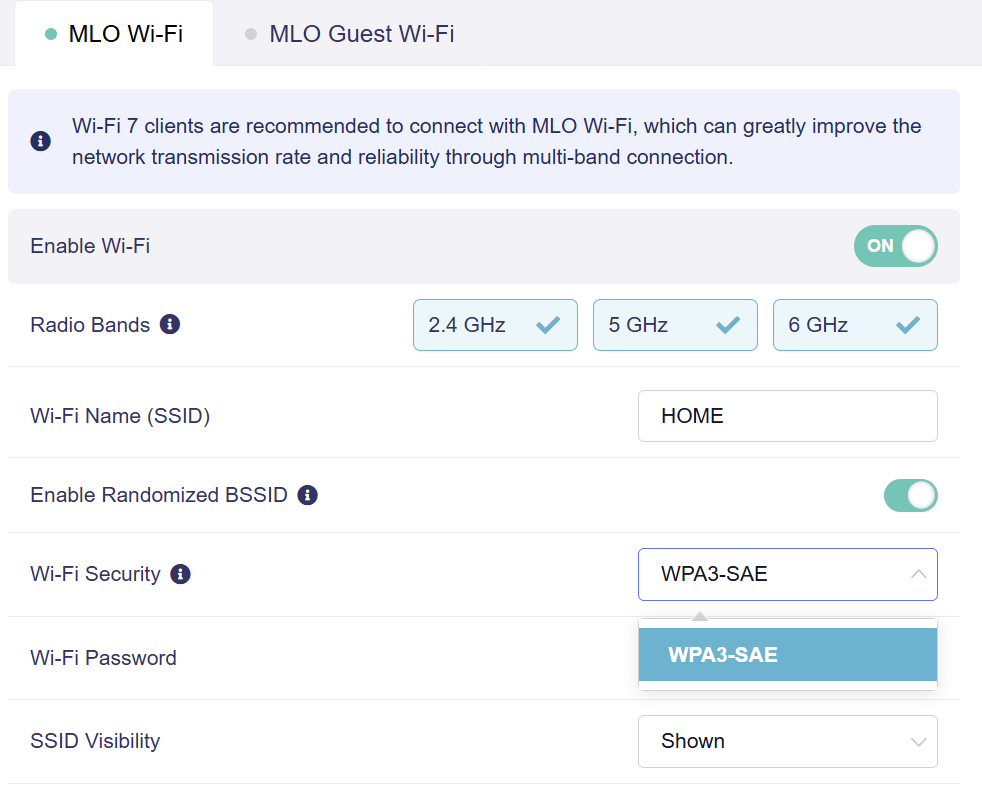
WiFi 7 only supports wpa3 . I see you don't know what you want and are trying to configure something at random . You need to use your head and read more
1 Like
ChatGPT:
Wi-Fi 7 does not require standard WPA3, but does not comply with the recommended security standard.
WPA2-PSK supported on most Wi-Fi 7 devices for maximum capacity
Most routers with Wi-Fi 7:
- support WPA2-PSK for complete interoperability with devices that do not support WPA3;
- can support one-hour WPA2/WPA3 mixed mode (Transition Mode);
- Allow you to manually select WPA2-PSK, WPA3-SAE or a combination thereof.
Wi-Fi 7 certification from the Wi-Fi Alliance does not block WPA2
The official Wi-Fi Alliance certification of Wi-Fi 7 does not require the transition to WPA3, but it does provide support for new devices in 2020. However, WPA2 may no longer be available as an option for backward compatibility
Thank you, Chat Gippty. Very cool. /s
2 Likes

also by editing the config file I managed to set WPA2/WPA3 for the 6 GHz network. This is displayed as "sae-mixed" although there is no such item in the list
1 Like
I updated to beta 4 and then in the local startup it would not execute after a reboot.
But over SSH it worked (then you have to do that after every reboot).
Where did you get beta 4? I only have 3
In the beta section for the Fint 3
Can I ask you for a link to this section? or better, a link to this beta 4 firmware

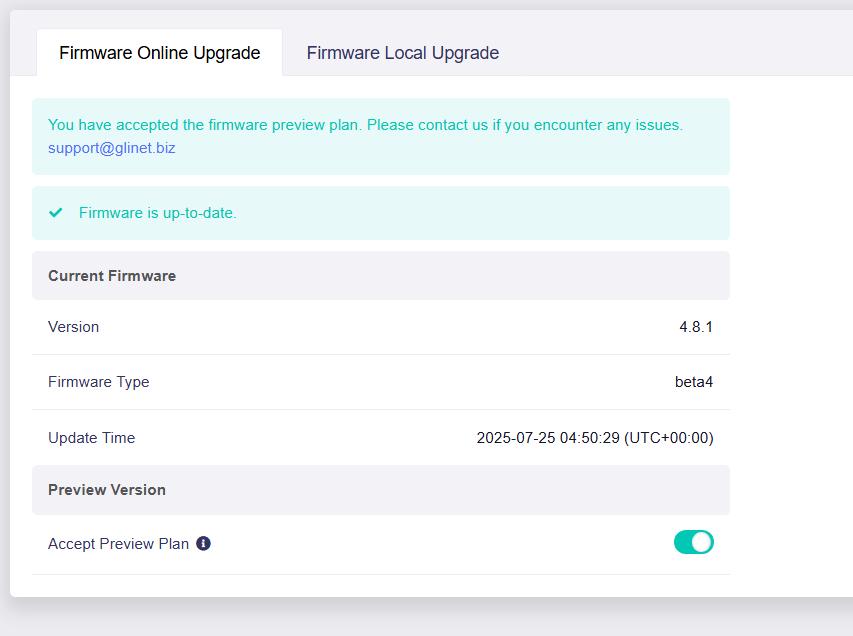
Thank you. It turned out to be just a firmware change from one to another. The date difference is 1 day.
Dear developers! Please tell me how long it will take to release a normal firmware that will fix everything and make samba work at normal speed.
What is your samba speed?
I tested locally and there was no problem, the wireless negotiation rate was 480Mbps, and the samba copy file rate was about 120Mbps/13.8MB/s.
(The office wireless devices have more interference, please forgive me)
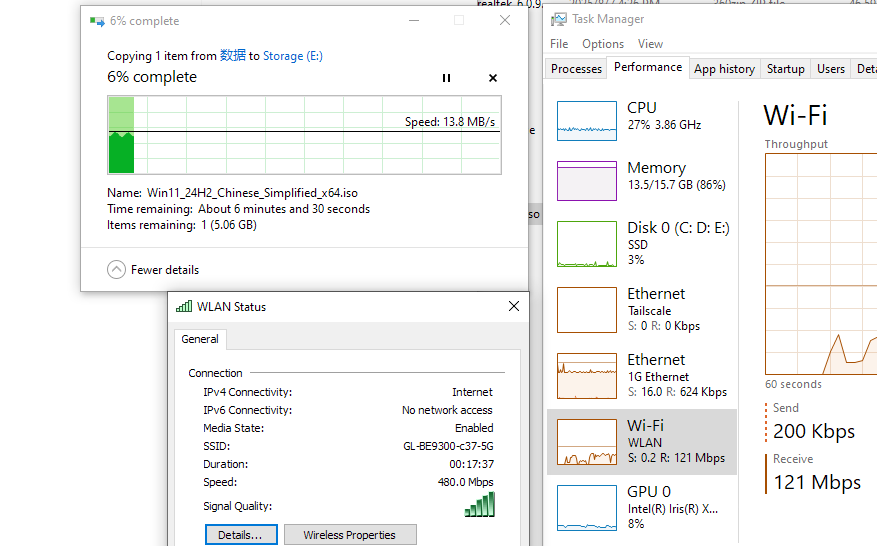
The wire speed is about 650Mbps/80MB/s.
The SSD is connected to the USB port of the device. The computer is connected to the device via a LAN interface at a speed of 2.5. This is very slow, as other devices can operate at several times faster.
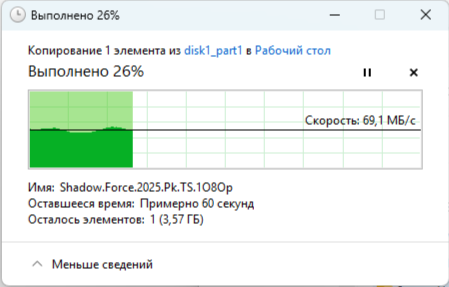
This speed is good, it can reach 70MB/s on average, exceed 500Mbps, and there is no significant fluctuation.
We cannot compare with the PC to connect SSD directly or NAS devices, the router is just a lightweight samba server.
1 Like
other experts say that the problem is in the outdated kernel that our router's firmware is running on. In the new openwrt, this issue has been resolved, and the samba speed allows you to copy files from the device at a rate of approximately 280 MB/s. Additionally, I have another keenetic router with a much weaker processor, and its speed is also approximately 280 MB/s.
Can it reach 280MB/s or 280Mbps?
Our laboratory records the Flint3 test for USB+Samba speeds, about 80-110MB/s.