Hi,
Please follow the steps below:
-
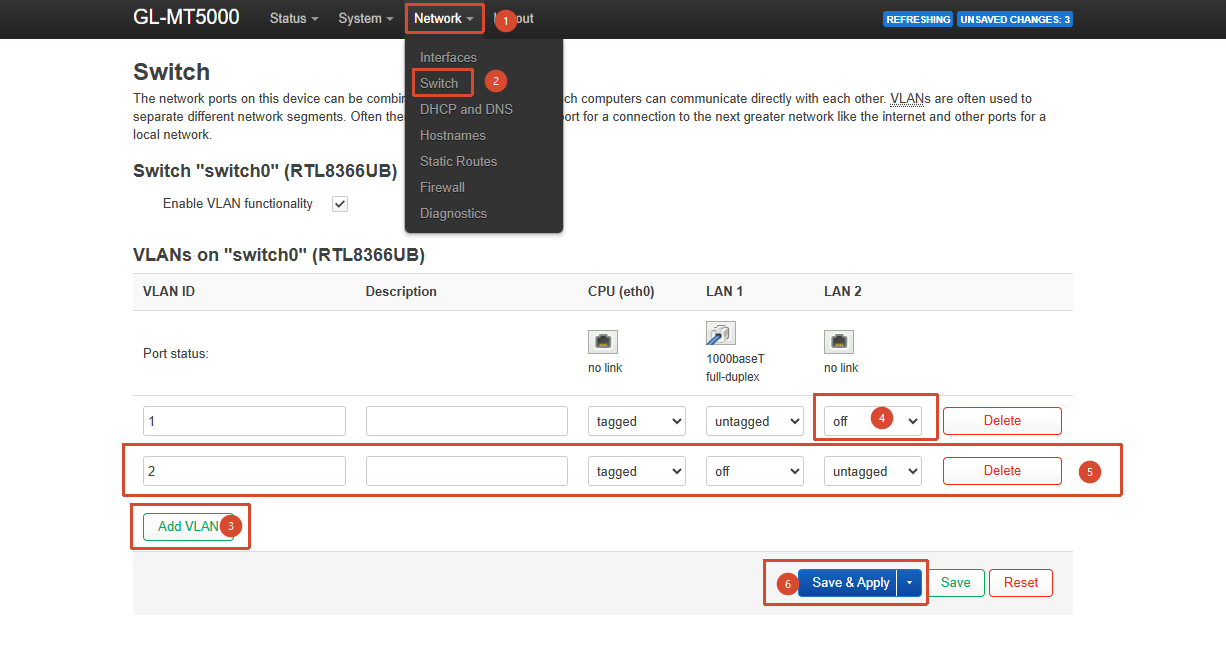
Go to LuCI → Network → Switch and assign different VLAN IDs to LAN 1 and LAN 2:
-
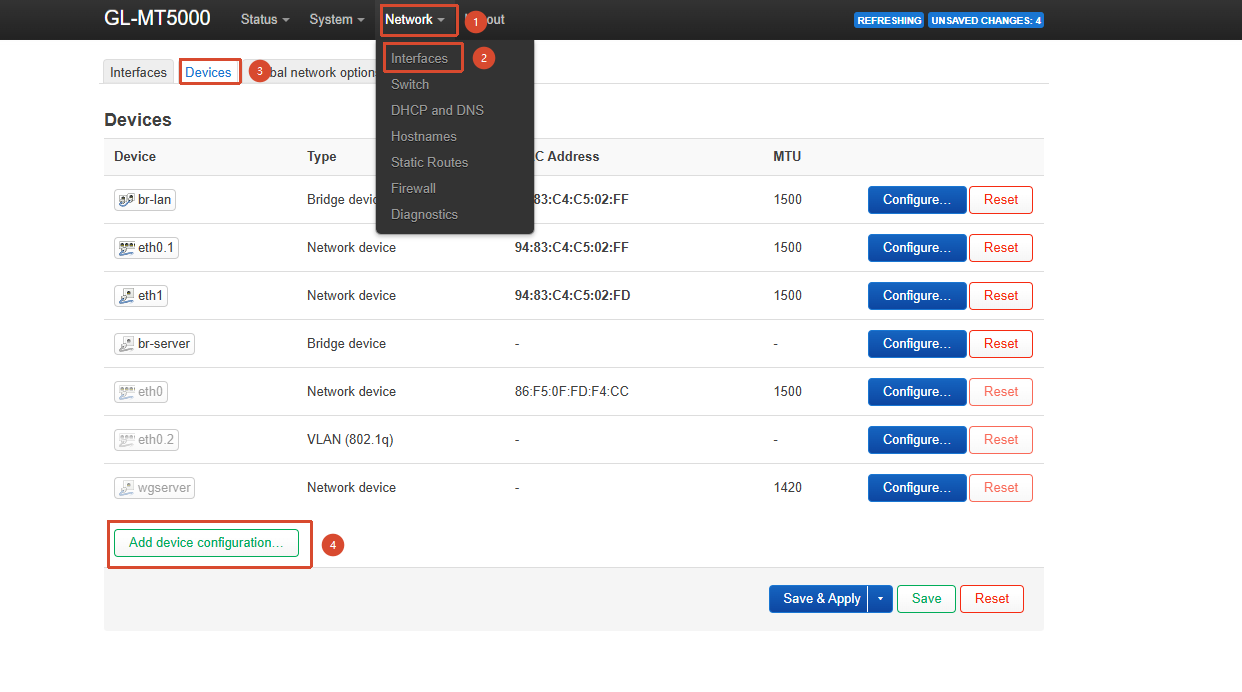
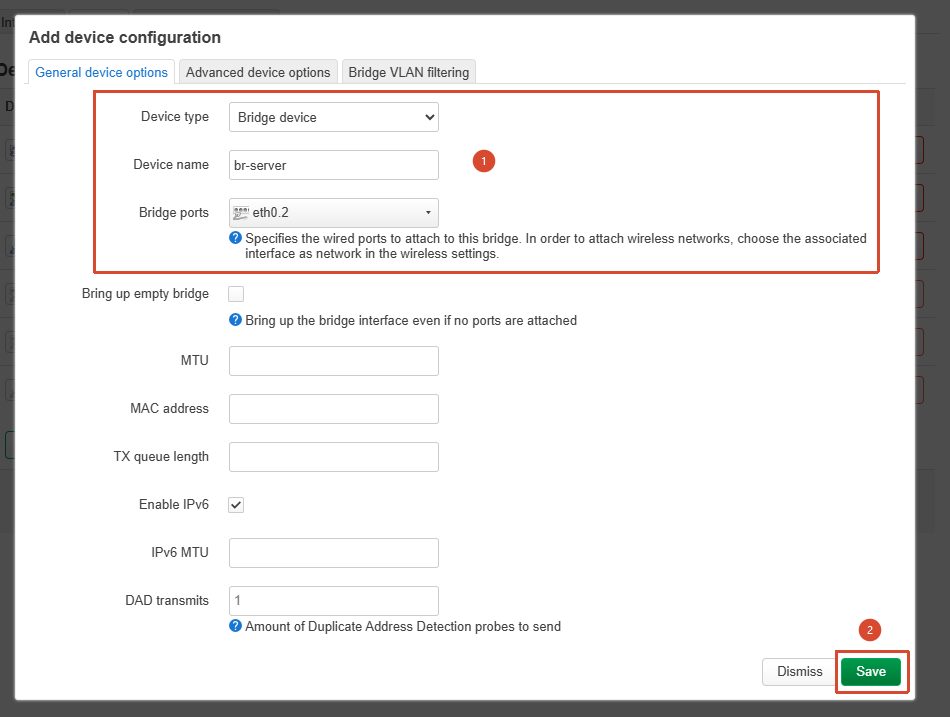
Go to LuCI → Network → Interfaces → Devices and create a new bridge for LAN 2:
-
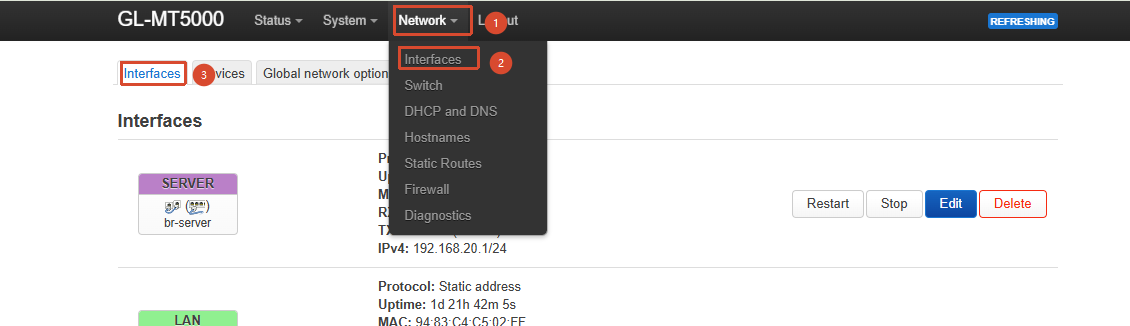
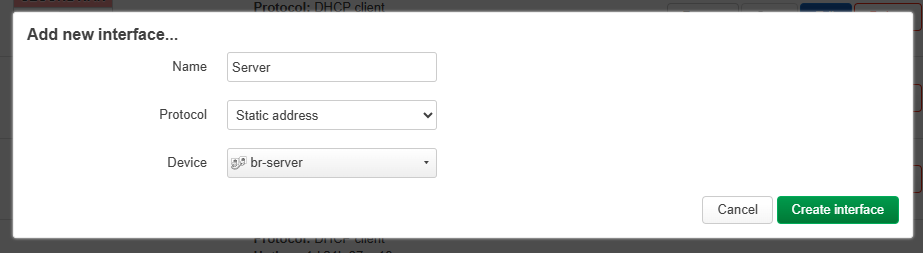
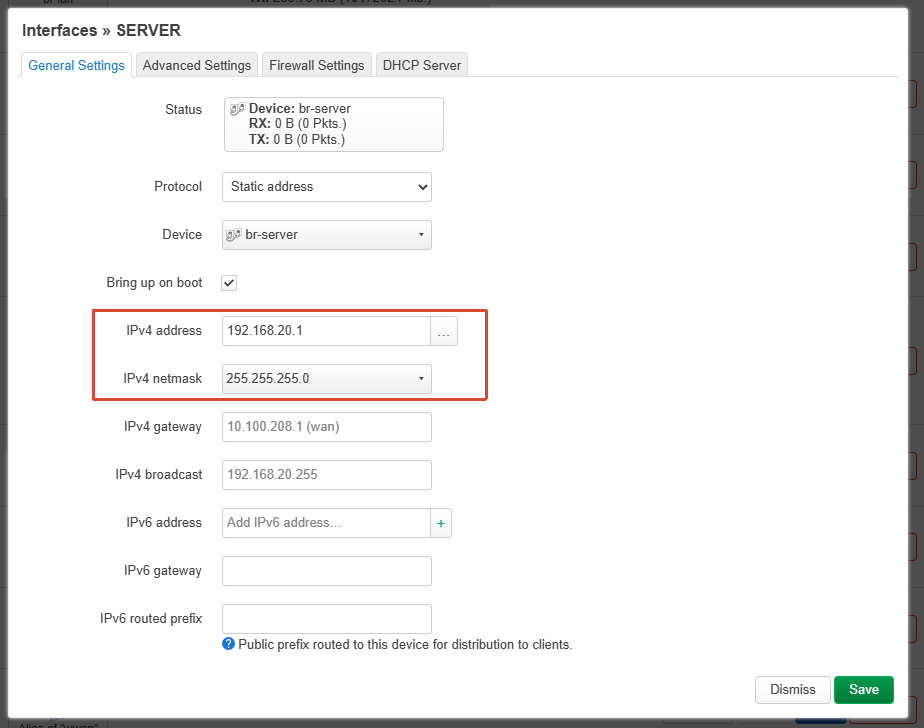
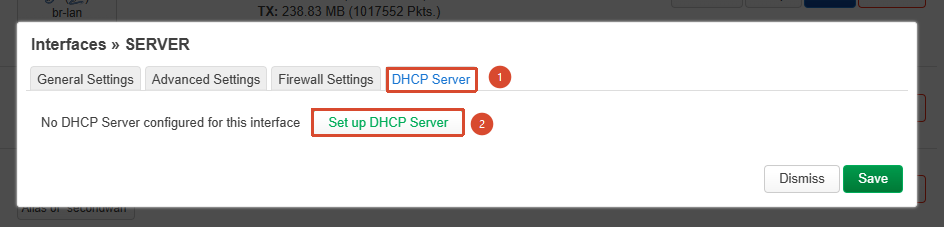
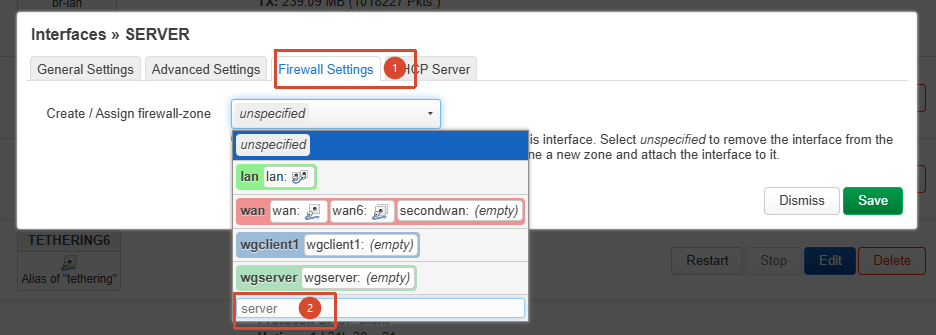
Go to LuCI → Network → Interfaces → Interfaces and configure the new bridge created in the previous step by assigning an IP address, enabling DHCP, and creating a new firewall zone:
-
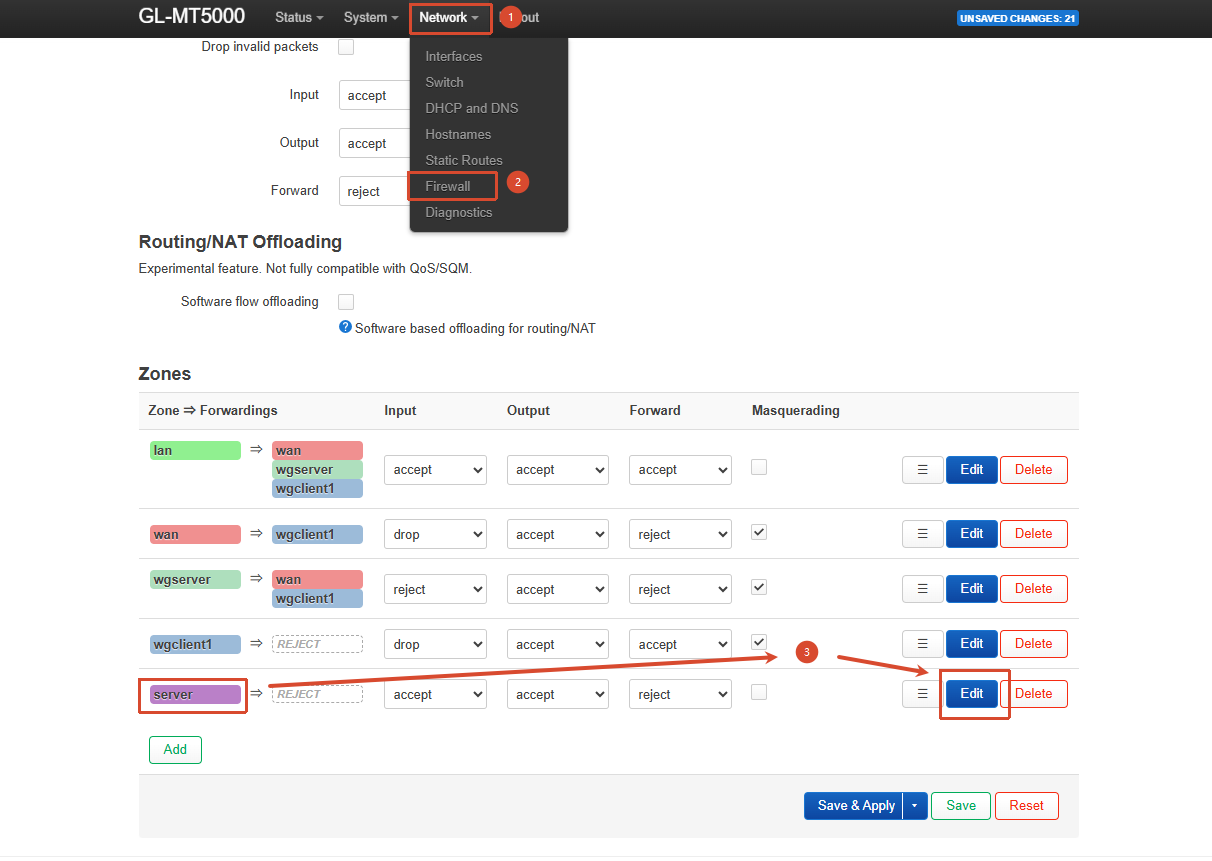
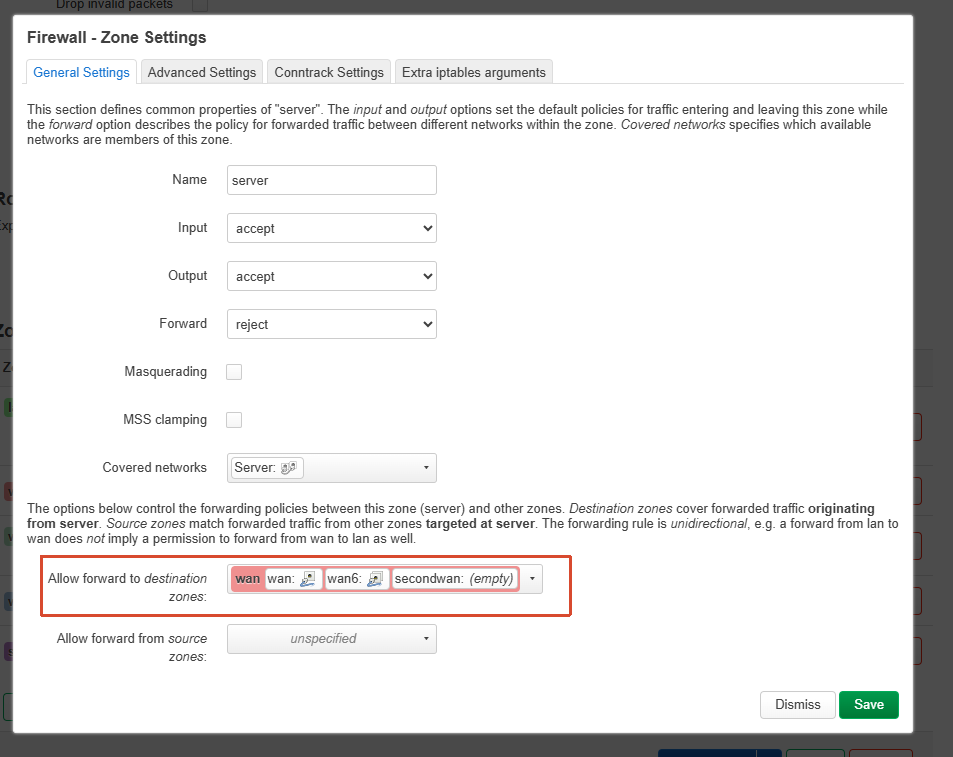
Go to LuCI → Network → Firewall and create a forwarding rule from this firewall zone to WAN:
-
Click “Save & Apply” to make the configuration take effect.