Applicable model: AX1800 (Flint 1), AXT1800 (Slate AX)
GL Firmware: v4.8.x, op 23.05, aarch_cortex-a53-vfpv4
Needs, Application, Scenario:
-
The AX1800/AXT1800 feed is GL repo by default in GL firmware. Some plugins can't be found or installed from the GL repo?
How do we switch to OpenWRT feed to get more plugins? -
Probably have questions about the software architecture of AX1800/AXT1800. Why cannot we find the corresponding architecture
aarch_cortex-a53-vfpv4to match in the OpenWRT repo?
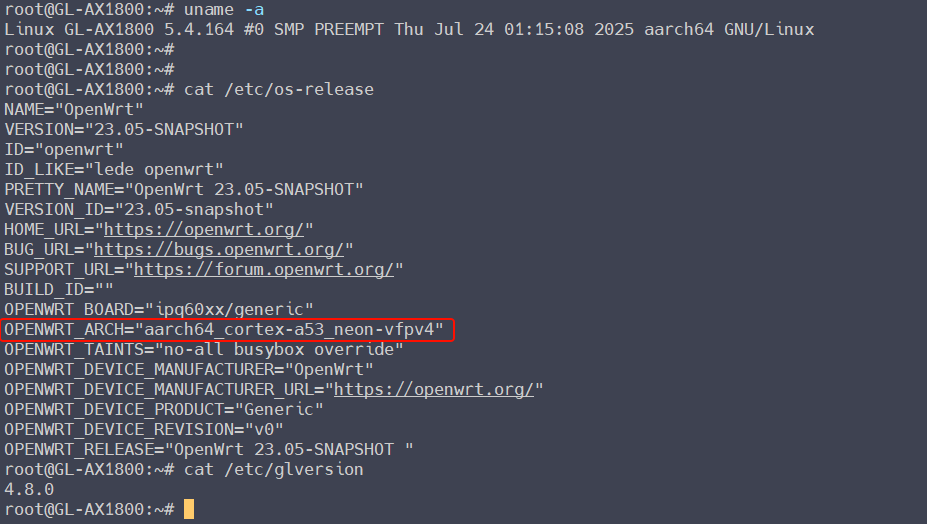
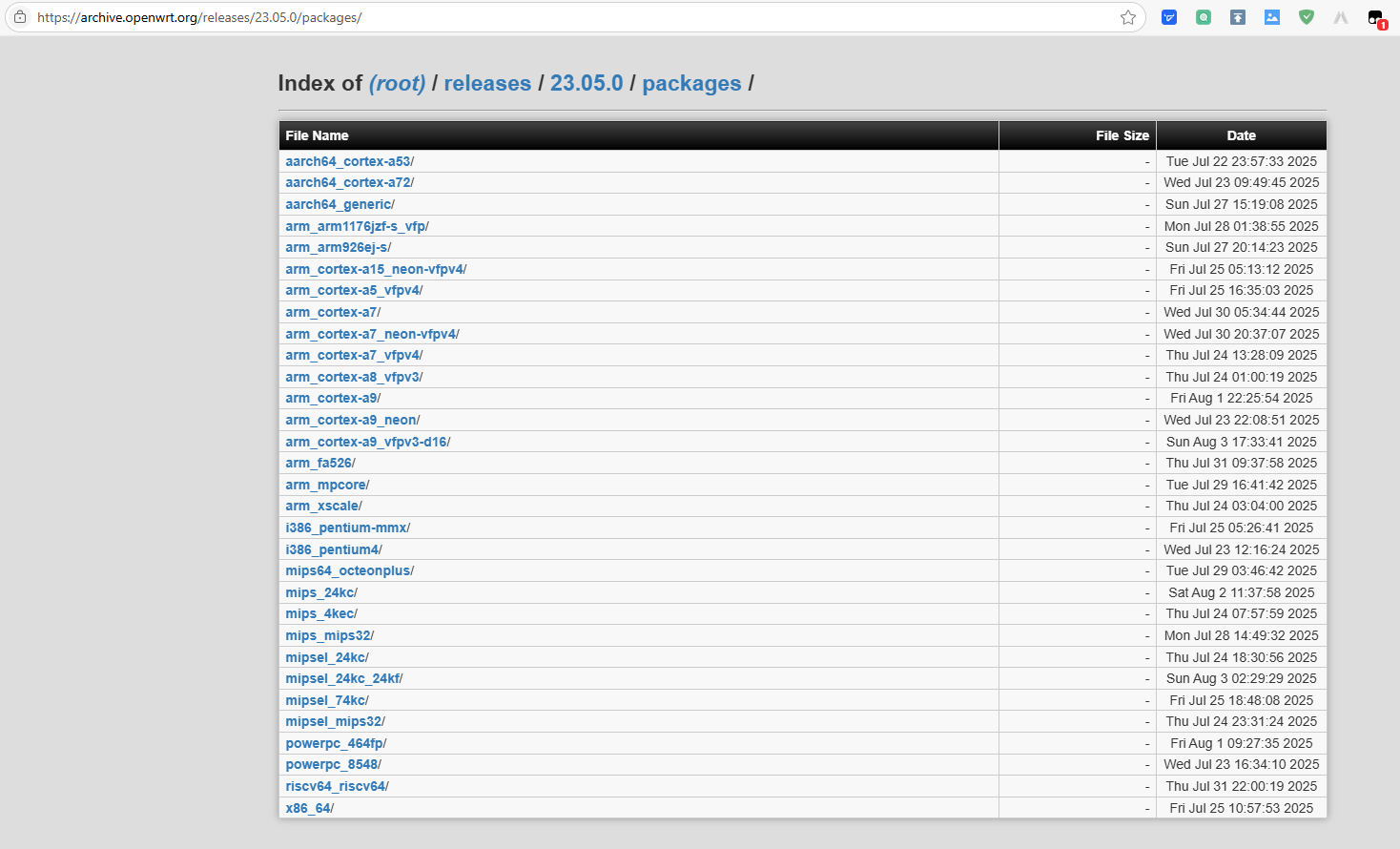
After testing I have, AX1800/AXT1800 aarch_cortex-a53-vfpv4 (GL firmware v4.8.x) is matched the aarch_cortex-a53 of OpenWRT repo.
The following will quickly guide to without changing the firmware and not affecting the installed plug-in, and safely and quickly replace the opkg feed to OpenWRT.
Tutorial:
- Modify
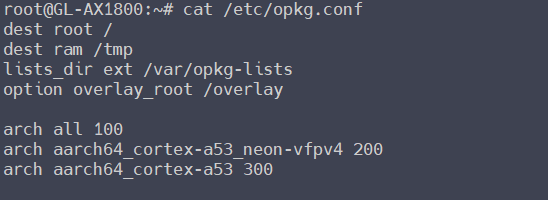
/etc/opkg.conf, add:
arch all 100
arch aarch64_cortex-a53_neon-vfpv4 200
arch aarch64_cortex-a53 300
- Modify
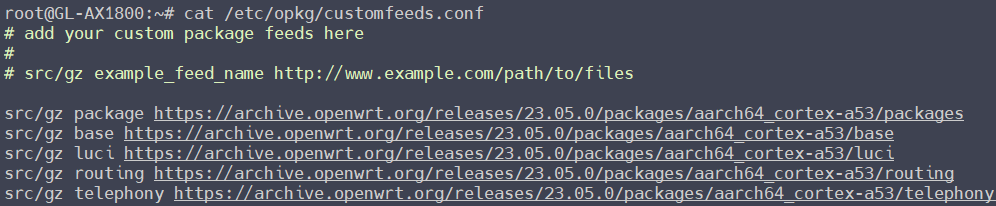
/etc/opkg/customfeeds.conf, add:
src/gz package https://archive.openwrt.org/releases/23.05.0/packages/aarch64_cortex-a53/packages
src/gz base https://archive.openwrt.org/releases/23.05.0/packages/aarch64_cortex-a53/base
src/gz luci https://archive.openwrt.org/releases/23.05.0/packages/aarch64_cortex-a53/luci
src/gz routing https://archive.openwrt.org/releases/23.05.0/packages/aarch64_cortex-a53/routing
src/gz telephony https://archive.openwrt.org/releases/23.05.0/packages/aarch64_cortex-a53/telephony
-
Modify
/etc/opkg/distfeeds.conf, comment the feed of glinet (not necessary):
-
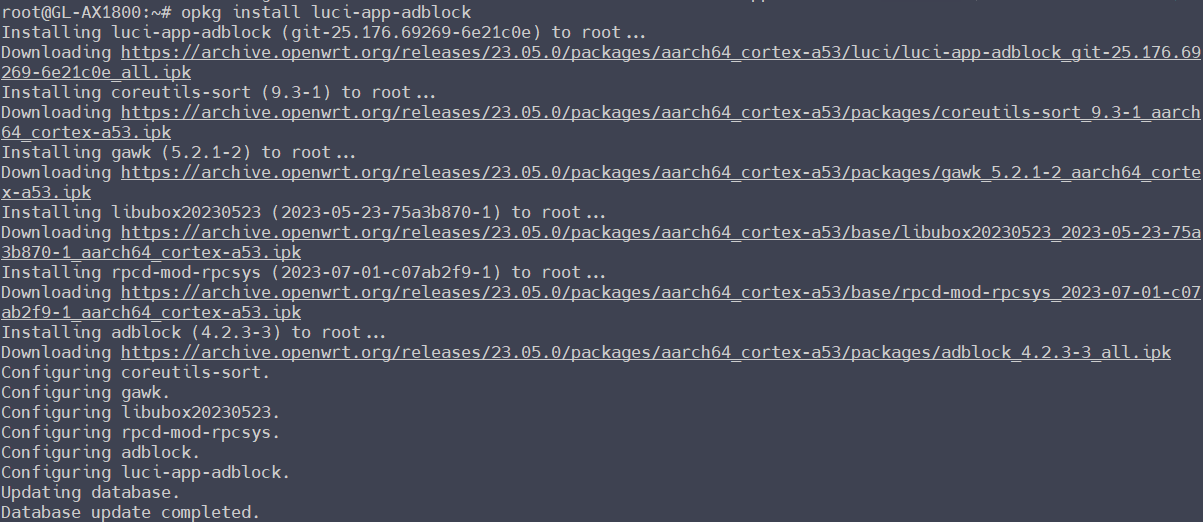
Test to install a plugin
adblockfrom OpenWRT feed:

opkg update
opkg install luci-app-adblock
Kindly Note:
- This configuration is only valid for AX1800 and AXT1800 , and it does not lose if router restarts or upgrade firmware. Only reconfigure if reset the firmware settings.
- This tutorial is suitable for users with a certain foundation in Linux. You need to know SSH terminal,
vifor edit/modify (command mode and text mode,iinsert,:wqsave) and other knowledge. If you are not sure, please understand this knowledge first. - Before your configuration, recommended to archive backup first in Luci, to restore to the original state without restore the factory settings if encounter some errors during configuration.
- If need to download to
kmodand related dependencies, please re-enable GLdistfeeds. - For other models of routers, software architecture can be found in the OpenWRT repo, you can refer to this tutorial to add or modify it. Ensure to find the correct op version and software architecture.
- There may be imperfections in this post, for reference only.


