What is Wed. How does it work
It’s enabled on the stock firmware.
1 Like
Thanks
If I am not using mt6000 WiFi do I still need it to enable?
I updated the latest version firmware and Adguard Home not working, even I can’t open page Adguard Home (192.168.0.1:3000)
Log
Sat Dec 16 00:14:39 2023 user.notice AdGuardHome[9678]: 2023/12/16 00:14:39.542520 [info] AdGuard Home, version v0.107.26
Sat Dec 16 00:14:39 2023 user.notice AdGuardHome[9678]: 2023/12/16 00:14:39.547601 [fatal] unknown configuration schema version 27
Sat Dec 16 00:14:44 2023 user.notice AdGuardHome[9729]: 2023/12/16 00:14:44.581762 [info] AdGuard Home, version v0.107.26
Sat Dec 16 00:14:44 2023 user.notice AdGuardHome[9729]: 2023/12/16 00:14:44.586174 [fatal] unknown configuration schema version 27
Sat Dec 16 00:14:49 2023 user.notice AdGuardHome[9752]: 2023/12/16 00:14:49.620155 [info] AdGuard Home, version v0.107.26
Sat Dec 16 00:14:49 2023 user.notice AdGuardHome[9752]: 2023/12/16 00:14:49.624516 [fatal] unknown configuration schema version 27
Sat Dec 16 00:14:54 2023 user.notice AdGuardHome[9775]: 2023/12/16 00:14:54.659551 [info] AdGuard Home, version v0.107.26
Sat Dec 16 00:14:54 2023 user.notice AdGuardHome[9775]: 2023/12/16 00:14:54.663881 [fatal] unknown configuration schema version 27
Sat Dec 16 00:14:59 2023 user.notice AdGuardHome[9797]: 2023/12/16 00:14:59.699493 [info] AdGuard Home, version v0.107.26
Sat Dec 16 00:14:59 2023 user.notice AdGuardHome[9797]: 2023/12/16 00:14:59.703995 [fatal] unknown configuration schema version 27
Sat Dec 16 00:15:04 2023 user.notice AdGuardHome[9846]: 2023/12/16 00:15:04.738821 [info] AdGuard Home, version v0.107.26
Sat Dec 16 00:15:04 2023 user.notice AdGuardHome[9846]: 2023/12/16 00:15:04.743223 [fatal] unknown configuration schema version 27
Sat Dec 16 00:15:04 2023 daemon.info procd: Instance adguardhome::instance1 s in a crash loop 6 crashes, 0 seconds since last crash
Sat Dec 16 00:15:20 2023 daemon.notice hostapd: wlan1: AP-STA-DISCONNECTED 14:c1:4e:92:08:81
No. But I only mentioned it so that the hardware acceleration settings will match the stock firmwares.
In case I use mesh WiFi to Lan ports. Then also I assume I don’t need it .
Is it only needed when router WiFi is used.
Same happened with me. It was disconnecting the intenet., pages were not loading
so I installed openwrt and now adguard is working
1 Like
previously I did remove –no-check-update option from /etc/init.d/adguardhome via shh and updated latest version adguard home. after that router overwrite old version adguard home and looks like mix files then problem here 
I need to find manual upgrade adguard home with shh but i don’t know how
1 Like
That --no-check-update parameter is set even when you perform a fresh install of Adguard Home. And there’s even an updated script that fixes a race condition that I mentioned in another post.
The OpenWrt fork of Adguard Home is slightly different to the official version, so you might be better off downloading the IPK file from OpenWrt and then extracting an updated binary from that.
If your config files not right then you might need to delete /etc/AdGuardHome/config.yaml and start over. But I don’t know if it’d work correctly because GL.iNets installation path and ports aren’t the standard ones.
3 Likes
I sorted it out myself.
First-time use software WinSCP and connected to the router.
So what I did.
Turn off Adguard Home GUI.
I copied from the router to my PC /etc/AdGuardHome/config.yaml and then delete it from the router.
Turn on Adguard Home GUI. Open the page Adguard Home and will be a direct installation page, fill in anything and a random number port. When finish installation and upgrade new version Adguard home.
Next, turn off Adguard Home GUI. Paste old config.yaml to router. Turn on Adguard Home GUI and working perfectly!
1 Like
Just in case you no longer see the Adguard Home screen within GL.iNets UI, GL.iNet’s http address (seen in config.yaml) is 0.0.0.0:3000, the DNS port is 3053 and they bind to only 0.0.0.0.
With a random DNS port set DNS interception seen in this screen will fail, since the firewall rule expects you to use 3053.
1 Like


The overall problem is the last line in config.yaml about schema version 27 could be change to 17 if I am right. Because file AdguardHome (25mb) was old version when you upgrade new frimware
1 Like
Good  Although you should double check the DNS port and bind address in the config file. Since that’d be a silent error, in that it simply wouldn’t do anything.
I’m not sure, since newer config files do seem to have settings that don’t exist in older config versions e.g. ratelimit and pprof settings.
Since I’m using an OpenWrt snapshot my Adguard Home version is 0.107.42.
I think good?
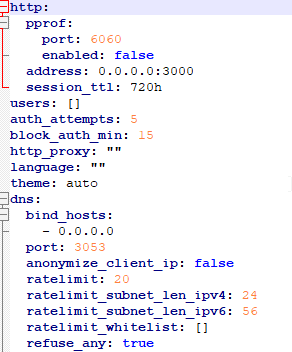

I did not touch in Luci
Cna you check your config.yaml in last line schema version . Because I updated last version Adguard Home v0.107.43
Yeah, that looks good.
What doesn’t look good is the firewall rule, which is highlighting “tcpudp” red and I believe you also see a warning on this screen with the stock firmware. So to correct that you’d want to delete it and then manually select TCP and UDP.
The schema version for 0.107.43 is 27.
When upgrading via the online upgrade, is it OK to go from 4.5.2 straight to 4.5.4?
Maybe 
I think GUI showing only one list HASIO

Probably that special command is GUI Adguard Home 2 toggles
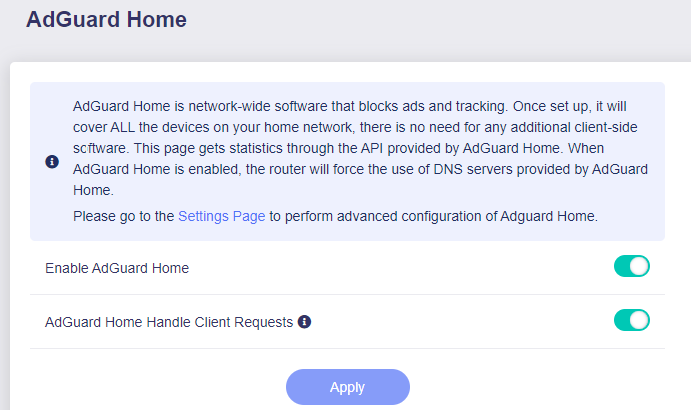
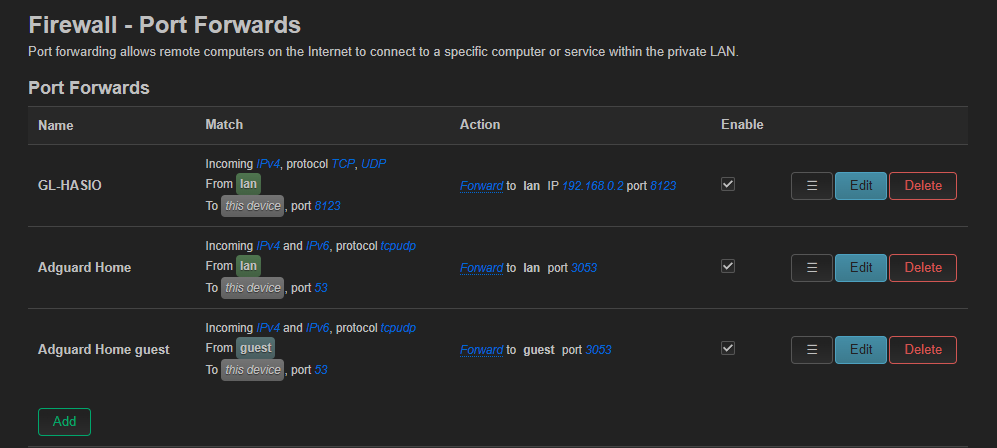
I don’t know, I noticed a yellow warning
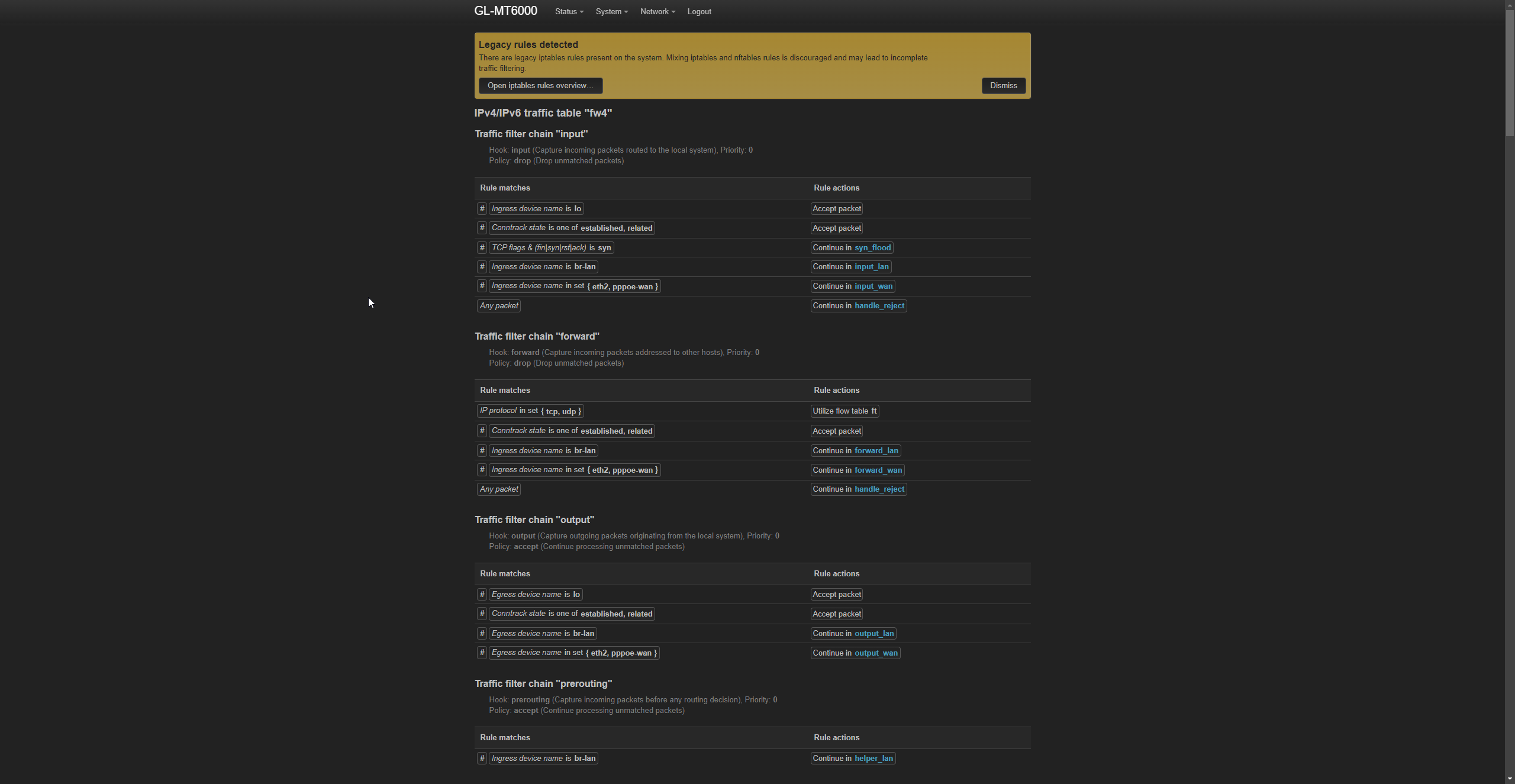
but not found any words
tcpudp
However, I checked Adguard test page and connected my Adguard DNS upstream. Also, real time Query Log showing few devices. So it is work everything if I am right?
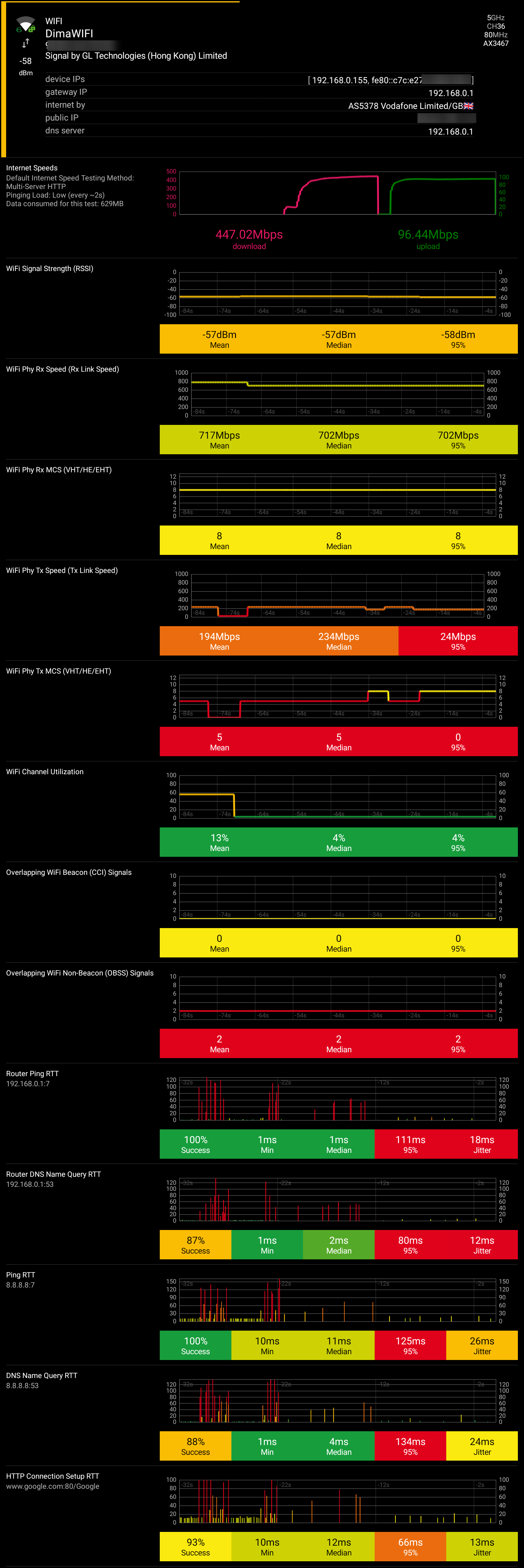
I don’t know what I can say about speed test between my phone and ShieldTV. My router place 2nd floor under deck of my PC. My phone tested near my PC. Shield TV is 1st floor inside TV bench
I installed software Analiti and I am share result speed tests. Warning huge picture