Missing Telefónica Deutschland (o2) MBN profile on RG650V-EU (Mudi 7) — generic ROW_Commercial used instead

Hi,

while debugging o2 Germany cellular behavior on my Mudi 7, I noticed that the Quectel RG650V-EU has no MBN profile for Telefónica Deutschland (o2, PLMN 26203) — one of the three major German carriers. o2 SIMs therefore run on the generic ROW_Commercial profile.

Setup:

  • GL-E5800EU (Mudi 7), firmware 4.8.5 (same on 4.10.0)
  • Modem: RG650V-EU, QRM650VEU00ADR02A04G8G_OCPU_RGH_01.005.01.005
  • SIM: o2 Deutschland (26203), 5G+ (SA) activated

Evidence:

AT+QMBNCFG="AutoSel"
+QMBNCFG: "AutoSel",1

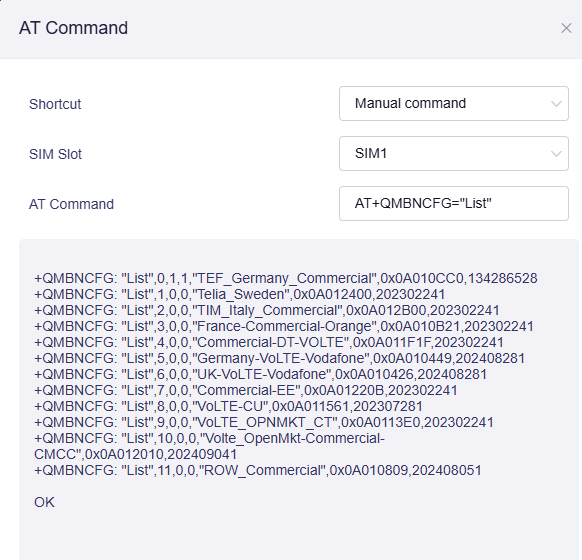
AT+QMBNCFG="list"
+QMBNCFG: "List",0,1,1,"ROW_Commercial",0x0A010809,202408051
+QMBNCFG: "List",1,0,0,"Telia_Sweden",0x0A012400,202302241
+QMBNCFG: "List",2,0,0,"TIM_Italy_Commercial",0x0A012B00,202302241
+QMBNCFG: "List",3,0,0,"France-Commercial-Orange",0x0A010B21,202302241
+QMBNCFG: "List",4,0,0,"Commercial-DT-VOLTE",0x0A011F1F,202302241
+QMBNCFG: "List",5,0,0,"Germany-VoLTE-Vodafone",0x0A010449,202408281
+QMBNCFG: "List",6,0,0,"UK-VoLTE-Vodafone",0x0A010426,202408281
+QMBNCFG: "List",7,0,0,"Commercial-EE",0x0A01220B,202302241
+QMBNCFG: "List",8,0,0,"VoLTE-CU",0x0A011561,202307281
+QMBNCFG: "List",9,0,0,"VoLTE_OPNMKT_CT",0x0A0113E0,202302241
+QMBNCFG: "List",10,0,0,"Volte_OpenMkt-Commercial-CMCC",0x0A012010,202409041

Profiles exist for Vodafone DE and Deutsche Telekom, but not for o2.

Why this matters: the o2-specific issues reported by several users match a missing carrier provisioning layer:

To be clear: I can't prove the MBN is the sole cause (I measured cell-side uplink congestion with a control device as well), but o2 is the only major German carrier running the generic ROW profile here, and the reported quirks are consistent with missing carrier tuning.

Request: Could GL please check with Quectel whether a Telefónica Deutschland (o2) MBN profile exists and include it in a future modem firmware update for the RG650V-EU? Happy to provide further AT logs or test a beta build.

Thanks in advance!

I agree this should be fixed at some point of time.

By the way also check speed differences with and without a second physical SIM card inserted.

I'm always running with only one physical SIM at a time, but did read about the bandwidth issues in those cases as well.

Thanks for the suggestion though!

Thank you for your feedback. We' submit this to Quectel for evaluation. The router does not have a dedicated MBN for every carrier. The ROW Comercial MBN is compatible with most carrier networks.

Regarding the speed issue, we've tested the E5800 against the ZTE U60 Pro, but we did not find any significant speed differences. To further investigate and analyze, we would need the modem logs from the comparison device. For now, there is no good solution, but we will continue to monitor this issue.

Thanks for the understanding.

Update: German Telefónica MBN exists in mbn_sw.txt but is missing from oem_sw.txt

I inspected the MCFG files on my GL.iNet Mudi 7 (GL-E5800) with the Quectel RG650V-EU.

Modem firmware: QRM650VEU00ADR02A04G8G_OCPU_RGH_01.005.01.005

Findings:

  • mcfg_sw/generic/EU/Telefonica/Commercial/DE/mcfg_sw.mbn exists on the device.
  • The German Telefónica profile is listed in mbn_sw.txt at line 64.
  • The same profile is absent from oem_sw.txt.
  • mbn_sw.dig and mbn_hw.dig are present.
  • The active AT+QMBNCFG="List" output does not contain a Telefónica/O2 profile.

Could you clarify:

  1. Is the missing entry in oem_sw.txt intentional?
  2. Does oem_sw.txt control which MBN profiles can be selected on this firmware?
  3. Is the German Telefónica profile licensed and supported for this RG650V firmware?
  4. Could the current profile selection affect 5G NSA/LTE carrier aggregation?

I have not modified the MBN files or attempted to activate the profile. I would appreciate an official explanation or a supported firmware solution.

Sorry Cathy, but how many tests did I provide already to proof different? I spent hours on it... Fact is that Mudi 7 has some issues especially on upload speeds. I still think it is because of an MBN that is simply not smart enough / not well programmed. This has most likely to do with the modem chip / modem firmware from Quectel.

Please note at this point I don´t know what modem chip ZTE is using, the information is not public. For sure it is not Quectel as the covered frequency bands are different.

We have reported the issue to Quectel. We have provided a test firmware version with the corresponding Telefónica MBN file, but it is still in the internal process and will take some time. We expect to provide verification soon. Please be patient. Thank you for your understanding and support.

Ah thats excellent news :slight_smile: I´m excited and I hope they will be able to improve the MBN.
Thanks Martixx for pushing this topic and thanks to the GL.iNet team for handling this request professionally! Very appreciated.

Thank you for your response and for forwarding the issue to Quectel.

Would it be possible to provide a test firmware or an alternative supported MBN configuration for my GL-E5800 to investigate the 5G performance issue on o2 Germany?

I would be happy to test it and provide feedback and diagnostic logs to help identify the cause of the issue.

@Javon_ma @Cathy I would also like to test the beta firmware version once available :slight_smile:

Thanks all for the response and the supporting. We'll update it here once there is any progress.

Hi @nicoe @felix.j.schmuhl @Martixx72
Here is the beta firmware that has added the relevant MBN for O2 network. Could you please download and install to try?

Please note, this firmware is only for Mudi 7 EU variant and is not compatible with the NA variant. Thanks

@Cathy thank you for providing this BETA firmware.

I'm not a professional with this topic, so I used Agentic AI to assess and debug the current BETA build on my Mudi 7. Please take the following with a grain of salt.

Happy to provide any additional feedback if you tell me what you need to know / what I should test.


Beta MBN test results: TEF_Germany_Commercial active and working — plus 3 issues found (GL-E5800EU, 4.10.2)

Installed the beta (fw 4.10.2, modem RG650VEU00ADR02A04G8G_OCPU_RGH_BETA_20261017) on an o2 SIM (26203), 5G+ (SA) active.

MBN verification: works

  • AT+QMBNCFG="list" now contains TEF_Germany_Commercial (0x0A010CC0) at index 0; ROW_Commercial moved to index 11
  • AutoSel activates it only after a fresh registration: after the firmware update no profile was active (all entries 0,0,0) despite the data session being up, until I forced an airplane-mode cycle → TEF activated (0,1,1) and the modem registered NR5G-SA on n78 (RSRP -106, SINR +6 to +12, RSRQ -10)
  • After settling, the active state remained stable (0,1,1)

Speedtests through the device (Ookla CLI, interface-bound, 2 runs; result URLs below):

Run Download Upload Packet loss Latency idle / under load
1 8.26 Mbps 20.76 Mbps 0.0% 28 ms / up to 433 ms
2 6.40 Mbps 23.21 Mbps 0.0% 24 ms / up to 2463 ms

Compared to the ROW_Commercial baseline measured during evening congestion (1.46 Mbps UL), upload has improved substantially (~21–23 Mbps off-peak). A peak-time re-test is planned to separate MBN effect from cell load. Download is currently the weaker side (6–8 Mbps) with significant latency spikes under load (up to 2.4 s), consistent with marginal RSRP (~-106 dBm) on n78.

Issues found on this beta:

  1. AT state reporting contradicts reality: AT+QNWINFO intermittently reports "No Service" while the data session is up and passing traffic (modem_cpu session continuously up, 163/163 pings OK across all checks). QENG="servingcell" shows the correct NR5G-SA state at the same moments. The AT state cannot be used to assess availability on this build
  2. MBN activation needs a forced re-registration after firmware update: the update alone leaves no profile active; an airplane-mode cycle or reboot is needed. Suggest doing this automatically as part of the update flow
  3. AT+QMBNCFG="Activate" returned ERROR and in the same sequence the active profile flags reset to 0,0 (recovered via airplane cycle + AutoSel). Lowercase "activate" returns ERROR as well

Happy to test further builds.

Many thanks for sharing. Do you have UL/DL speeds when using the Row Commercial MBN file for comparison?

Hi @Cathy

Short answer: I don't have a clean same-conditions comparison yet, because I could not switch back to ROW_Commercial on this beta in a verifiable way. Here is what I have, what I tried, and where I need your input.

What I do have (with confounds):

MBN Date / load Firmware Mode DL UL Loss
ROW_Commercial Oct 10, ~20:00, peak 4.8.5 NR5G-SA n78, RSRP -101…-110 98.51 Mbps 1.46 Mbps 0%
TEF_Germany_Commercial Oct 20, ~10:20, off-peak 4.10.2 beta NR5G-SA n78, RSRP ~-106 8.26 / 6.40 Mbps 20.76 / 23.21 Mbps 0%

These are not a valid A/B: different day, time, cell load, and firmware. UL looks much better on TEF and DL much worse, but the directions are opposite and the smartphone control showed the cell itself was uplink-congested during the ROW measurement — so I won't attribute anything to the MBN from this data.

What I tried for a controlled A/B (same day, same position), and why it failed:

  • AT+QMBNCFG="Select","ROW_Commercial" → OK, the list re-orders and ROW is selected
  • After an airplane-mode re-registration, the list showed no active profile at all (0,0,0 on every entry) and AT+QNWINFO intermittently reported "No Service" — while the data session kept passing traffic (pings 0% loss). Since I could not verify which profile was actually in use, I aborted instead of running comparison speeds against an unknown state
  • AT+QMBNCFG="Select",11 (by index) → ERROR
  • AT+QMBNCFG="Deactivate" → OK; AT+QMBNCFG="Activate" → ERROR
  • AT+QMBNCFG="AutoSel",0 → OK, but the active profile stays sticky; it is not released without a restart

Correction to my first post: AT+QMBNCFG="Activate" is not a broken command — this verb does not exist in the RG650V command set (the mbn module supports Select/AutoSel/List/repair/mbn_cnt/discover_timer_timeout/refresh_only; no Activate). Also, Select expects the profile name string; an index returns ERROR. Sorry for the confusion.

One reproduced finding that may still be useful: after the firmware update and after a clean reboot, no profile shows active (all entries 0,0,0, AutoSel=1) even though the data session is up — an airplane-mode cycle reliably activates TEF_Germany_Commercial (4/4 attempts), after which it registers NR5G-SA n78. Possibly the update/boot flow should trigger MBN selection + re-registration automatically (AT+QMBNCFG="refresh_only" looks like it exists for this).

Questions:

  1. What is the correct supported procedure to switch between TEF_Germany_Commercial and ROW_Commercial on this build (and to verify which profile is in use), so I can deliver a same-day A/B?
  2. Are the three integers in +QMBNCFG: "List",%d,%d,%d documented? Their values flip during re-registrations while traffic keeps flowing, so I'm unsure whether to trust them as "active" indicators

If it's easier, the device is also reachable via GoodCloud and I'm happy to run any command set you suggest. I'll PM you my GoodCloud account name.

Just to add. Yes the Telefonica MBN did show up. I did only the firmware installation and then no extra reboot afterwards. It was automatically selected and did work immediately.

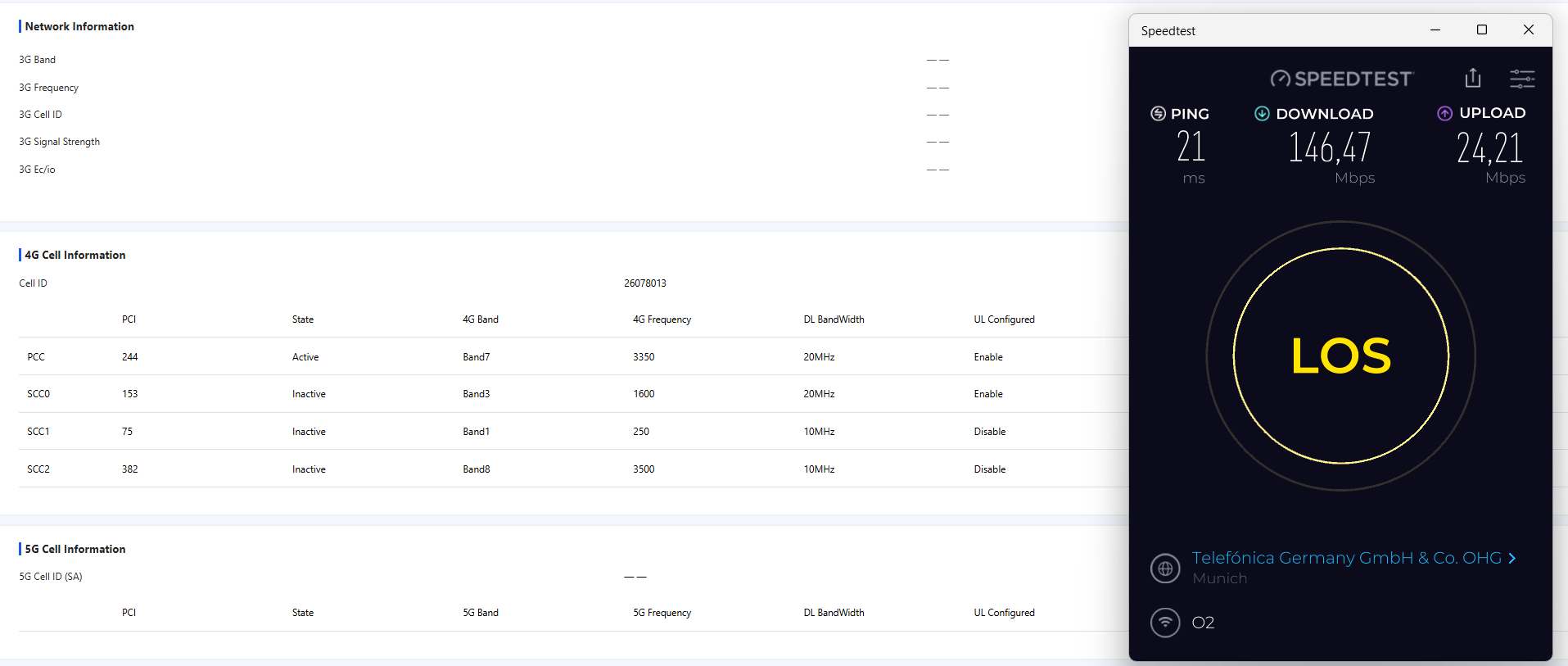
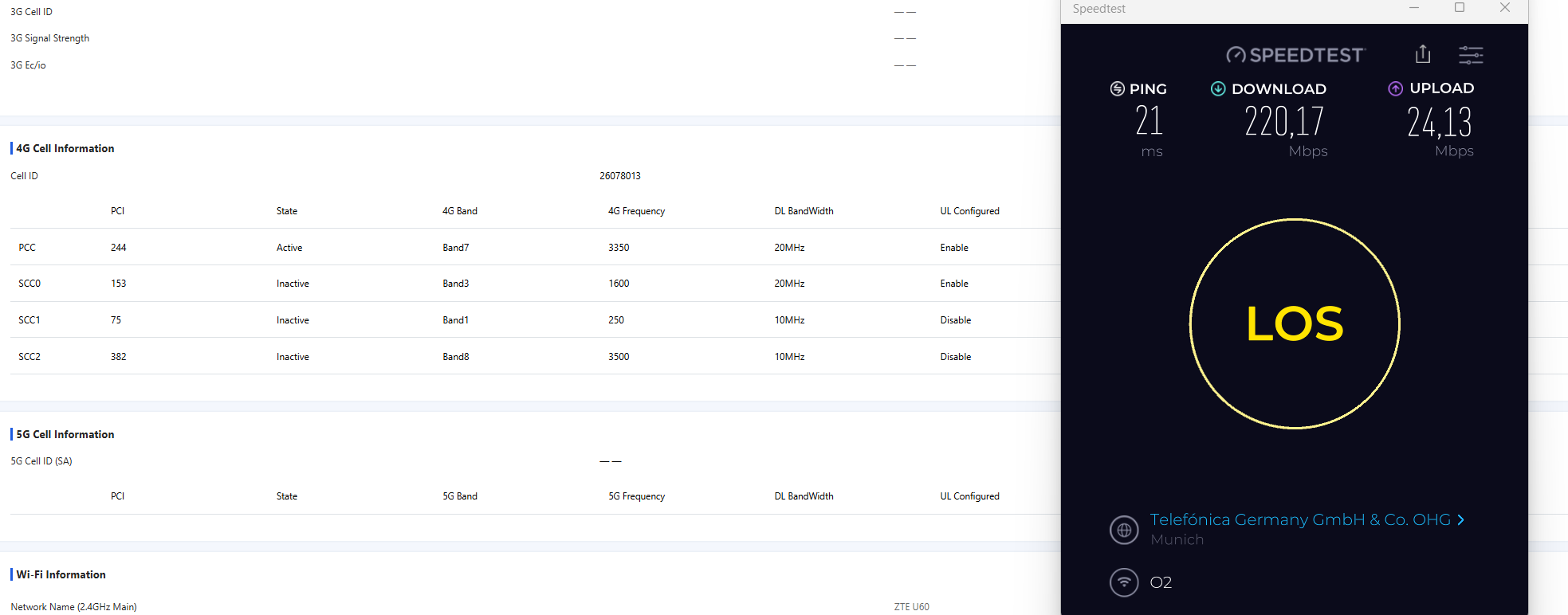
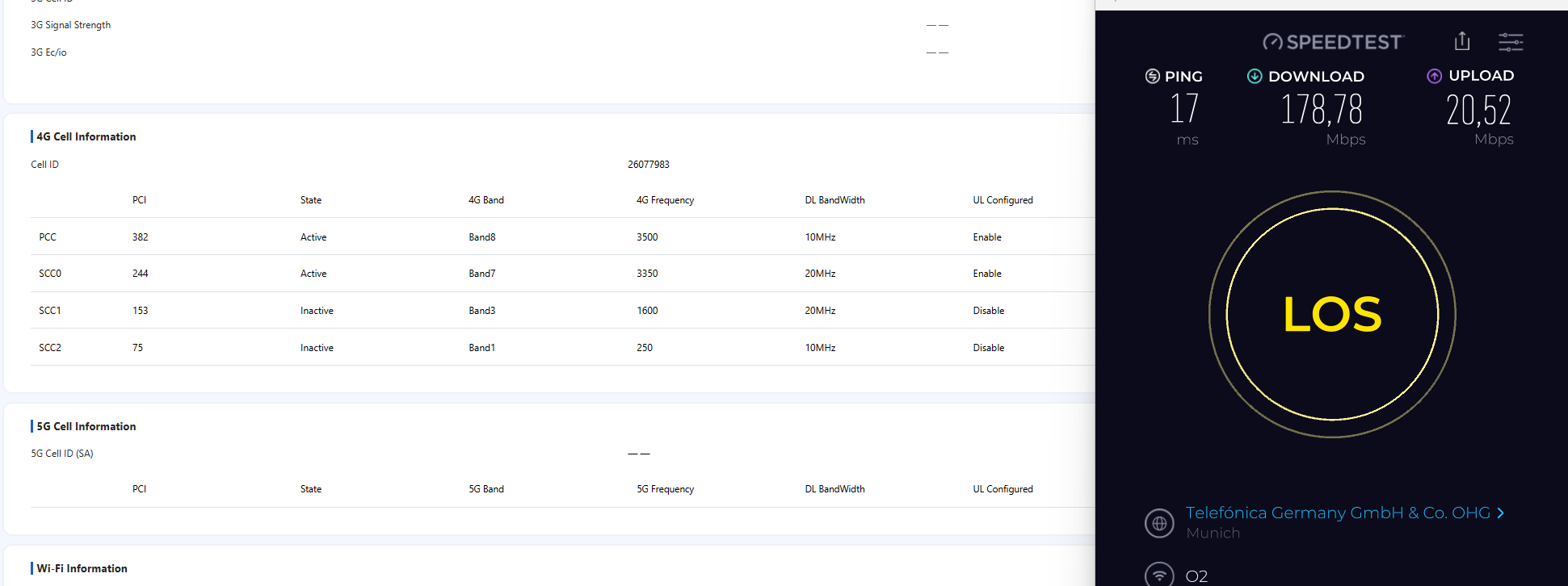
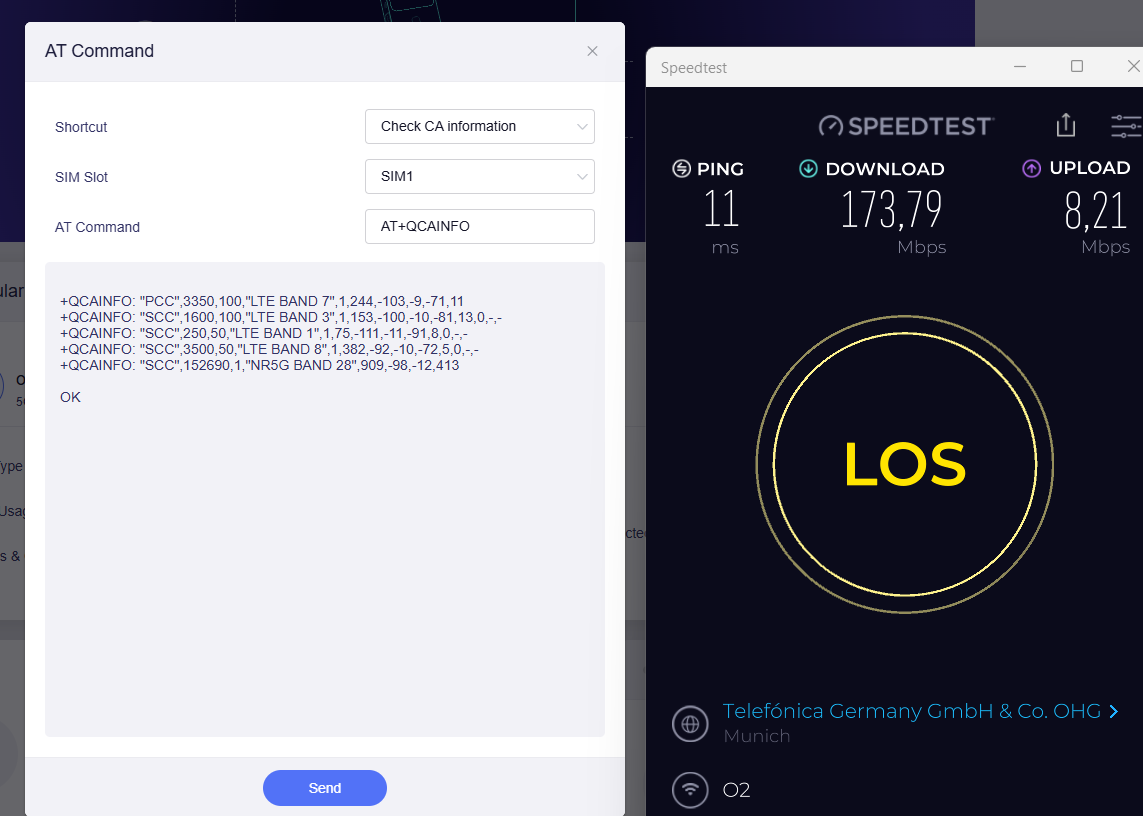
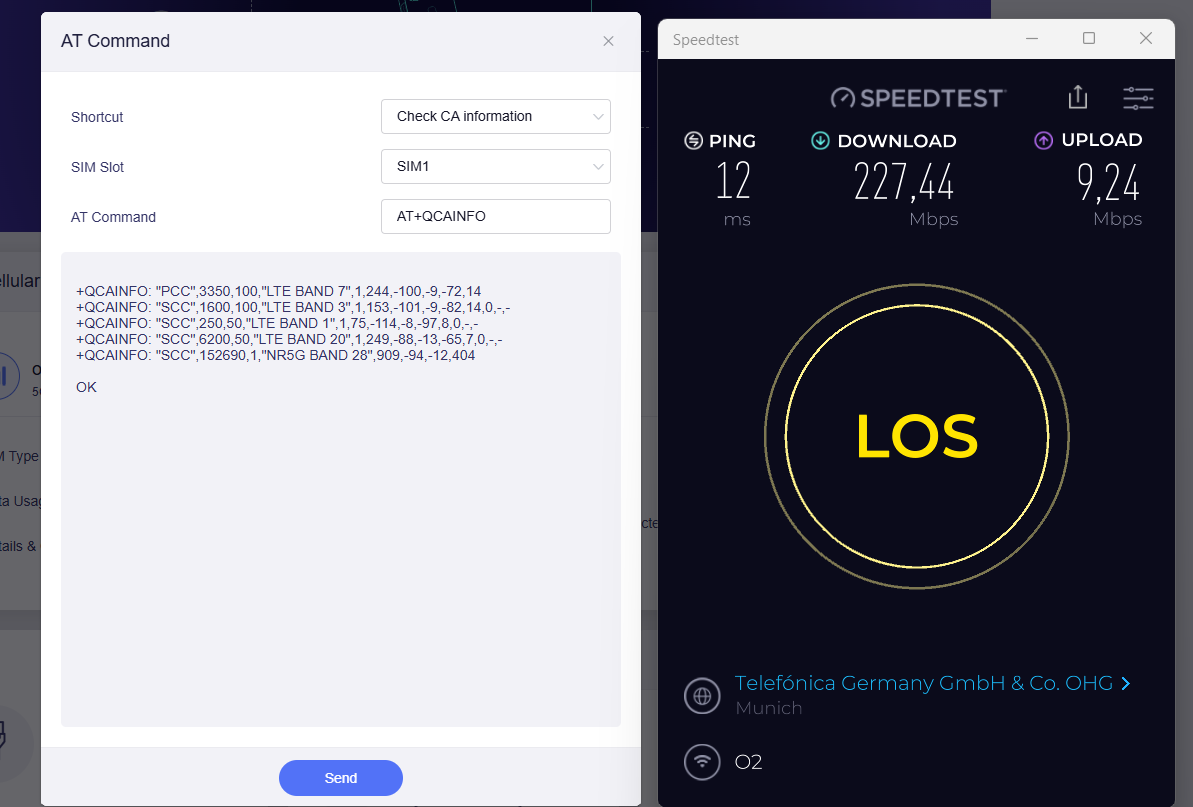
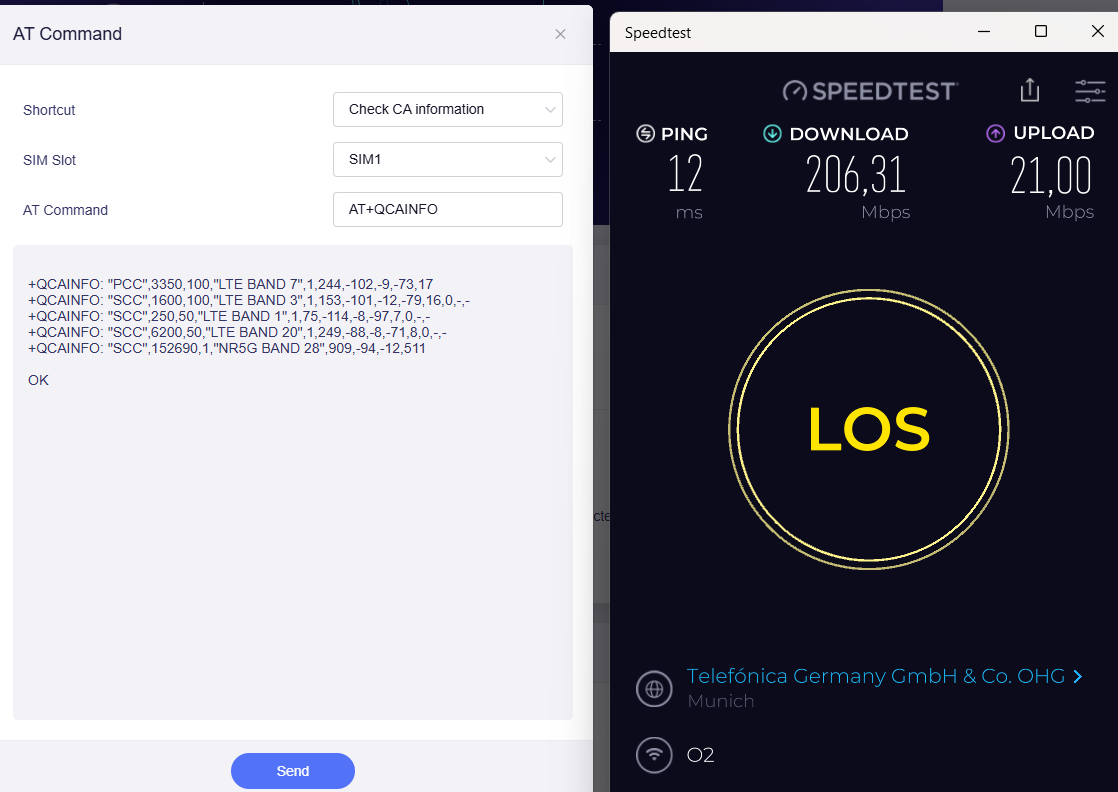
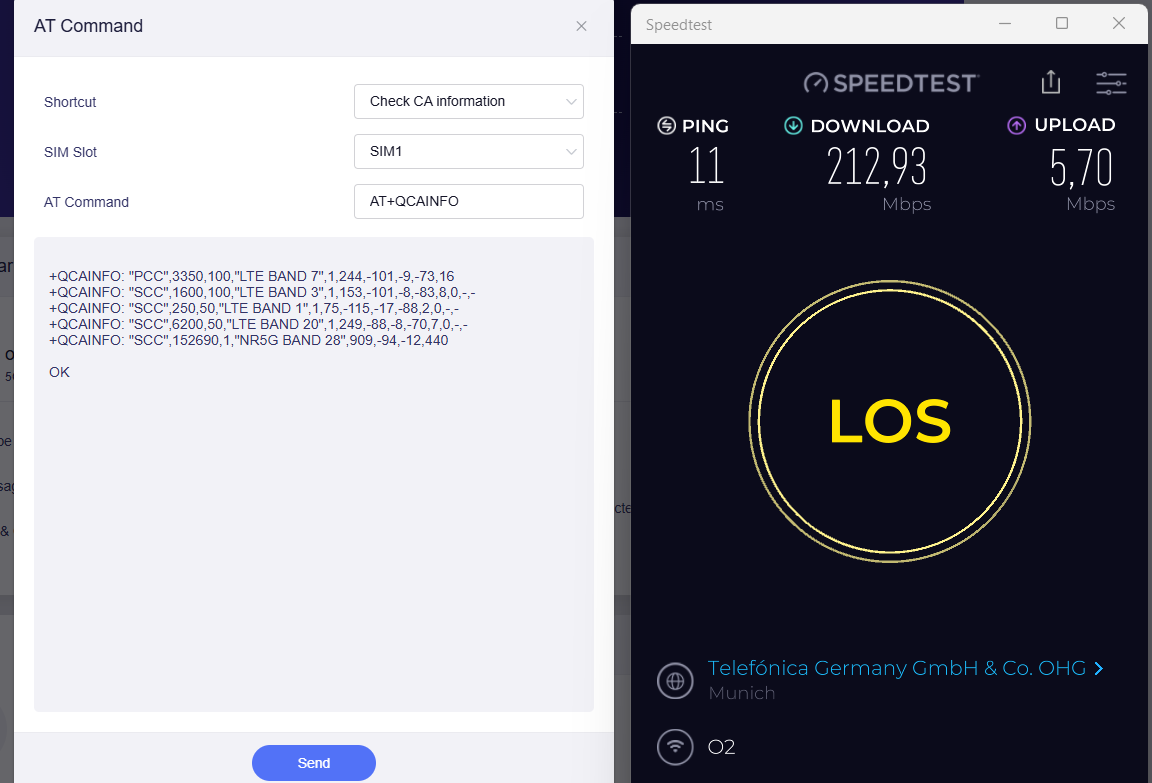
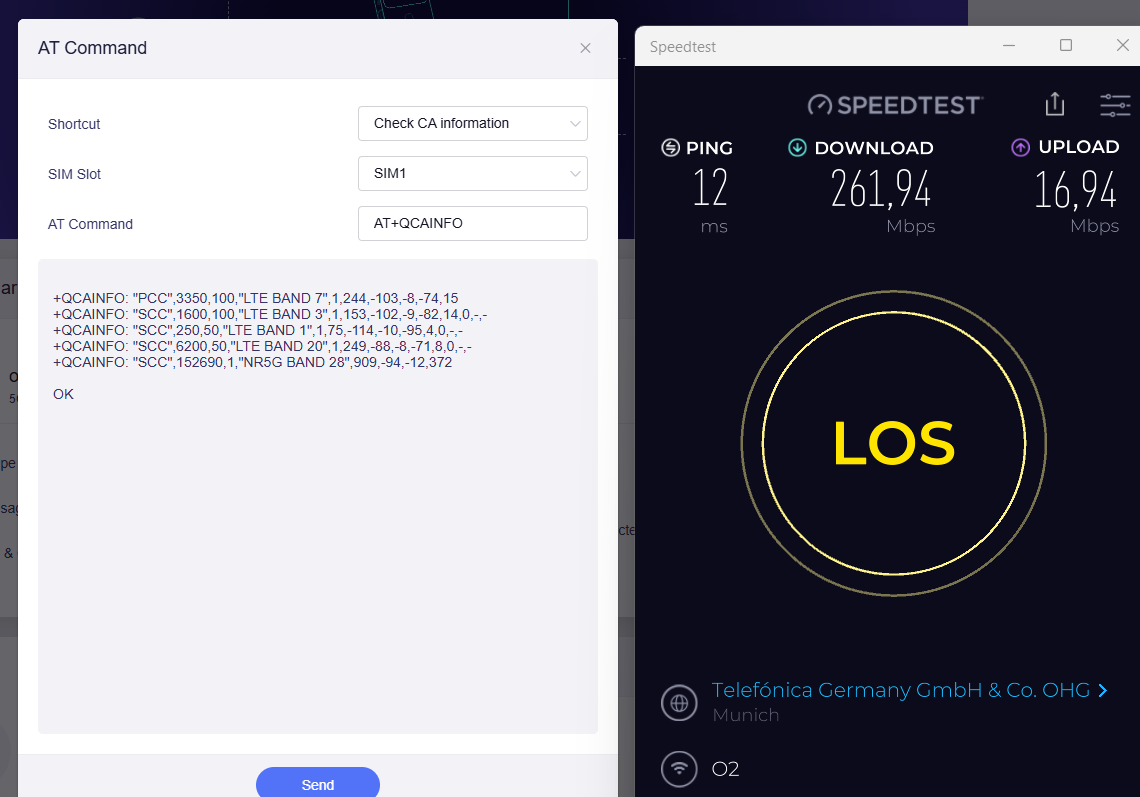
All following tests performed at same location and timing. O2 SIM card with 300Mb/s DL and 50Mb/s UL contract. 5G SA disabled by contract. All measurements therefore 5G NSA.
Speed tests on Wifi with Windows Notebook 50cm from mobile router. Router located in a semi good location.

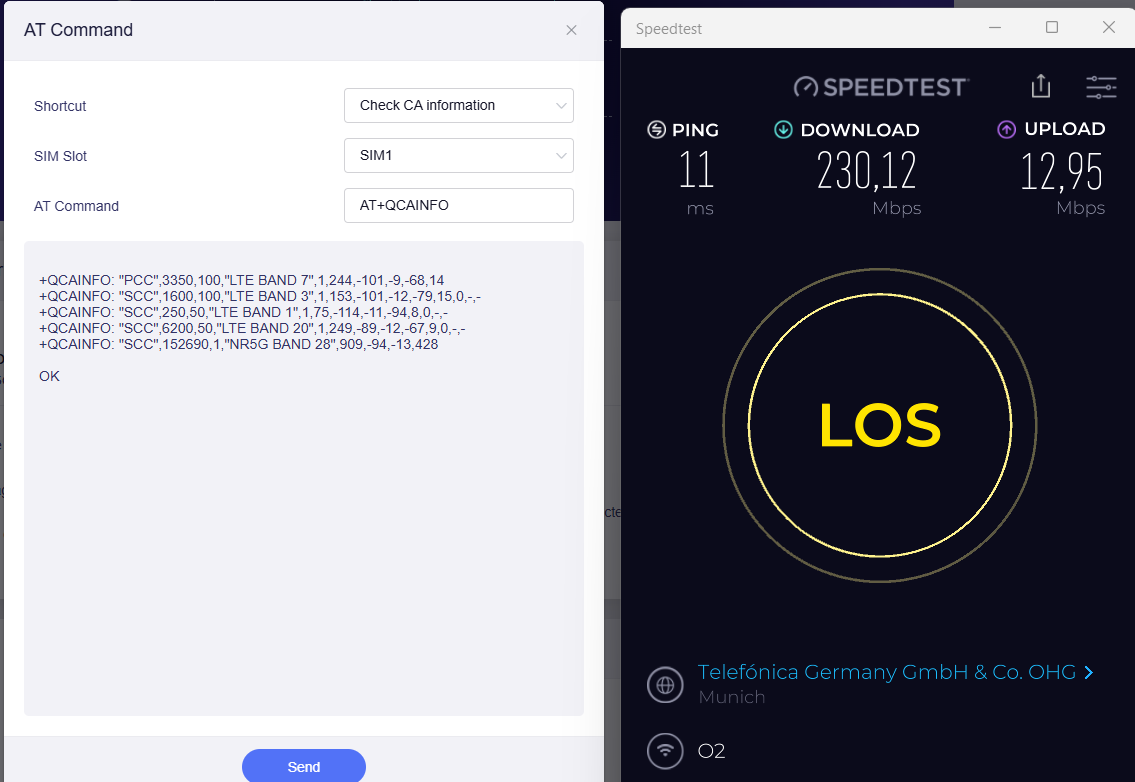
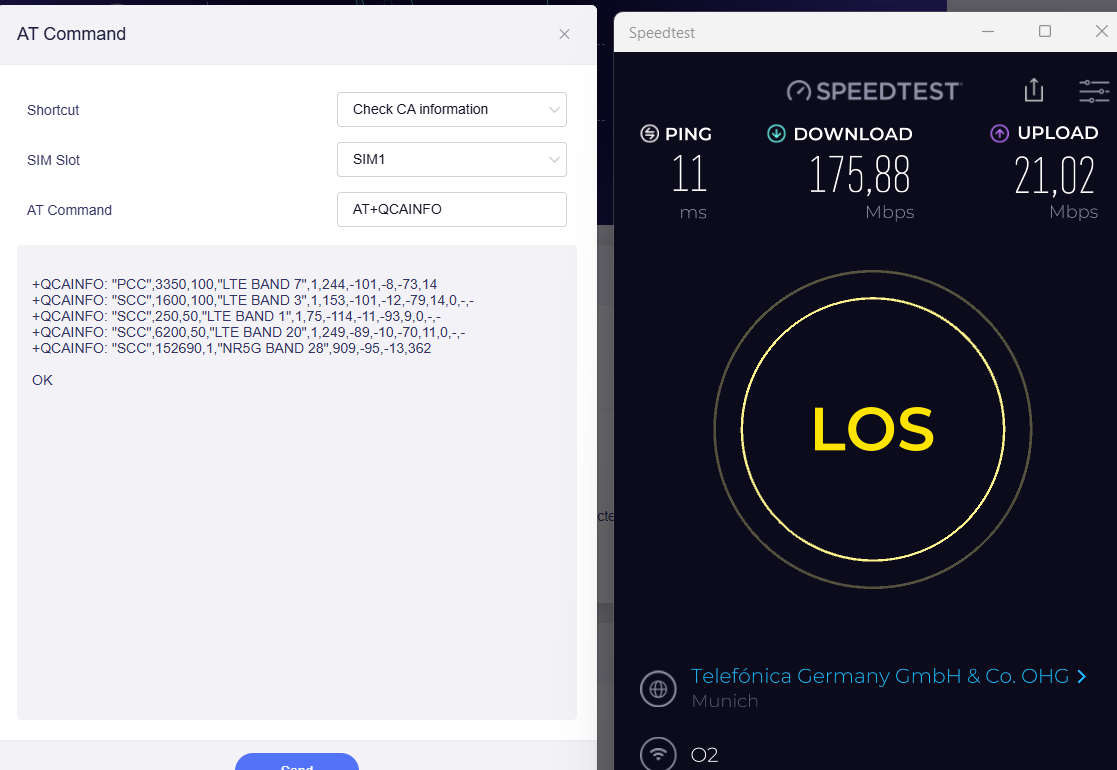
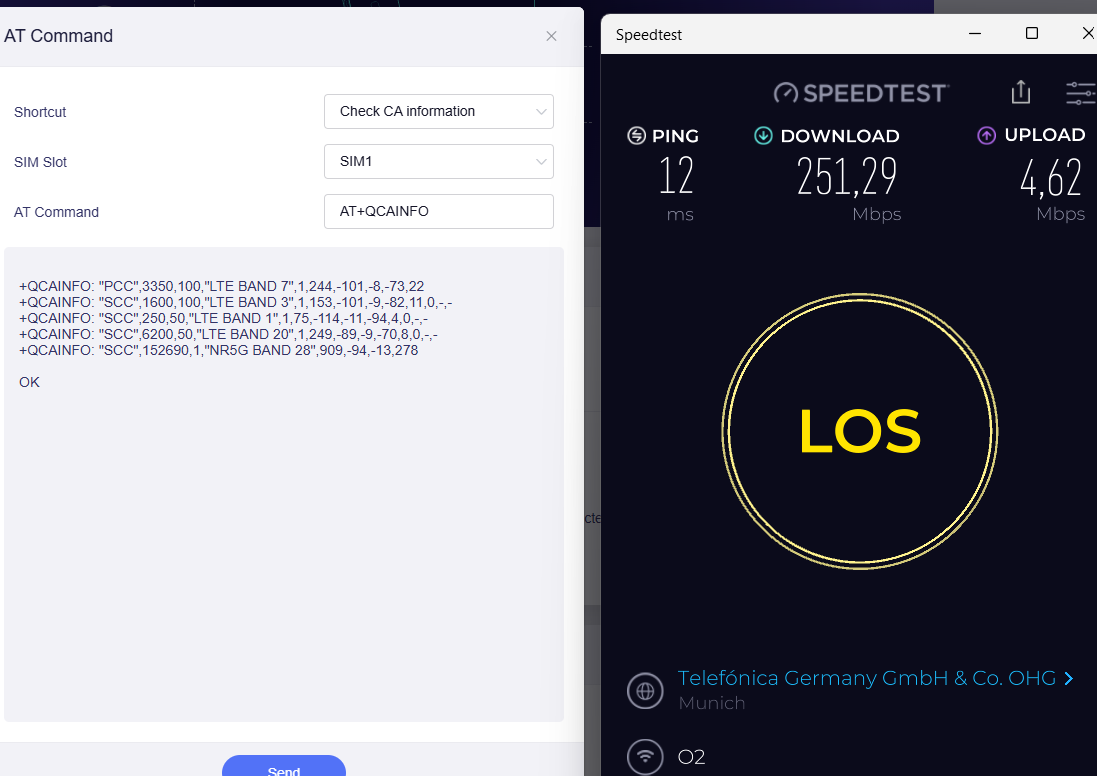
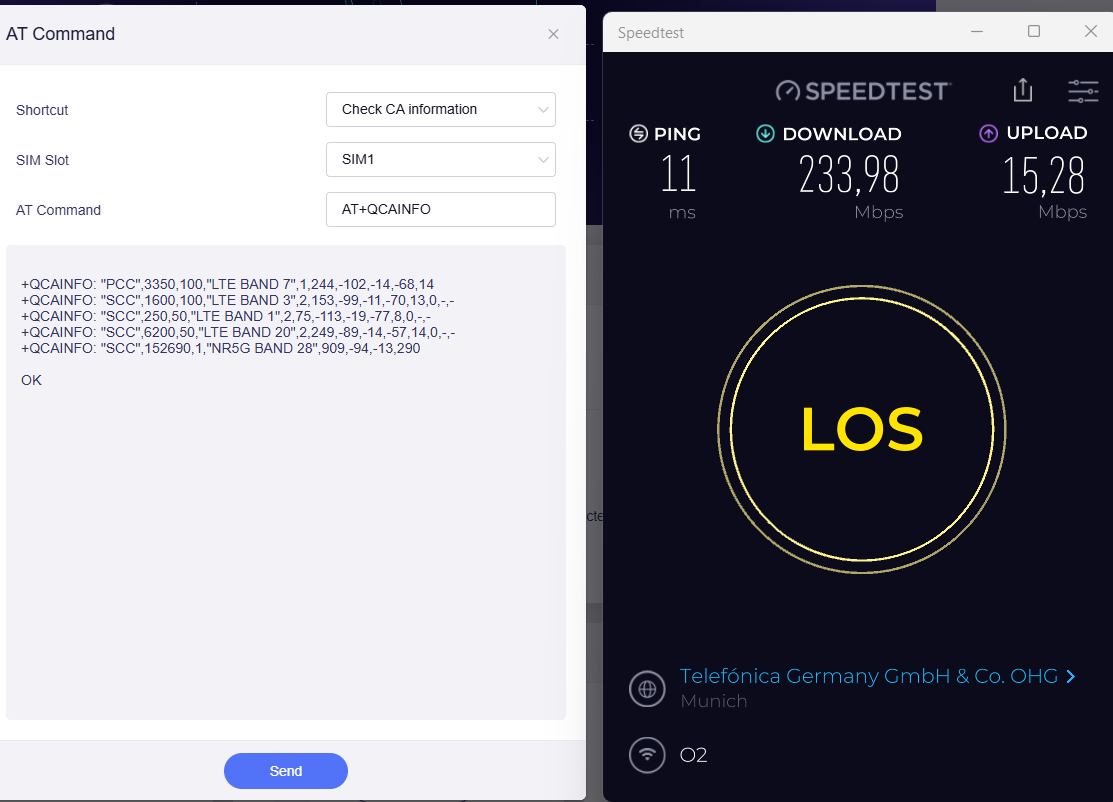
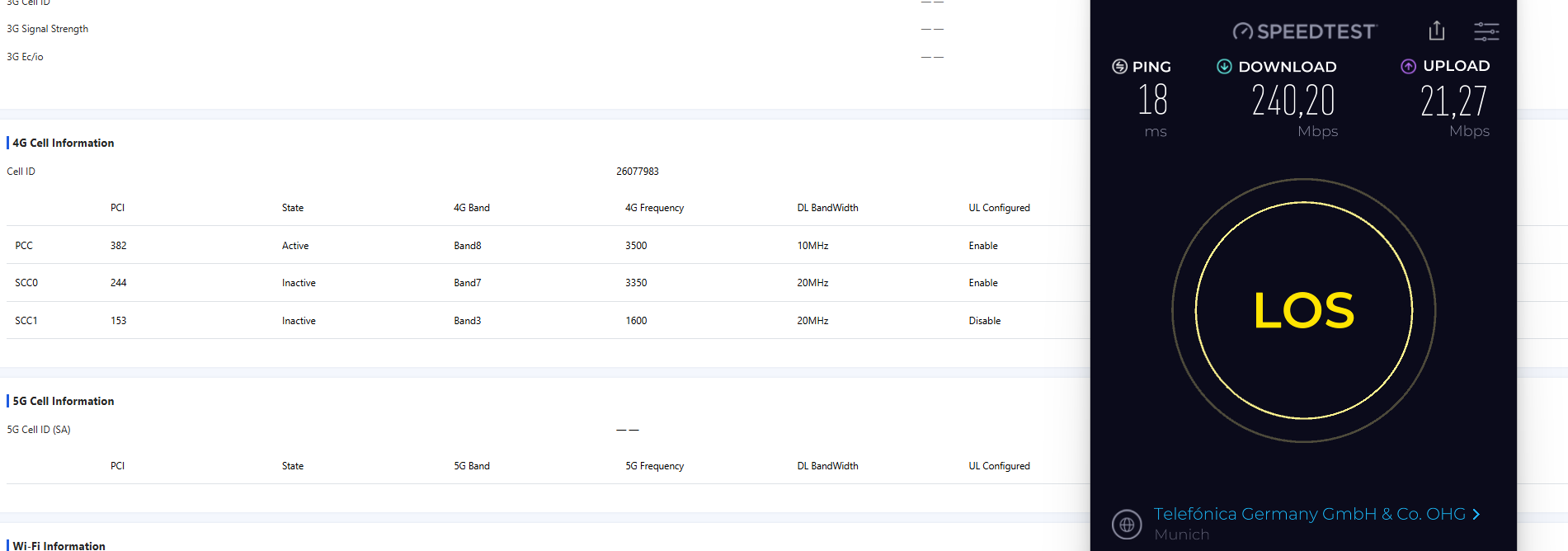
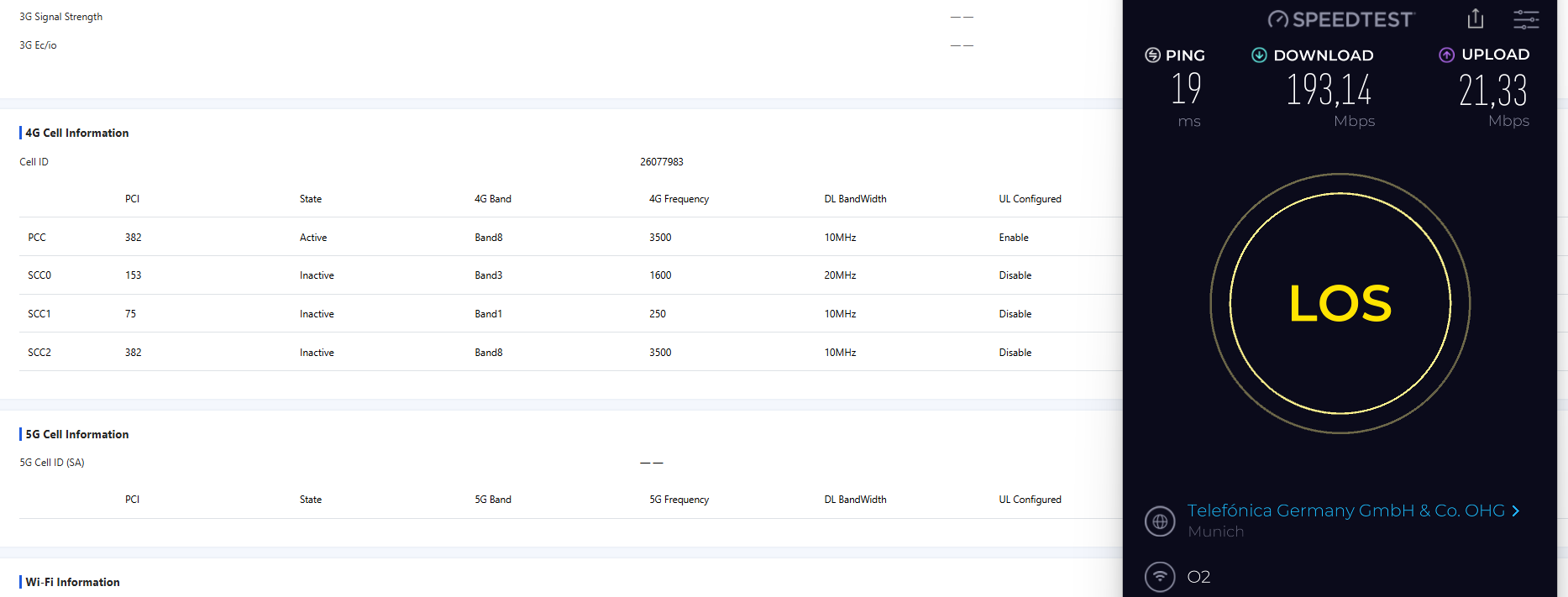
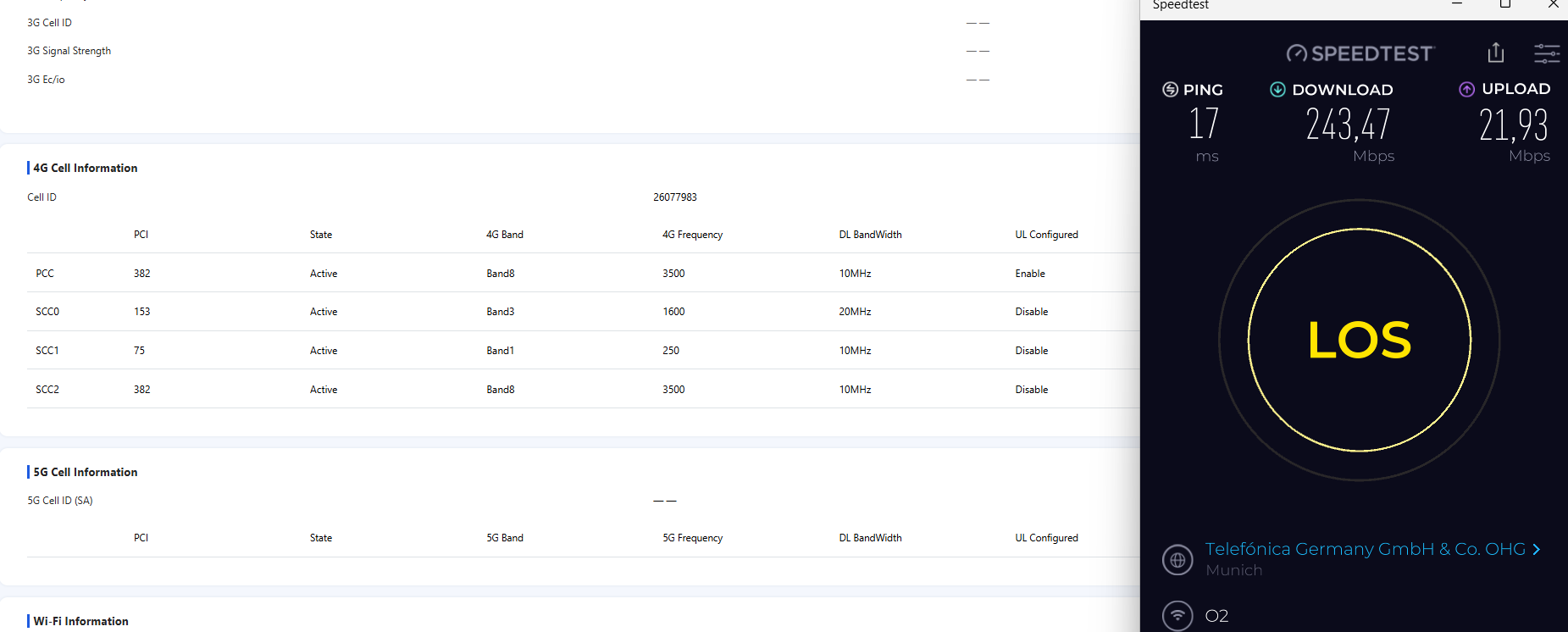
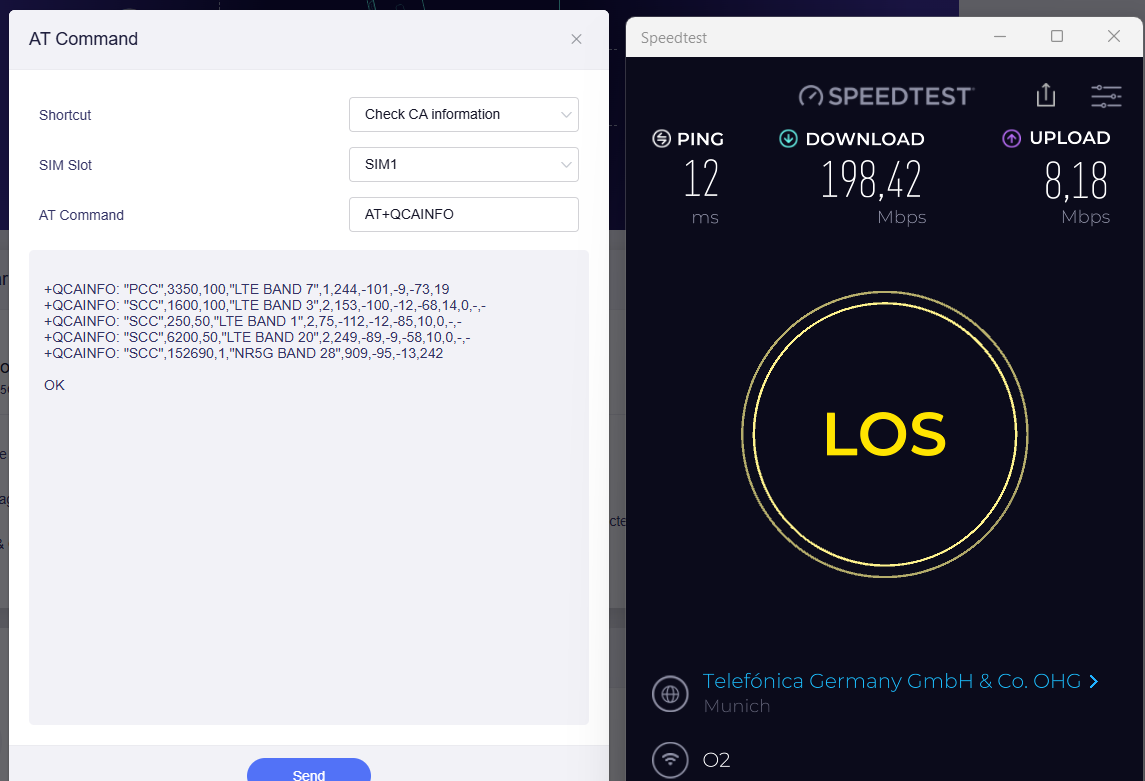
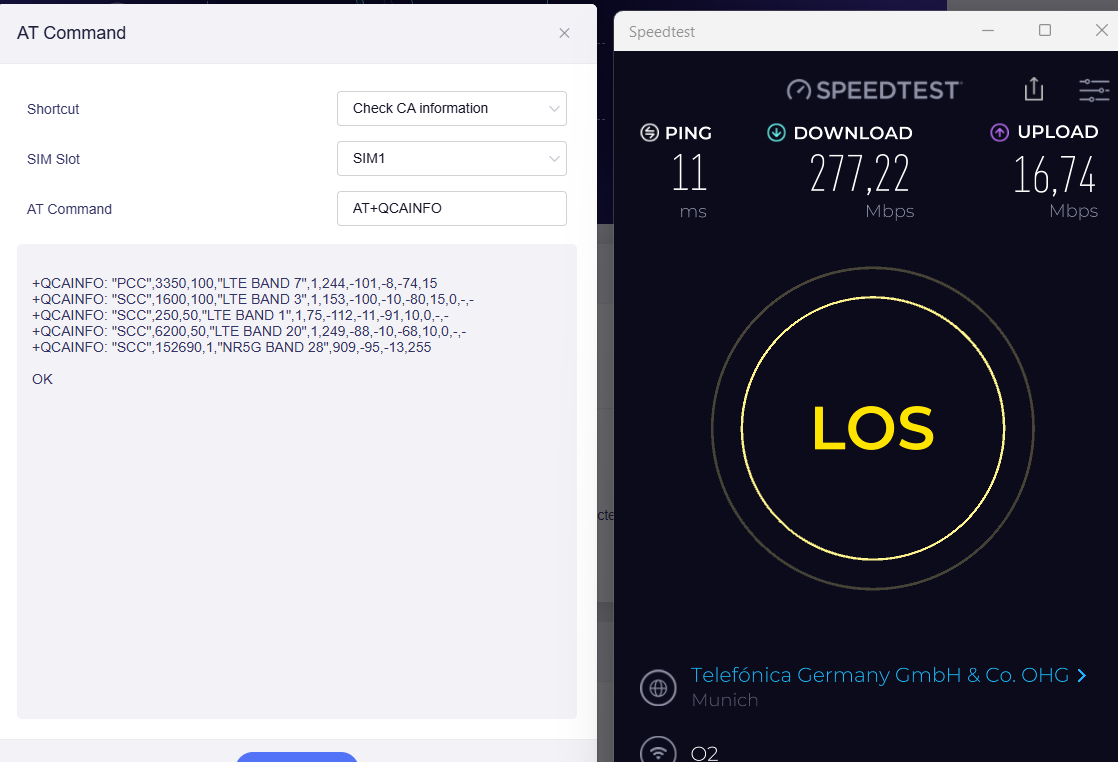
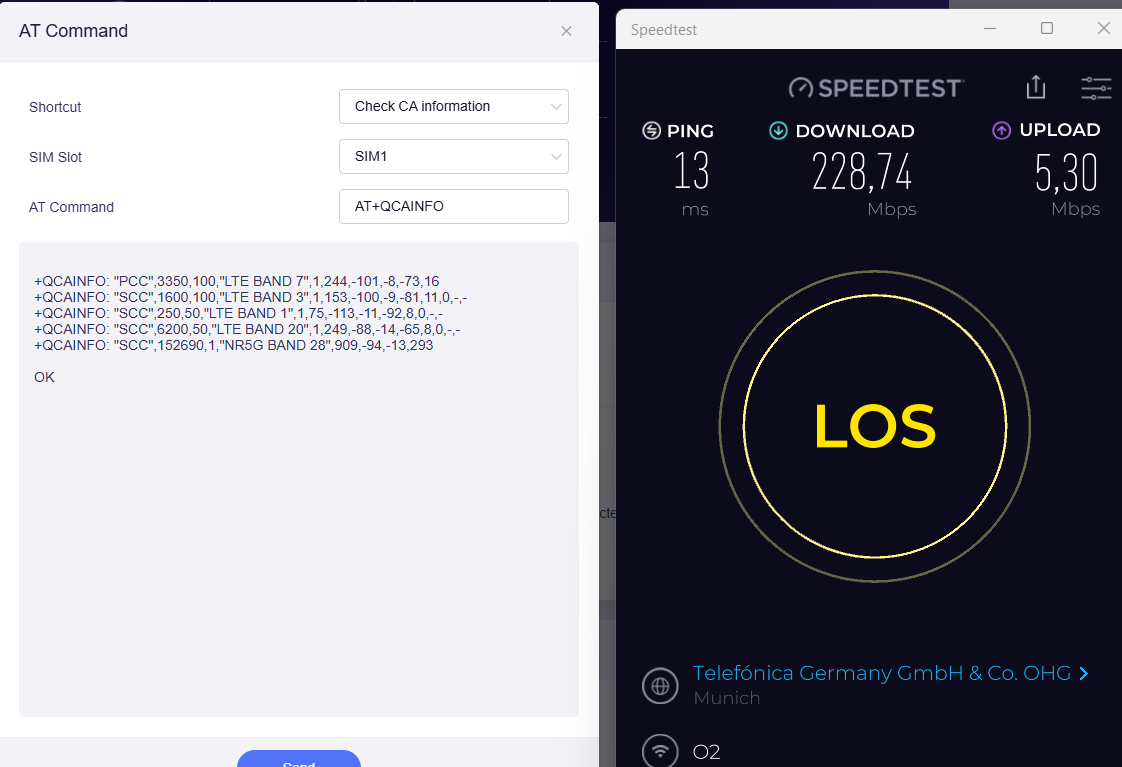
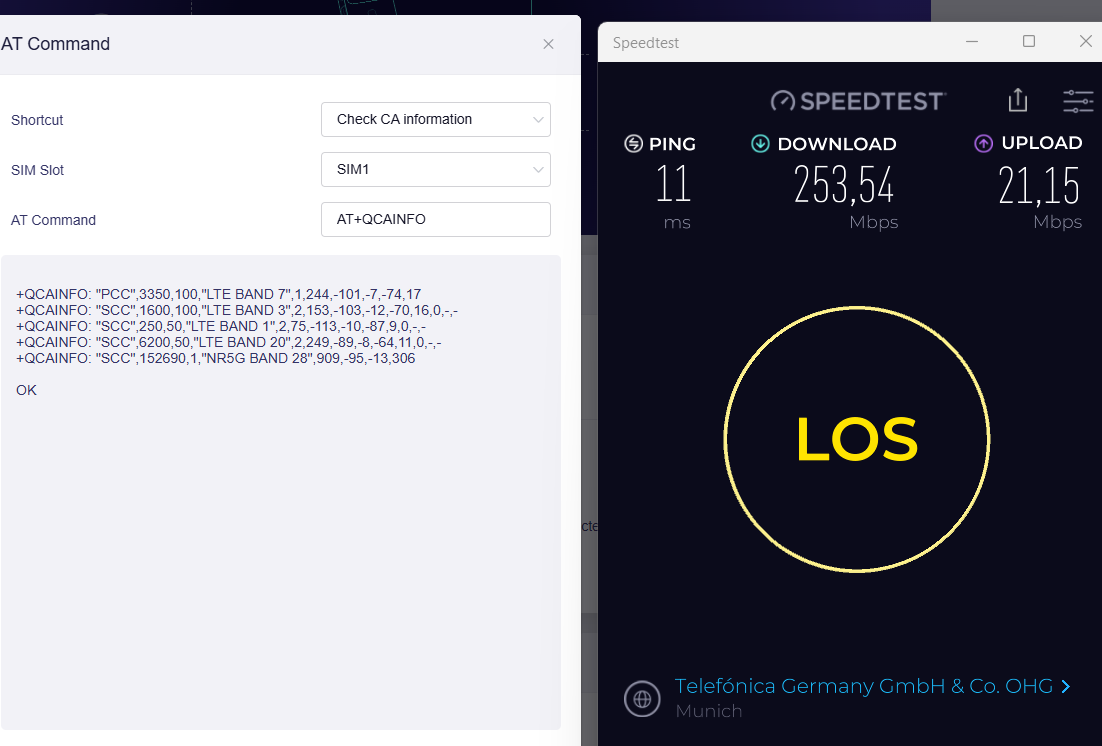
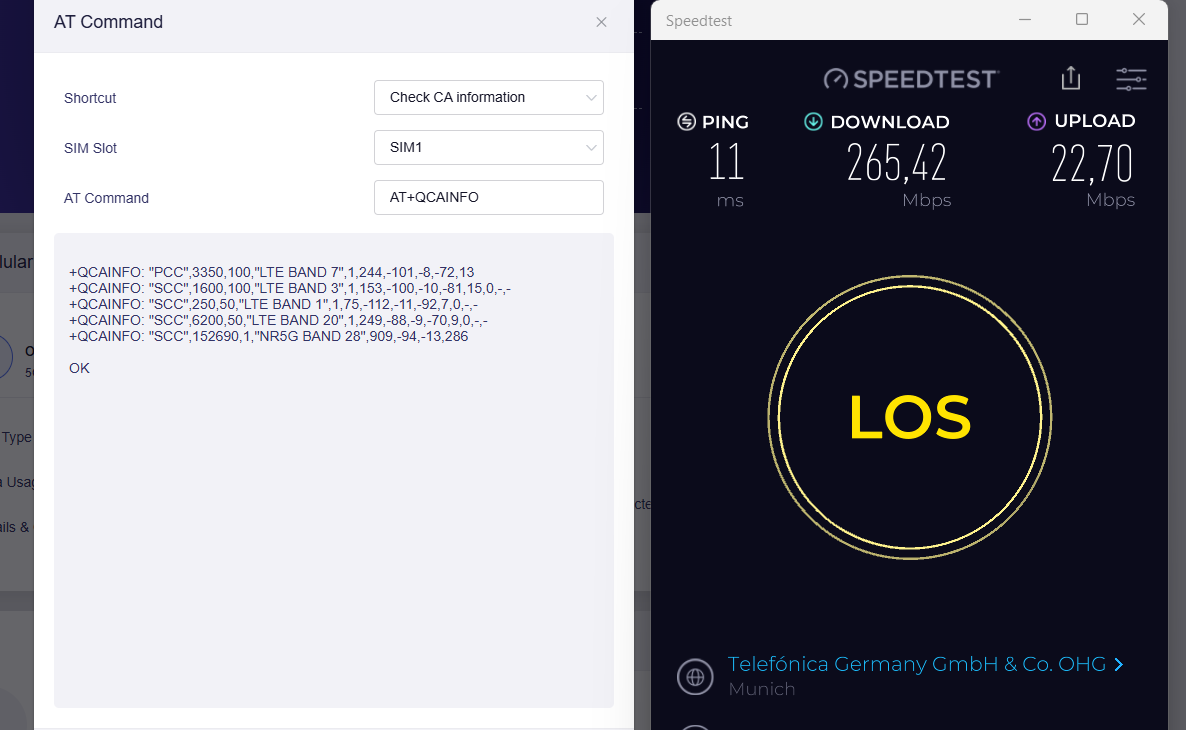
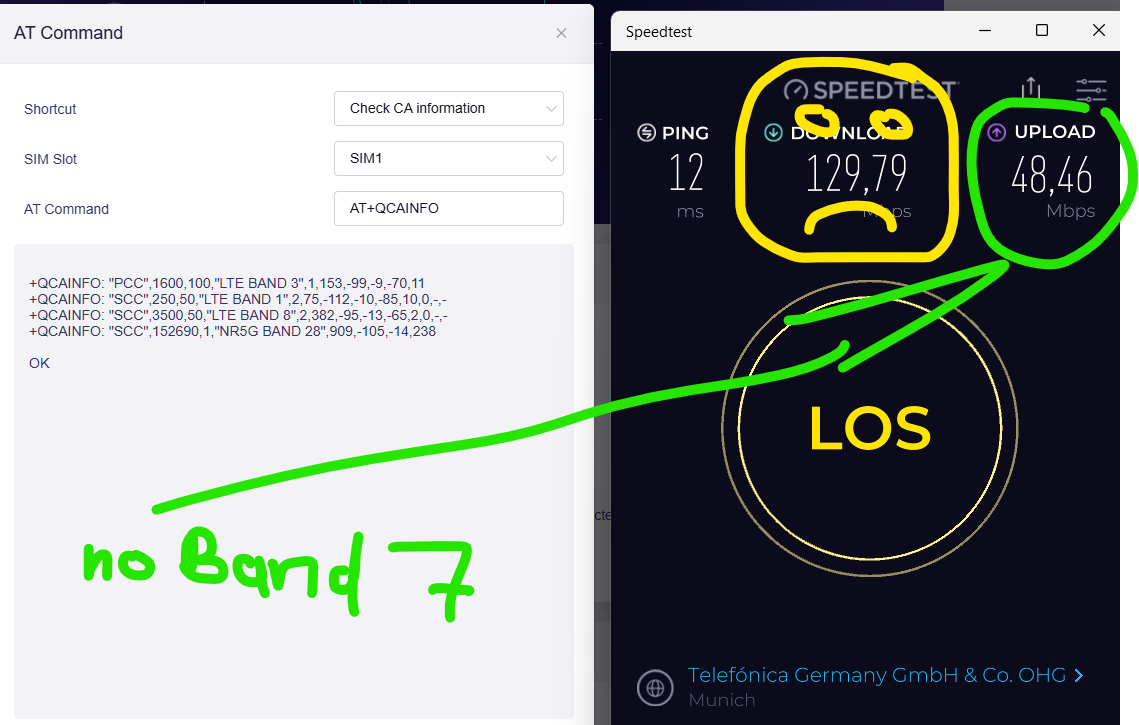
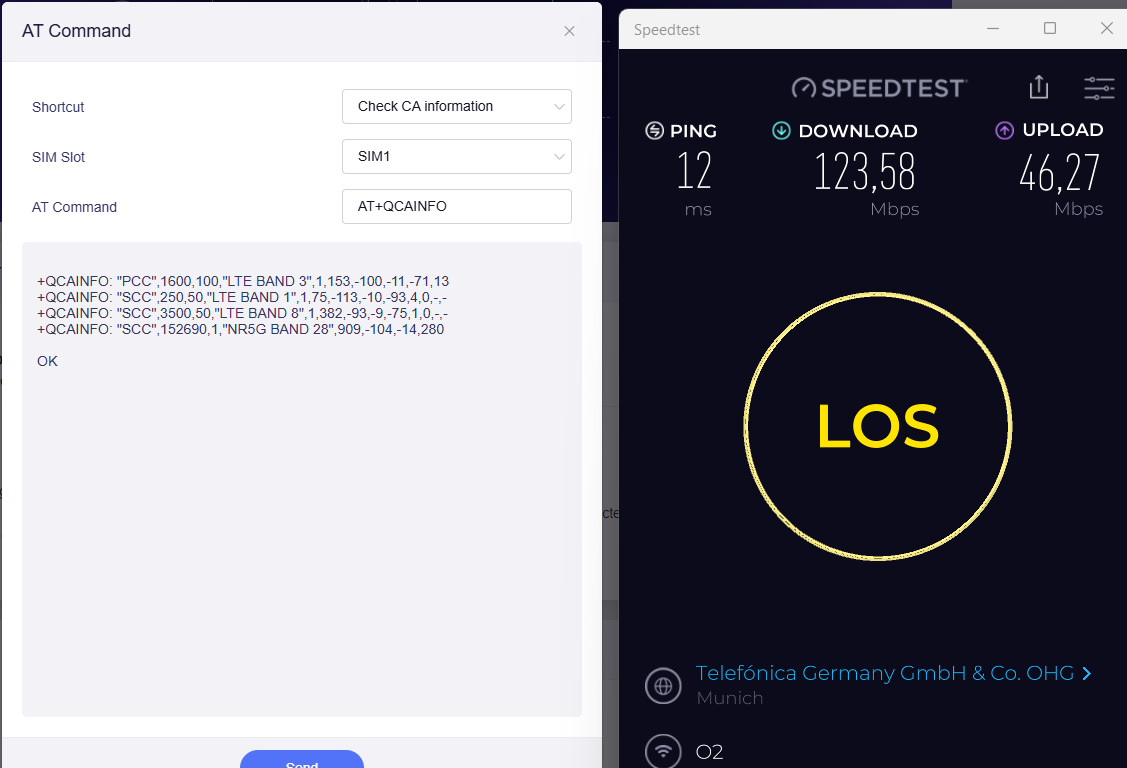
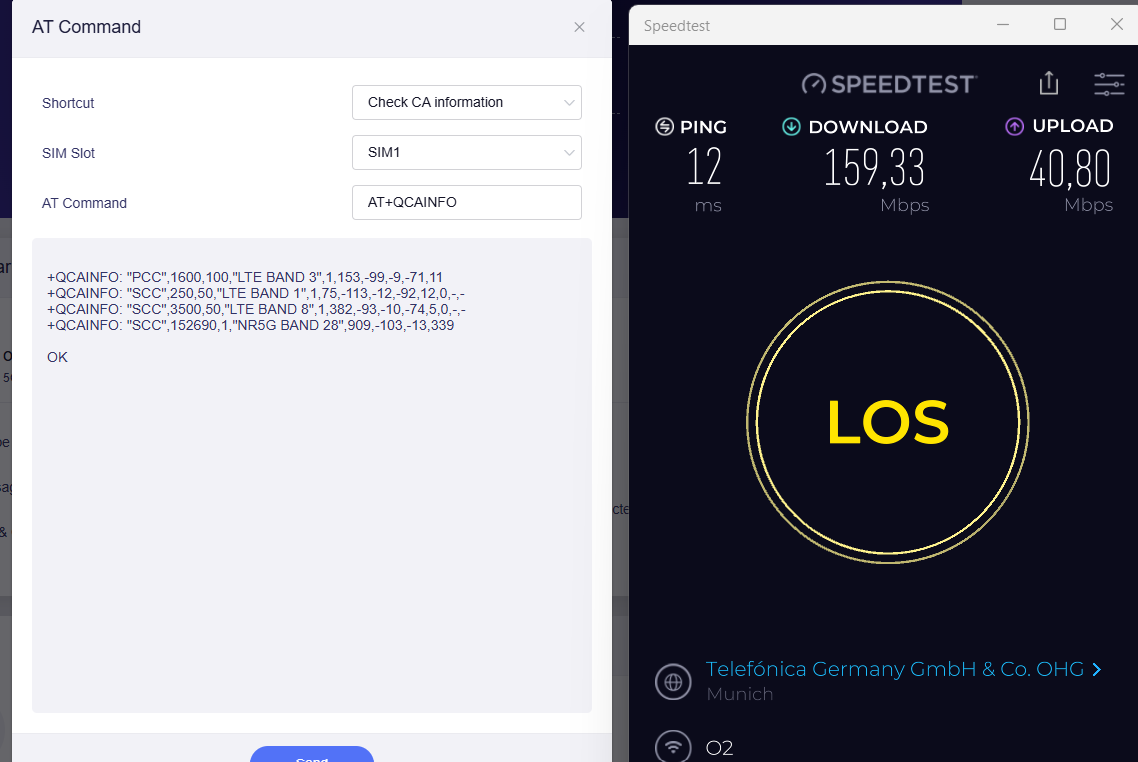
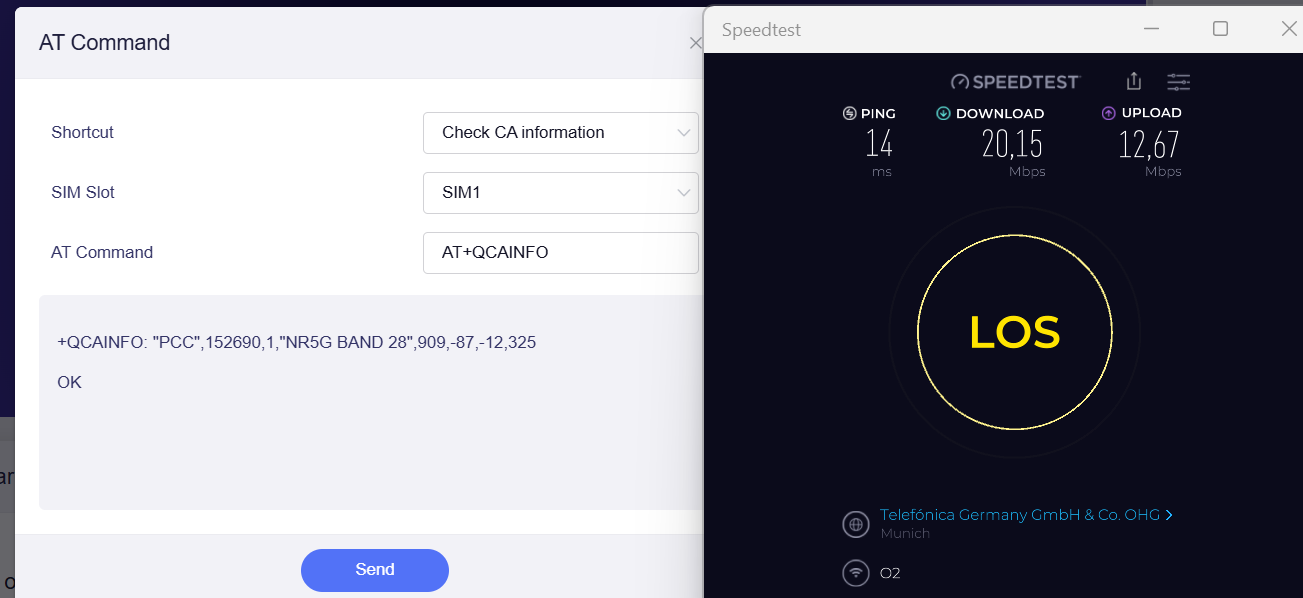
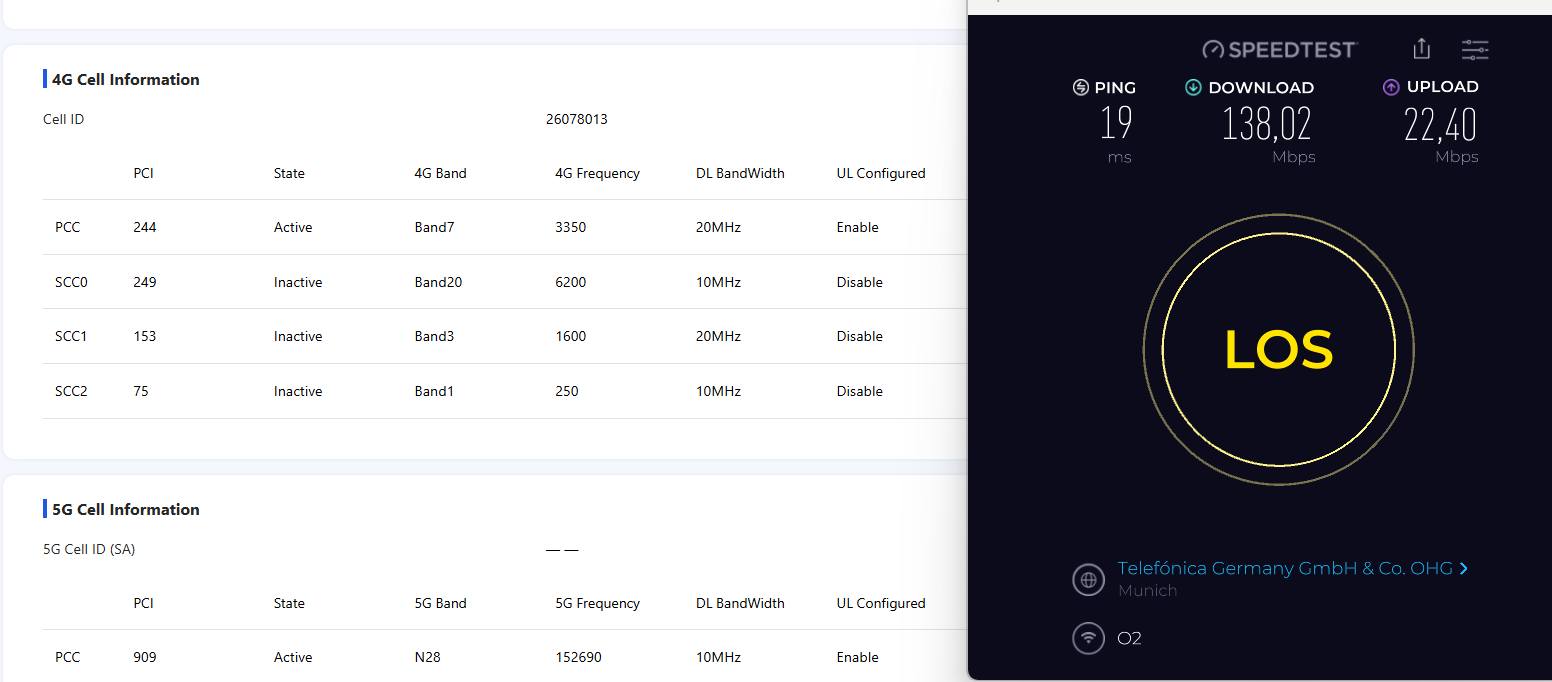
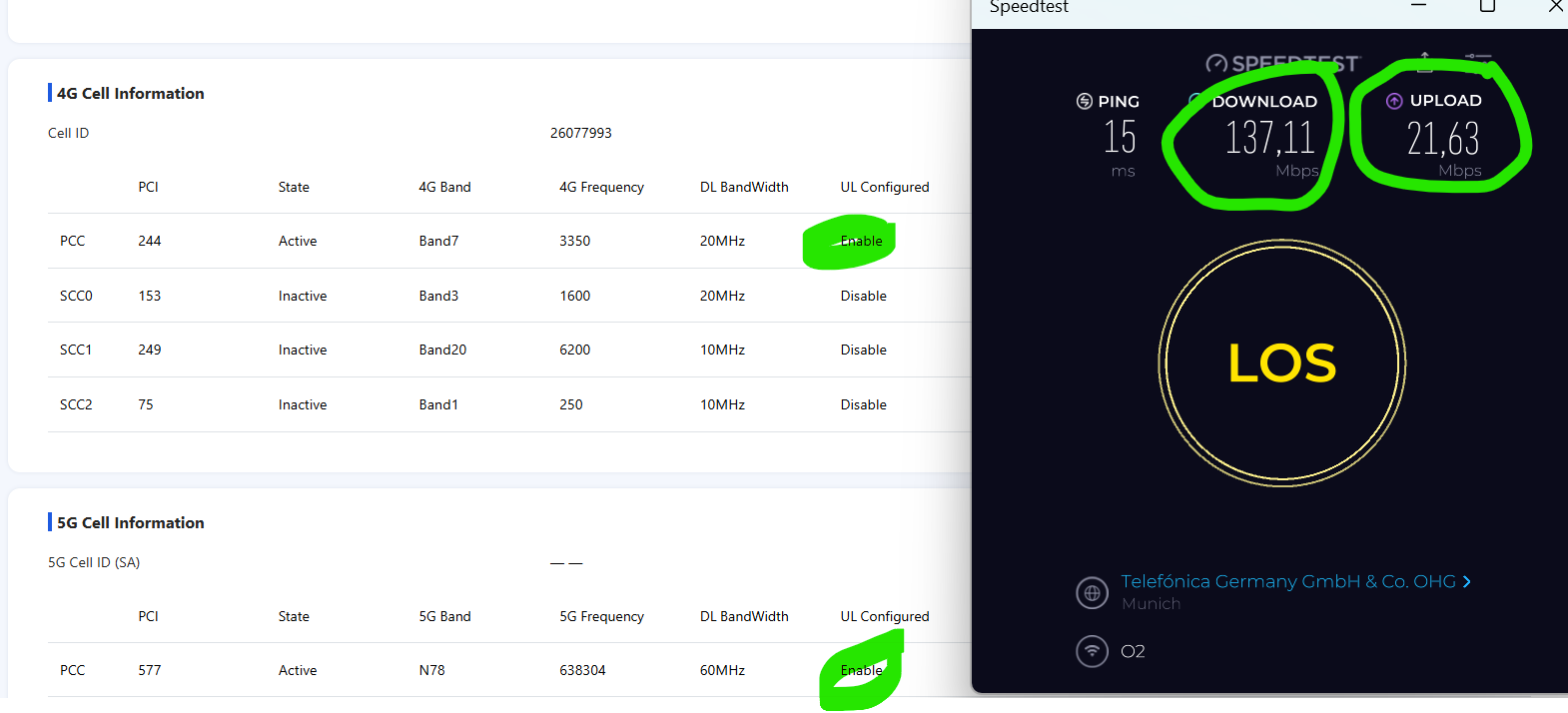
I would say Beta 3 doesn´t make much of a difference. Upload speed still not very stable or good - unless I disable Band 7 - thehnj Mudi 7 is able to get maximum upload speed (just download then gets lower). See last tests at the bottom. So it is NOT about the location. It is about some MBN not intelligent enough to select the CA for download and upload. Maybe AI can fix it at some point of time?

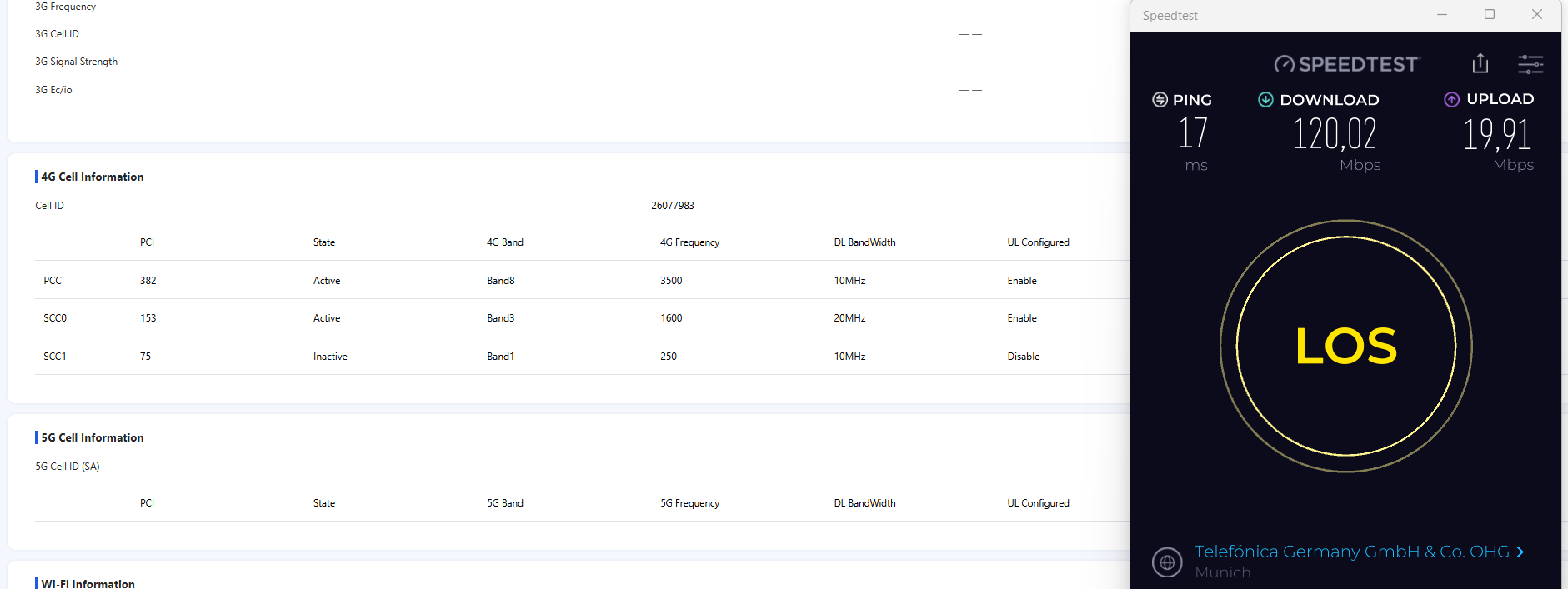
Now to be fair: ZTE U60 for whatever reason didn´t even use any 5GNR band and it did not do better in upload when Band 7 was disabled. BUT ZTE u60 was much more stable in upload performance.

UPDATE 21.Oct: ZTE U60 has some kind of bug. After factory reset a day after the tests 5G bands were enabled again. Tests below include still the bug.

What I have not been able to test yet is 5G SA. I need to enable it first again in my contract. This will usually take 48 hours. Then I will do some further tests

ZTE U60 Test 1

ZTE U60 Test 2

ZTE U60 Test 3

Mudi 7 Test 1 - Firmware 1000beta4

Mudi 7 Tests - Firmware 1000release (deleted all previous settings)

Mudi 7 Test 1002beta3

ZTE U60 again ( as 1 hour has passed in the meantime)

Double check again on Mudi 7 with 1002Beta3 Firmware

NOW WITH Band 7 blocked

ZTE U60 without Band 7

@cathy This is what happens when I enable my 5G SA contract.

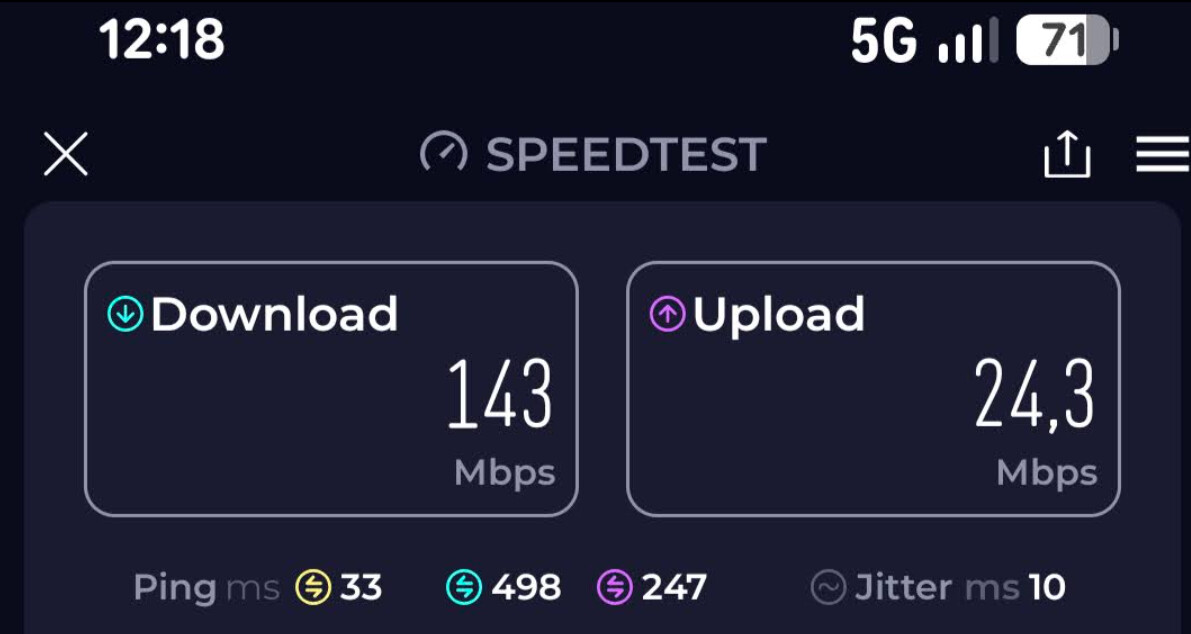
Sorry to say, but this is simply crap. When there is load demand there should be maximum carrier aggregation enabled. My smartphone is able to handle it properly and the ZTE U60 as well. So it is not about Telefonica. It is most likely about the Quectel MBN on Mudi 7.

Mudi 7 on 5G SA enabled contract

ZTE U60 on 5G SA enabled contract

Google Pixel 8a on 5G SA enabled contract

What chip does the OPPO Phone run and what is the EU price of the phone? While I like comparison tests, it is also important to make sure that the tech specs are comparable. It is obvious that high end chips will beat almost any router.

I assume it is MediaTek Dimensity 9600M or 9500M - this chip competes with Qualcomm Snapdragon 8 Series. There is no single 5G router in the world yet running a Qualcomm 8 series chip (X82/X85).

And depending on the smartphone model we talk roughly 3x the price of Mudi 7?

It would be a disspointment if the OPPO would perform lower than Mudi 7 :wink: