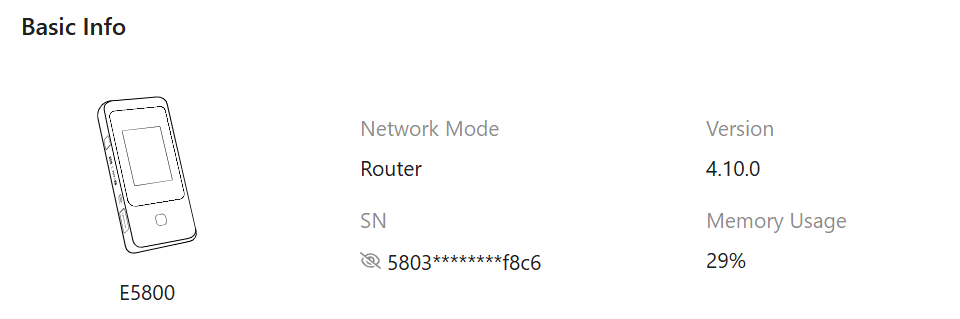
Mudi 7 Upload Speed issue with O2 / Telefonica

Can someone with O2 Telefonica card please double check?

My Mudi 7 has always slow upload speeds when using a O2 Telefonica SIM card.

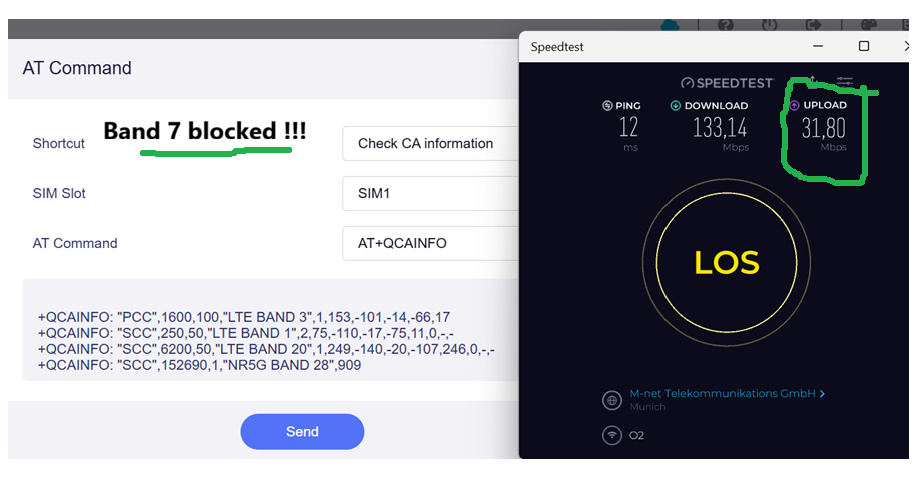
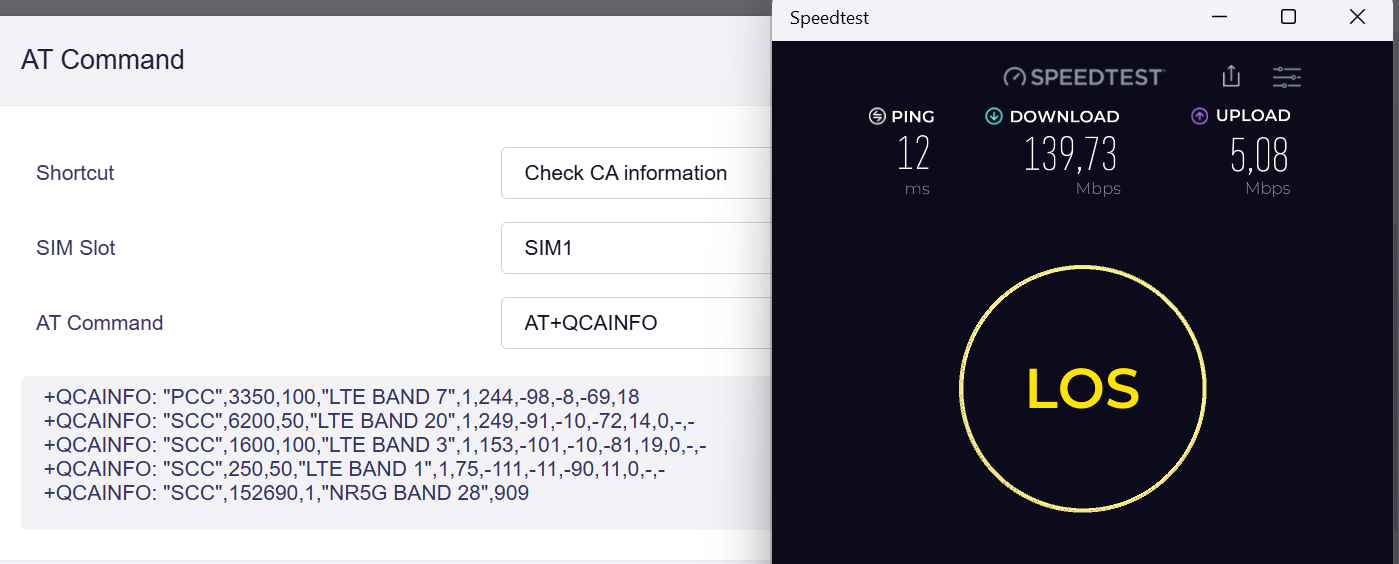
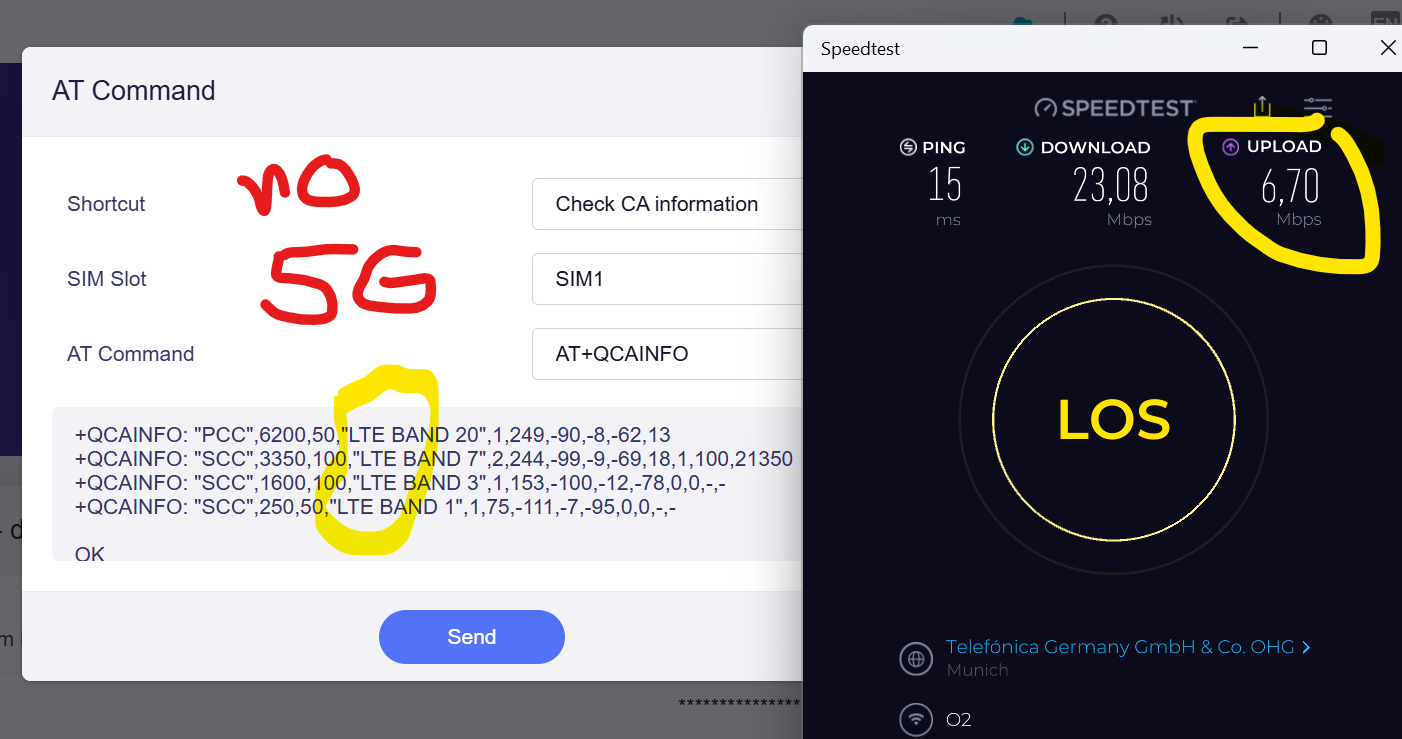
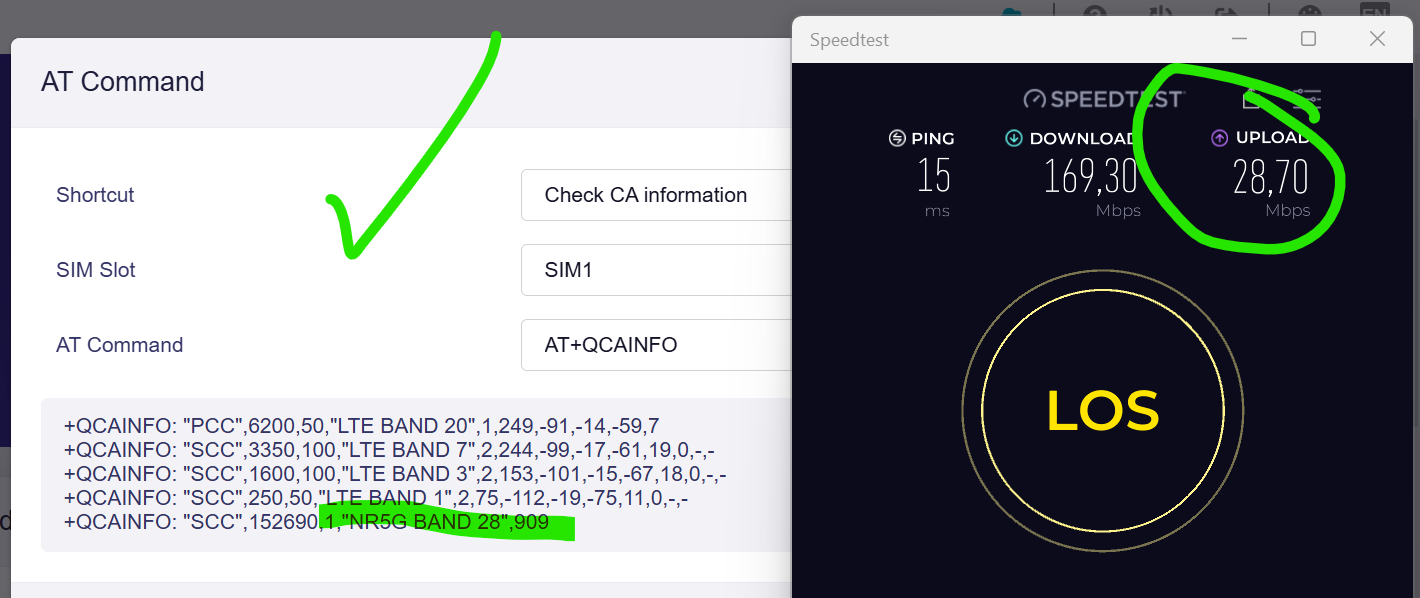
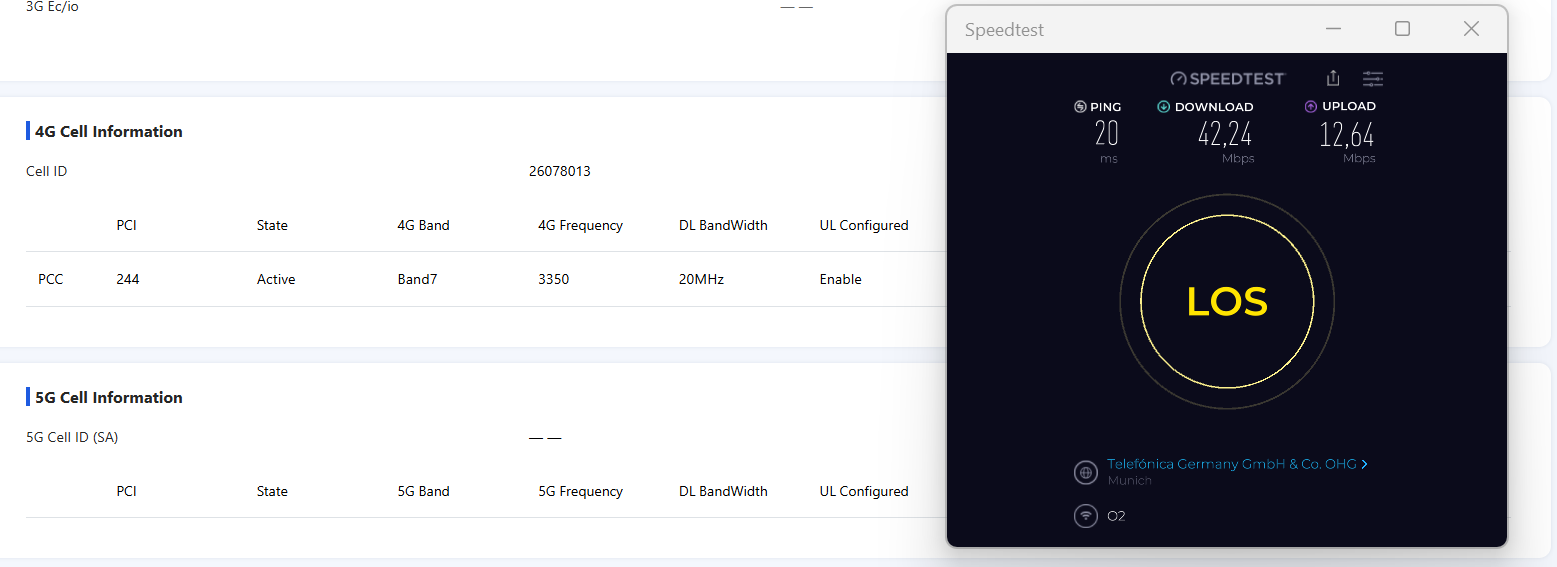
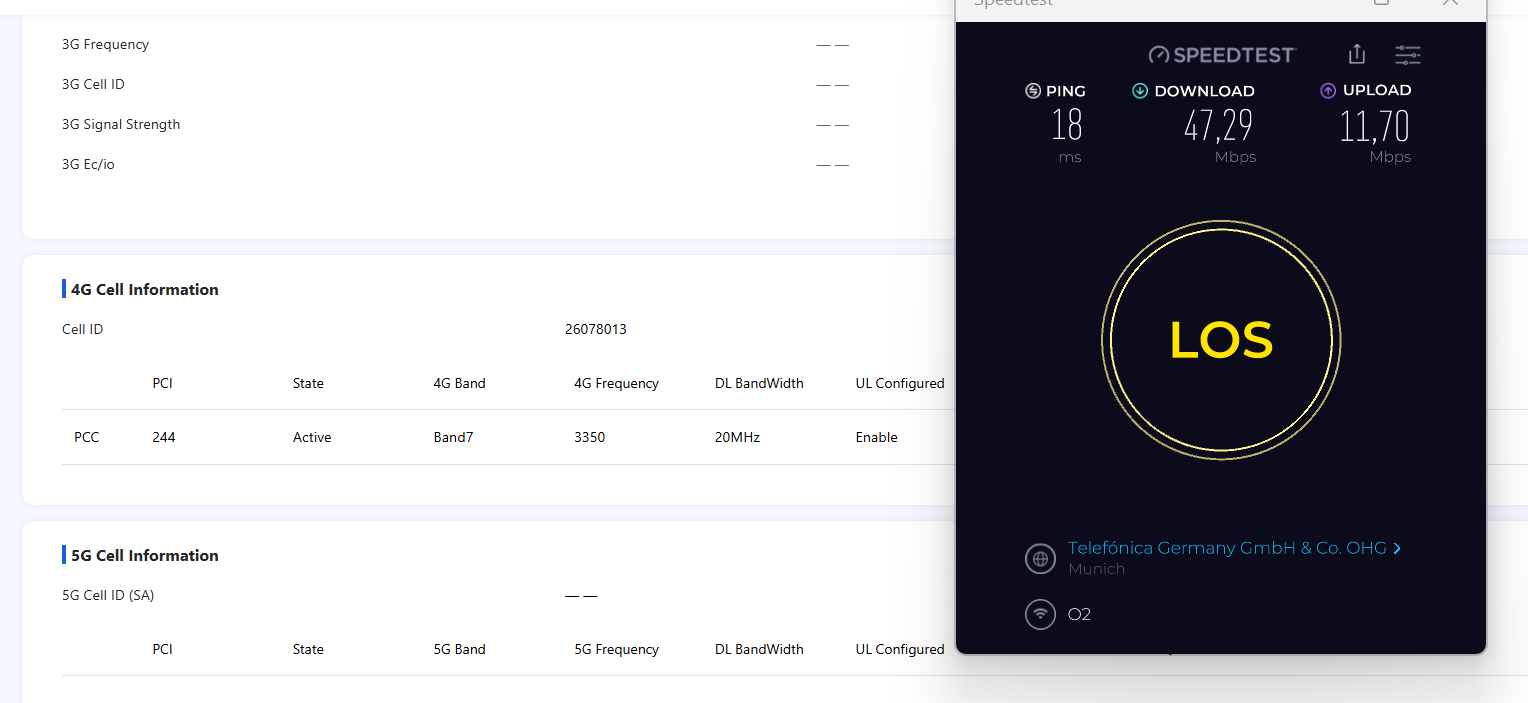
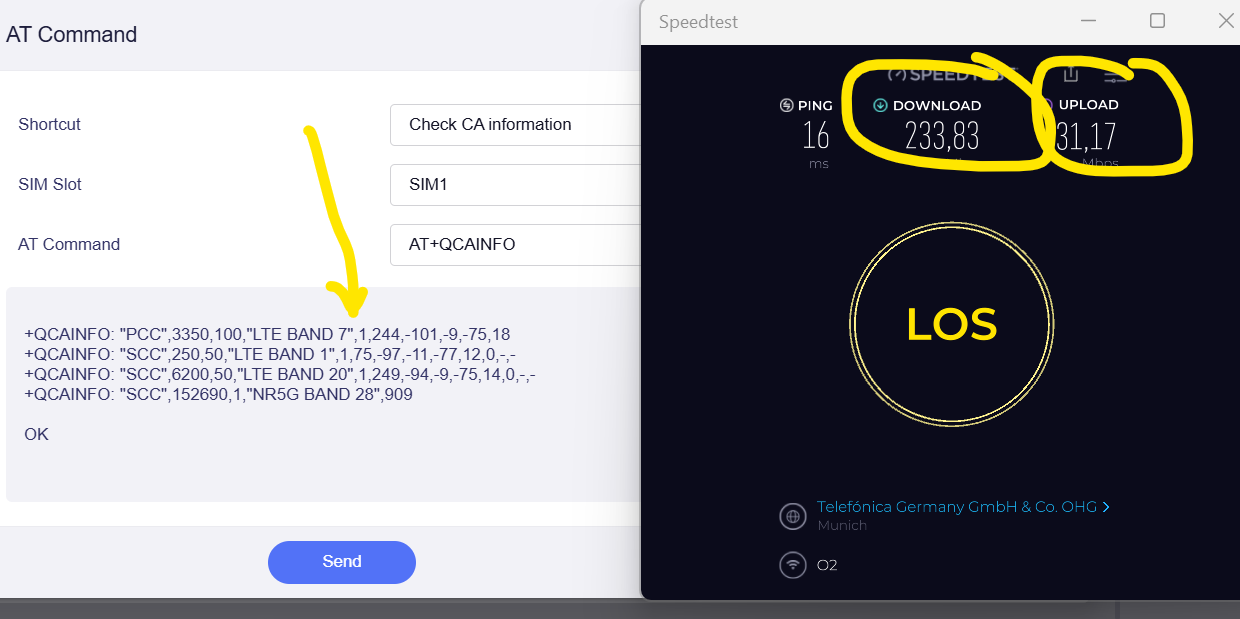
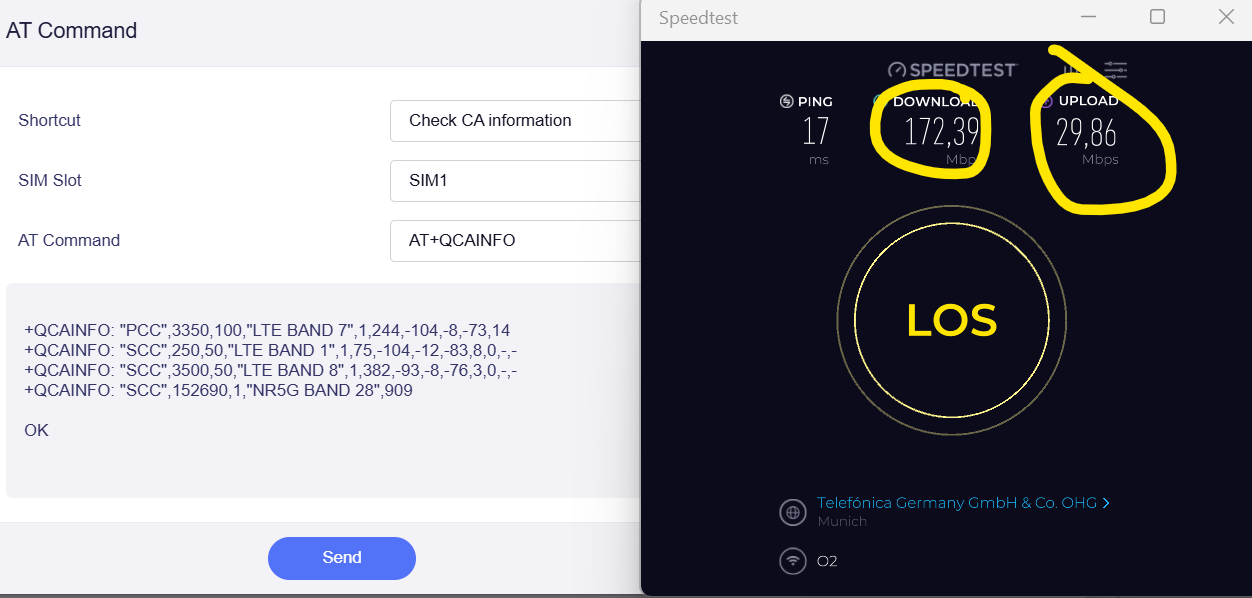
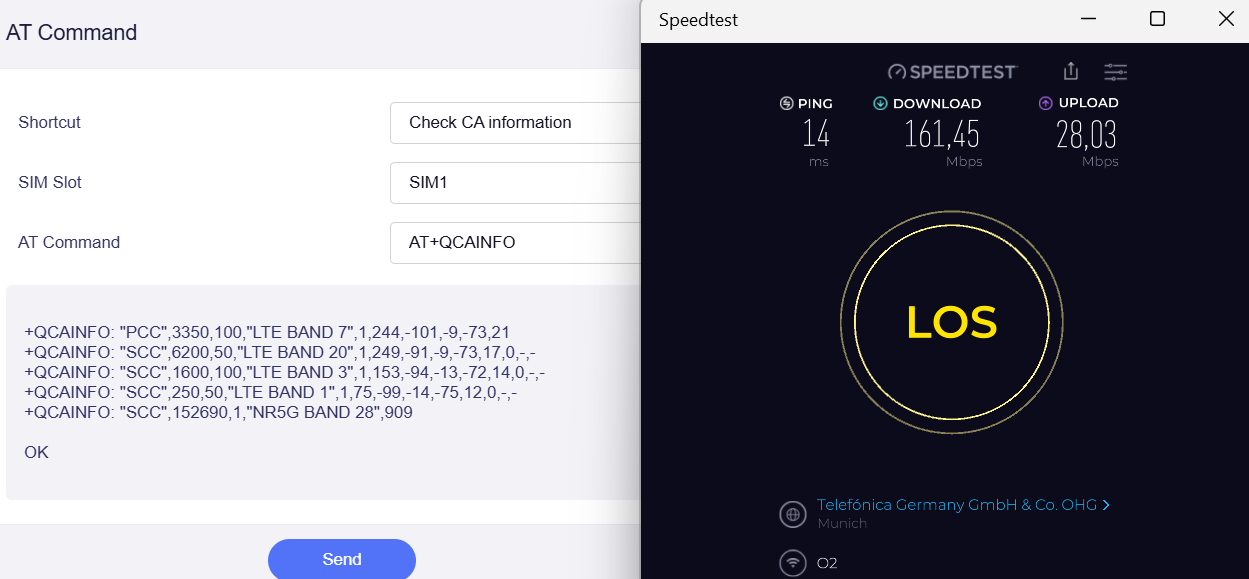
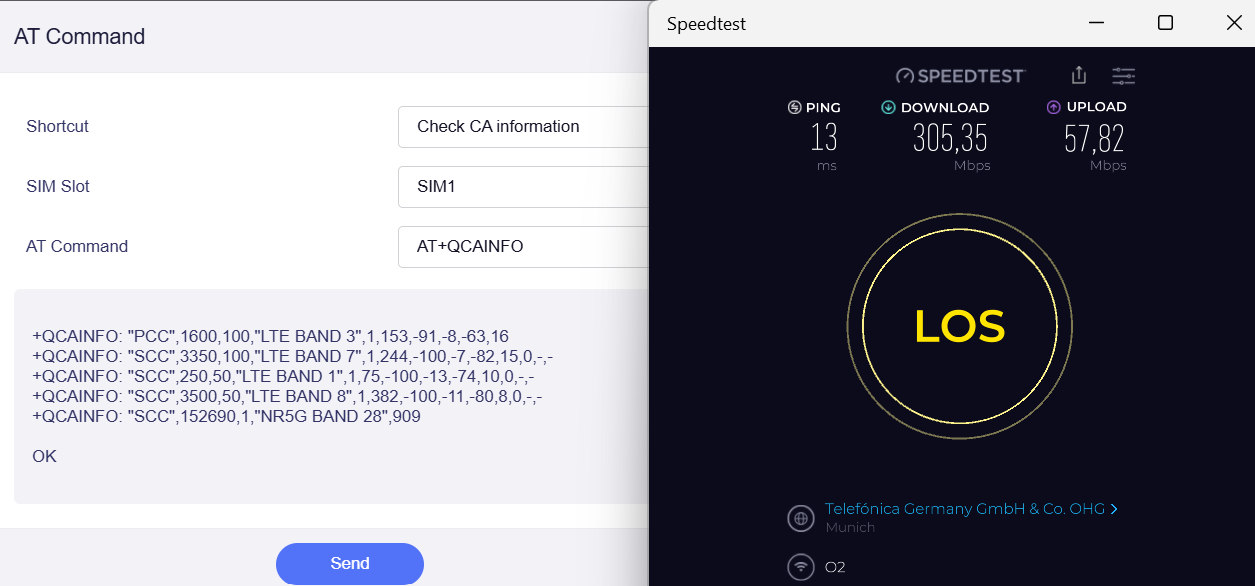
I compared it today with 3 other routers plus my smartphone (same location and timing) to verify further. In total I did about 50 testcycles with 3 different provider SIMs, all on 5G NSA contracts (no 5G SA) - see screen shot below.

Anybody else experiencing the same? There is no issue when using Vodafone or Telekom SIM cards and download is fine as well.

I´m based in Germany. Not sure it is the same for other countries.

1 Like

Hello @Martixx72
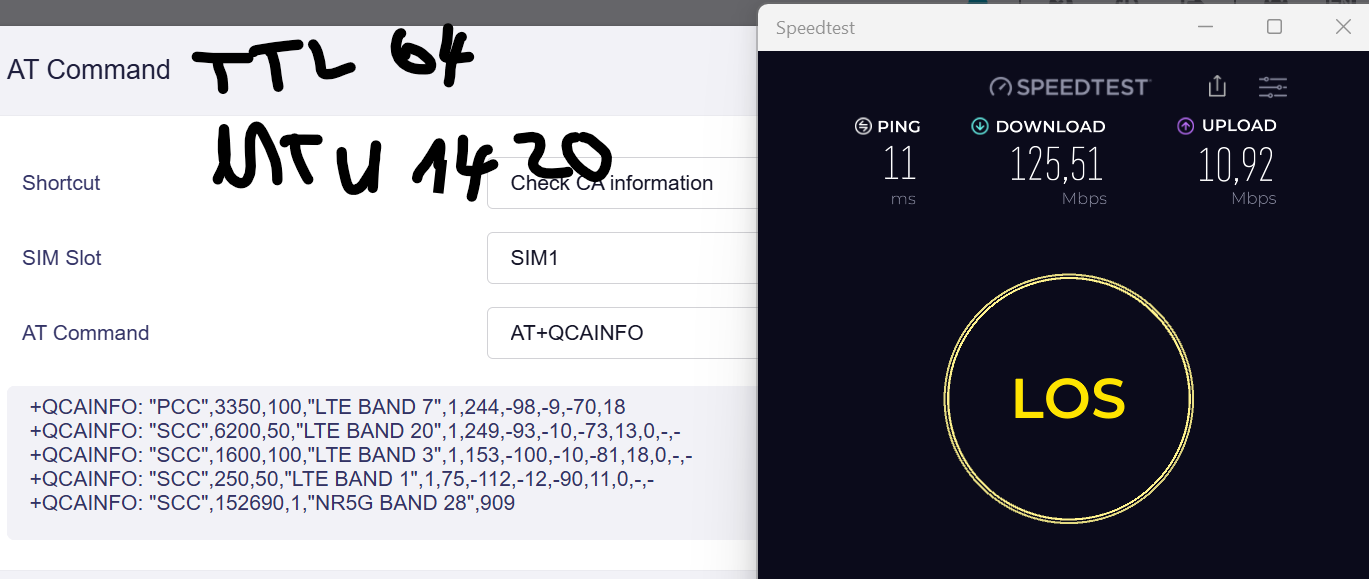
Sorry for the late response. Please try adjusting the cellular TTL to 64 or setting the MTU to a value lower than 1500, such as 1420. Then see if it's better

Hi Cathy,

changing the MTU and TTL had no impact.

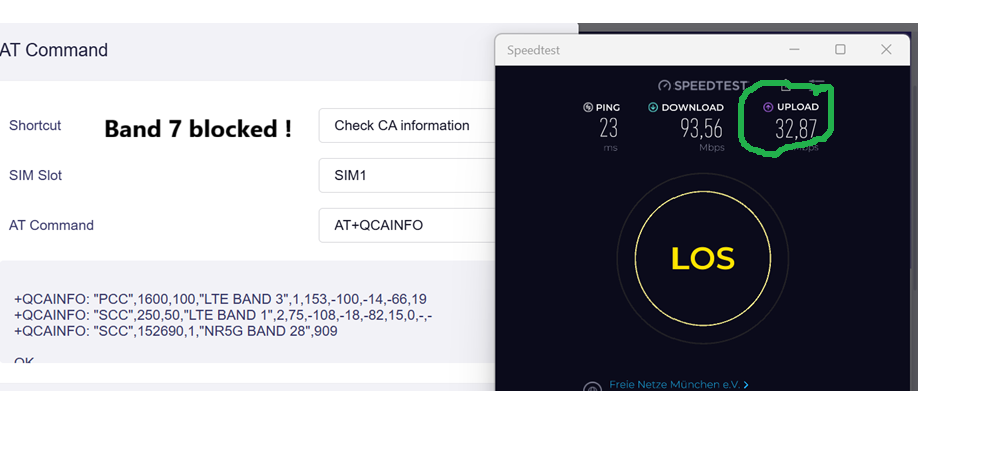
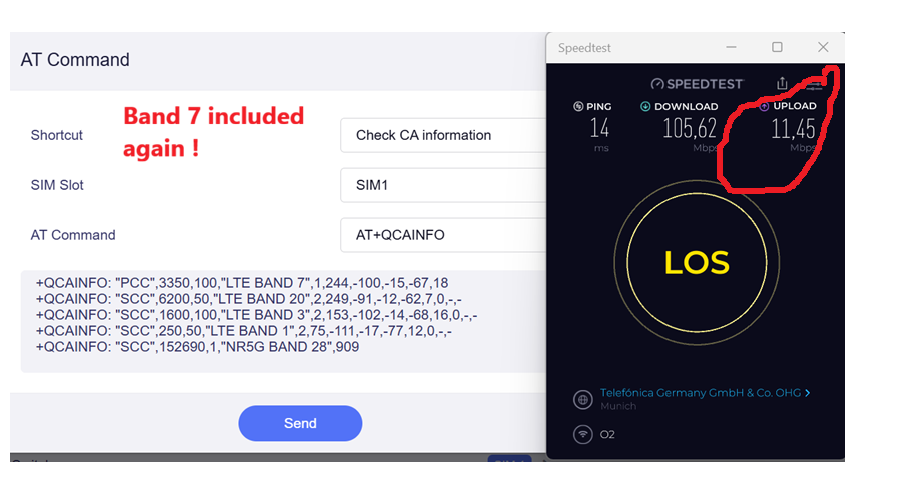
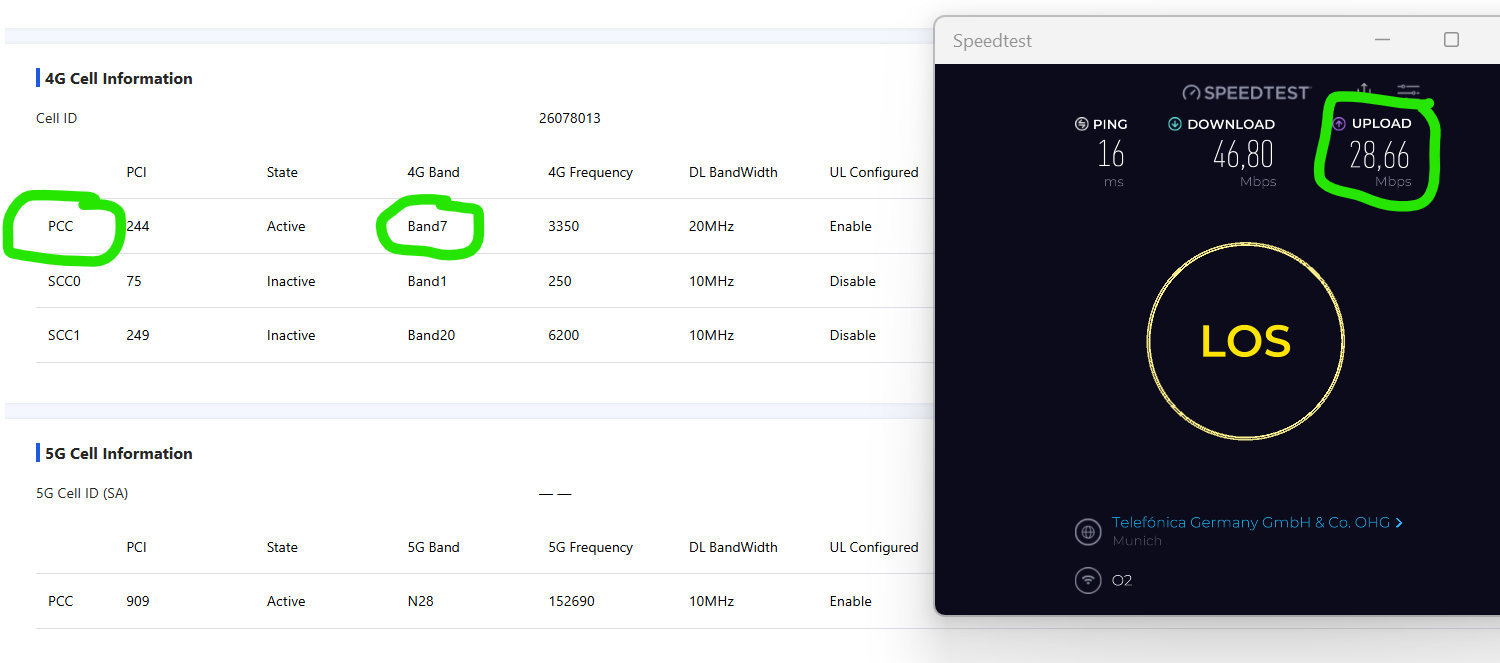
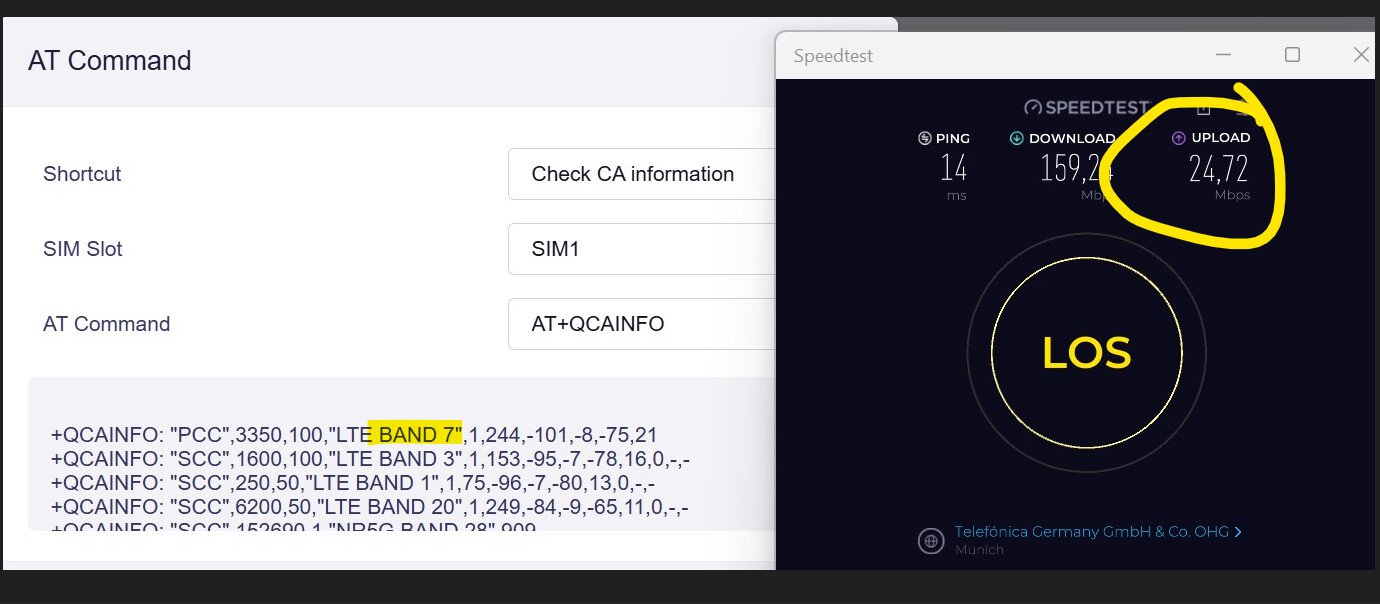
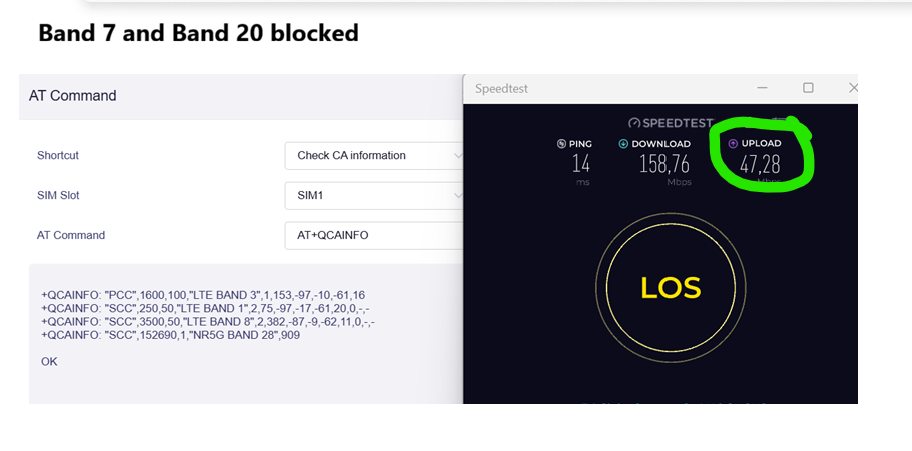
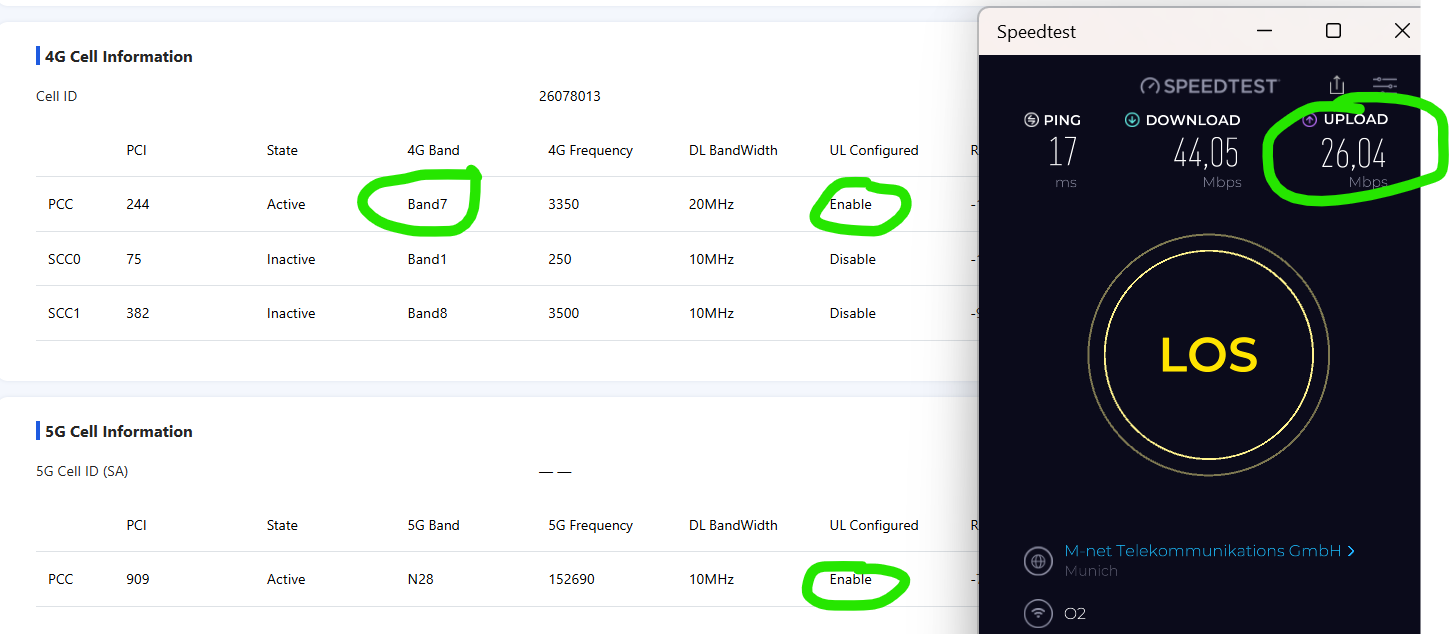
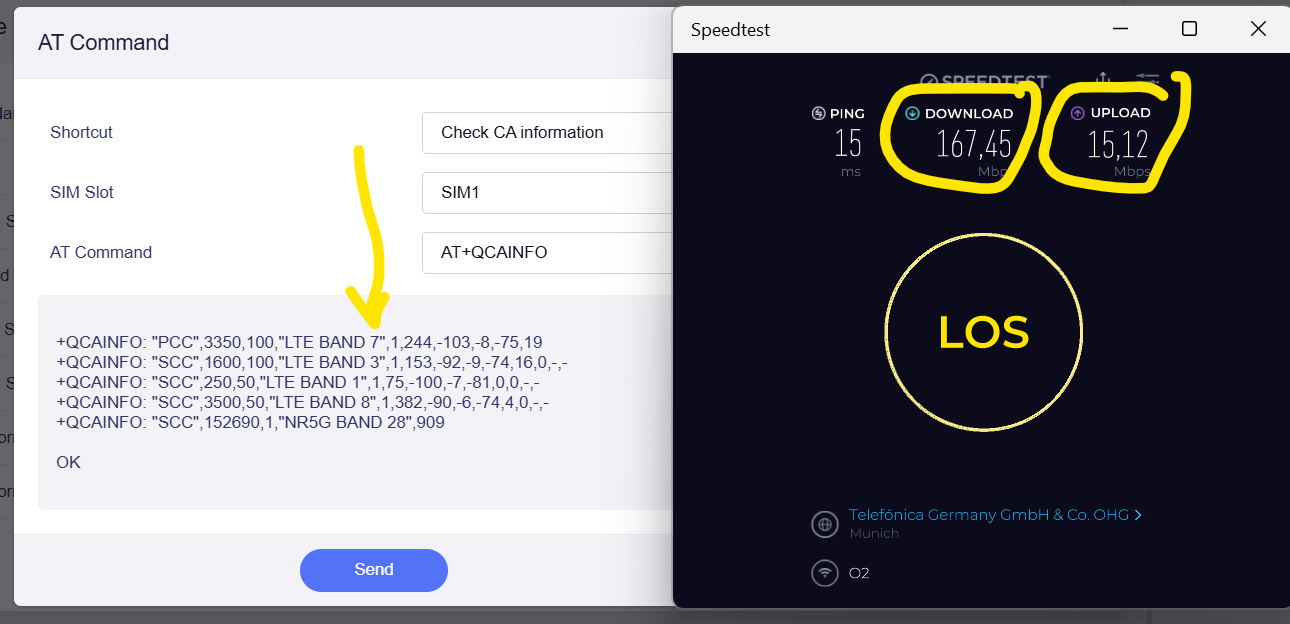
But this time I checked the CA and I found out that whenever the Band 7 is the PCC band then the upload rate is very slow.

I blocked the Band 7 to verify and it was reproducible.

I remain with my assumption that the MBN from Quectel for O2 Telefonica (which is ROW in fact as there no specific for Telefonica) is not properly programmed.

Otherwise why are all other devices are able to handle it properly (even with Band 7 as PCC) and why no issue with Telekom or Vodafone?

If you have any further ideas let me know please.

Thanks

Martin

I did the same check on ZTE U60 - it has no issue with Band 7 in PCC. Upload speed is fine.

Hi @Cathy did some further tests at a better location.

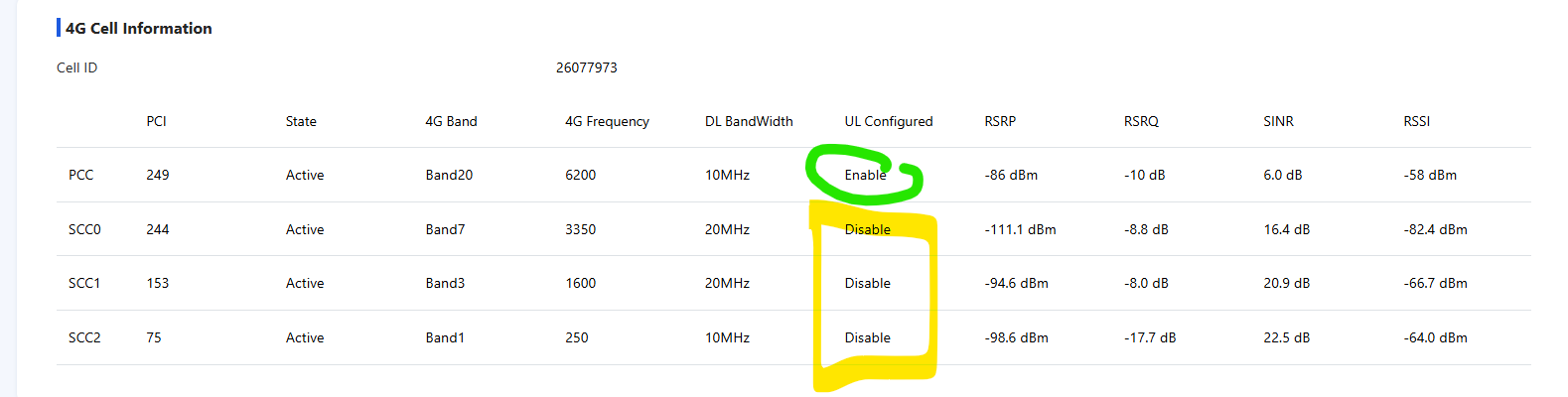
Whenever there is Band 7 in PCC there is a drop in upload.

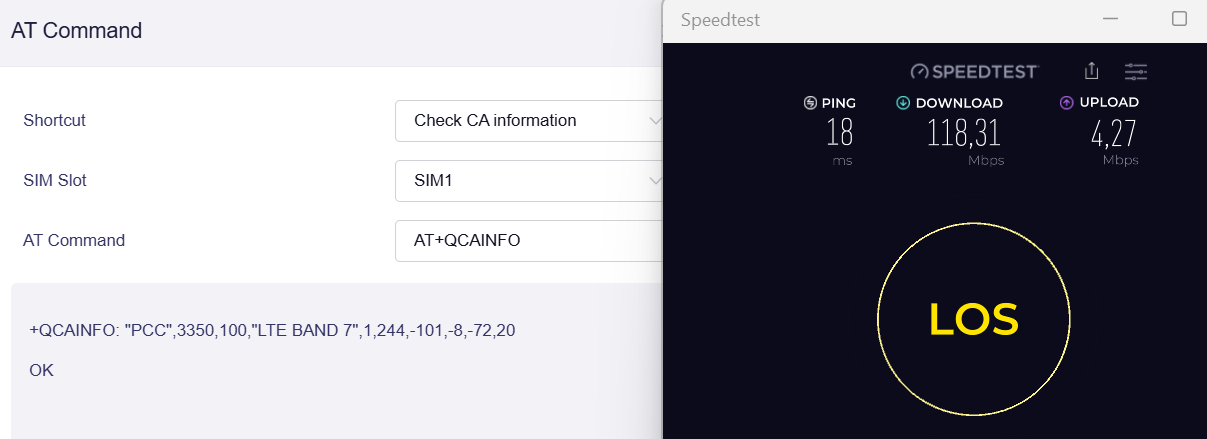
I then blocked all but Band 7 - this is Mudi 7

Then I did the same with the ZTE U60 => Which proves that 4G Band 7 has a bad upload rate in general at my location.

Then I “forced” Band 7 into PCC in ZTE U60 (by blocking Band 3 and 20). Even though the Band 7 is weak in upload it manages to aggregate 5G NR Band N28 to improve the upload speed.

If I enable Band 20 and Band 3 again the ZTE MBN seems then to check first what is the best PCC band and decided which one to enable for upload (even before load)

It seems the Telefonica MBN for the Quectel modem module on Mudi 7 is simply missing the intelligence to check what is the best 4G PCC band to enable (in my case unfortunately it chooses very often the worst - here Band 7). On top it does not always do then CA with the 5G band for upload which leads to very bad upload rates in total. Please note it sometimes it does aggregate with 5G but not always see earlier tests in earlier post.

I don´t know what is the parameter for its decision. But its seems simply bad programming. Certainly this could be fixed via firmware upgrade.

Remember I also did cancel my 5G+ (5G SA enabled) contract because the Mudi 7 decided to stick into one 5G SA band instead of enabling CA together with available 4G bands during load?

This is basically the same story: Missing intelligence in MBN programming: The software should tell the modem to enable 4G on top if load is coming in and only stay in 5G SA when there is no load (because 5G SA uses less energy / is more energy effiencient).

And this is in my opinion only valid for O2 Telefonica - which uses the RoW MBN (Rest of World)

@Cathy Is it something GL.iNet will look into further or is it “to be accepted” as is?

Just FYI: I bougt now a German Telekom SIM card with higher speed limits: max 300Mb/s Download and max 100Mb/s upload. Still on 5G NSA (no 5G SA contract - same as all my other contracts)

Upload Speeds with Mudi 7 were in the beginning in average 23 Mb/s - again worse than with my smartphone average upload was 64 Mb/s or the ZTE U60 with 54 MB/s using the same SIM card and location.

Then I changed the Mudi 7 to MTU 1420 and TTL to 64. After that upload speed improved a lot. Average was then 61 Mb/s. :smiley: (Download speeds were the same on all devices with around 310Mb/s in average on a 300Mb/s contract)
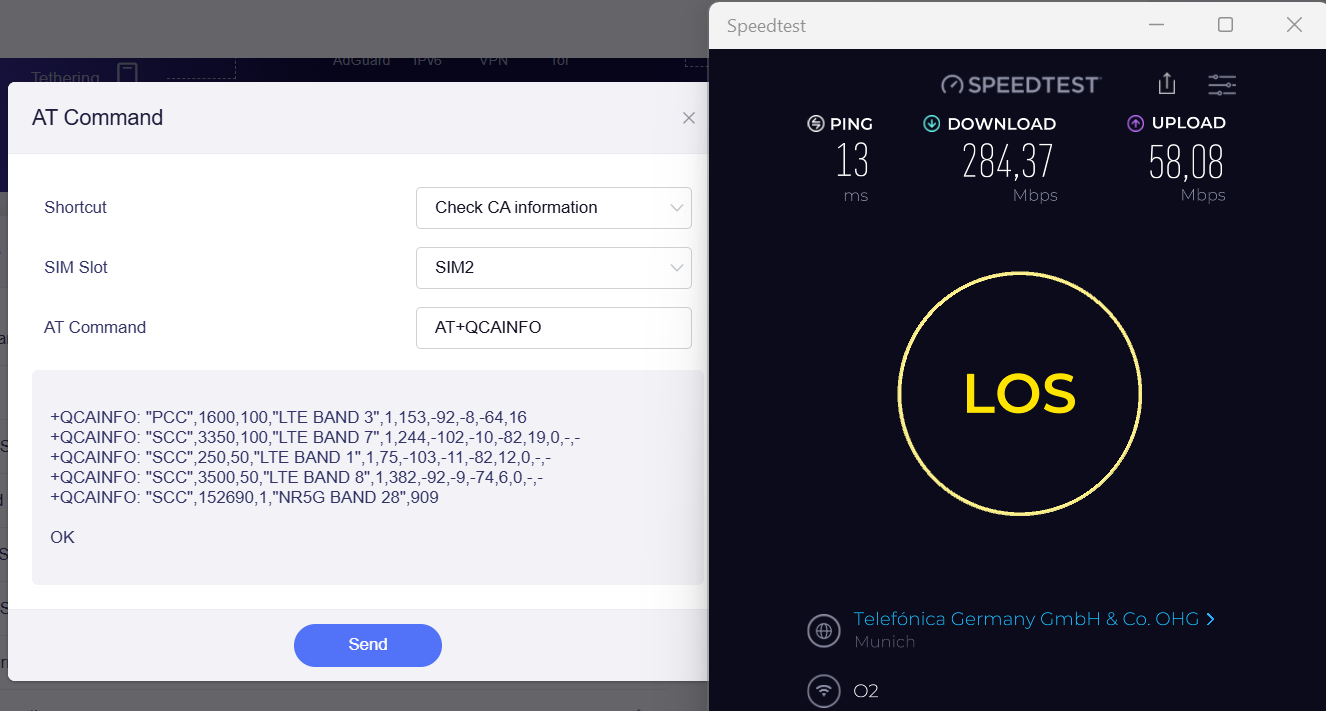
However with the O2 Telefonica SIM card, the issue remains, even with changing MTU and TTL average upload was usually 24Mb/s while other devices had 50Mb/s and 40Mb/s in average. Removing Band 7 did improve upload speed again. Changing TTL and MTU had no impact.

hello @Martixx72 We are working on this. Could you try inserting only the Telekom or O2 SIM into the router and running a speed test? Please run it twice to verify the results. Thank you

Hi Cathy,

I did run every test at least 3-5 times. What I described in my last message is the average speed of the 3-5 speed tests performed.

I tested both SIM cards separately in all 3 devices (Mudi 7, ZTE U60, Google Pixel 8a).

MTU and TTL I only modified in Mudi 7 of course ( no reason to do it in the other devices and not sure at all I could modify if needed)

I would remain with my assumption that the Quectel MBN needs to be optimized for O2/Telefonica. (Or the RoW MBN in general)

Regards

Martin

Have you tried testing the speed with just a single SIM card inserted? Could you please help test the speed? I'd like to verify whether the speed is affected by dual SIM registration.

I have always disabled Auto Switch. So the second SIM is (at least in my understanding) not registered on the network during tests. Are you sure this could make a difference if a second SIM card is just inserted in the SIM card slot?

I´m asking because I have performed now roughly 100 tests in 3-4 different locations, I bought 4 additional SIM cards (spent money on the contracts as well) and the result was always the same. It is quite time consuming. I´m okay to test it in case this makes a difference.

Mudi 7 supports dual sim dual standby. I suspect that inserting two SIM cards simultaneously may lead to resource contention. Could you please test the speed with only one SIM card inserted to see if there is any difference?

I´m travelling right now. I will check later on this week at my “standard location” so it is comparable.

Hello @Martixx72 there is beta firmware v4.10 available for Mudi 7 and can be downloaded from GL.iNet download center
Could you upgrade this firmware and then see if there is any improvement with the upload speed?

All tests below before firmware upgrade. (MTU 1420 and TTL 64)

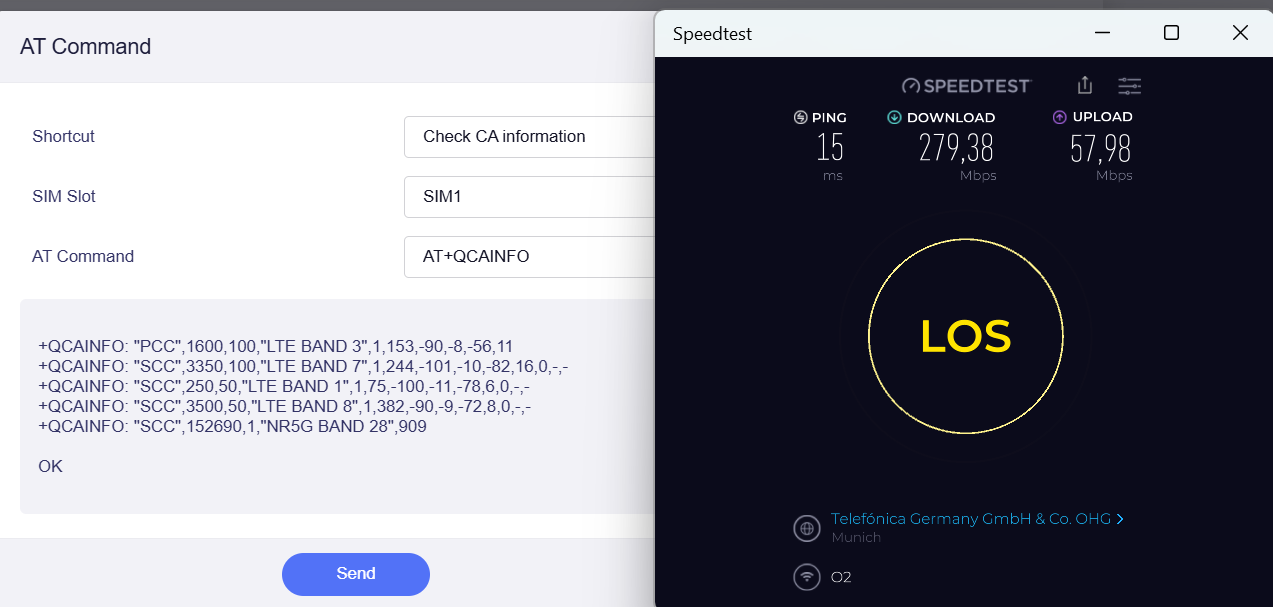
Test #1
with Telefonica O2 SIM card in Sim Card Slot 2. No second SIM card inserted - contract limit is 50Mb/s in Upload and 300Mb/s in dowload)

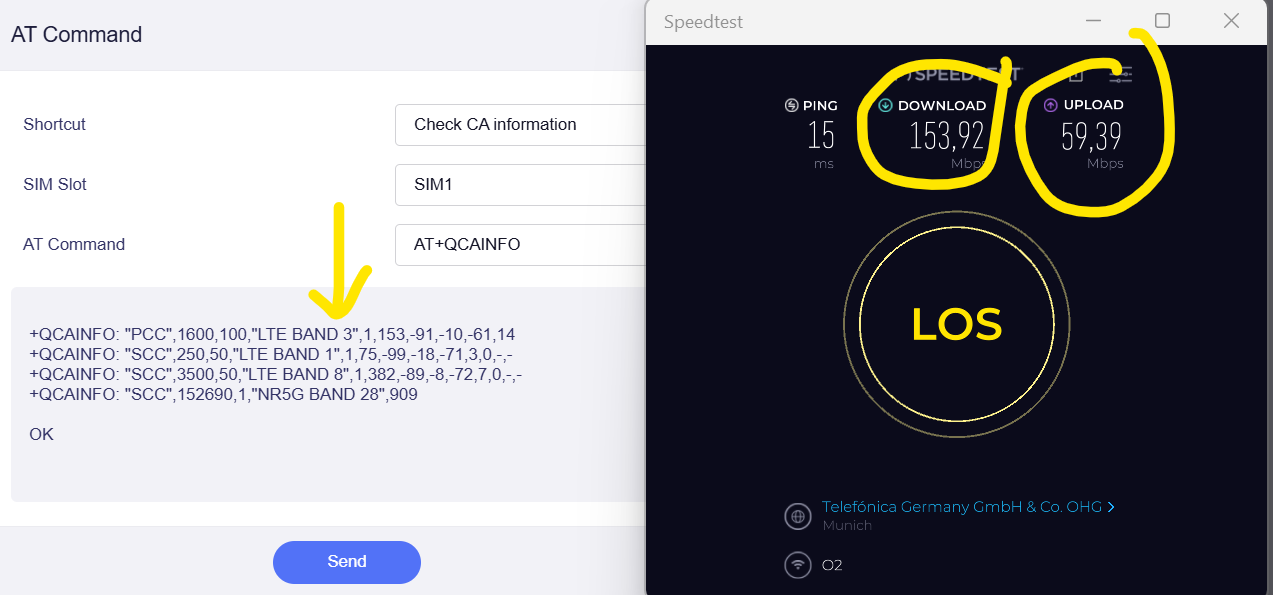
Excellent Download and Upload Speeds Upload average was 55Mb/s
PCC Band 3

Example Screenshot (did run the test 5x)

Test #2
with O2 Telefonica SIM Card in Sim card Slot 1 and a second SIM card Telekom in slot 2.
(I did a reboot. Registered first Telekom, then disabled Telekom and enabled O2 card in Slot 1. Auto Switch is disabled.)

Interesting enough it chose PCC band 7 - which resulted again in lower download and upload speeds. It was roughly a loss of 40% in download speed and with 20Mb/s in download a loss of about 60% in upload speed.

Test #3 I manually blocked LTE Band 7 - O2 Sim card still in SIM slot 1. Telekom SIM (disabled) in SIM card Slot 2

It uses PCC Band 3 again.

Upload speed again at maximum around 55Mb/s , Download Speed around 155 Mb/s

Test #4
I removed Telekom SIM Card from slot 2. O2 Telefonica SIM card remains in slot 1. Enabled again Band 7. No reboot!

Device chose Band 3 as PCC again. Test results are again excellent in download and upload.

Test #5 For the fun of it I blocked now Band 3 while O2 Telefonica card remained in slot 1.

Surprsingly it had good results in download (230Mb/s) and upload (30Mb/s). Not excellent, but still better than if there was a secon SIM card in slot 2

Test #6 instered Telekom SIM in slot 1 again - no reboot. Still not enabled. Band 3 still blocked. Results with O2 card were that download speed dropped again. Upload remained good.

Test #7 no band blocked, both SIM cards inserted. O2 being used in slot 1

Test #8 Telekom SIM card removed. O2 SIM card in Slot 1 - no reboot during removal.

Again results excellent!

Test summary:

@cathy You were right with the assumption that a second SIM card even if not enabled is somehow using band frequencies slowing down the SIM card in usage.

Hi Cathy,

I downloaded and installed v4.10.

It states in the display 4.0 Firmware Type 1000beta2 but now I get no more internet connections! Tried with 2 SIM cards. APN was unchanged. I did already reboot and reinstall the firmware update a second time this time with deleting all previous settings. Didn´t help either.

Please advise how to fix it or how to roll back to the previous firmware versions.

Thanks

Martin

P.S. I can connect via Wifi Repeater and Good Cloud if this helps

The latest beta v4.10 includes a speed fix that should help. As for the registration error, could you PM me the admin password? We'll take a look at the settings remotely. Thanks