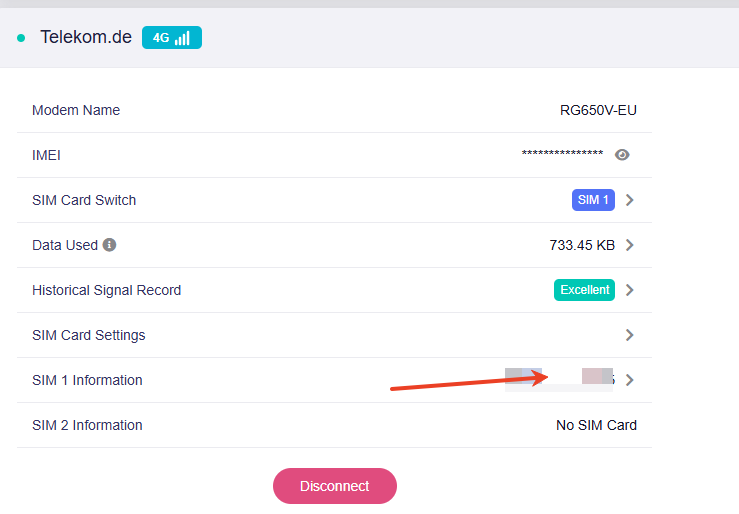
I'm using the new Mudi 7 in germany with a Telekom physical SIM card, or try to use it.
Sometimes I get a connection sometimes not and after a while not using it the connection is lost.
The Mudi 7 shows that it is connected but no data will be transfered.
I switched the SIM card slot → no success
Both SIM card slots work without any issue with a vodafone SIM card.
I tried using the following settings
APN: internet.v6.telekom
IP Type: IPv4 & IPv6
Network Type: Auto
Authentication: PAP
Username: telekom
Password: tm
APN: internet.v6.telekom
IP Type: IPv4 & IPv6
Network Type: Auto
Authentication: PAP / CHAP
Username: telekom
Password: tm
APN: internet.v6.telekom
IP Type: IPv4 & IPv6
Network Type: Auto
APN: internet.telekom
IP Type: IPv4
Network Type: Auto
Authentication: PAP / CHAP
Username: telekom
Password: tm
Hi, we are investigating the issue with Telekom network. Please manually change the cellular settings as follows and see if it helps:
APN: internet.telekom
Hi,
thanks for the settings.
When I use this settings, the connection is established and works for are short time.
After a couple of minutes no data are transfered anymore.
I didn’t move or touched the Mud 7 during that time.
The “Historical Signal Record” show “Excellent”
I also switched off in the “Power” settings “Auto System Standby” and Wi-Fid Idle Timeout to never but that doesnt help.
As mentioned everything works well with the vodafone SIM
I’m having the same issue. sometimes I’m able to get a connection and lose it after a while but most often it is not possible to get a connection. Sometimes there seems to be a connection to the network (Connection Bars Show) but they are in Orange and there is text displayed “The interface is connected, but the Internet can’t be accessed”.
I tried different physical SIMs and an e-SIM and had issues with both. Band blocking seems to work (Band 20) for now but I have too look further into it.
I would appreciate if you could find a solution for that Problem
Thanks for the feedback. Are you also using the Deutsche Telekom network? We are aware that the Mudi 7 may experience instability when using LTE B3 on the Telekom network.
We recommend temporarily blocking out LTE B3 (you can do this in "Cellular Network" -> "SIM Card Settings" -> "Band Masking"). We are actively investigating this issue and will resolve it as soon as possible.
After testing the connection for 3 days 24/7 I can confirm that blocking LTE Band 3 resolved the connection issues.
I also tested an eSim in the O2 / Telefonica mobile network detected the same issue with LTE Band 3 and with the same resolution on blocking LTE Band 3
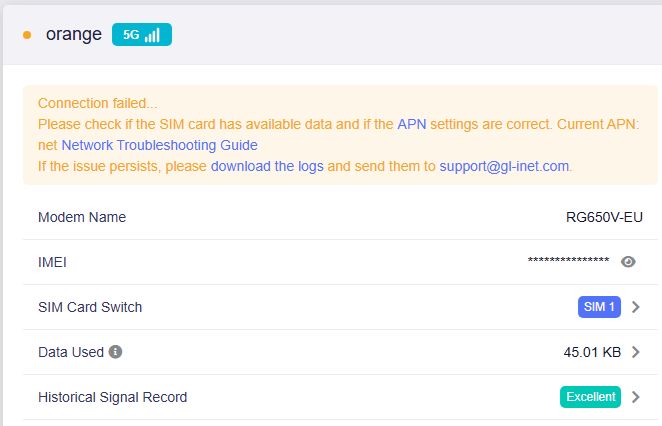
I am also having issues with ORANGE RO SIM. It registers on network but no data connections are established.
Running this command AT+QMBNCFG="Select" i get this output: +QMBNCFG: "Select",France-Commercial-Orange
VODAFONE and DIGI SIMs work because they use +QMBNCFG: "Select",ROW_Commercial
The file /firmware/image/modem_pr/mcfg/configs/mcfg_sw/oem_sw.txt only contains mcfg_sw/generic/EU/Orange/Commercial/France/mcfg_sw.mbn for ORANGE
How can i fix this issue and have ORANGE SIM working?
I am having the same issue in Germany using a Telekom SIM card. The SIM works flawlessly in my phone/laptop. Blocking out LTE B3 gets me a stable but very slow connection!
Same here: The device is basically not working out of the box in Germany. It only works slower than my old X3000 Spitz router with disabled B3 band. A Deutsche Telekom eSim is beeing used.
So far, I’m not excited with that device. (waste of money and time).
Hi everyone, regarding the network connectivity issue with the Mudi 7, please refer to this post and follow the solutions provided to resolve the problem. Thanks