OpenWrt 24.10.0-rc4 - Fourth release candidate
2 Likes
^^^^^^^^ rc1 (gl-inet) to the Version above ^^^^
hey,
after putting this via LuCi sysupgrade onto the Flint 2 (from rc1 to rc4) the Router is now bricked.
no access to the control panel and also Luci is broken now.^
Admon helped to unbrick via SSH //thx
1 Like
4.7.0-op24 beta on Flint 2 as primary router (working) does not integrate with the Slate AX running 4.7.0 beta in WDS mode. I was told to use the op24 builds for greater compatibility since your default non op24 build on the Flint 2 does not work with WDS with your own hardware, but now it does not work with the 4.7 beta -basically makes the Slate AX inaccessible / bricked when in this mode. I will uboot and roll back until addressed in the next beta builds respectively for each device. What has your internal QA team shown for WDS between these two devices since I was told you do this already (since they are sold as a bundle on Amazon)?
@Alisa @bruce I checked today the Firmware 4.7 (beta11) on AXT1800:
- Full reset must be done after upgrade (or remove all settings during upgrade) otherwise, wifi won't work --- This was related to my router VLAN config which fails after upgrade, explanation below ---
- Missing essential packages such as [OpenWrt Wiki] PBR app and luci-proto-wireguard (I prefer using wireguard with VLAN config on LUCI), and others such as Realtek drivers.
- Update: The Wireless interface is not working with VLAN filtering in Bridge settings. Steps to reproduce: 1. In br-lan device enable VLAN filtering, and add 2 VLANs. VLAN-ID 1 will be untagged, and PVID. VLAN 2 will be tagged. 2. Update lan interface to use VLAN 1 (br-lan.lan1) 3. Save and Apply. If you are connected using an ethernet cable, the changes will pass. Try next to connect using your wifi. You will notice that your terminal device is taking too long to reconnect until you get a connection timeout error. The previous steps were working fine with Firmware 4.6.8
I did neither of these things and my AXT1800 is repeating Wi-Fi as per normal.
Cheers.
Yes, you are right. After the upgrade and reconfiguration, my wifi went down; I noticed that the problem was caused by the VLAN config. I updated my previous comment
Hi,
The plugin/packages we will try to add.
Please make some screenshots for the VLAN and wireless configuration, we will try to reproduce it.
Hi,
Sure. I attached here screenshots of the steps:
- Add new VLAN to br-lan device
- Click save but don't click save and apply
- Update the lan interface
- Click save and then save and apply
- Check that your wireless-ap is linked to lan network (by default it's always linked to lan)
- Now you will notice that all your wireless devices have been disconnected and not able to reconnect again.
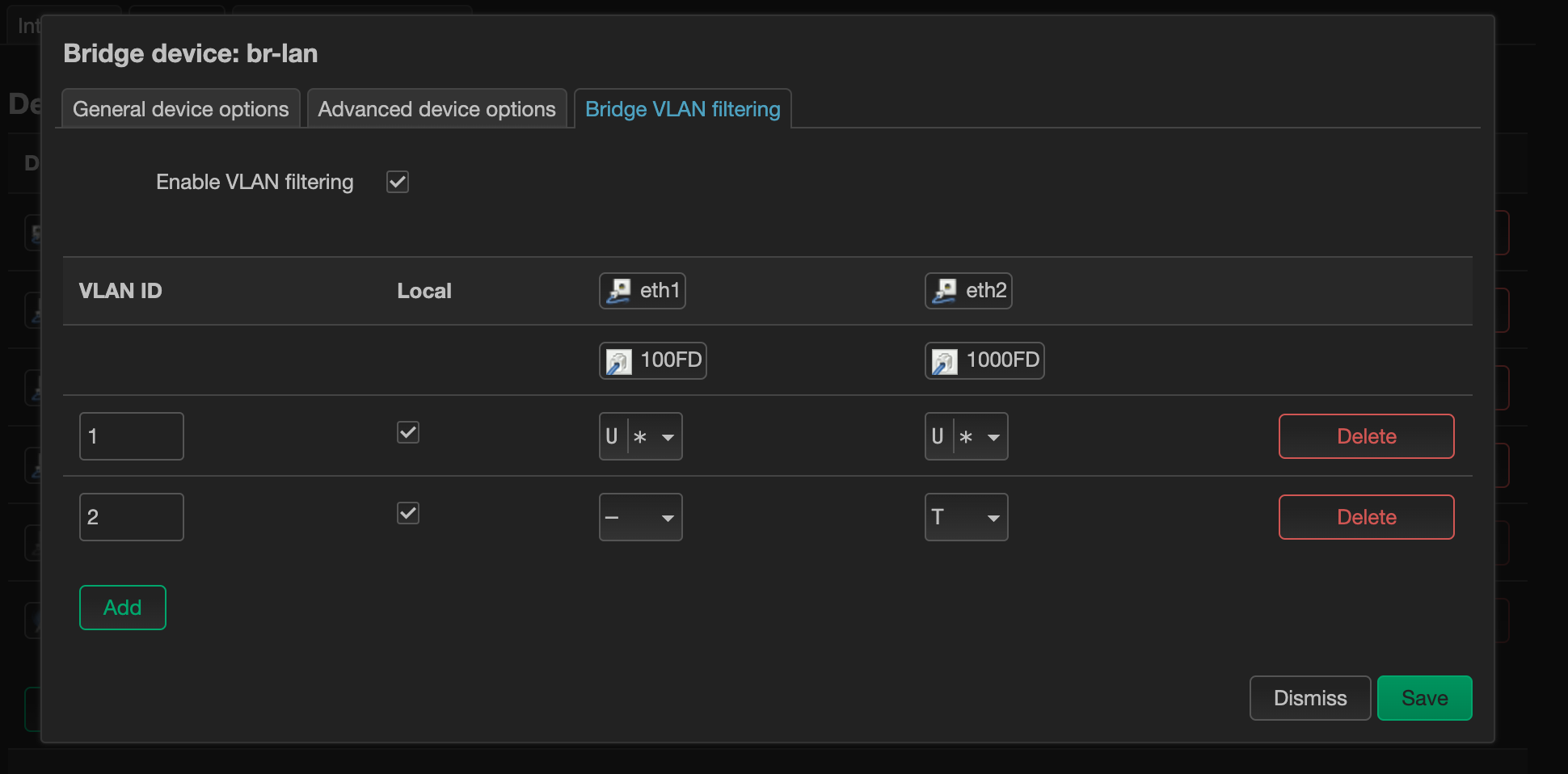
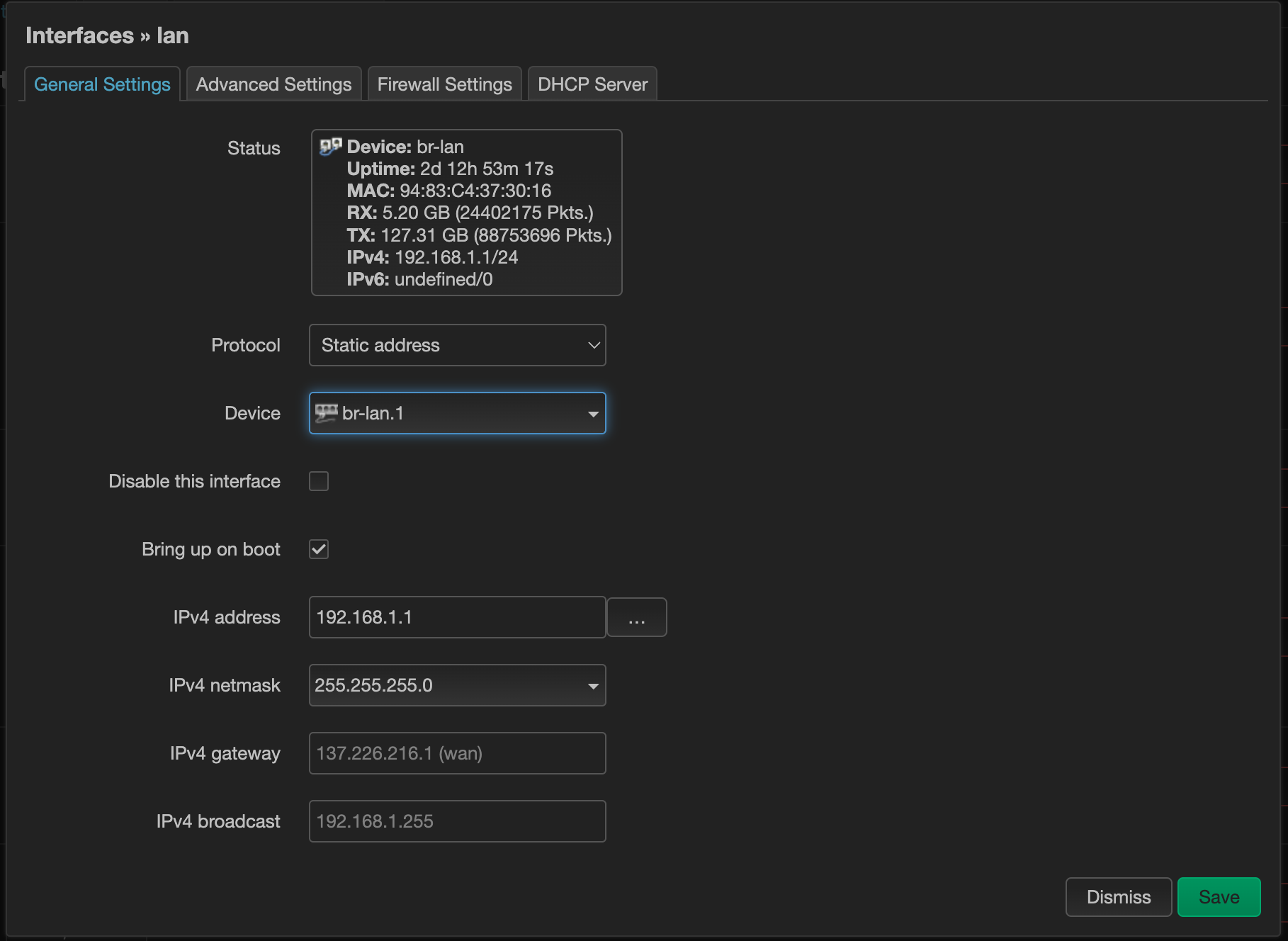
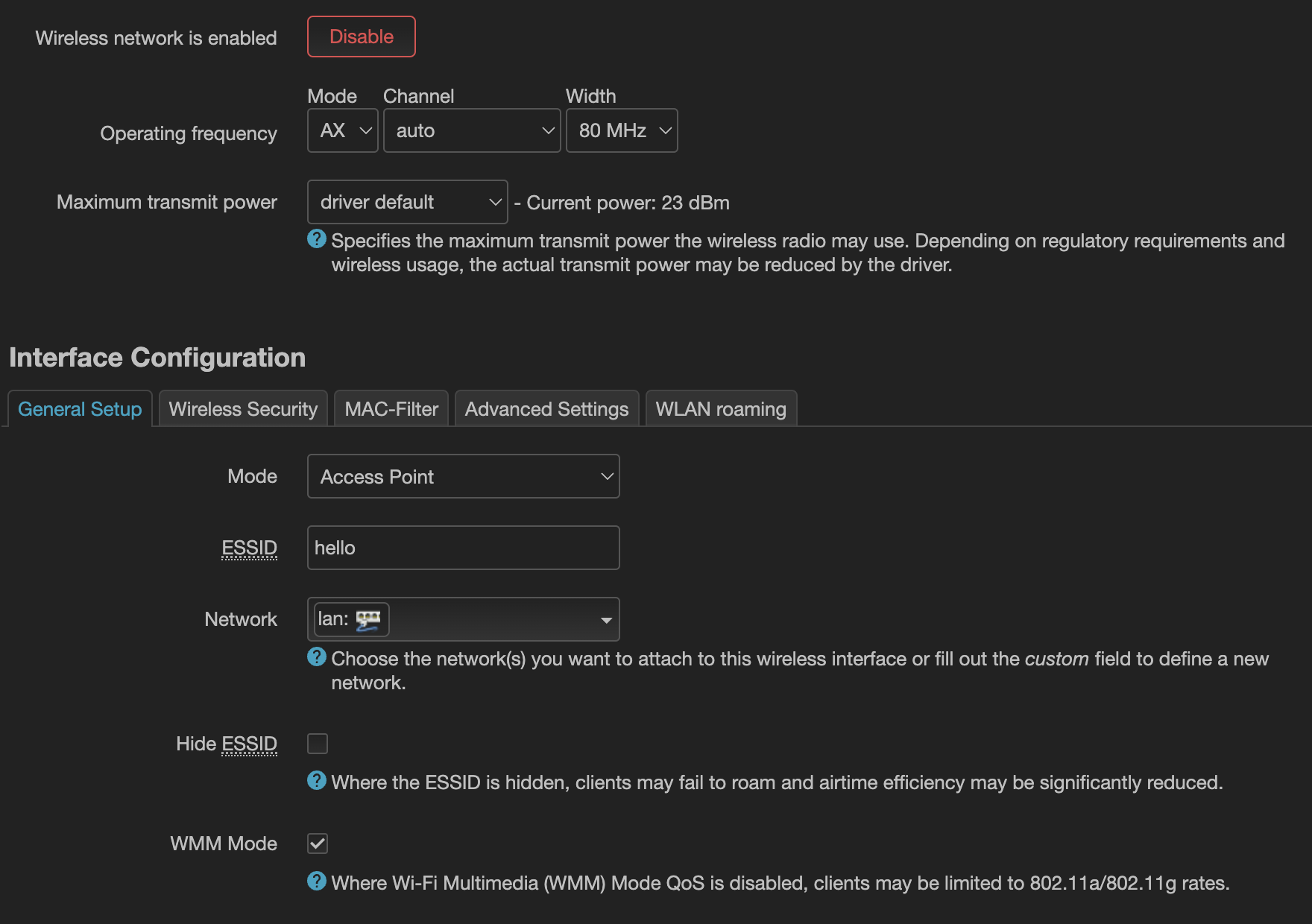
Note: If it was a DHCP or DNS problem the wireless device should first connect and then show a message that the device can't get an IP
Note 2: The same steps will work on the previous firmware version
The Device used here is AXT-1800
1 Like
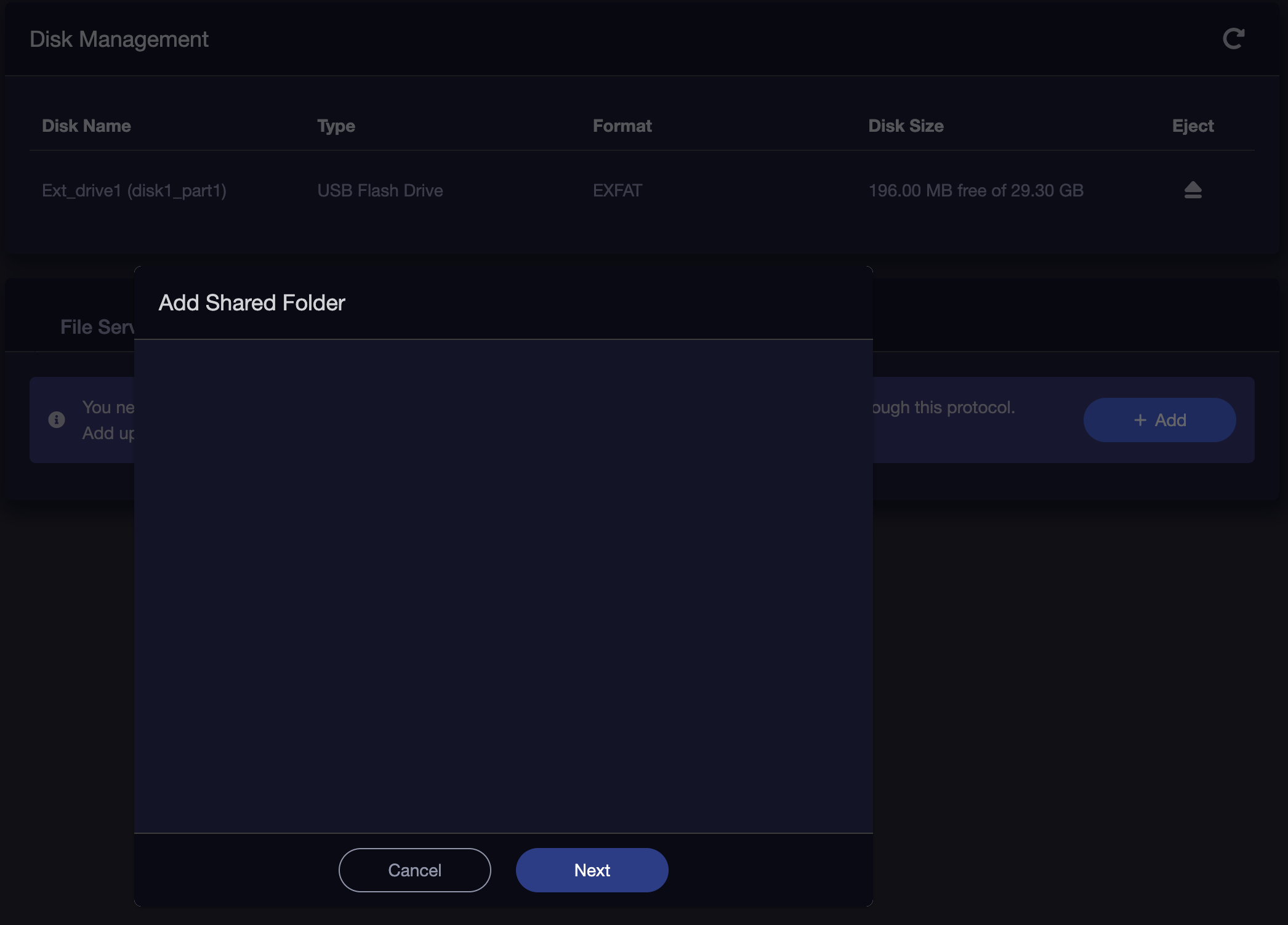
For the plugins and packages, I believe that Network Storage is also impacted as it's not working for me. The USB flash drive is recognized but the disk available space is wrong and also adding shared folder screen is blank (attached picture)
We have aware this issue, have updated the codes, and improve in the next version.
Please check this URL to manually install first to test the pbr and luci-proto-wireguard.
If the plugins work ok, will upload to the GL plugins feeds.
@Alisa any updates on the axt1800 4.7 release?
One issue I've noticed in the op24 version: the Repeater UI rejects some characters in the username field for EAP networks which are in fact valid, for example '@'.
1 Like
Is it not allowed fill @, or unable to save?
I installed PBR from developer repo
and with this luci-proto-wireguard is working flawlessly
1 Like
Unable to save; I should have written down the error message, but it was something along the lines of 'invalid parameter'.
1 Like
Thank you for the link. I tested both PBR and Wireguard they are working perfectly. 
Note: There are some major issues with the Wireless LAN in 4.7. I found out that if you only try to create a new Wifi interface all the interfaces will be disabled and only go back to normal when you remove the newly created interface.
@bruce or others... I've noticed in the 4.7 firmware that the opkg package (plugin) repository has been greatly reduced. There's no longer bash, nano, speedtest-cli and others that I regularly use when setting up customers.
- Is there any way that at least "nano" can be added to the 4.7 packages?, or;
- Is there an additional repo I could add that would would provide these packages?
Thank you!
To help you quickly pinpoint the cause of your problem, which router model are you using?