What great news! Many thanks to the GL.iNet team for all the effort and dedication you put into every update.
It’s clear that you are committed not only to improving your products but also to listening to and supporting the user community.
Each new version brings amazing features and optimizations that make the experience so much better.
It’s truly a pleasure to see how you continue to innovate and take care of your customers!
Thank you for the excellent work and for growing together with us!
Because this is likely the result of a old forked version since medio OpenWrt 21 or 23 when DSA just got introduced.
Usually, switch tab and DSA options cannot pre-exist both on the same time, but it happens.
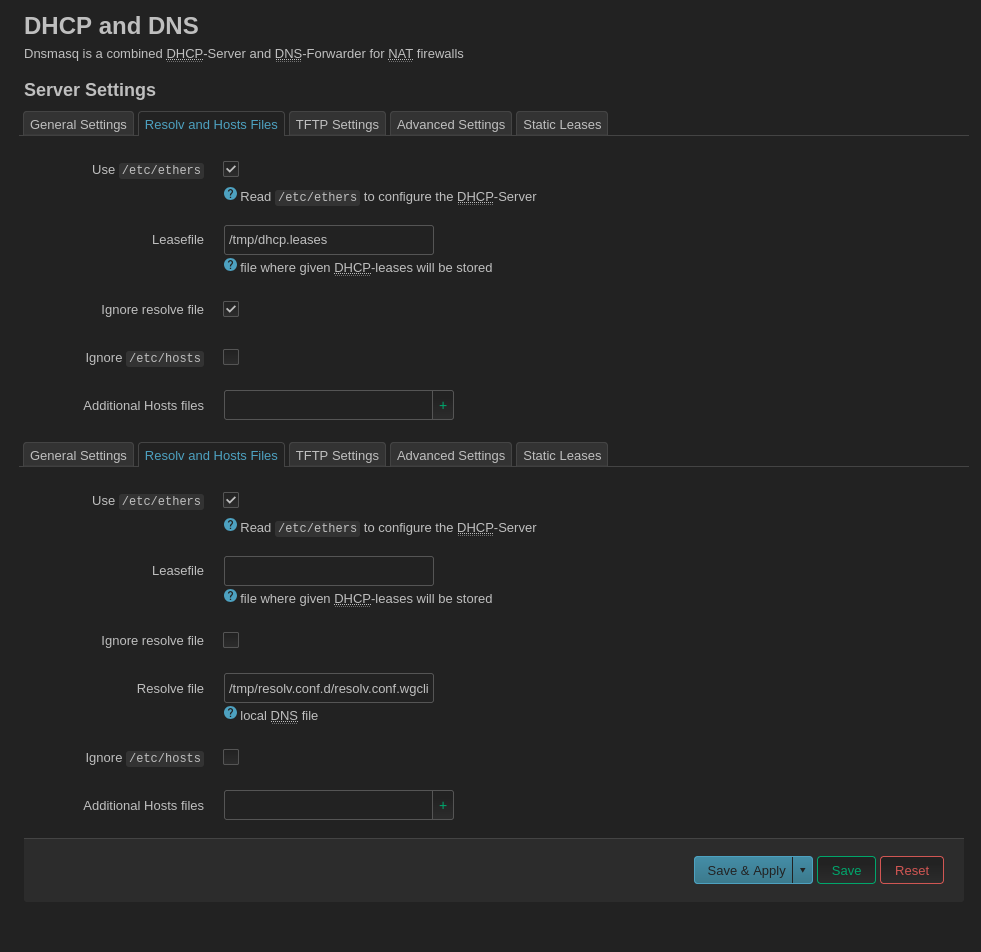
I think the reason why you see multiple sections is because of the change of having multiple dnsmasq instances in op24, the old luci shows it malformed like this.
That is my suspicioun, I think they re-use packages from different OpenWrt versions, but this isn’t really practical.
Edit:
If it is really a cache issue, which I doubt because I know about some bugs from early lucis when DSA was just introduced and they are present, you can do this via the cli.
Well, IDK WTH is going on with their builds for LuCI but something seems not quite right. Here's the unique/non-duplicate packages between a GL v4.8.0-beta9 build for the Slate AX vs pure OWRT 23.0.5.5. I just don't see how a SNAPSHOT could have a higher dot version than a full release... I'm probably missing some tidbit of info.
For me on a recent snapshot from openwrt master I see: Powered by LuCI Master (25.245.62541~02466ad)
But still alot from it's quircks I only see in a old version of luci from a time back to when DSA just got added, like the issue with vlan filtering that add button ghosts, and switch tab menu when DSA is present.
It appears On the MT3000/MT6000 closed-source (op21) firmware.
Since multiple dnsmasq instances on v4.8.x firmware, but Luci (op21) is incomplete, resulting in multiple identical untitled (interface) options.
Don't worry, and don't change them.
This is normal behavior.
Today, i tested latest firmware of beta version 4.0 0802beta1 (2025-08-19 01:50:46) for GL-X3000.
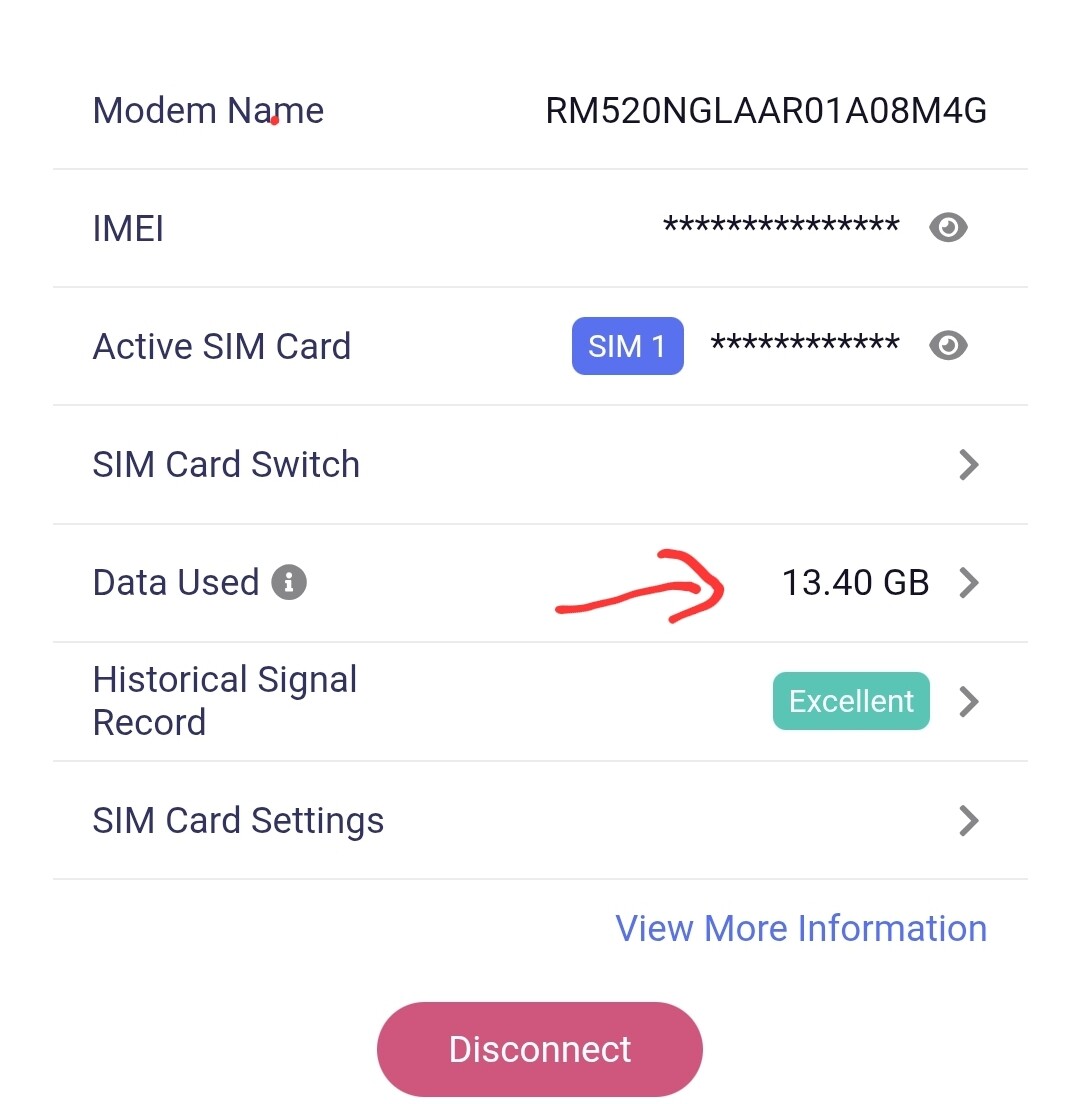
i find 2 problem with total data uses on internet page and AT+QGDNRCNT?.
when i download 1GB test file then data Uses increase 2.12GB and also i check using AT+QGDNRCNT? both increase 2.12GB after download 1GB. when i check client traffic then increase 1GB and it’s perfect on clients page.
That means total traffic count not update correctly. almost increase 2x from actual data uses.
Another problem is sms stopped working after few hours.
Hello,
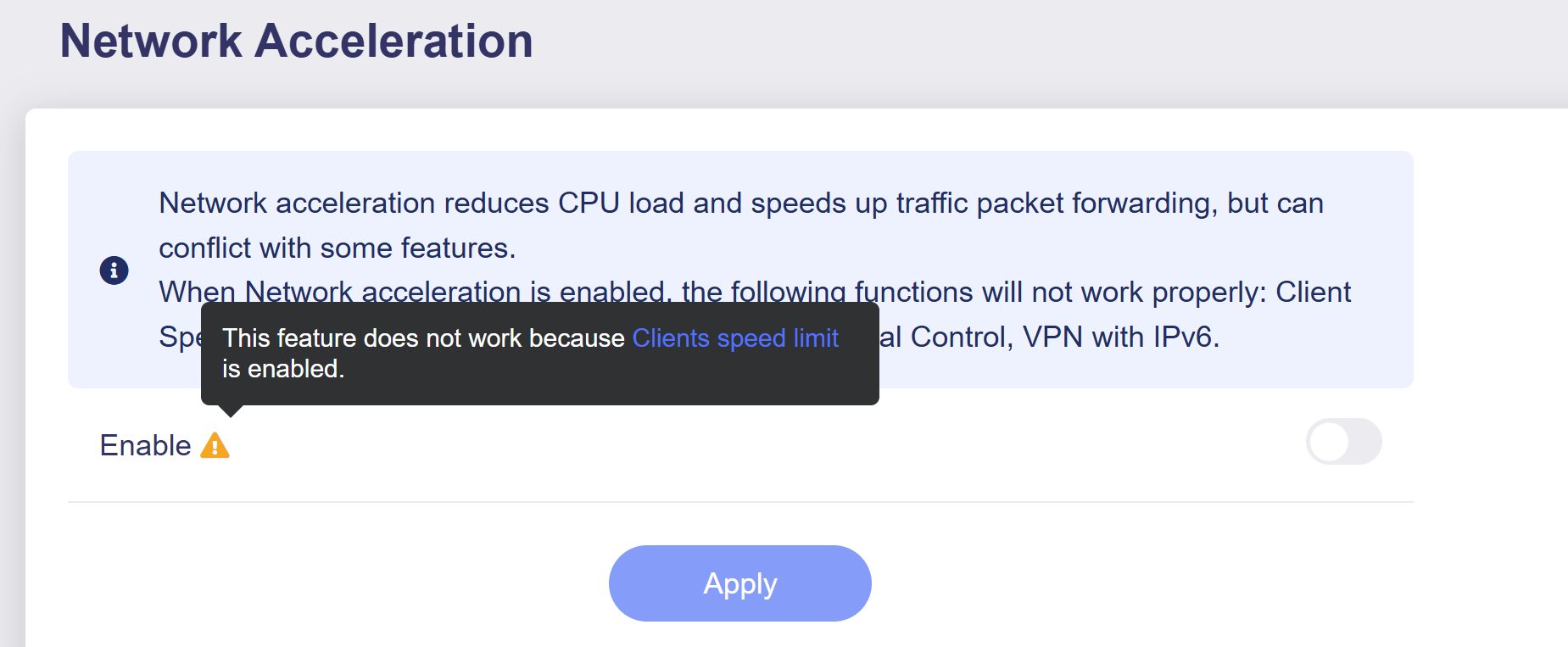
I wonder if the network acceleration mode is enabled on the router?
Could you check the actual data usage of this SIM card with your carrier and compare it with the router's traffic consumption data?
already off..
i am sure it’s count almost 2X. because no problem in old firmware version.
if i reset counter on internet page with Zero then after finish 1GB test file download show 2.12GB in data use on internet page.
Did you retain the router settings when upgrading from v4.4.9 to v4.8?
We didn't reproduce the problem. Could you help to get some logs for further analysis. I will PM you the operation document later.
Thanks
Can we have the feature of goodcloud.xyz permanent on all routers to have remote access enable automatically after a software reset or factory default.
Sorry, unfortunately no, according to the factory default configuration, we cannot apply GoodCloud to the enable state by default.
This must be manually enabled by the users, because GoodCloud involves remote control.

 What great news! Many thanks to the GL.iNet team for all the effort and dedication you put into every update.
 Thank you for the excellent work and for growing together with us!