I am using the GL-MT6000 (Flint 2) router behind an ISP ONT configured in Bridge Mode (ISP: Orange Romania, DHCP connection with IPv6 Prefix Delegation /56).
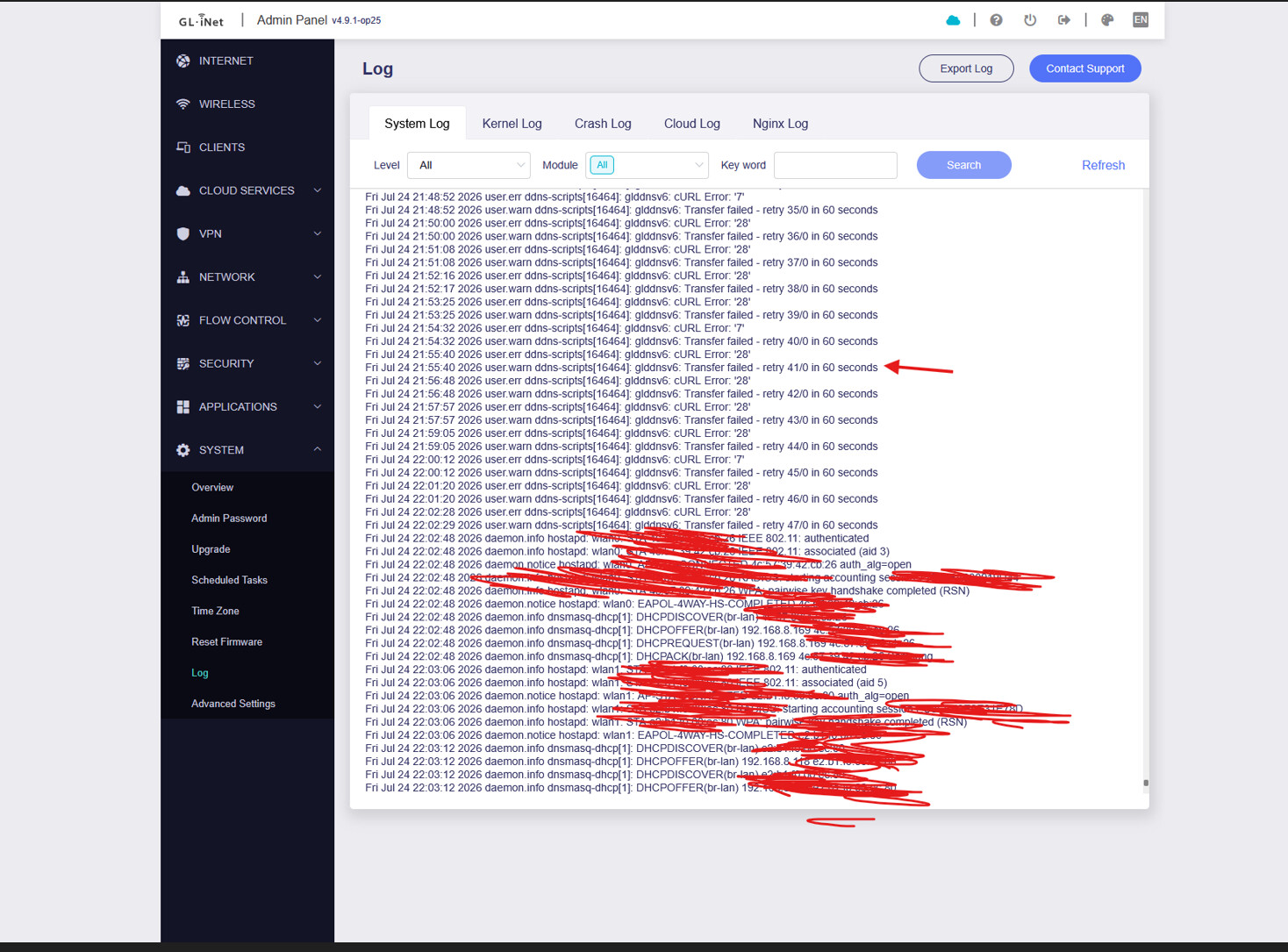
When enabling the native DDNS feature from the admin panel, the router automatically spins up both glddnsv4 and glddnsv6. Because of how the routing/bridge is handled by the ISP or the ONT, the IPv6 update fails with cURL Error: '28' (Timeout) every 60 seconds, flooding my system logs.
I had to manually SSH into the router and run uci set gl_ddns.glddnsv6.enabled='0' to fix the issue and stop the logs from filling up.
Feature Request: Please add a toggle switch or a selection box in the main Admin Panel DDNS interface that allows users to choose between "IPv4 Only", "IPv6 Only", or "Dual Stack (IPv4/IPv6)". Many ISPs with Bridge configurations have issues with the automated glddnsv6 script, and forcing both services simultaneously breaks the user experience for those who only need IPv4 DDNS for WireGuard.
A clean install using Uboot and it seems that VPN client is working correctly again. Thanks again for the updated beta version and looking forward to a stable release.
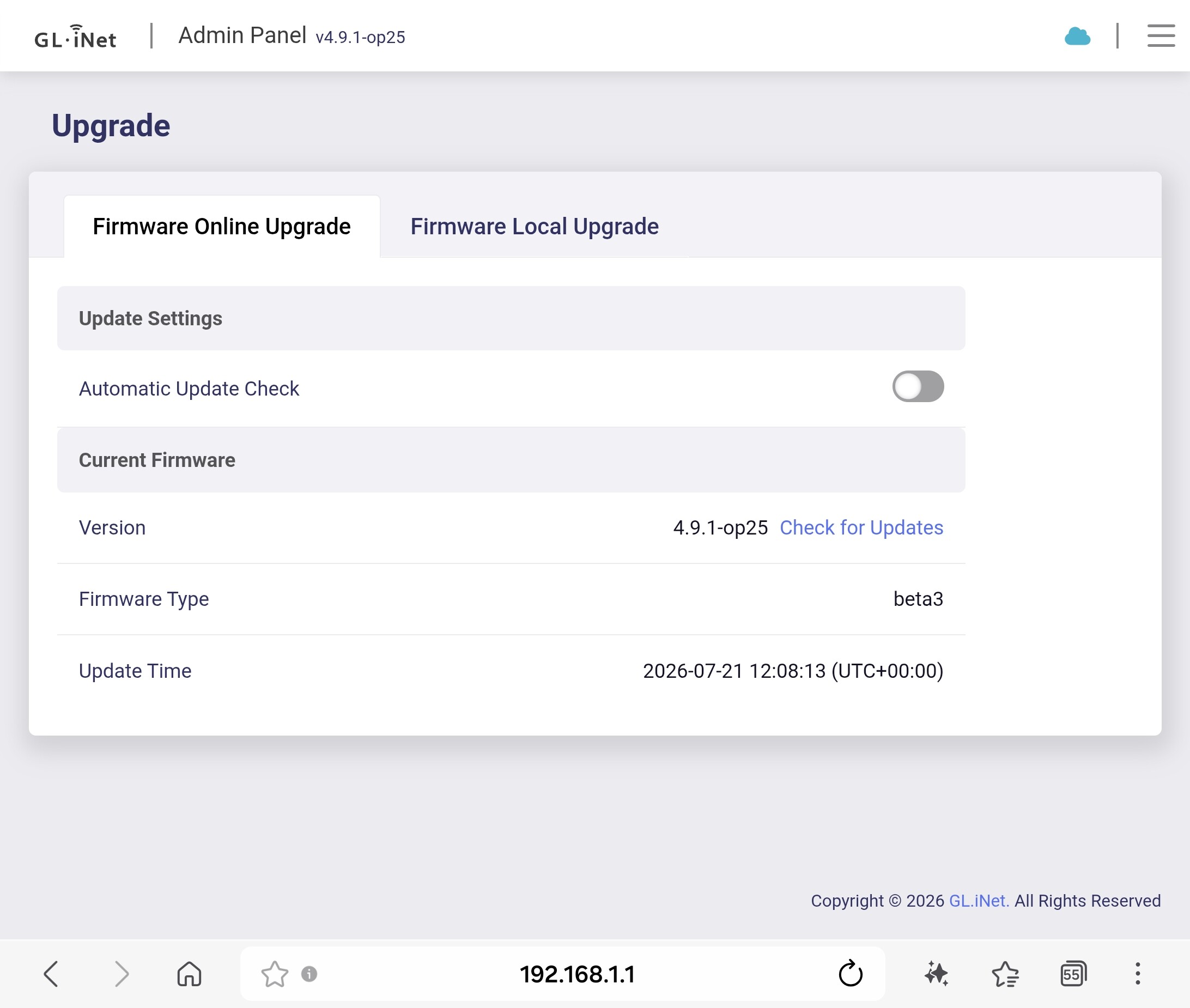
24 hours up and going strong with 4.9.1-op25 beta3 (07/21/2026) from 4.9.0-op24 beta2 through a "dirty" upgrade, everything for my use case working flawless and no issues of any kind so far
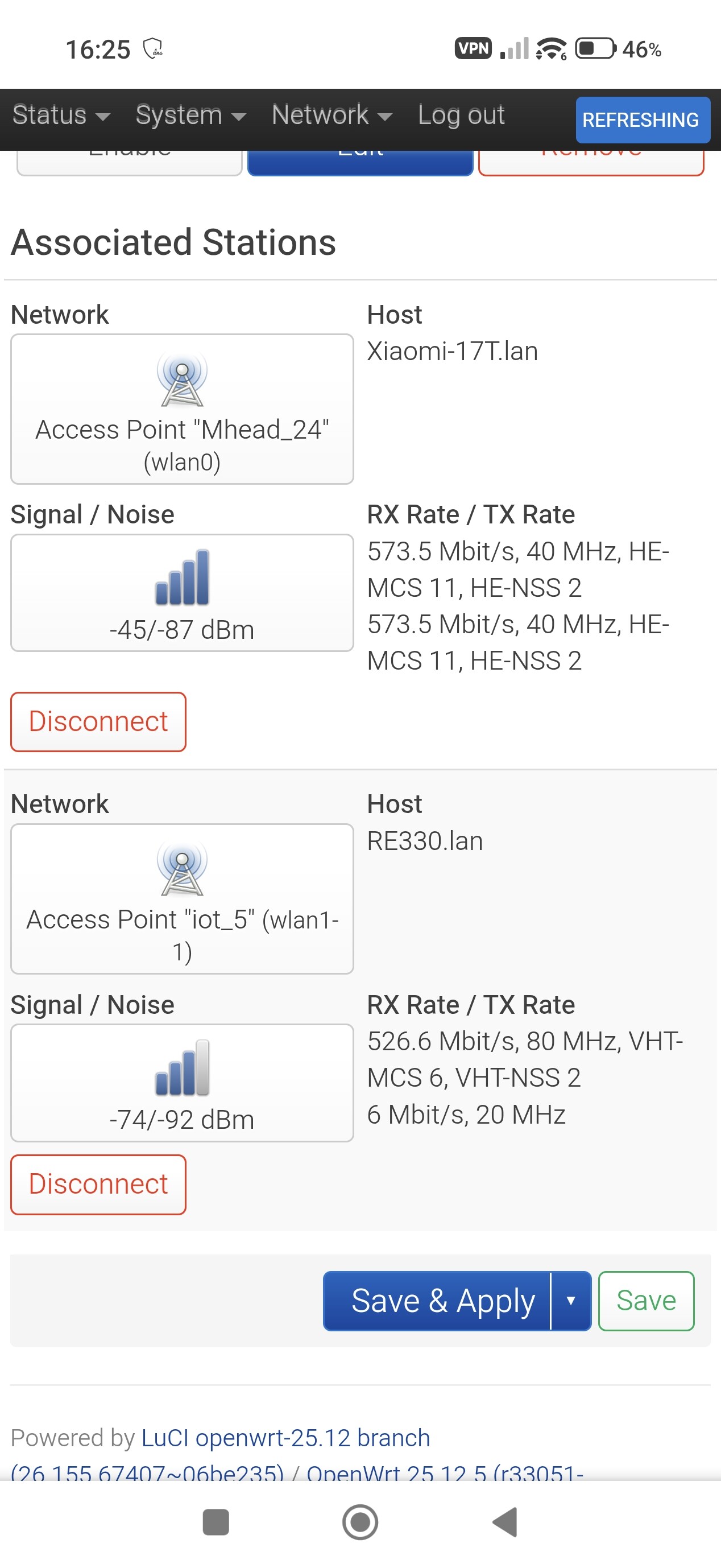
I did the update today (not keeping settings) from 4.9.0 OP24 to 4.9.1 OP25 beta 3 and the 2.4Ghz wifi seems the same with my Xiaomi 17T. Speedtest gives me +400Mb
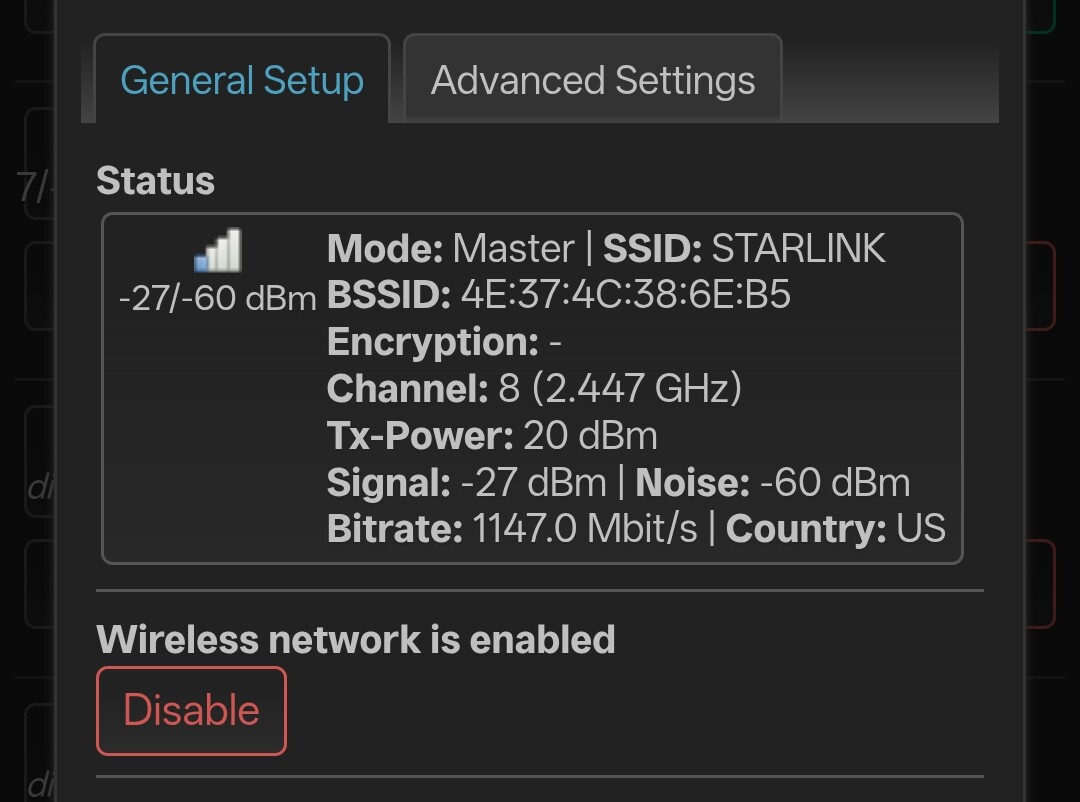
Yeah perhaps you should change your channel to a recommended channel e.g. 1, 6 or 11. Being on channel 8 will capture interference from clients operating on channel 6 and 11.
Why 1, 6, and 11?
Channels are spaced only 5 MHz apart, but each 20 MHz-wide Wi-Fi channel needs more separation to avoid significant overlap.
Channels 1, 6, and 11 are centered 25 MHz apart, so their main signal energy does not overlap.
Using any other channel (e.g., 3, 4, 7, 8, 9) causes adjacent-channel interference, which is often worse than co-channel interference because devices cannot cleanly coordinate.
Not only that but consider to reduce your 2.4 Ghz bandwidth to 20 MHz.
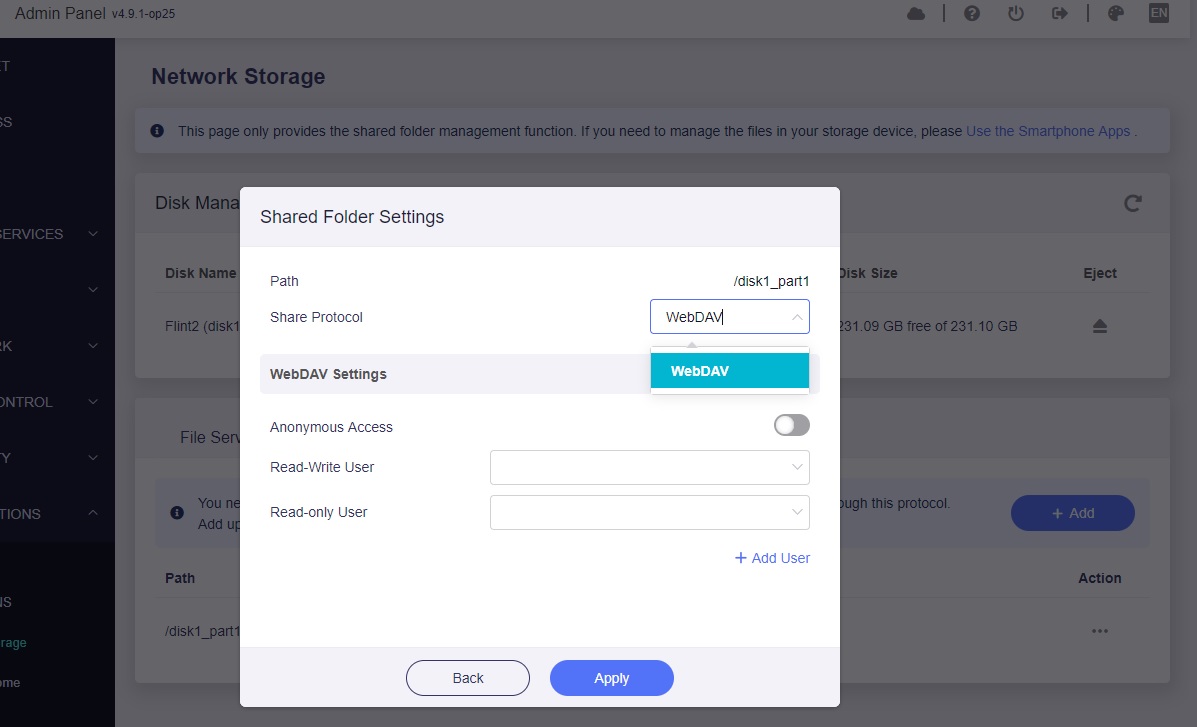
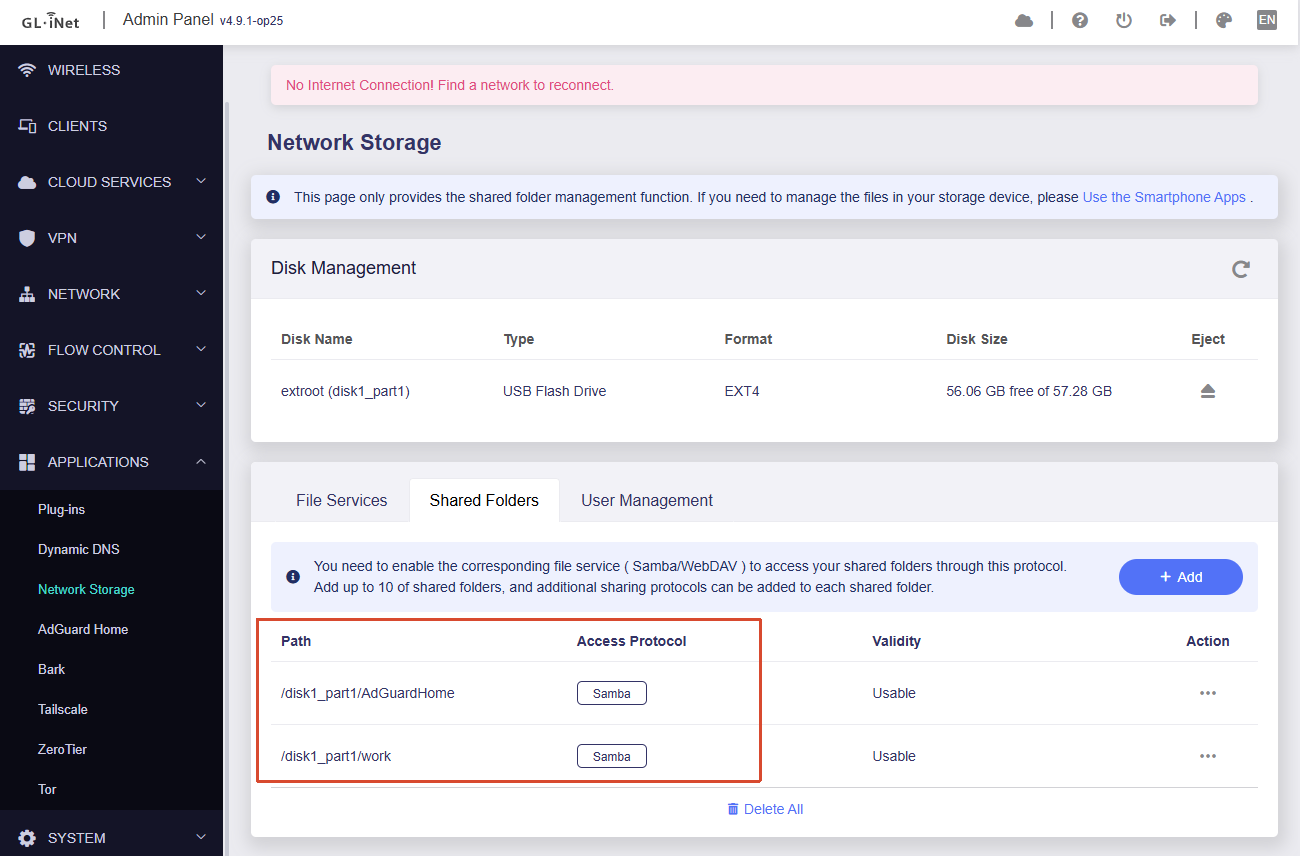
After updating to 4.9.1 OP25 beta 3, i can only create one shared folder with the Samba protocol. When i try to create another shared folder, i can only choose the WebDav protocol. With the 4.9.0 OP24 firmware, i used to have two shared Samba protocol folders. Anyone with the same issue..?
4 days uptime, so far so good! And maybe it’s just a fluke but no more wi-fi speed slowing down to a crawl / requiring me to disconnect and reconnect my devices, like I’ve noticed with the “Stable 4.9.0” build.
Hi,
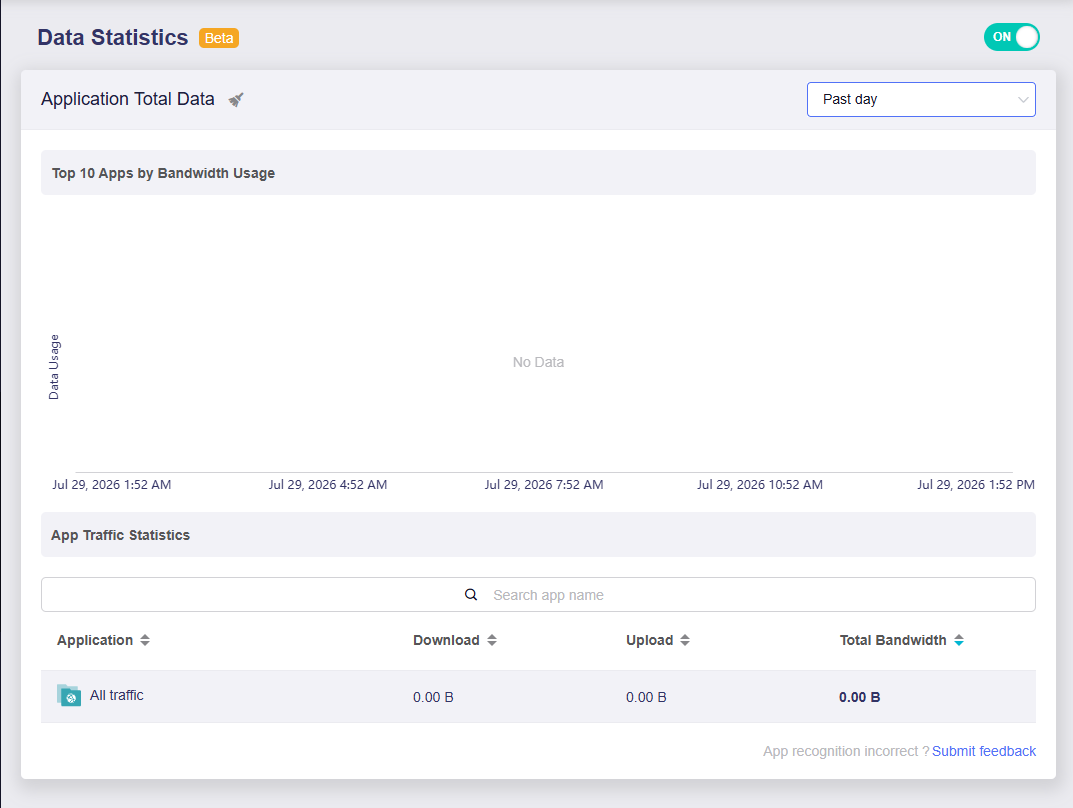
Regarding the DPI Data Statistics issue, it hasn’t been fully fixed as I’m still experiencing times where there has been no data recorded, but the content filtering is working. After blocking GL.iNet for testing purposes, it successfully stops GL.iNet from loading.
Switching the Time Zone doesn’t seem to work, and restarting netifyd via SSH also does not work.
I have notice Wi-Fi band steering works amazing on this build, only issues I have experienced on this build that seems to be fixed on the 4.9.1 snapshot is some packet loss on occasion playing Fortnite and getting booted from matches, I believe it has something to do with the fix they implemented for full cone nat/ipv6
The memory percentage in LuCI processes shows the virtual memory size (VSZ) of the AdGuard process. Virtual memory size can exceed 100 percent of the router physical memory.
This occurs because AdGuard Home uses the Go language.
The Go language reserves large amounts of virtual address space. The actual physical memory used by AdGuard is lower.
The percentage does not show true physical memory consumption. This is not a problem.
Check the free memory on the Status Overview page.
If free memory is normal, the router operates correctly. If free memory is low, reduce the number of filter lists in AdGuard Home.
Could you please confirm whether you have already updated to the latest v4.9.1-op25 beta3 firmware?
If not, please update to this version and check whether the issue still occurs.
If you have already updated and the issue still persists, could you please follow the guide and share your device with us via GoodCloud so we can check it remotely?
Please send us the MAC address and the router password via private message so we can access the device.
Hi,
Yes, I am currently on v4.9.1-op25 beta3, the problem is still persisting. I am currently on the go, I will send a message once I can power the router.