I’m a manager of a fairly large fleet of gl-inet routers. Currently in the 850+ range of units. The vast majority of them are AR300m.
The model is identical on nearly all of them - or rather the issue i’m having on many is for a particular common configuration set.
Here are the common elements for the issue that I’m able to track Firmware v4.x (firmware 3.x unaffected)
Repeater mode
Our workflow is that we pre-setup the router with goodcloud templates and deploy them in the office. Our field team installs the unit inside the other hardware onsite. They login to the router’s interface and using repeater mode, attach it to the local Wi-Fi network. This part goes fine.
Part of our workflow is some of the sites we work on get shut down for days/weeks/month before being turned on again. We are finding that on occasion, but more than is normal - when the whole system gets turned back on, the repeater mode never reconnects. Even with no changes in the SSID of the connected endpoint.
Further - We’re getting very frequent disconnects and then no reconnection. We have to either go back onsite to reconnect the repeater or have the homeowner do the task. It’s gotten so bad, i’d say at least 25% or more of the sites are like this. I’m not sure if its an issue with the specific equipment settings on the other side, or if there is a bug in your reconnect logic. It just seems like it gives up after a time. Is the reconnect frequency to high and getting blocked? but if that were the case, we wouldn’t be able to manually reconnect either.
This’ll take some time, won’t be until next week. I’ll have to wait till I send a technician out onsite.
I’ve been out to fix a few of them myself and don’t recall seeing any failure messaging.
My suspicion is that it’s something to do with the parent AP not being handled correctly. The behavior of the 3.x firmwares not presenting the behavior is telling.
This is also not a good test scenario that replicates what is happening now that I think of it.
These AR300’s are being installed in electrical equipment behind a breaker. When we shut down the system to wait for inspection by city/power utility, my technician just shuts off power to the breakers. Flips a breaker which is a hard down, not a graceful reboot like you laid out.
I believe this one I had to have the customer intervene. They needed to re-setup the repeater mode by the ui.
Keep in mind this is just one example. I’ve been trying to get more, but we have dozens of failures across the fleet like this and they’re all remote. This one is a good example though
Thank you for the clarification, and apologies for the delayed response.
As our office has been closed for the Chinese New Year holiday, we will resume handling this and move things forward as quickly as possible after we return on February 24.
here’s another log. Customer says they provided this AFTER they reconnected it, so it may not be as useful.
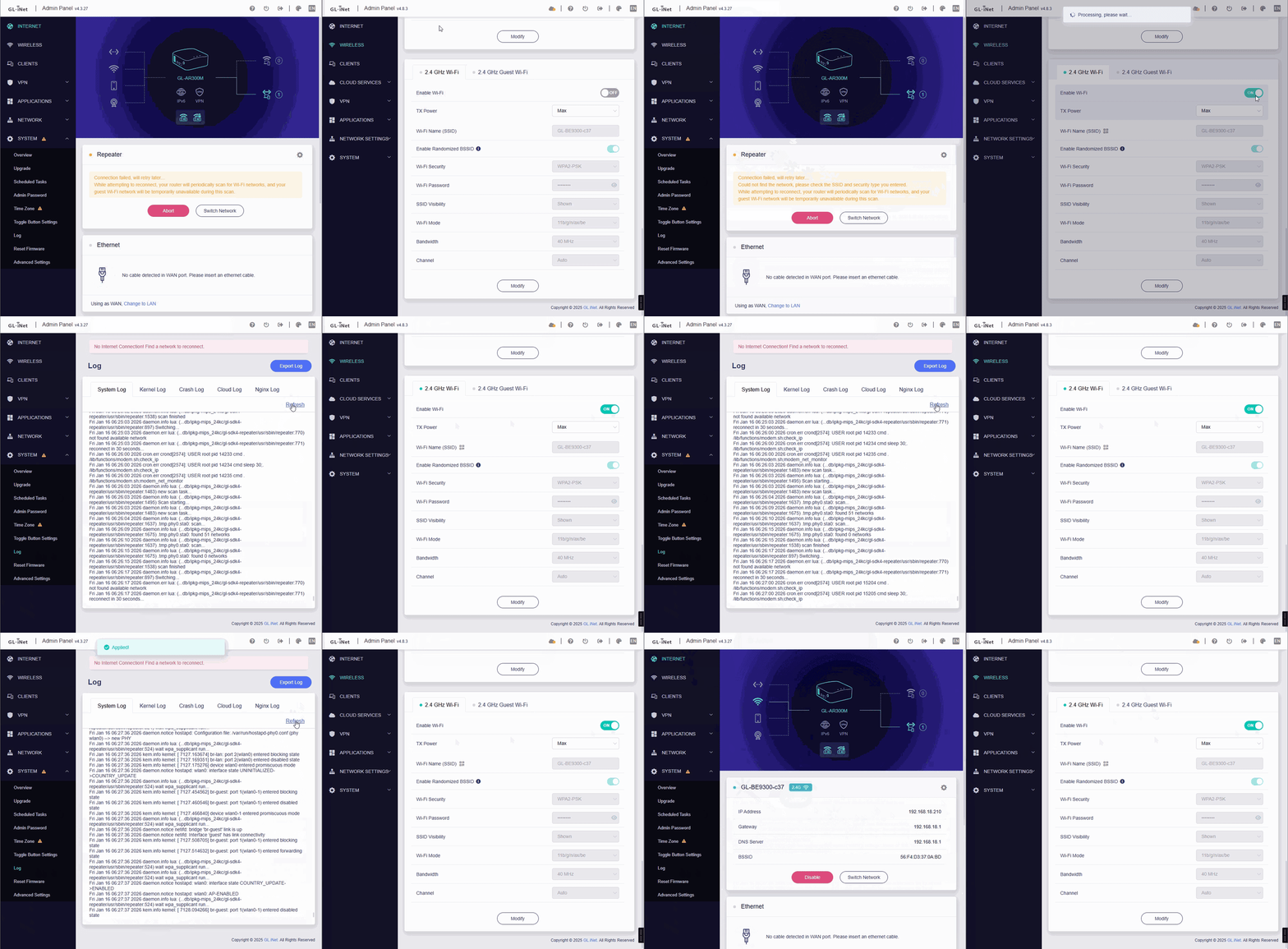
an observation from the field: when we walk customers through reconnecting the repeater > click scan/connect > the router automatically reconnects as soon as they press scan. It’s like a daemon is crashing (hostapd?) and not restarting when it crashes.
The logs only show errors related to DDNS and GoodCloud failing to connect to the server, so there isn’t much information about any abnormal behavior with the repeater.
If the issue occurs again, could you please:
Avoid changing any repeater-related settings
Use an alternative internet connection (such as wired or USB tethering), and follow the guide below to share the device with us via GoodCloud so we can perform a remote inspection Technical Support via GoodCloud - GL.iNet Router Docs 4
Also, please send us the device’s MAC address and Admin Panel password via private message so we can access it.
I’ve been trying to tell you this is systemic. It’s not a one-off ask for help with a single router. I have a fleet of nearly 1,000 of your devices and they are failing at a very high rate. The symptom is the repeater will disconnect, and not reconnect. It ONLY happens with v4.x firmware.
Yes, we understand this may be a widespread or systemic issue.
Our R&D team is currently reviewing the logs and has identified some potentially relevant information. We’re conducting internal testing to see if we can reproduce the issue, which will allow us to begin diagnosing the root cause and validating potential fixes.
If possible, we’d also appreciate it if you could grant remote access via GoodCloud after the issue occurs again. This would help us speed up troubleshooting and verify solutions in a real-world environment.
We can see that the device has been running for quite some time and has been continuously trying to connect to the upstream Wi-Fi, but it seems unable to complete the authentication process.
Tue Mar 3 10:33:14 2026 daemon.notice wpa_supplicant[2048]: wlan-sta0: Authentication with xxxxx timed out.
Please try the following:
Verify that the password you entered is correct.
Use another device like a phone to check whether it can connect successfully, to confirm that the upstream Wi-Fi is working properly.
If other devices can connect without issue, try moving the AR300M closer to the upstream Wi-Fi to rule out signal strength or interference problems.
password was correct
phone connected just fine - that was part of the mystery on this one
we had really decent strength - ~60db
this was was a different issue, we solved it another way. Let’s not split our troubleshooting the real issue i’m concerned about. Attached to this post is one that we validated that it’s the real issue in question.
logs here were pulled prior to manually reconnecting the repeater.
If you have not seen it, there is another user is having a similar issue:
On my AR300M routers (multiple) they were all stable on 3.x firmware, flaky on 4.x firmware, so I moved all of them to OpenWrt 24.10.5, where they are back to being very stable.
I did the updates by hand, as I don’t have many, but I did not have to use U‑Boot.
I was able to use the sysupgrade -n command from the GL iNet 3.216 firmware to directly load the OpenWrt 24.10.5 bin file on my AR300M, and after the automated reboot, it was running generic OpenWrt. I am sure with some scripting, and maybe a tiny bit of cloud storage, it would be possible to automate the changeover.
One day GL iNet is going to drop firmware support for the AR300M, so you will probably have to do this work anyway. GL iNet has already phased out support for two thirds of the router models I own, and this is about the oldest router that they have not totally dropped firmware support for.
The AR300M hardware is solid, but the current firmware is not so great.