afternoon
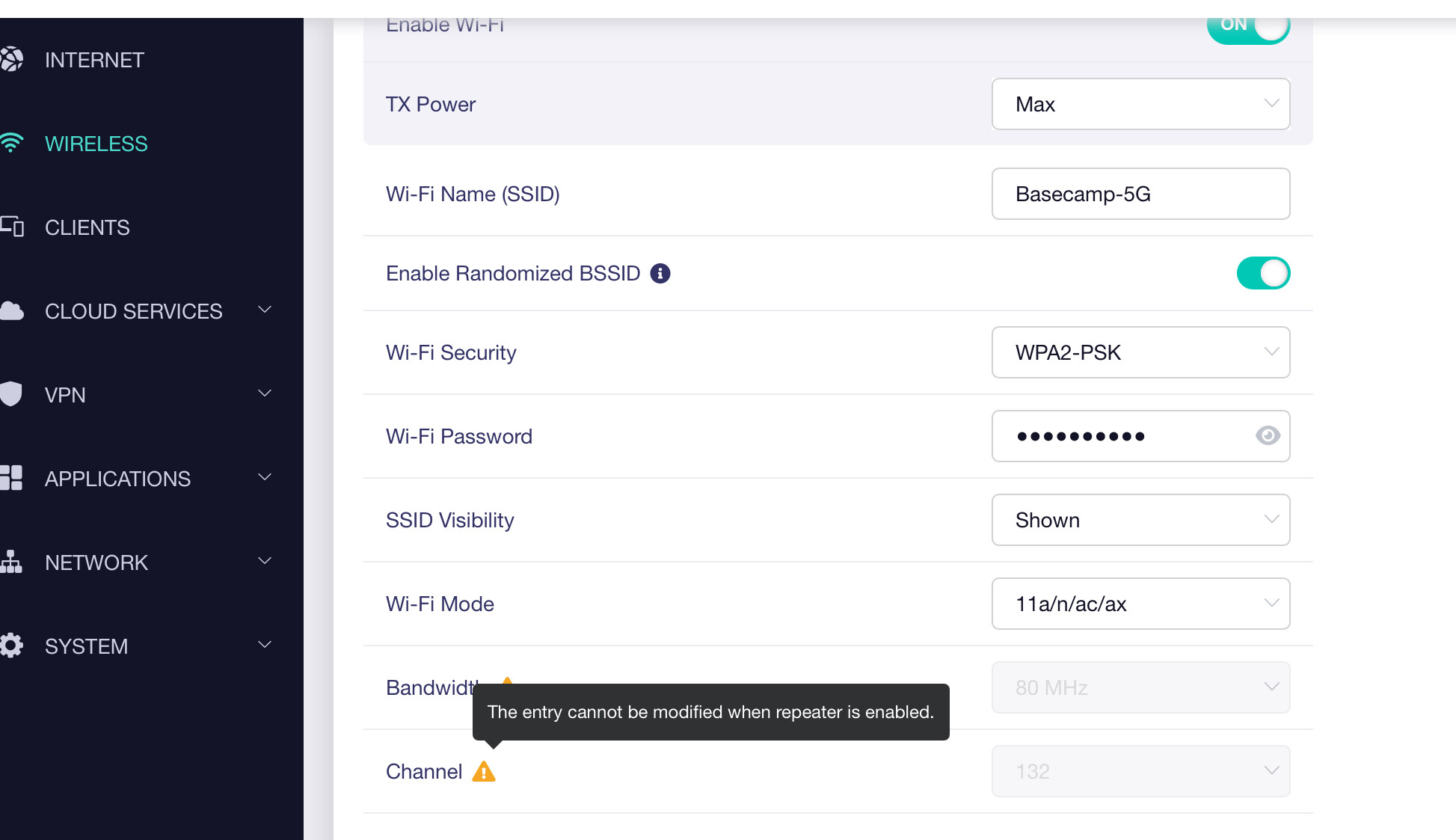
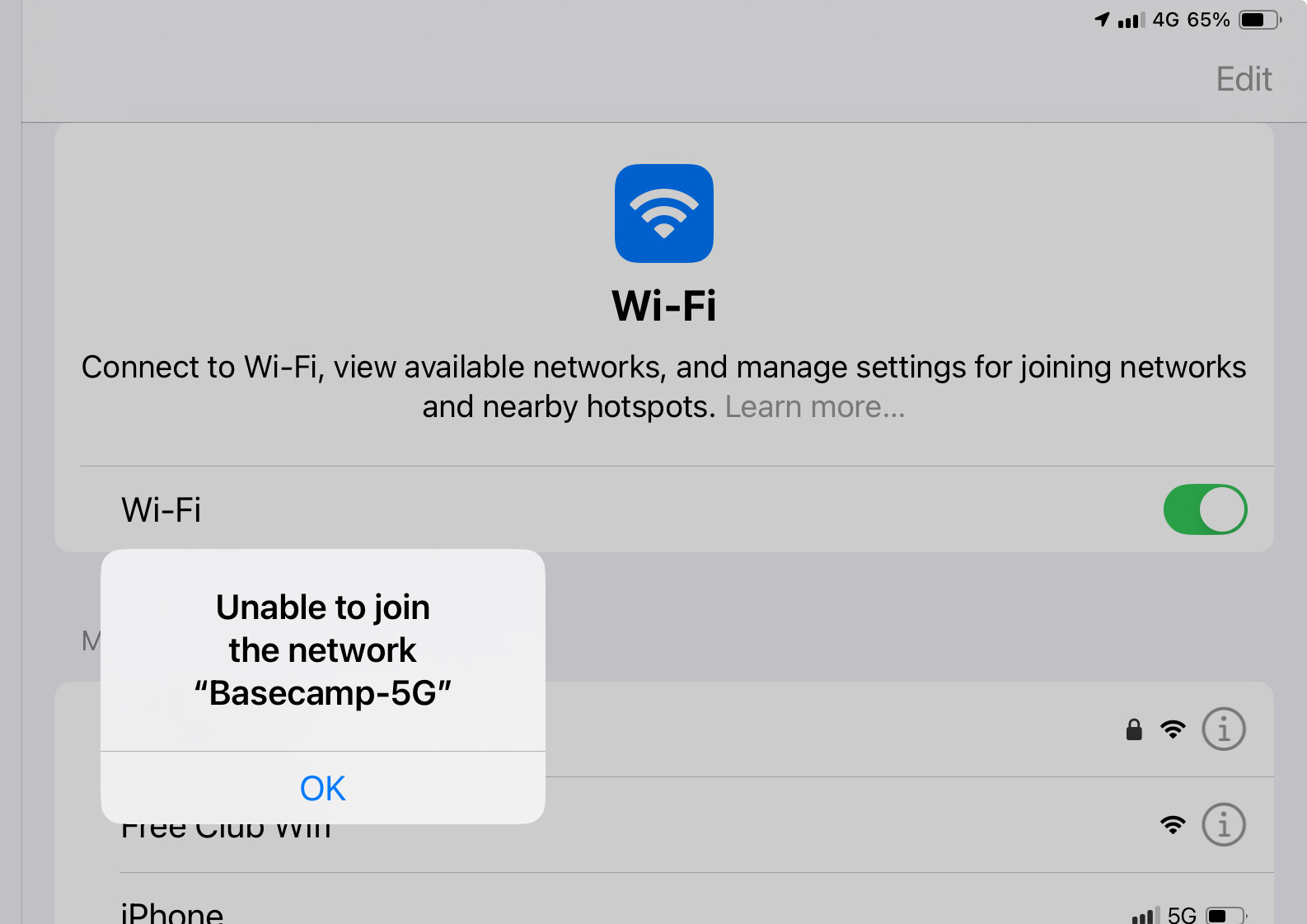
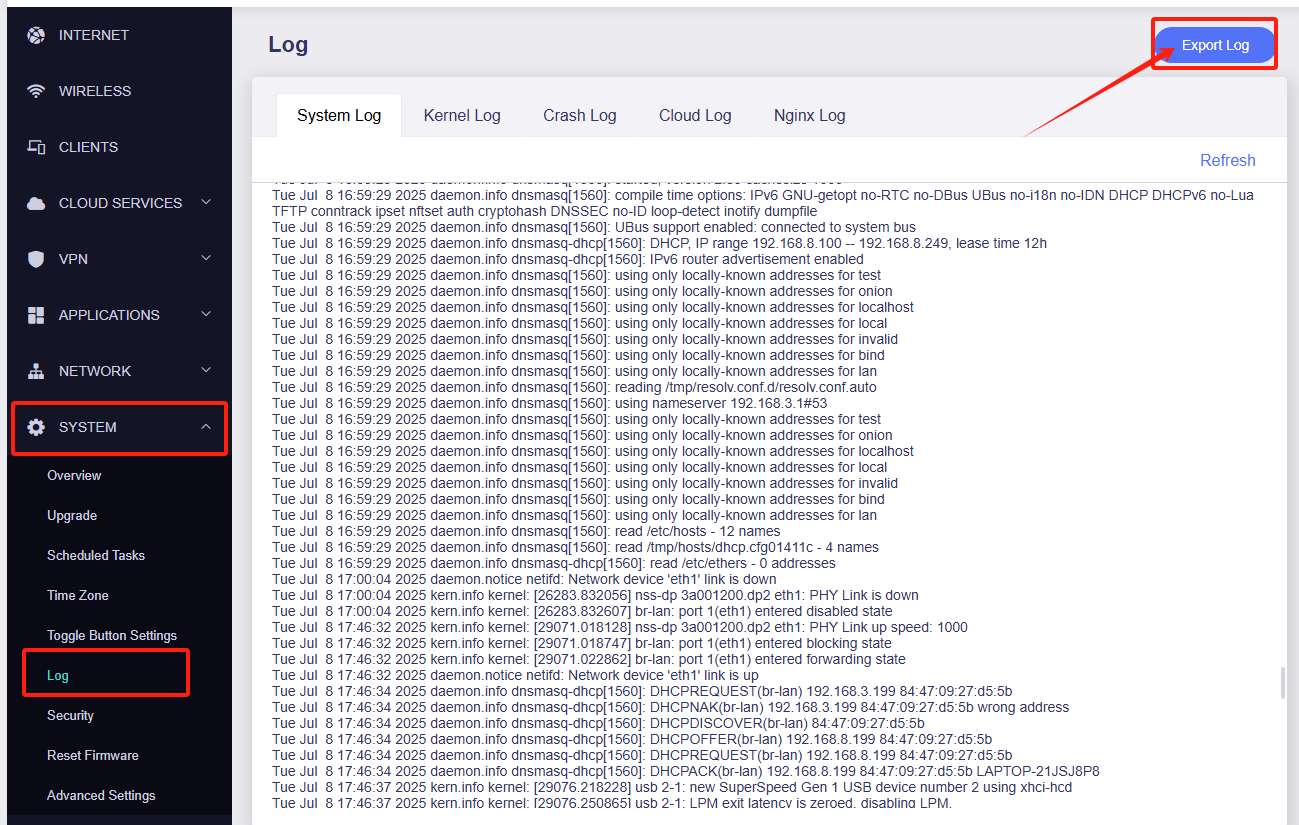
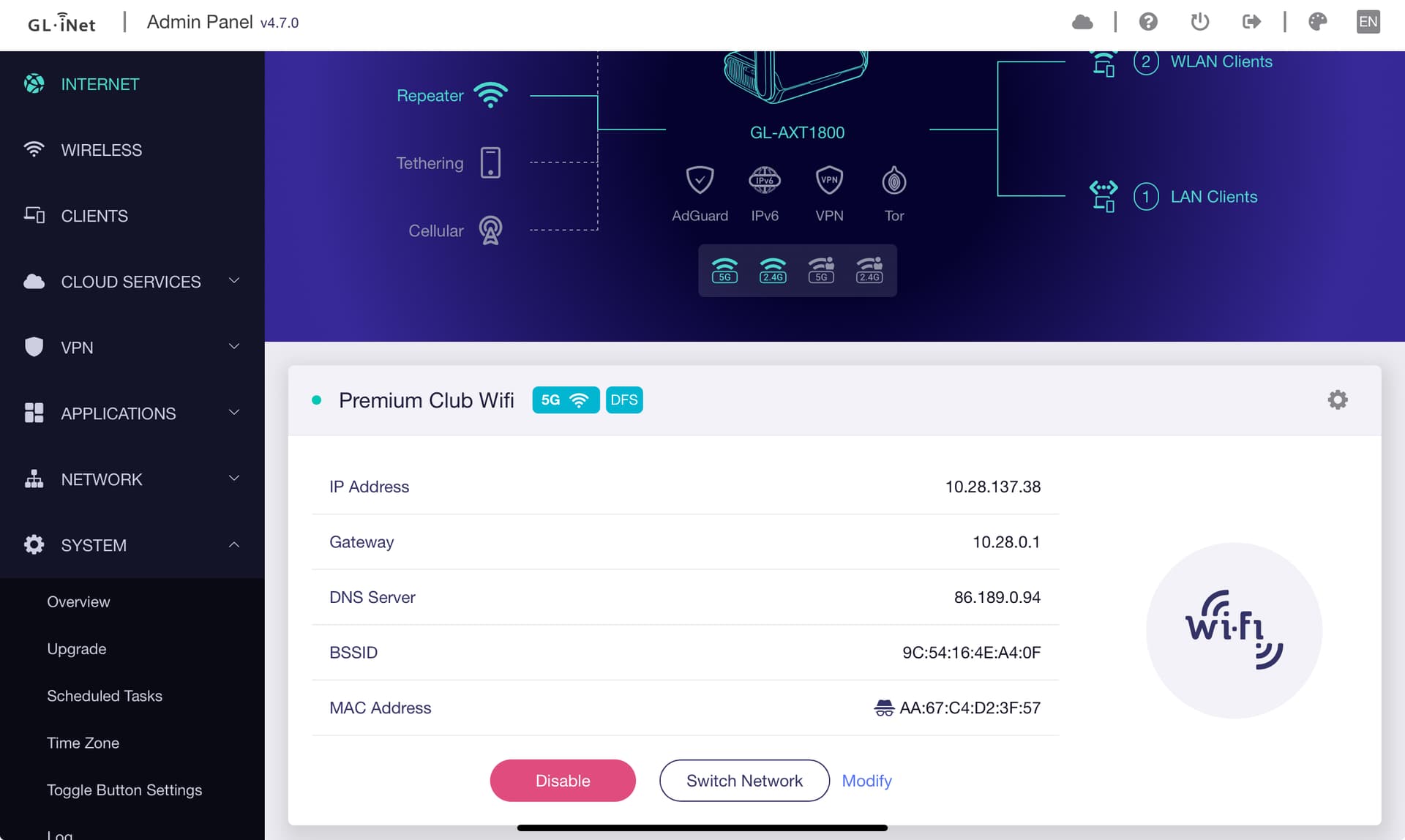
Okay we’re now at another site and the same issue occurs. The router is now connected to the club site Wi-Fi on 5G DFS and now none of my clients can connect to the AX on 5G only 2.4. attached are screenshots and the logs.
Fri Jul 18 14:15:01 2025 user.notice root: modem_traffic : ntp success...
Fri Jul 18 14:15:01 2025 daemon.info gl-repeater[2531]: (repeater-portal.lua:410) portal detecting...
Fri Jul 18 14:15:02 2025 daemon.info gl-repeater[2531]: (repeater-portal.lua:439) portal detected
Fri Jul 18 14:15:02 2025 daemon.info gl-repeater[2531]: (repeater-portal.lua:245) enter bare mode...
Fri Jul 18 14:15:03 2025 cron.err crond[4115]: time disparity of 14703 minutes detected
Fri Jul 18 14:15:04 2025 daemon.info dnsmasq[5813]: exiting on receipt of SIGTERM
Fri Jul 18 14:15:04 2025 daemon.info gl-repeater[2531]: (repeater-portal.lua:144) set all bypass vpn
Fri Jul 18 14:15:04 2025 daemon.info dnsmasq[10194]: started, version 2.89 cachesize 1000
Fri Jul 18 14:15:04 2025 daemon.info dnsmasq[10194]: compile time options: IPv6 GNU-getopt no-RTC no-DBus UBus no-i18n no-IDN DHCP DHCPv6 no-Lua TFTP conntrack ipset nftset auth cryptohash DNSSEC no-ID loop-detect inotify dumpfile
Fri Jul 18 14:15:04 2025 daemon.info dnsmasq[10194]: UBus support enabled: connected to system bus
Fri Jul 18 14:15:04 2025 daemon.info dnsmasq-dhcp[10194]: DHCP, IP range 192.168.8.100 -- 192.168.8.249, lease time 12h
Fri Jul 18 14:15:04 2025 daemon.info dnsmasq-dhcp[10194]: IPv6 router advertisement enabled
Fri Jul 18 14:15:04 2025 daemon.info dnsmasq[10194]: using only locally-known addresses for test
Fri Jul 18 14:15:04 2025 daemon.info dnsmasq[10194]: using only locally-known addresses for onion
Fri Jul 18 14:15:04 2025 daemon.info dnsmasq[10194]: using only locally-known addresses for localhost
Fri Jul 18 14:15:04 2025 daemon.info dnsmasq[10194]: using only locally-known addresses for local
Fri Jul 18 14:15:04 2025 daemon.info dnsmasq[10194]: using only locally-known addresses for invalid
Fri Jul 18 14:15:04 2025 daemon.info dnsmasq[10194]: using only locally-known addresses for bind
Fri Jul 18 14:15:04 2025 daemon.info dnsmasq[10194]: using only locally-known addresses for lan
Fri Jul 18 14:15:04 2025 daemon.info dnsmasq[10194]: reading /tmp/resolv.conf.d/resolv.conf.auto
Fri Jul 18 14:15:04 2025 daemon.info dnsmasq[10194]: using nameserver 86.189.0.94#53
Fri Jul 18 14:15:04 2025 daemon.info dnsmasq[10194]: using only locally-known addresses for test
Fri Jul 18 14:15:04 2025 daemon.info dnsmasq[10194]: using only locally-known addresses for onion
Fri Jul 18 14:15:04 2025 daemon.info dnsmasq[10194]: using only locally-known addresses for localhost
Fri Jul 18 14:15:04 2025 daemon.info dnsmasq[10194]: using only locally-known addresses for local
Fri Jul 18 14:15:04 2025 daemon.info dnsmasq[10194]: using only locally-known addresses for invalid
Fri Jul 18 14:15:04 2025 daemon.info dnsmasq[10194]: using only locally-known addresses for bind
Fri Jul 18 14:15:04 2025 daemon.info dnsmasq[10194]: using only locally-known addresses for lan
Fri Jul 18 14:15:04 2025 daemon.info dnsmasq[10194]: read /etc/hosts - 12 names
Fri Jul 18 14:15:04 2025 daemon.info dnsmasq[10194]: read /tmp/hosts/dhcp.cfg01411c - 4 names
Fri Jul 18 14:15:04 2025 daemon.info dnsmasq-dhcp[10194]: read /etc/ethers - 0 addresses
Fri Jul 18 14:15:05 2025 daemon.err usbmuxd[10308]: [14:15:05.775][3] usbmuxd v1.1.1 starting up
Fri Jul 18 14:15:05 2025 daemon.err usbmuxd[10308]: [14:15:05.776][3] Using libusb 1.0.26
Fri Jul 18 14:15:05 2025 daemon.err usbmuxd[10308]: [14:15:05.777][3] Initialization complete
Fri Jul 18 14:15:05 2025 daemon.err usbmuxd[10308]: [14:15:05.777][3] Enabled exit on SIGUSR1 if no devices are attached. Start a new instance with "--exit" to trigger.
Fri Jul 18 14:15:07 2025 daemon.err usbmuxd[10308]: [14:15:07.741][3] Caught signal 15, exiting
Fri Jul 18 14:15:07 2025 daemon.err usbmuxd[10308]: [14:15:07.741][3] usbmuxd shutting down
Fri Jul 18 14:15:07 2025 daemon.err usbmuxd[10308]: [14:15:07.842][3] Shutdown complete
Fri Jul 18 14:16:05 2025 daemon.info gl-repeater[2531]: (repeater.lua:1197) ntp been valid
Fri Jul 18 14:16:13 2025 daemon.err gl-repeater[2531]: (repeater-portal.lua:303) detect portal fail: resolve "
captive.apple.com" fail: recv from "86.189.0.94:53" fail: timeout
Fri Jul 18 14:16:33 2025 daemon.err gl-repeater[2531]: (repeater-portal.lua:303) detect portal fail: resolve "
captive.apple.com" fail: recv from "86.189.0.94:53" fail: timeout
Fri Jul 18 14:17:02 2025 daemon.info gl-repeater[2531]: (repeater-portal.lua:268) exit bare mode...
Fri Jul 18 14:17:03 2025 daemon.info dnsmasq[10194]: exiting on receipt of SIGTERM
Fri Jul 18 14:17:04 2025 daemon.info gl-repeater[2531]: (repeater-portal.lua:166) set all via vpn
Fri Jul 18 14:17:04 2025 daemon.info dnsmasq[11813]: started, version 2.89 cachesize 1000
Fri Jul 18 14:17:04 2025 daemon.info dnsmasq[11813]: compile time options: IPv6 GNU-getopt no-RTC no-DBus UBus no-i18n no-IDN DHCP DHCPv6 no-Lua TFTP conntrack ipset nftset auth cryptohash DNSSEC no-ID loop-detect inotify dumpfile
Fri Jul 18 14:17:04 2025 daemon.info dnsmasq[11813]: UBus support enabled: connected to system bus
Fri Jul 18 14:17:04 2025 daemon.info dnsmasq-dhcp[11813]: DHCP, IP range 192.168.8.100 -- 192.168.8.249, lease time 12h
Fri Jul 18 14:17:04 2025 daemon.info dnsmasq-dhcp[11813]: IPv6 router advertisement enabled
Fri Jul 18 14:17:04 2025 daemon.info dnsmasq[11813]: using only locally-known addresses for test
Fri Jul 18 14:17:04 2025 daemon.info dnsmasq[11813]: using only locally-known addresses for onion
Fri Jul 18 14:17:04 2025 daemon.info dnsmasq[11813]: using only locally-known addresses for localhost
Fri Jul 18 14:17:04 2025 daemon.info dnsmasq[11813]: using only locally-known addresses for local
Fri Jul 18 14:17:04 2025 daemon.info dnsmasq[11813]: using only locally-known addresses for invalid
Fri Jul 18 14:17:04 2025 daemon.info dnsmasq[11813]: using only locally-known addresses for bind
Fri Jul 18 14:17:04 2025 daemon.info dnsmasq[11813]: using only locally-known addresses for lan
Fri Jul 18 14:17:04 2025 daemon.info dnsmasq[11813]: reading /tmp/resolv.conf.d/resolv.conf.auto
Fri Jul 18 14:17:04 2025 daemon.info dnsmasq[11813]: using nameserver 86.189.0.94#53
Fri Jul 18 14:17:04 2025 daemon.info dnsmasq[11813]: using only locally-known addresses for test
Fri Jul 18 14:17:04 2025 daemon.info dnsmasq[11813]: using only locally-known addresses for onion
Fri Jul 18 14:17:04 2025 daemon.info dnsmasq[11813]: using only locally-known addresses for localhost
Fri Jul 18 14:17:04 2025 daemon.info dnsmasq[11813]: using only locally-known addresses for local
Fri Jul 18 14:17:04 2025 daemon.info dnsmasq[11813]: using only locally-known addresses for invalid
Fri Jul 18 14:17:04 2025 daemon.info dnsmasq[11813]: using only locally-known addresses for bind
Fri Jul 18 14:17:04 2025 daemon.info dnsmasq[11813]: using only locally-known addresses for lan
Fri Jul 18 14:17:04 2025 daemon.info dnsmasq[11813]: read /etc/hosts - 12 names
Fri Jul 18 14:17:04 2025 daemon.info dnsmasq[11813]: read /tmp/hosts/dhcp.cfg01411c - 4 names
Fri Jul 18 14:17:04 2025 daemon.info dnsmasq-dhcp[11813]: read /etc/ethers - 0 addresses
Fri Jul 18 14:17:04 2025 daemon.info gl-repeater[2531]: (repeater-portal.lua:379) portal pass
Fri Jul 18 14:20:29 2025 daemon.notice hostapd: wlan0: STA b6:80:94:20:9b:78 IEEE 802.11: did not acknowledge authentication response
Fri Jul 18 14:20:29 2025 daemon.info hostapd: wlan0: STA b6:80:94:20:9b:78 IEEE 802.11: authenticated
Fri Jul 18 14:20:29 2025 daemon.info hostapd: wlan0: STA b6:80:94:20:9b:78 IEEE 802.11: associated (aid 3)
Fri Jul 18 14:20:29 2025 daemon.notice hostapd: wlan0: AP-STA-CONNECTED b6:80:94:20:9b:78 auth_alg=open
Fri Jul 18 14:20:29 2025 daemon.info hostapd: wlan0: STA b6:80:94:20:9b:78 RADIUS: starting accounting session 029D47C1F5E4AC78
Fri Jul 18 14:20:29 2025 daemon.info hostapd: wlan0: STA b6:80:94:20:9b:78 WPA: pairwise key handshake completed (RSN)
Fri Jul 18 14:20:29 2025 daemon.info dnsmasq-dhcp[11813]: DHCPREQUEST(br-lan) 192.168.8.115 b6:80:94:20:9b:78
Fri Jul 18 14:20:29 2025 daemon.info dnsmasq-dhcp[11813]: DHCPACK(br-lan) 192.168.8.115 b6:80:94:20:9b:78 iPad
Fri Jul 18 14:20:41 2025 daemon.info hostapd: wlan0: STA da:e9:14:ea:63:10 IEEE 802.11: authenticated
Fri Jul 18 14:20:41 2025 daemon.info hostapd: wlan0: STA da:e9:14:ea:63:10 IEEE 802.11: associated (aid 4)
Fri Jul 18 14:20:41 2025 daemon.notice hostapd: wlan0: AP-STA-CONNECTED da:e9:14:ea:63:10 auth_alg=open
Fri Jul 18 14:20:41 2025 daemon.info hostapd: wlan0: STA da:e9:14:ea:63:10 RADIUS: starting accounting session 6FE0D0062EA9B080
Fri Jul 18 14:20:41 2025 daemon.info hostapd: wlan0: STA da:e9:14:ea:63:10 WPA: pairwise key handshake completed (RSN)
Fri Jul 18 14:20:45 2025 daemon.info dnsmasq-dhcp[11813]: DHCPDISCOVER(br-lan) da:e9:14:ea:63:10
Fri Jul 18 14:20:45 2025 daemon.info dnsmasq-dhcp[11813]: DHCPOFFER(br-lan) 192.168.8.148 da:e9:14:ea:63:10
Fri Jul 18 14:20:45 2025 daemon.info dnsmasq-dhcp[11813]: DHCPDISCOVER(br-lan) da:e9:14:ea:63:10
Fri Jul 18 14:20:45 2025 daemon.info dnsmasq-dhcp[11813]: DHCPOFFER(br-lan) 192.168.8.148 da:e9:14:ea:63:10
Fri Jul 18 14:20:46 2025 daemon.info dnsmasq-dhcp[11813]: DHCPREQUEST(br-lan) 192.168.8.148 da:e9:14:ea:63:10
Fri Jul 18 14:20:46 2025 daemon.info dnsmasq-dhcp[11813]: DHCPACK(br-lan) 192.168.8.148 da:e9:14:ea:63:10 Watch