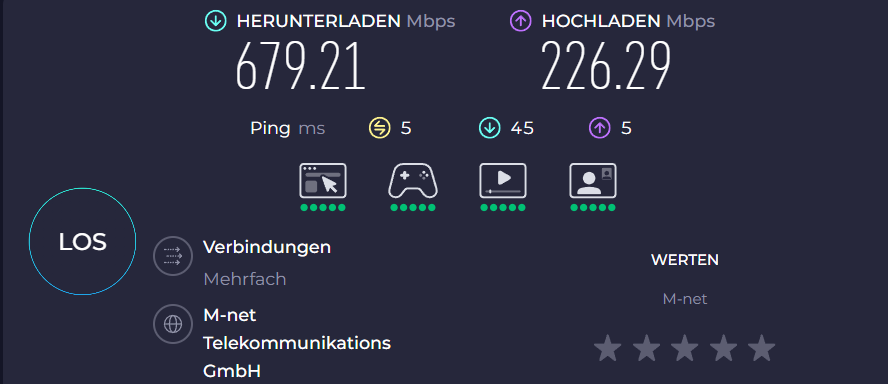
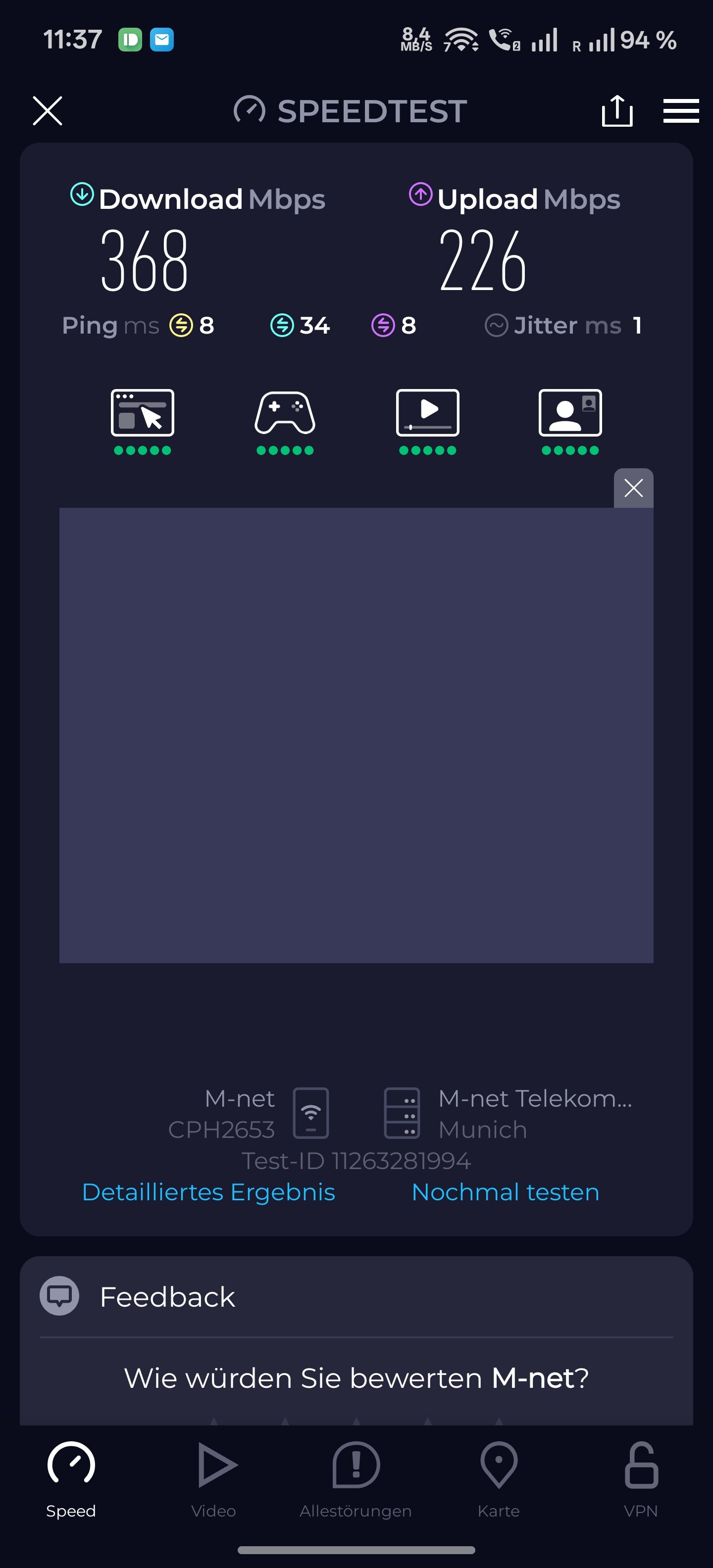
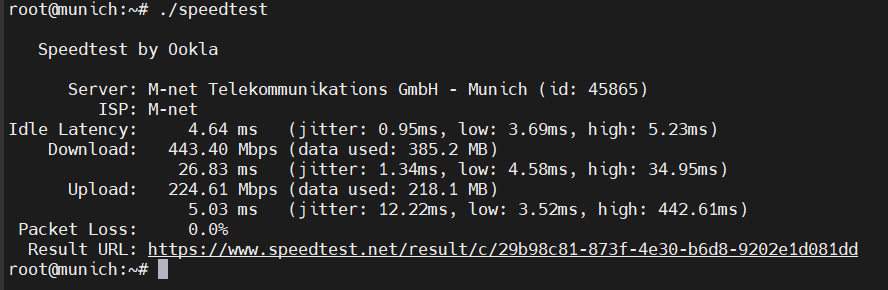
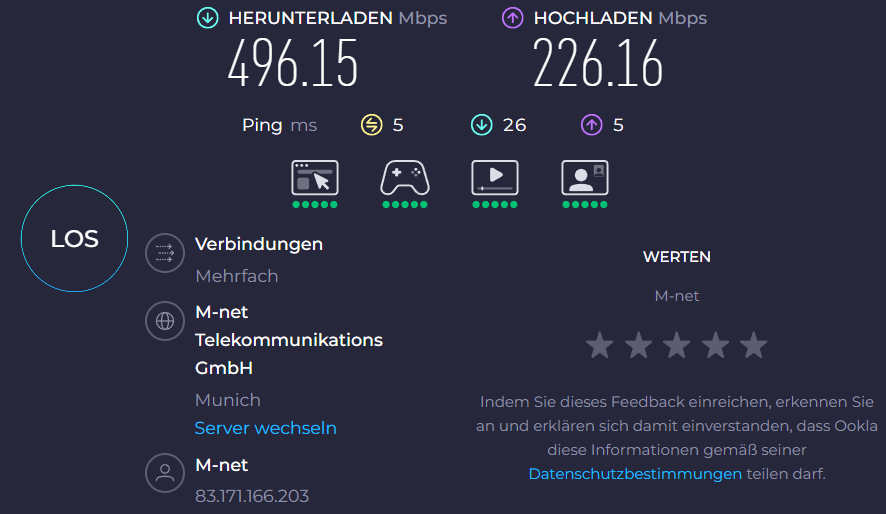
I am writing to report several critical and persistent issues with my Flint 3 router that are severely impacting its performance and reliability.
The current state of the firmware is, in my opinion, unstable and not ready for production use. The core problems I face daily are:
Broken Network Acceleration: The feature seems to be fundamentally broken. When enabled, it causes severe network instability rather than improving performance.
Severe Wireless Inconsistency: The Wi-Fi speed often slows to a crawl and is highly inconsistent. The only temporary fixes are to reboot the router or toggle settings like Packet Steering and Network Acceleration on and off.
Inability to Handle PPPoE Connection: The router consistently fails to maintain my 600/200 Mbps PPPoE fiber connection. This results in web pages failing to load on the first attempt (requiring a refresh), video streams constantly buffering, and overall lag.
General Instability: The system requires frequent reboots—sometimes daily—to restore normal functionality. After a reboot, it may work well for a day or two before the problems resurface.
I have ruled out issues with my internet service provider or local network, as other routers I have tested—including a Flint 2, a Beryl, and a FritzBox—work flawlessly on the same connection and with the same devices.
While I truly appreciate GL.iNet's innovative spirit and the new features you bring to market, the experience with the Flint 3 feels immature and does not meet the expected standard for a product of this caliber.
Furthermore, I have already reported the non-functioning MLO feature to your support team. I provided detailed logs and even granted remote access to my device, but I have not received any follow-up communication since.
Could you please provide information on whether a firmware update is in development to address these fundamental stability and performance problems?
I’m sorry to say it, but the Flint 3 is one of the few GL.iNET models that I’ve deliberately chosen not to purchase. Even before its official release, it seemed likely that the device would struggle. At this point, it might be healthier for everyone to acknowledge its shortcomings and move on, rather than continuing to invest time and expectations into it.
We apologize for the inconvenience and the poor experience.
Regarding the MLO feature, our support team will provide an update on your ticket shortly.
If you have any further questions about this topic, please feel free to continue the conversation via email.
Regarding the other issues you reported, we have not received similar feedback from other customers so far.
To help us better diagnose the problem, could you please clarify the following:
Is your Flint 3 currently running the latest stable firmware version v4.8.3?
Are you using the original power adapter or another compatible 12V/4A DC adapter?
If both answers are yes, please try the following steps to help isolate the issue:
Reset the Flint 3 to factory settings and configure only the PPPoE dial-up settings.
Use the device for a period of time and observe whether the network instability occurs on both wired and wireless devices.
When instability occurs on either wireless or wired devices, check whether devices using the other connection method also experience issues. This will help determine whether the problem is related to the connection type or is occurring between the Flint 3 and the ISP/modem.
After the issue occurs, please export and send us the device logs so we can investigate further.
Please also run the following command after the issue occurs to pinpoint the potential source of the problem.
# On Windows CMD
ping 8.8.8.8 -n 10
nslookup google.com
tracert 8.8.8.8

# On macOS or Linux
ping 8.8.8.8 -c 10
nslookup google.com
traceroute 8.8.8.8
And don’t worry — we’re continuously improving the firmware to make our devices more reliable and to deliver a better overall user experience.
If you’re interested, feel free to check out the release notes for the snapshot versions.
Please note that these updates cover all models, not just a specific one.
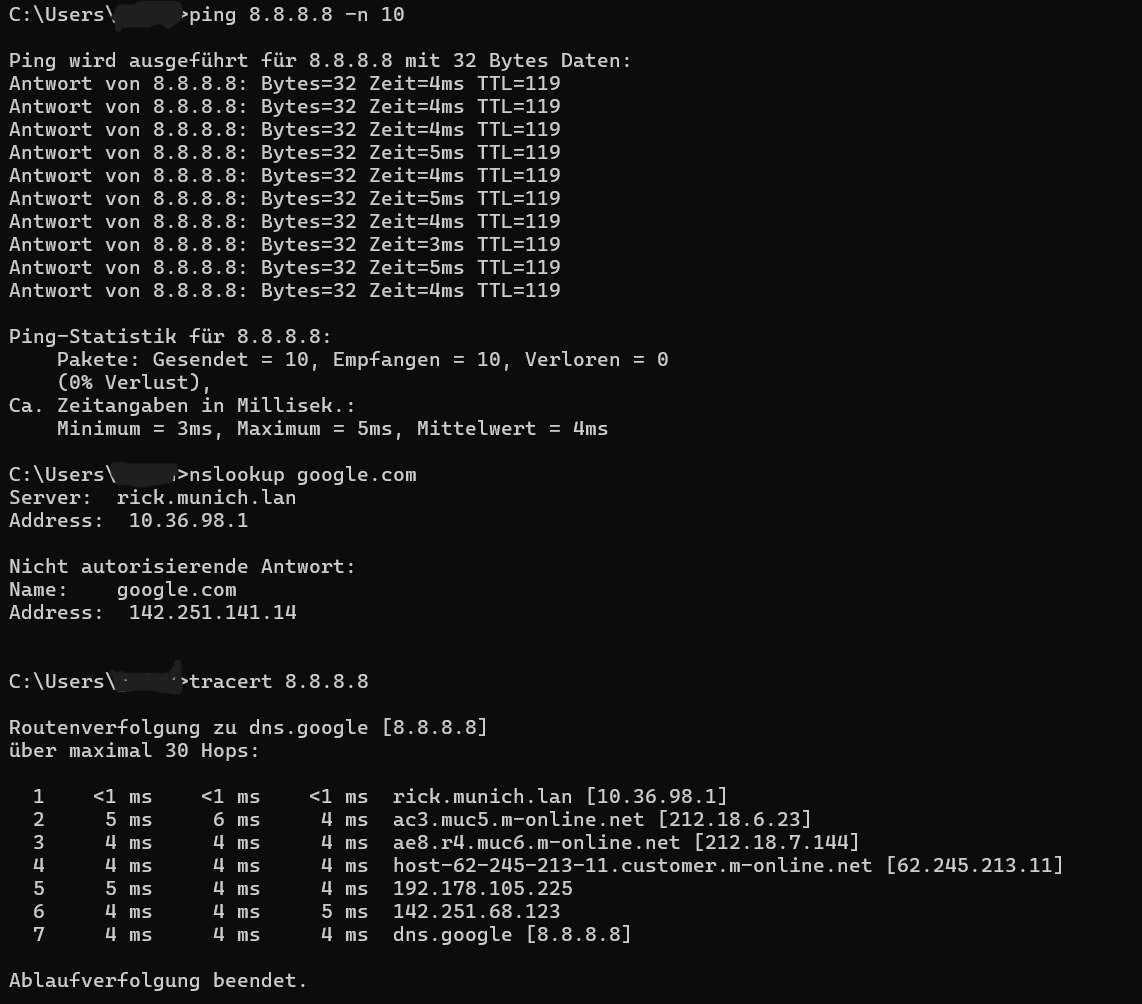
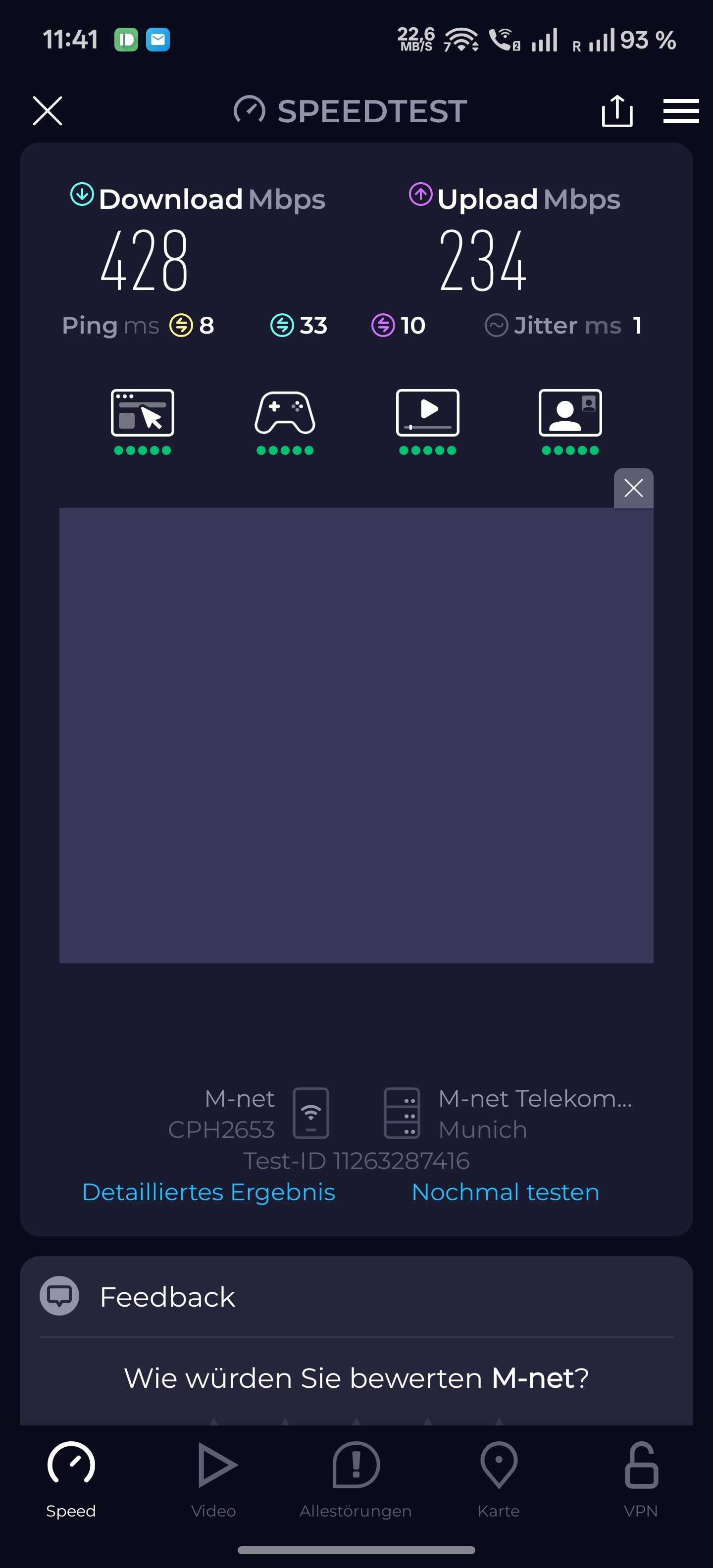
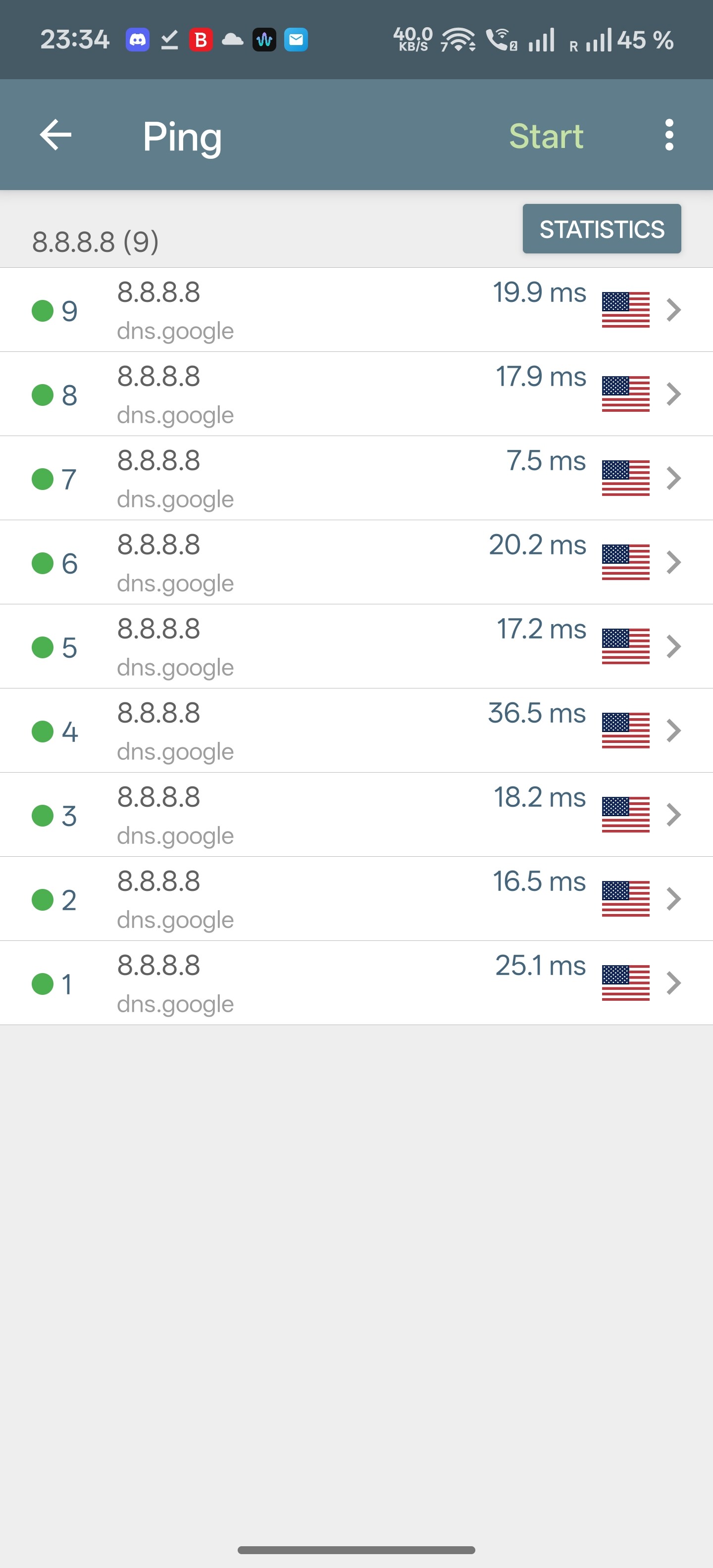
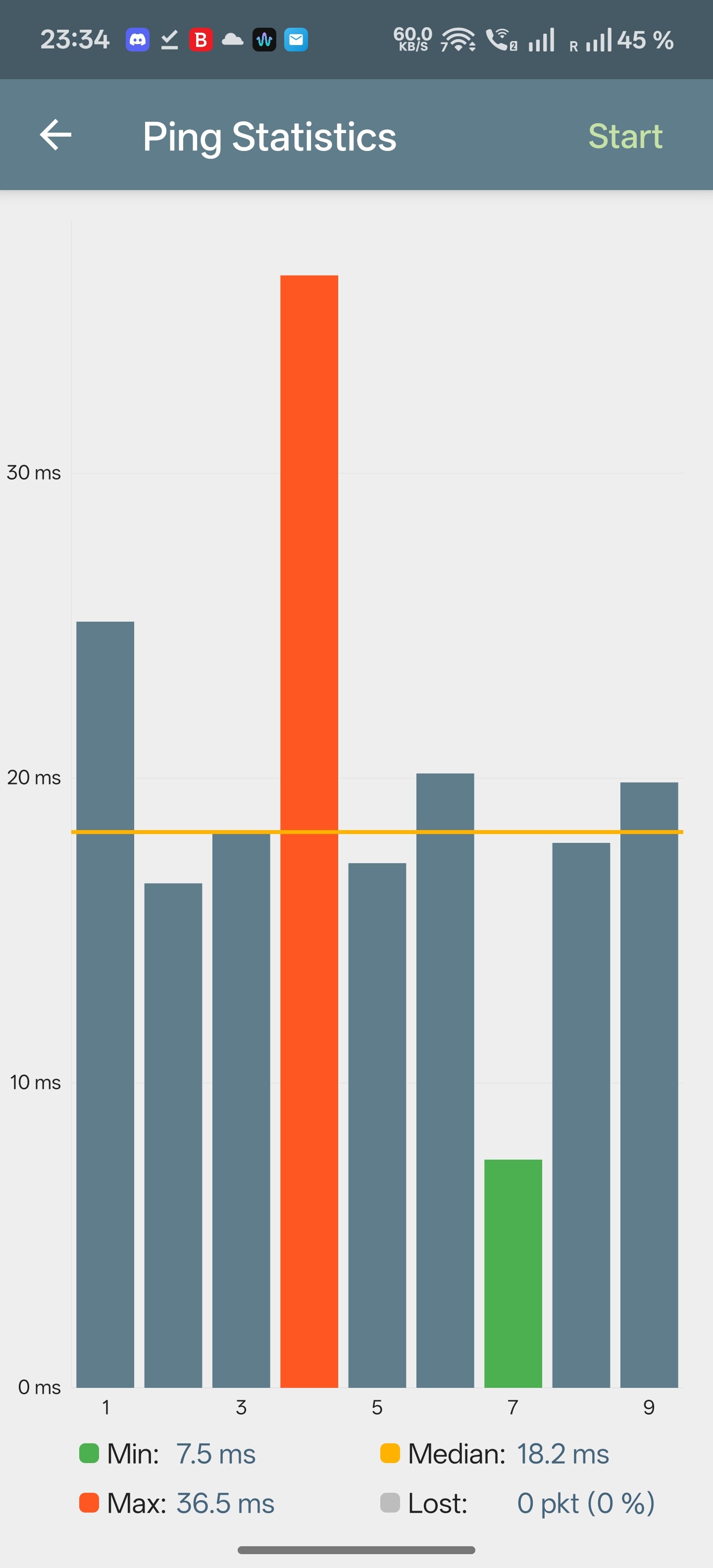
To keep this running, below attached results from ping, nslookup and traceroute (PC on LAN directly to Flint 3), and yes I have just installed fresh 4.8.3 with factory reset, reaplying PPPoE settings. And yes I do use original power supply.
And this affects at least 4 wireless devices : two phones, one tablet and TV (on separate only 5Ghz network), where Netflix does drops quality to lowest possible due to network instability.
I will collect logs once it will occur again after fresh installation, reboot and reconfiguration.
Wait, so you didn't notice the topics where customers are complaining about issues with acceleration, slow speed, MLO issues, and wireless problems? I thought maybe I saw it somewhere else... but no, it was definitely here.
No, most of the issues I've observed are related to the newly introduced technologies, such as Wi-Fi 7 and MLO.
There don't seem to be many reports of network acceleration failing to speed up, PPPoE crashing or the router needing to be restarted to restore normal functionality.
When hardware acceleration is disabled, all packet forwarding and offloading must be processed by the CPU alone.
If other services are running at the same time—such as VPN clients/servers or AdGuard Home—these will also consume CPU resources, which can noticeably reduce throughput.
Under normal circumstances, if you are not encountering problems, we recommend keeping hardware acceleration enabled.
Could you also provide the MAC address of the problematic device (it should be the device’s randomized MAC)?
From our preliminary review of the logs, there are very few error messages.
The only repeatedly disconnecting device is 2e:c7:f3:25:f9:4c.
Is this the affected device?
To help narrow down the cause, please also describe the Wi-Fi client’s behavior when the issue occurs:
Does the device remain connected to Wi-Fi, or does it disconnect?
If it stays connected, can it ping the router’s LAN IP?
If it can ping the router, is there packet loss?
Can it ping 8.8.8.8 or google.com?
If yes, what does the packet loss look like?
If no, does DNS resolution fail or does general routing fail?
This information helps determine whether the issue is Wi-Fi-layer, LAN-layer, or WAN-layer.
We also noticed from your configuration that many features are currently enabled—multiple VPN profiles, AdGuard Home, and what appears to be a third-party unbound installation.
To isolate the cause, would it be possible to temporarily:
Factory reset the Flint 3
Configure only PPPoE
Run it like this for a period of time, may this weekend
This helps determine whether the issue occurs under a clean baseline configuration.
Afterward, we can re-enable additional features one at a time to identify whether any component is causing interference.
I did factory reset. Only configured pppoe and internal lan ip.
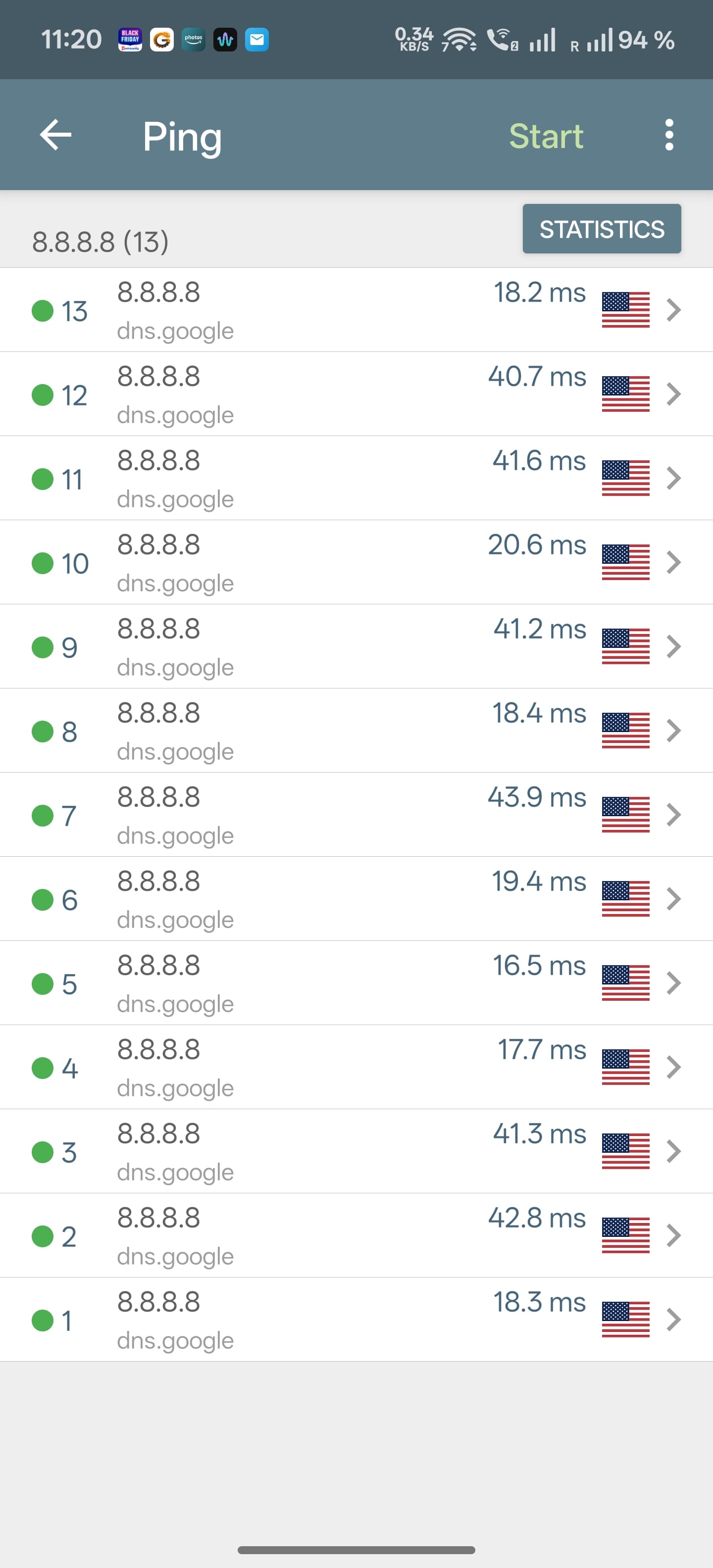
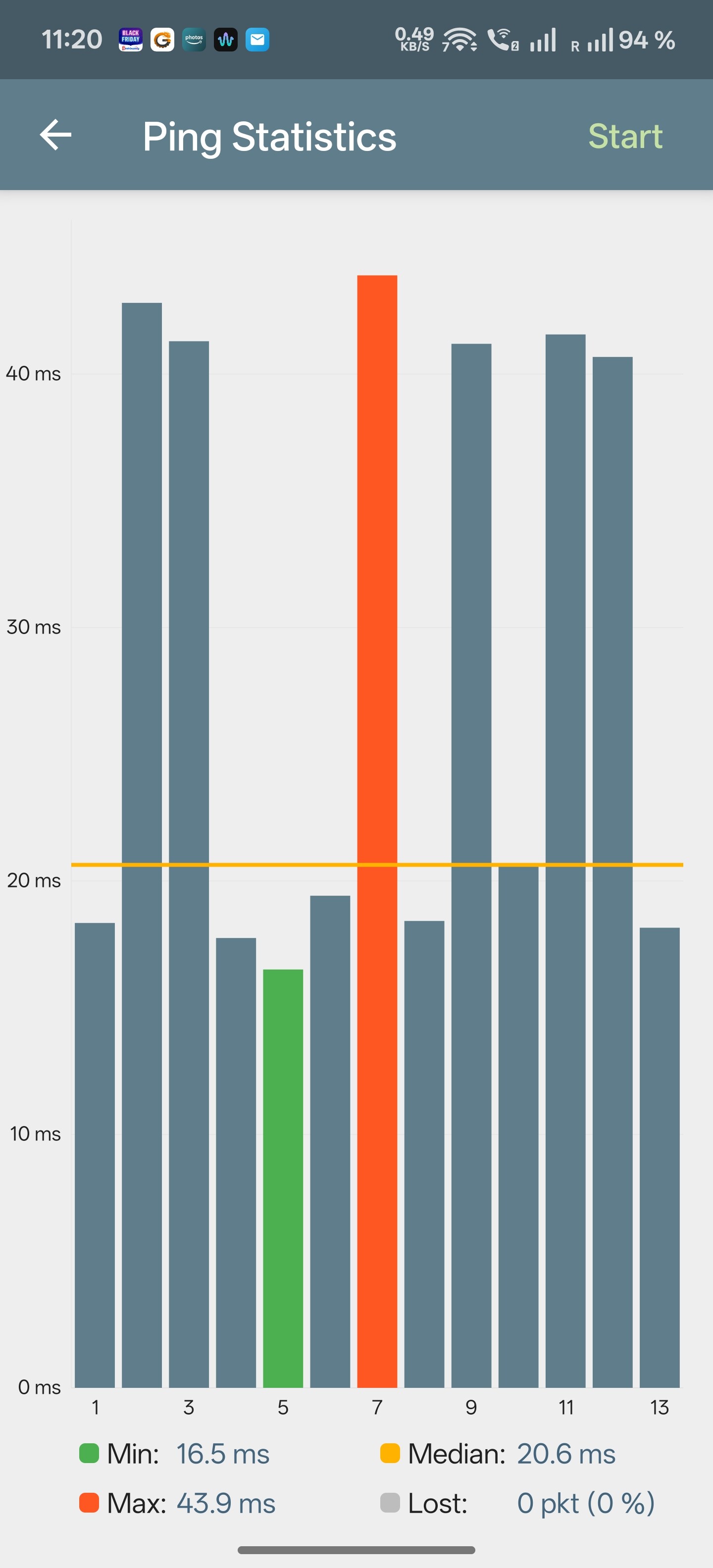
Devices are always connected to WiFi network when problems are occurring. Ping is attached, from phone, below. Log will send in PM. I can reach from phone Web interface of the router, so this leg seems OK. Ping is fine to the router.
Based on the test results so far, both the Wi-Fi connection and general internet access appear to be functioning normally.
The issue seems limited to slow loading speeds when accessing websites or services.
Not exactly, speed test also failing. I will provide more info once I install Flint 3 back to my connection. Right now I replaced with FritzBox (from ISP) and connections is solid…I will replace first Vigor 166 modem, to exclude any HW problem between Flint and ISP.
@will.qiu I have replaced flint 3 with new one I got from Amazon. Restored exactly the same configuration and it works second day with no issues. So it seems I need RMA original one, what is procedure? I bought in on preresale from Glinet directly.
Have you tested the stability of the new device?
You previously mentioned that the original unit would operate normally for one to two days before needing a restart.
If you can confirm that the configuration is identical and that the new device is operating stably, please email cs@gl-inet.com.
Include this post, your purchase channel, and your order number, along with a clear description of the issue.
Yes it seems stable, no single issues with both phone, or TV. I did opened request via web page so I hope it can be replaced and I can have working device after all this.
I have been experiencing the same wifi speed issue with Flint3. I have just updated the firmware to 4.8.3 and rebooted the router and hope for the best. will.qiu mentioned they have not received similar feedback I thought I should let you know the Wifi speed issue is real (I’m only using 5GHz and 2.4GHz)
I believe I’ve already clarified the previous description in this post.
We understand that due to the introduction of new technology — Wi-Fi 7 — and because some mobile device manufacturers do not fully well support it, Wi-Fi related issues may occur in certain situations.
However, regarding the other issues reported in this thread — such as lower PPPoE speeds, network acceleration not working, and the need to frequently reboot to restore normal functionality — we have indeed received relatively few similar reports. As a result, we’re unable to directly provide possible solutions at this time and would need more information for further diagnosis.
We are continuously improving the Flint 3 firmware to provide users with a better out-of-the-box experience, and we’re happy to assist with troubleshooting and do our best to offer solutions if customers encounter any issues.
Regarding the poor Wi-Fi performance you experienced, could you please start a new thread or send an email to support@gl-inet.com with a detailed description of the issue, so that we can better help with troubleshooting?